XDMS - user manual
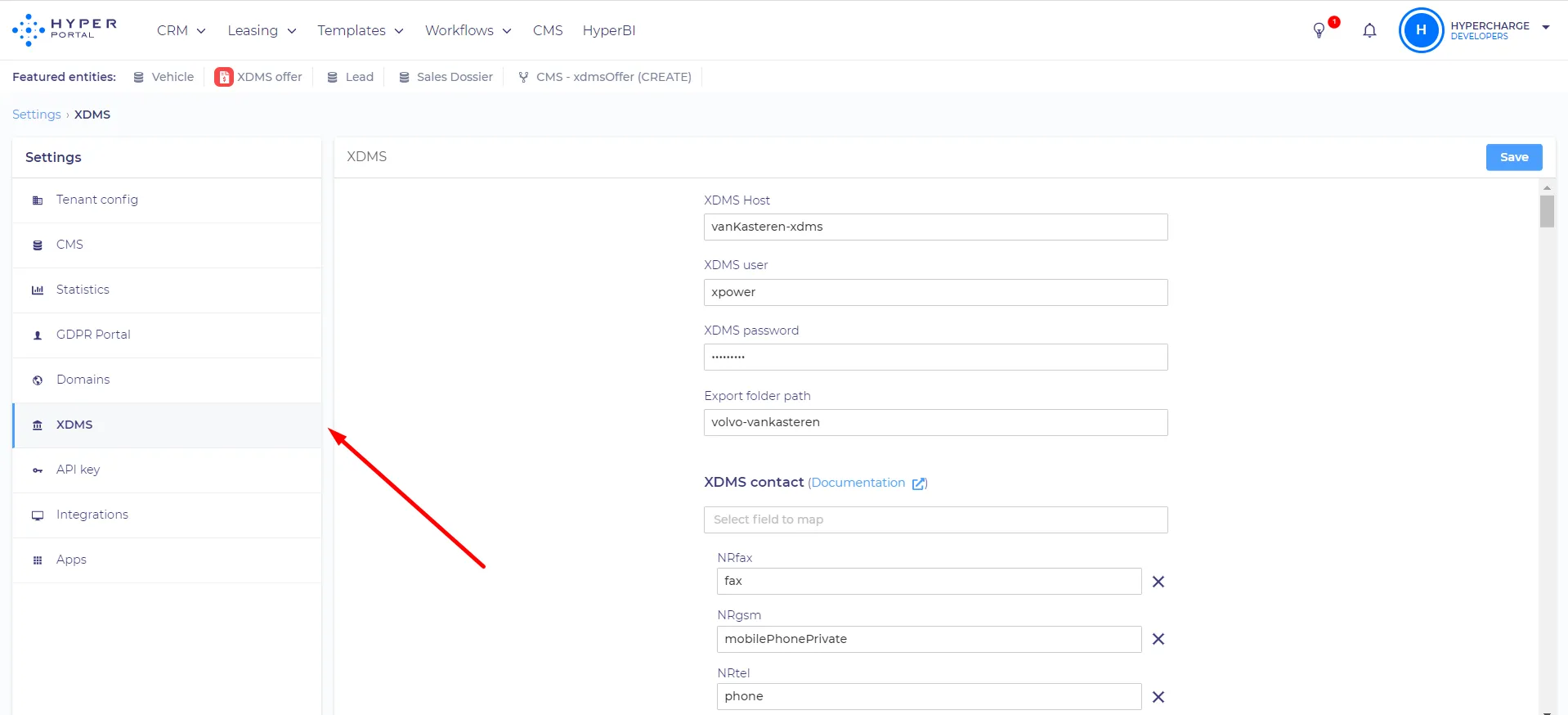
Here (see screenshot below) you can set up XDMS integrations. This tab is only used for imports from XDMS, to set up exports you need to go to the 'integrations' tab. The first three fields (XDMS Host, XDMS user, and XDMS password) are used to set up the export of GDPR changes to XDMS. The 'Export folder path' field is used to specify the folder where XDMS and HyperPortal will be exchanging files.
Mapping
As you can see there are several sections for mapping. Some of them are used to import items only for GDPR purposes - XDMS contacts, XDMS organizations, others are used to import XDMS items to HyperPortal - CMS contact, CMS organization, CMS vehicle.
XDMS contacts and XDMS organizations are used to push changes during the GDPR process. For example - the customer requests changes to their data, then the GDPR process starts after the portal manager approves the changes that are automatically changing in HyperPortal and XDMS at the same time.
From HyperPortal to XDMS
In the mapping menu of each section, you can choose the XDMS field that you want to map.
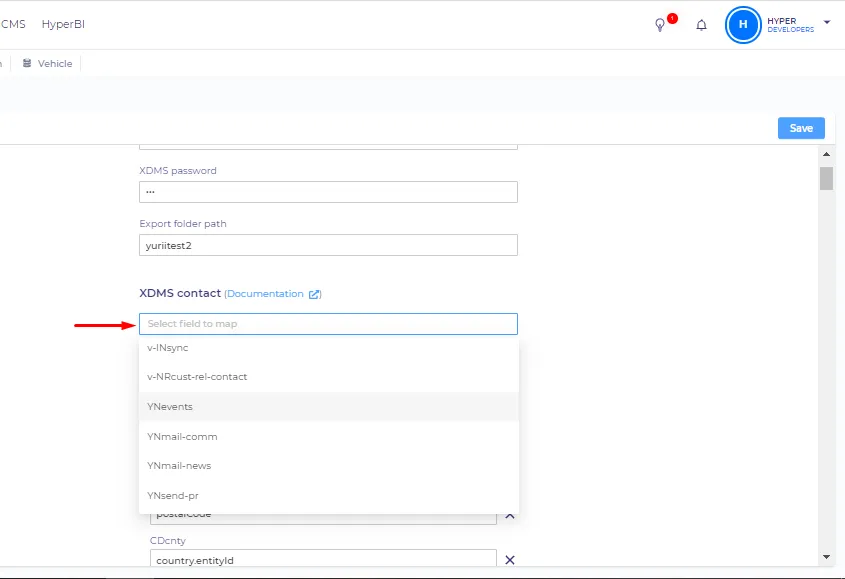
Then you can enter the property id of the corresponding HyperPortal entity property. XDMS contact can reference properties from the 'Contact' entity and XDMS organization can do it from the 'Organization' entity. To map some items you need to use computed properties. If you are referring to entity properties you should enter the entity id of the entity then type '.entityid' (it can be an entityid of any other property field) after it. (See screenshot below).
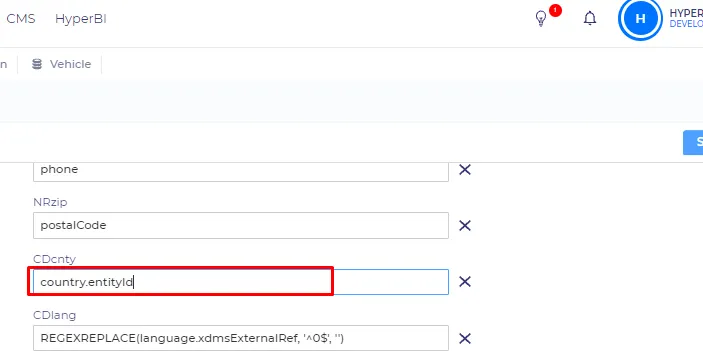
XDMS uses digits to display the client`s language (1 - English, 2 - German, etc.), so the language entity items HyperPortal store the same digits in the xdmsExternalRef field. If you want to push language fields you should use the following expression - REGEXREPLACE(language.xdmsExternalRef, '^0$', '') where 'language' is a property that we want to push (If the language is field is empty it will push an empty string instead of 0). We are replacing zeroes because XDMS will have issues with accepting them.
From XDMS to HyperPortal
CMS contact, CMS organization, and CMS vehicle sections are used to import data from XDMS sheets to HyperPortal CMS entities. In these sections, you can select a property field that you want to map, then you should type the code of the corresponding XDMS field.
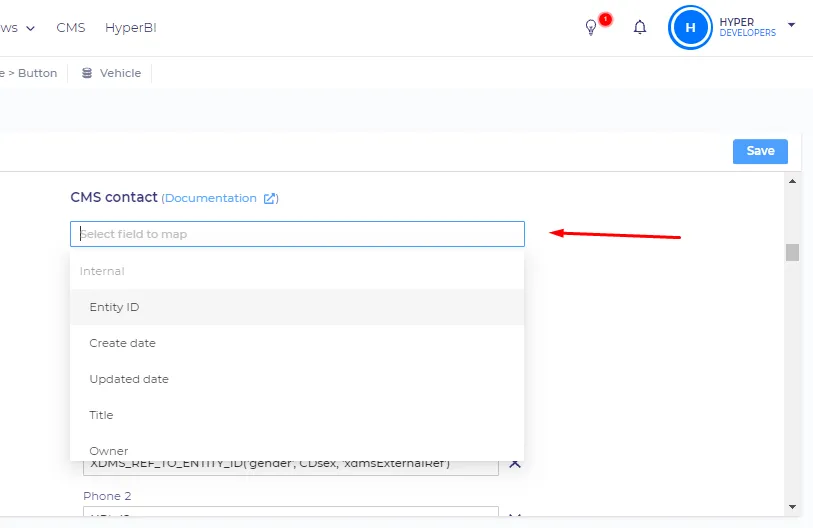
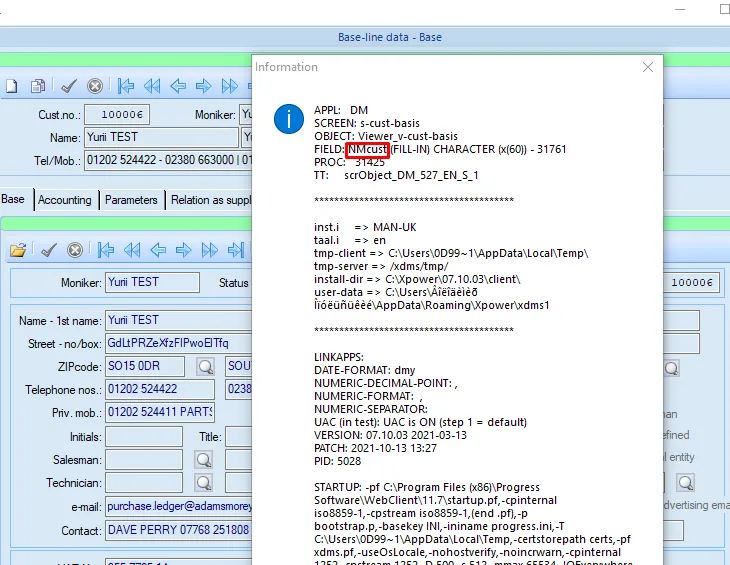
To get the code of the required XDMS field, you need to find it in XDMS, then click on it and press ctrl+alt+N, you will see the code under the 'Field' line (See screenshot below).
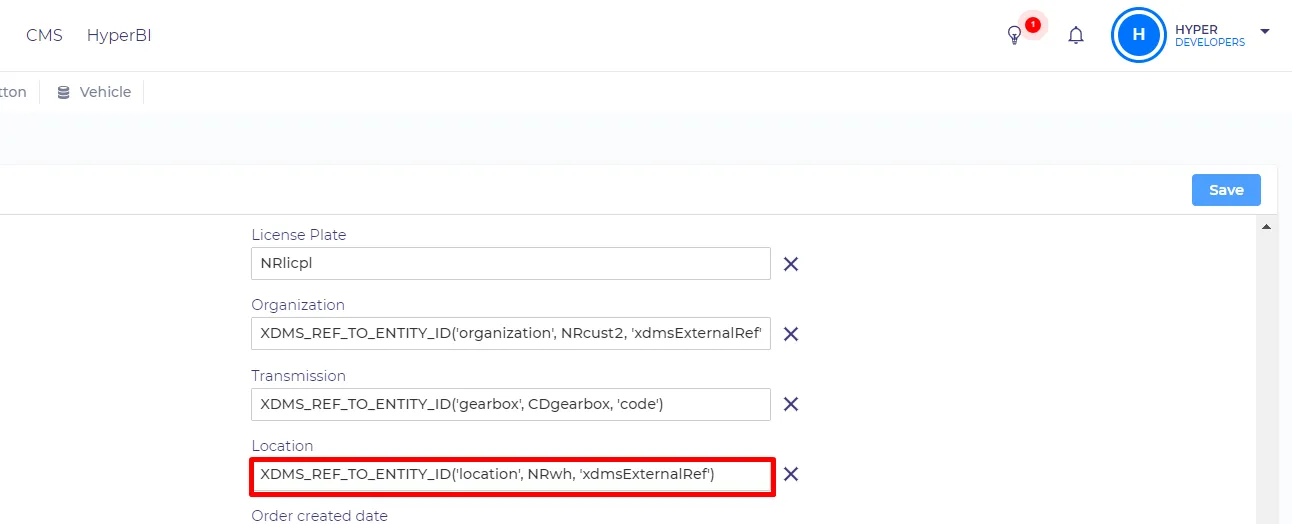
To import the XDMS field to the HyperPortal entity type field you should use the following function - XDMS_REF_TO_ENTITY_ID('location', NRwh, 'xdmsExternalRef') where 'location' is an entityid of an entity type field, 'NRwh' is a code of XDMS field that you want to import, 'xdmsExternalRef' is a property of the entity type field that will be compared to the value in XDMS. The function will look for an entity item whose 'xdmsExternalRef' property is the same as the value in the 'NRwh' XDMS field, then it will select the item.
To import language from XDMS we need to use this expression - XDMS_REF_TO_ENTITY_ID('language', REGEXREPLACE(CDlang, '^$', '0'),'xdmsExternalRef')
We use the same command that was described previously (XDMS_REF_TO_ENTITY_ID), but when passing the value from XDMS (CDlang) we use the REGEXREPLACE command to replace blank string ('^$') with 0. We do that because HyperPortal will not push blank fields to XDMS, and the first language in XDMS is stored as a blank field. We transform this blank value to 0 when we take data from XDMS and back to blank when we push to XDMS.
You can use computed properties to import email addresses. 'IF(FIND("@", ADemail) > 0, TRIM(LOWER(ADemail)), NULL)' command checks if the XMDS email field is not empty and contains a '@' character (IF(FIND("@", ADemail) > 0), then if the field is valid it removes spaces from both ends (TRIM) and converts the text to lowercase (LOWER). If the XDMS field is not valid the command returns nothing (NULL). This expression is created to make sure that the email addresses are imported correctly and can be used by HyperPortal for login procedures or for sending other emails.
To import date-type fields from XDMS you should use this expression - DATE(INDEX(SPLIT(DAexpire, "-"), 1), INDEX(SPLIT(DAexpire, "-"), 2), INDEX(SPLIT(DAexpire, "-"), 3)) where DAexpire is an ID of an XDMS date-type field.
We use this expression because HyperPortal stores date-type properties in Unix time format.
'Date' expression converts the standard (year, month, day) format to Unix. Then we use the 'SPLIT' command with the "-" delimiter to split the incoming data into three parts (e.g. 2012-10-25 will become 2012, 10, 25). 'INDEX' is used to choose an element in the list that was created by the SPLIT expression. We repeat the process for 'year', 'month', and 'day' separately.
Integrations
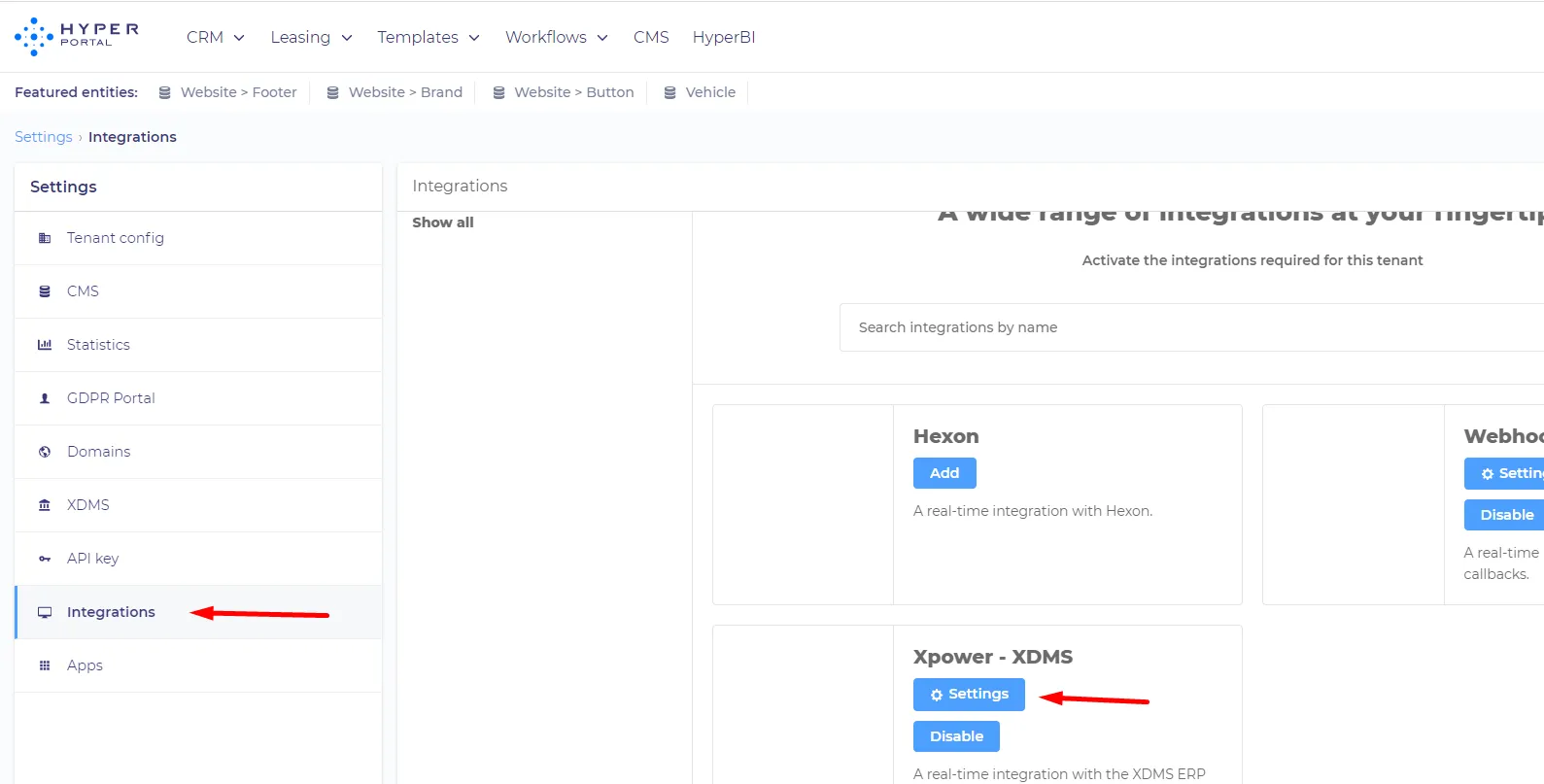
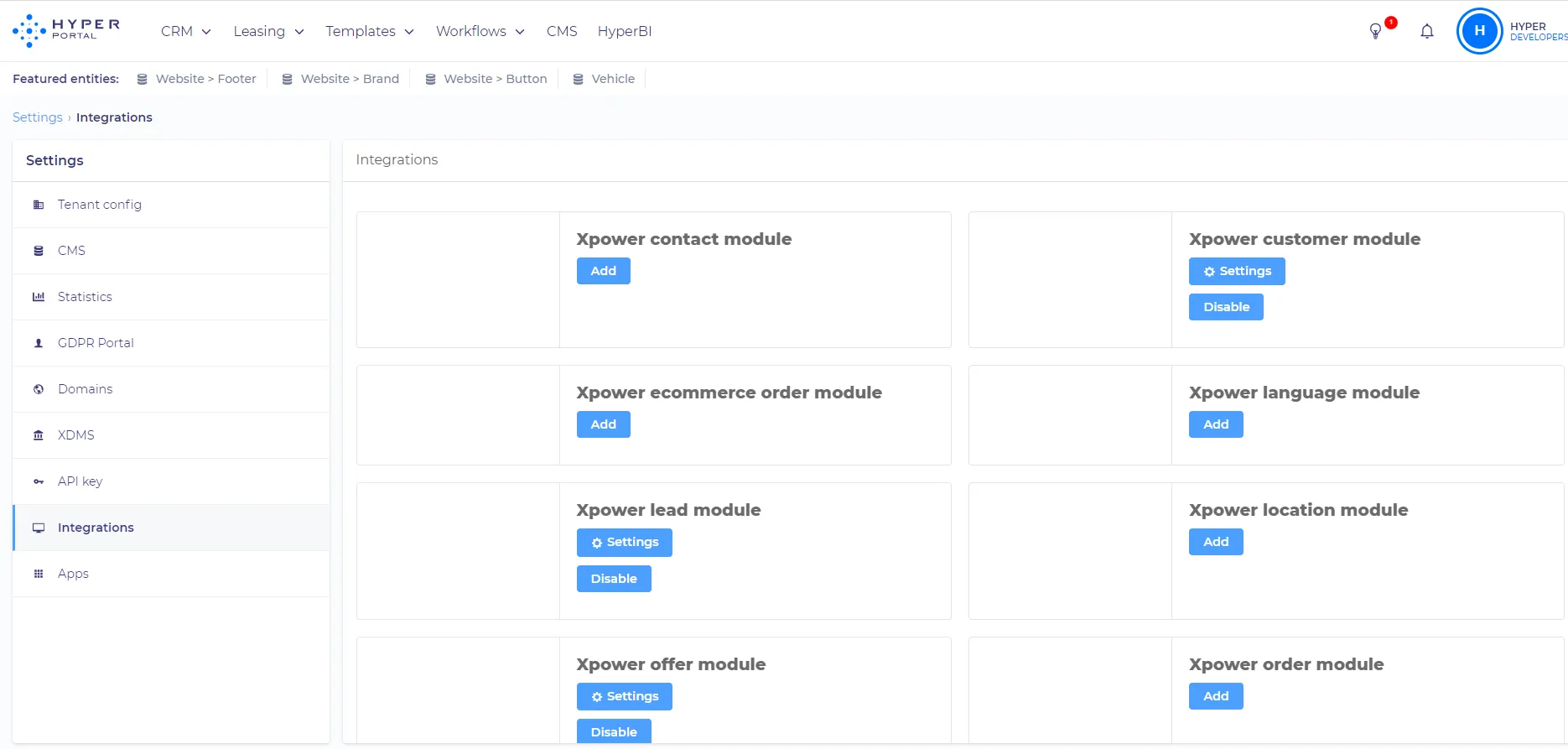
XDMS tab in Hyperportal setting is used only for exporting data for GDPR purposes and importing contacts, organizations, and vehicles. To export or import other items we need to go to the 'Integrations' tab in the settings, then 'Settings' near the Xpower - XDMS module
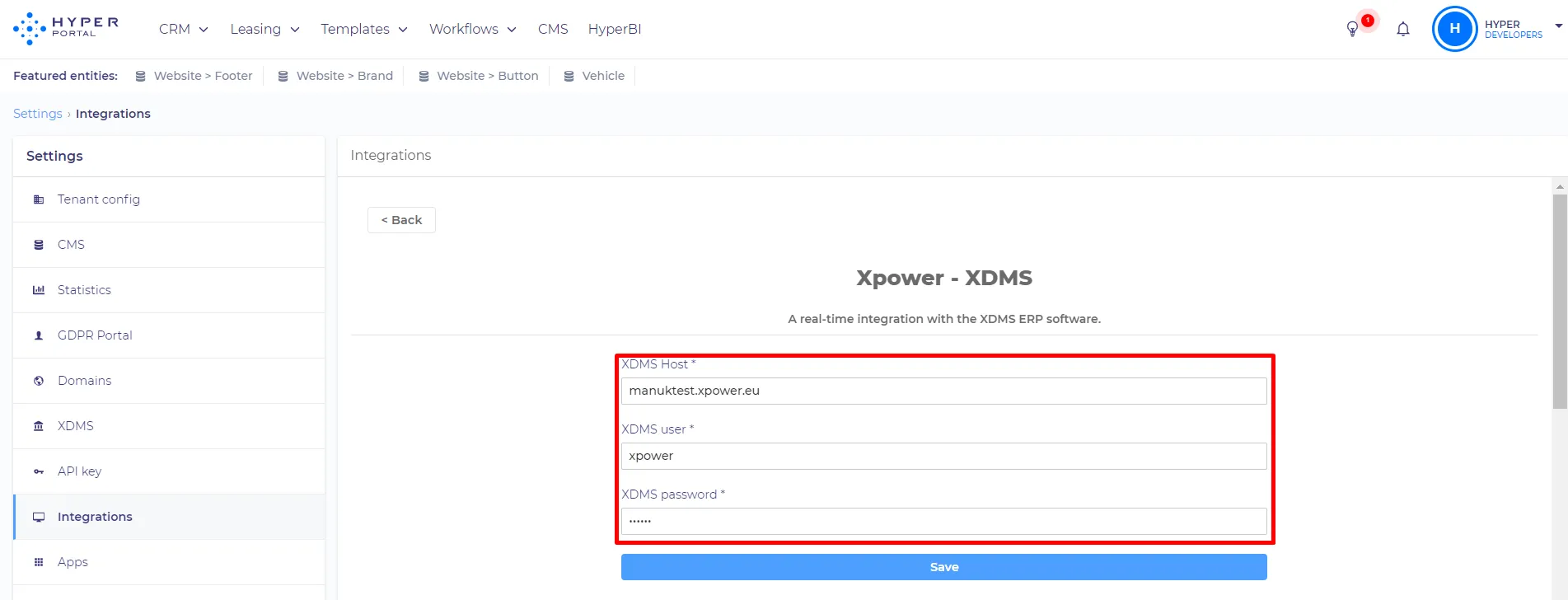
There you can log in to the XDMS client
And manage your modules (you can add, remove and edit modules.)
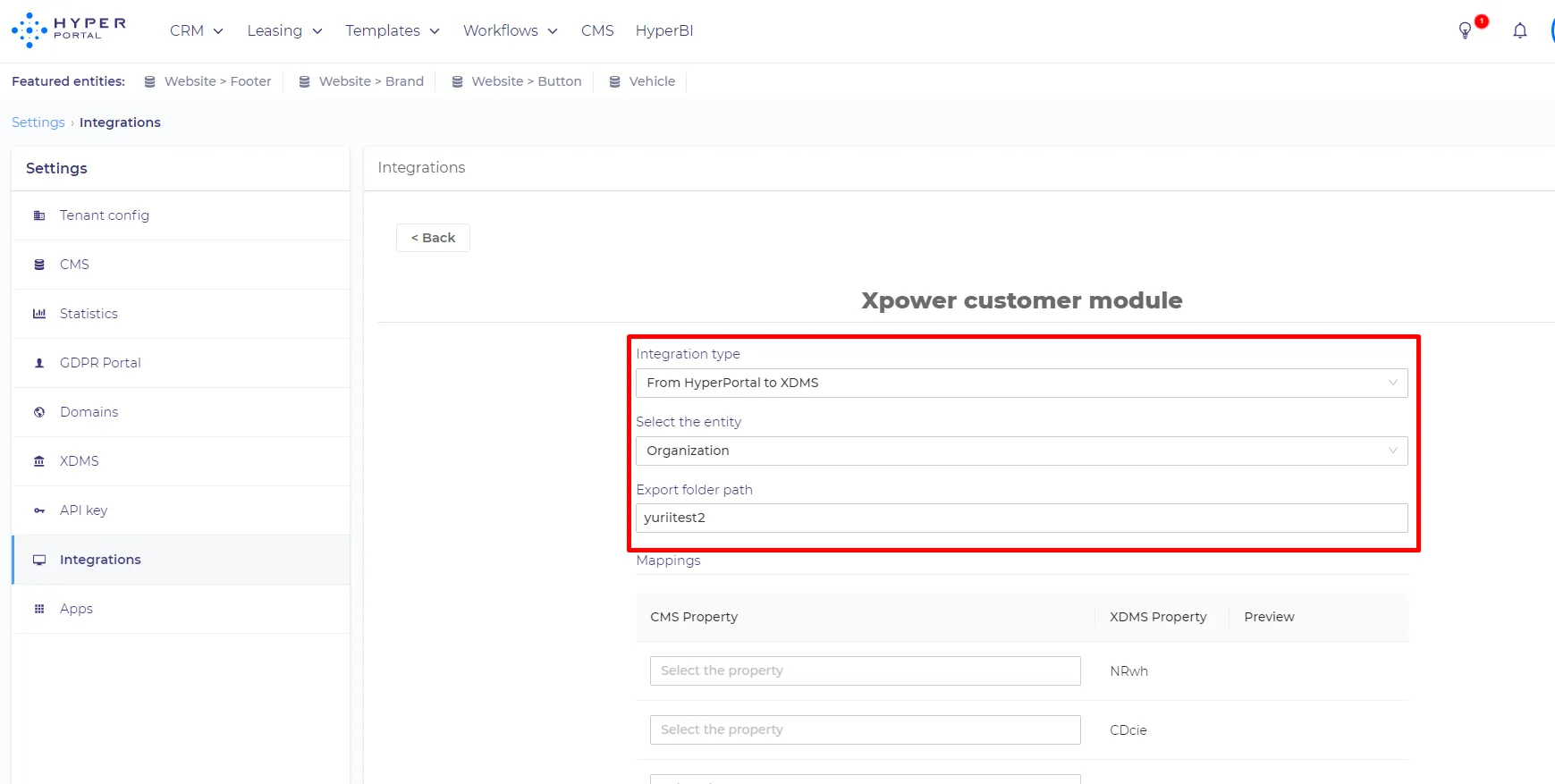
Each module has the same settings. You can choose the integration type (HyperPortla -> XDMS or XDMS -> HyperPortal), select the entity that corresponds to the module, and choose the folder that will be used for data exchange.
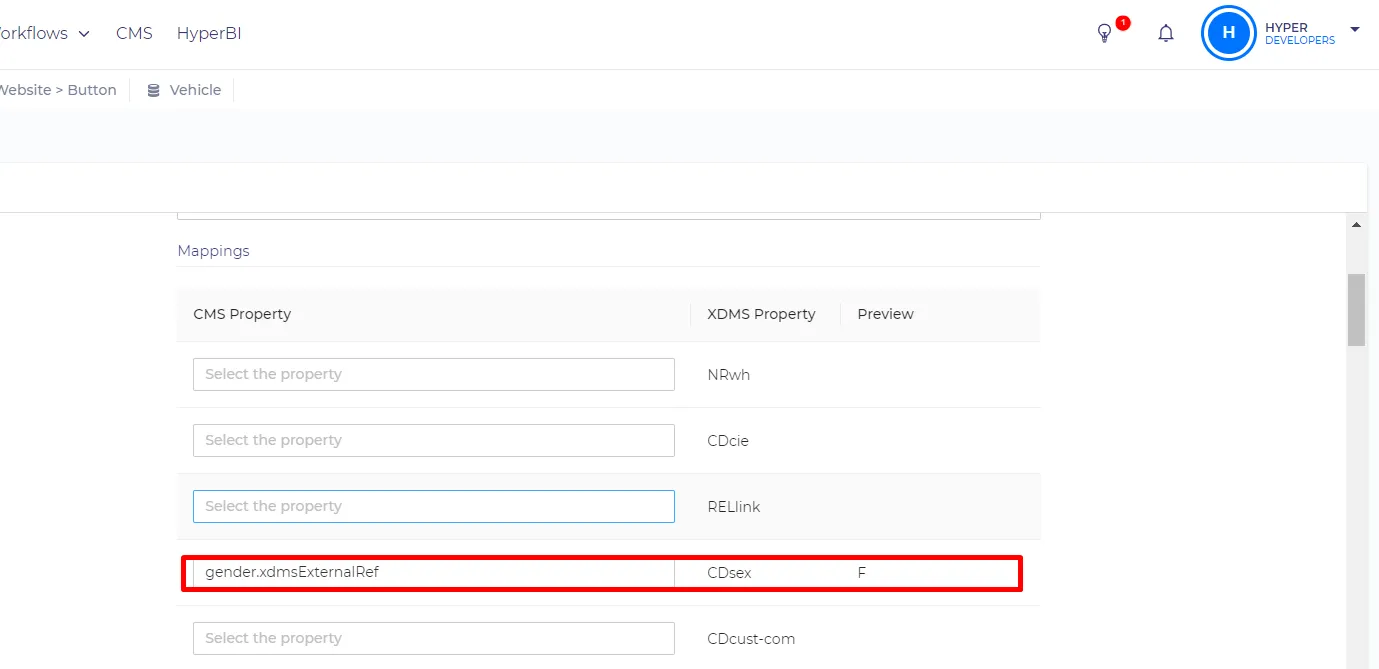
Under that, you can map fields and see the preview of the mapping result.
XDMS external reference
'XDMS external ref' is the code that is used to connect HyperPortal entities to XMDS. For example - 'XDMS external ref' in the 'Organizations' entity corresponds to the customer id 'Cust. no' in XDMS. So if you create a new organization in HyperPortal, it will automatically appear in the 'Via Third party' XMDS list with customer id (for example 10006), and the 'XDMS external ref' of the organization will be set to 10006. If you empty the 'XDMS external ref' field in HyperPortal the corresponding record in XDMS will be hidden and the new will be created. It behaves that way because HyperPortal assigns the new 'XDMS external ref' each time the entity is created or the 'XDMS external ref' field is emptied.