XML Import
You can use this feature to import data from an xml file to the application. You can import data to any application entity.
Where to start?
Let's look at the import operation using a specific example. There is an xml file with clients data and our task is to import the data into the Contact entity.
Go to the "Contact entity -> Arrow near Edit view button -> Import data"
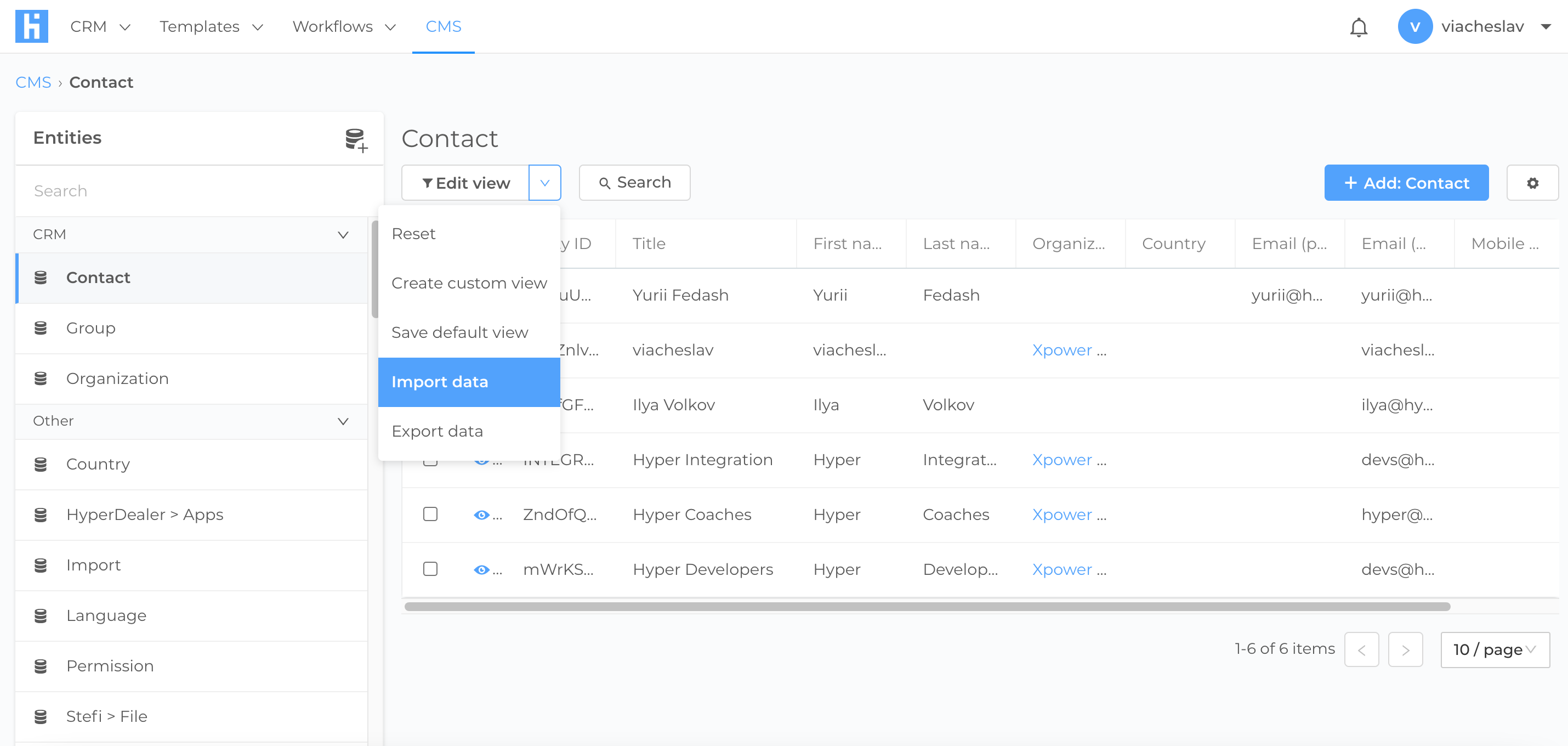
In the window that opens, select and upload the file and press next
Setting up a Data mapping
On the "Data mapping" tab, you configure the relationship of data from an XML file to fields in the portal.
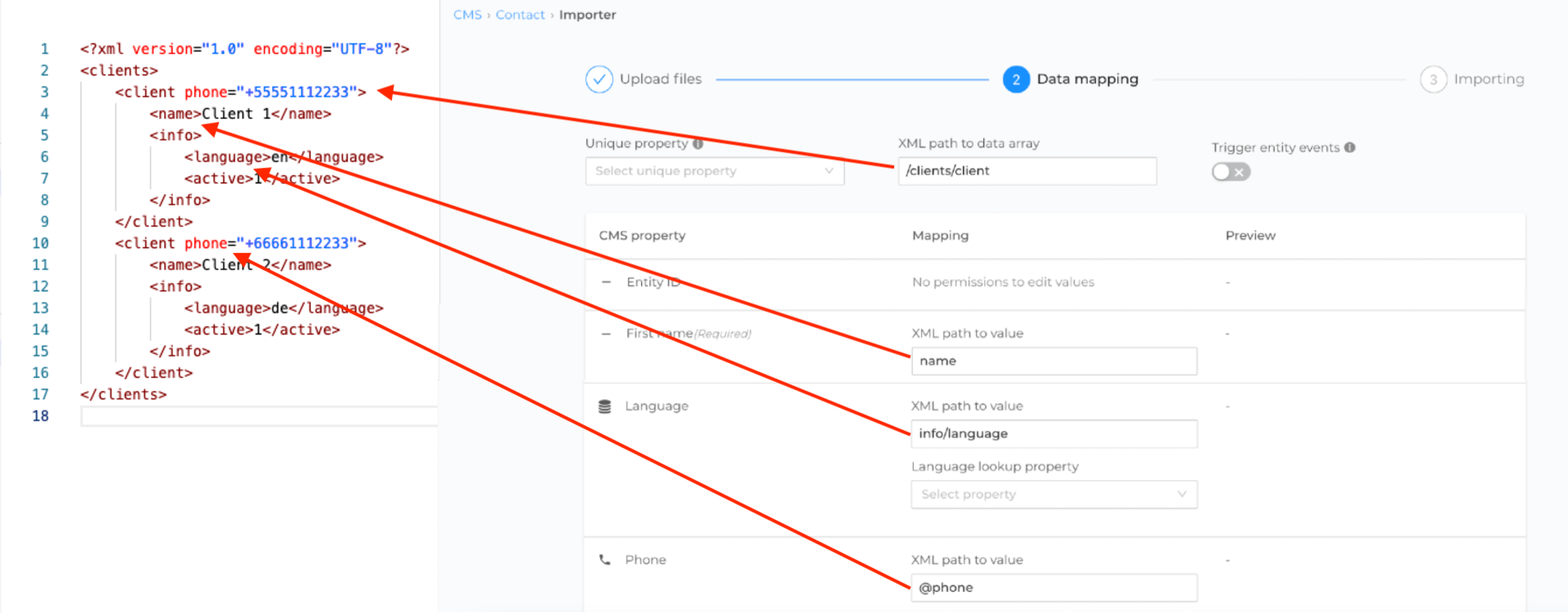
XPath query language is used to specify which data should be used from XML
XML path to data array - is the actual path to the data tag. In our example, we have a main <clients> tag and each client is enclosed in a <client> tag. Therefore, the path to customer data will be /clients/client
Phone - data about the phone is passed as additional parameters to the main tag <client phone= "+66661112233"> (There may be several such parameters). To extract such a parameter, specify the parameter name beginning with "@"(at) @phone.
Name - is a simple input field. In an xml file, it is stored inside the <name> tag without any parameters. Specify the XML path to the value name.
Language - the language values are stored in the <language> tag which is nested in the <info> tag. In this regard, we specify the path to the value info/language.