Workflows. Autocomplete task setting (cloned)
'Autocomplete task' helps to make the process faster without doing manual inserts. When the 'Autocomplete task' option is turned on and all required fields are filled in, the manual task will complete itself automatically.

Example process:
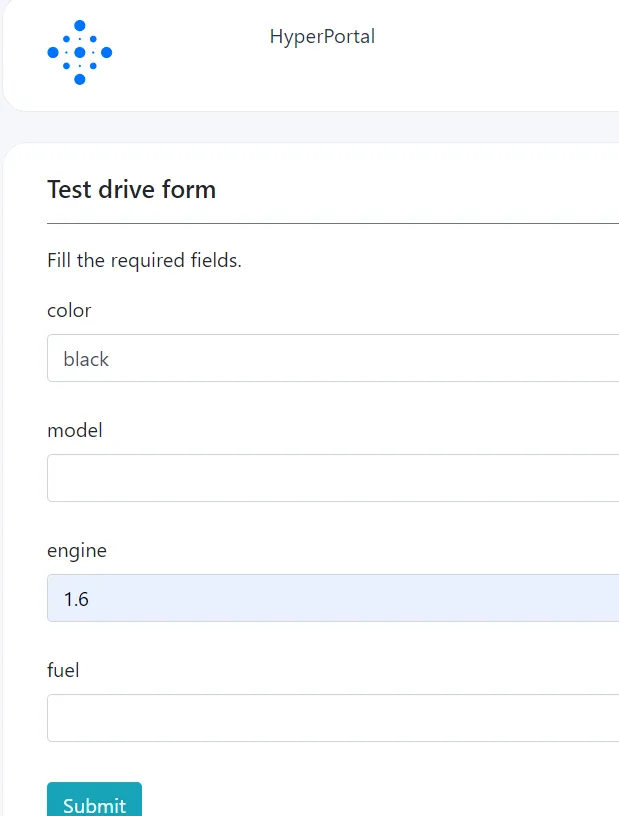
In this form we have 4 required fields. What will happen if these required fields will not be completed ?
Below we have a process with 3 manual tasks, each representing a different case with the 'autocomplete option'.
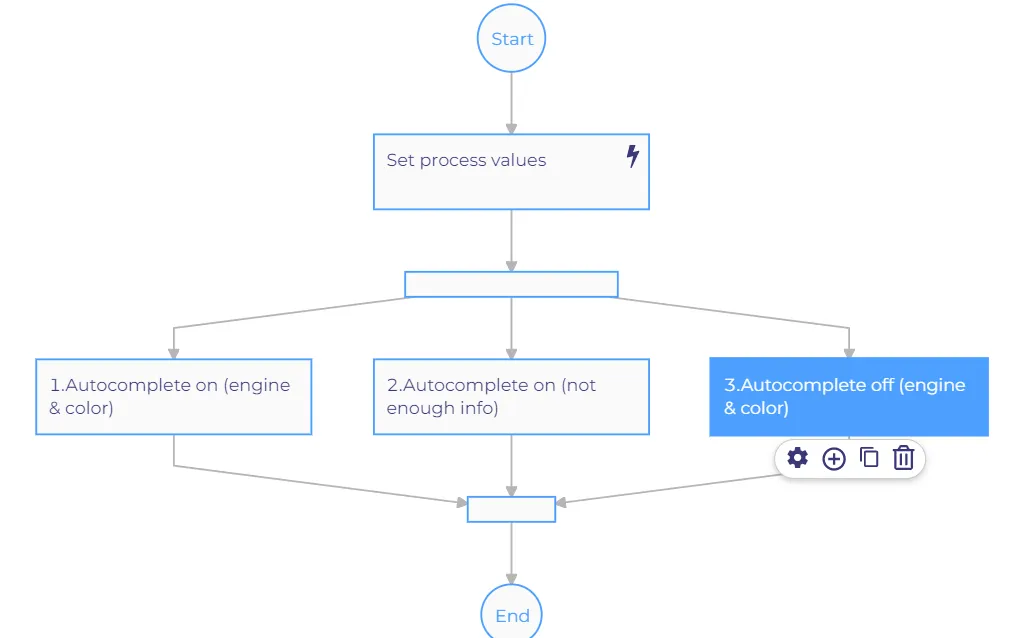
1) For the first case, when we have required fields engine and color completed while 'Autocomplete task' is turned on, the process will verify the properties and will autocomplete. We don't need to do any manual acts.
1) For the second case, when we don't have all completed required fields (color, model, engine, fuel) while 'Autocomplete task' is turned on, we will get a manual task where we need to insert manually the required properties. After completing the required fields, the process will behave like a usual manual task (Take task, Mark as done).
3) For the third case, when we have completed properties engine and color while 'Autocomplete task' is turned off, the process will behave like a usual manual task. We need to insert manually all required fields.
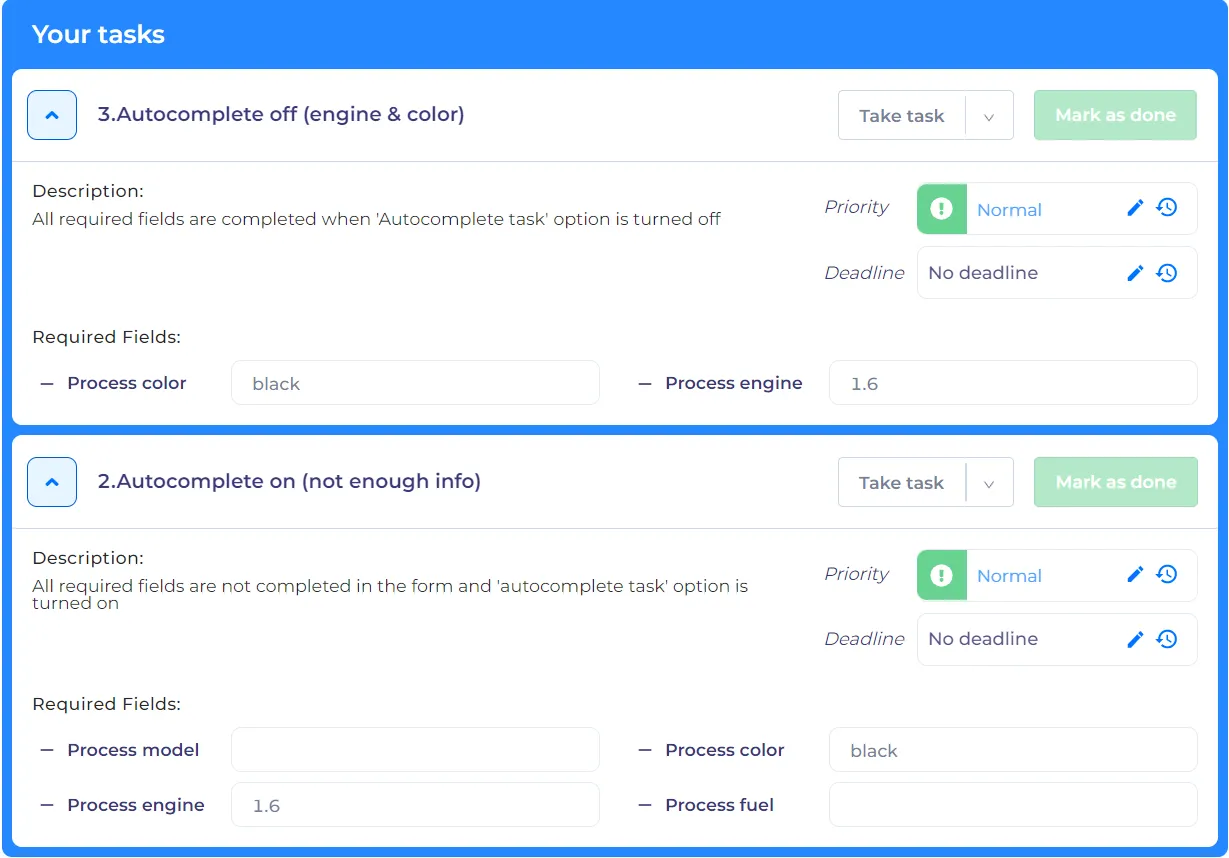
As a result after completing the form, we got 2 manual task.
The second task behaves in this way because the required fields was not completed.
The third task is a usual manual task with 'autocomplete task' turned off.
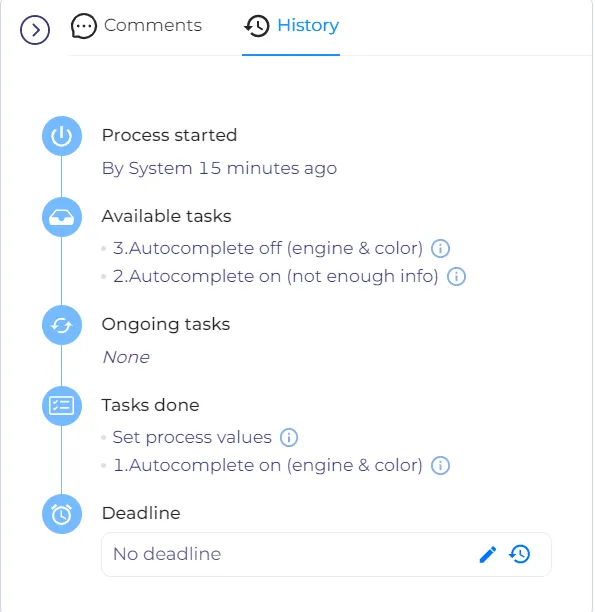
The first task passed successfully, the system automatically completed the task (Take task, Mark as done). We can see it in the history of the pocess (Tasks done).