Integration modules
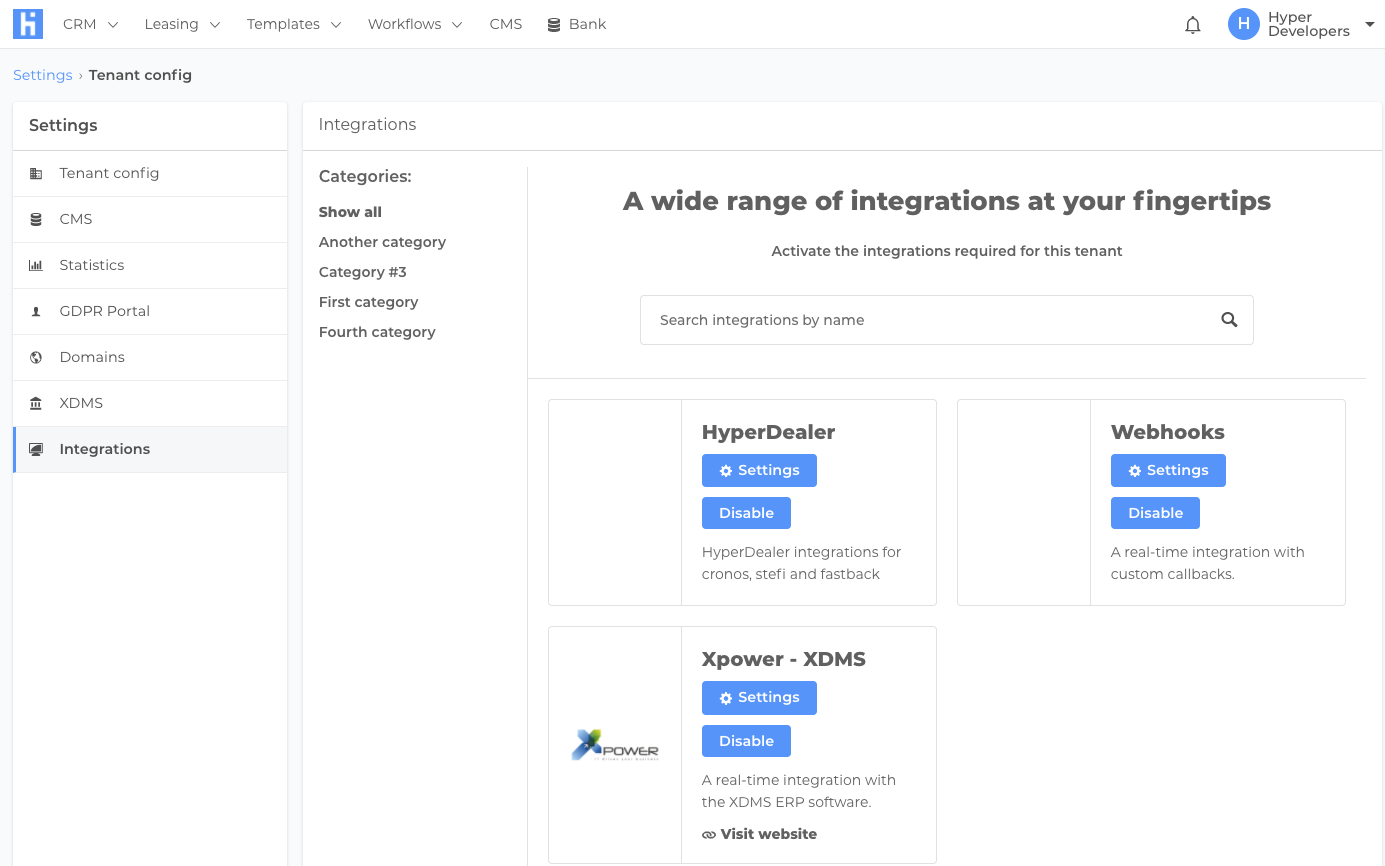
Integrations currently work via a model that has:
- Integration category
- Integration
- Integration module
Integration categories are nothing more than a grouping mechanism for the UI. Each integration can belong to multiple categories.
One integration represents a logic grouping of one or more integration modules. E.g. HyperDealer integration groups several integrations with external services (Cronos, fastback, etc ...) and also the required model for these to run. Enabling a module should also bootstrap any required entities for it to be able to run.
An integration module represents a concrete integration with another system. How this integration is executed varies from case to case. Hyperdealer integrations for example run via a cron that runs on fixed times during the day. Xpower XDMS contact module on the other hand runs after it receives an event that a contact changed.
Adding an integration to hyperportal
Backend
On the backend the implementation will need at least two apis: one to enable/disable integration and one for enable/disable integration module.
In repo "lambda-monorepo" in src > services > hyper-dealer > lambdas you can find examples of apis for this. Be aware that lambdas can only run up to 30secs in api gateway. If you enable/disable needs more than 30sec you will need to use either an async lambda or a queue/ECS solution.
These lambdas apis will be used for the UI further down.
Frontend
On the frontend side the implementation resides in hyper-cloud project. In src > settings > components > integrations > utils.js there are 2 maps that you will need to populate to make the UI use your new components/actions: formMappings and actionMappings.
In formMappings and using as a key the id of your integration/integration module you should add a new entry in the map and provide the following subkeys:
- form: The component that should be used to render the form for the integration/integration module. You don't need to create the from, just the fields you need. The integrations UI forms use Formik so check current implementations for details how to use formik;
- schema: If your form has required fields you can provide this key with the Yup schema for validation;
- initialValues: If your form requires pre-populated data then you can provide an object in this key and it will be initialised;
In actionMappings you should provide the redux actions (check hyper-dealer for example) for enable/disable your integrations / integration module.