Workflows input/output
Most workflow nodes have input and output, but there are a few exceptions. The 'Start' node has no input and the 'End' node has no output.
Each node will execute for each item in its input. let`s look at the example. The 'Mailchimp' node gets four items from Mailchimp, so its output has four items.
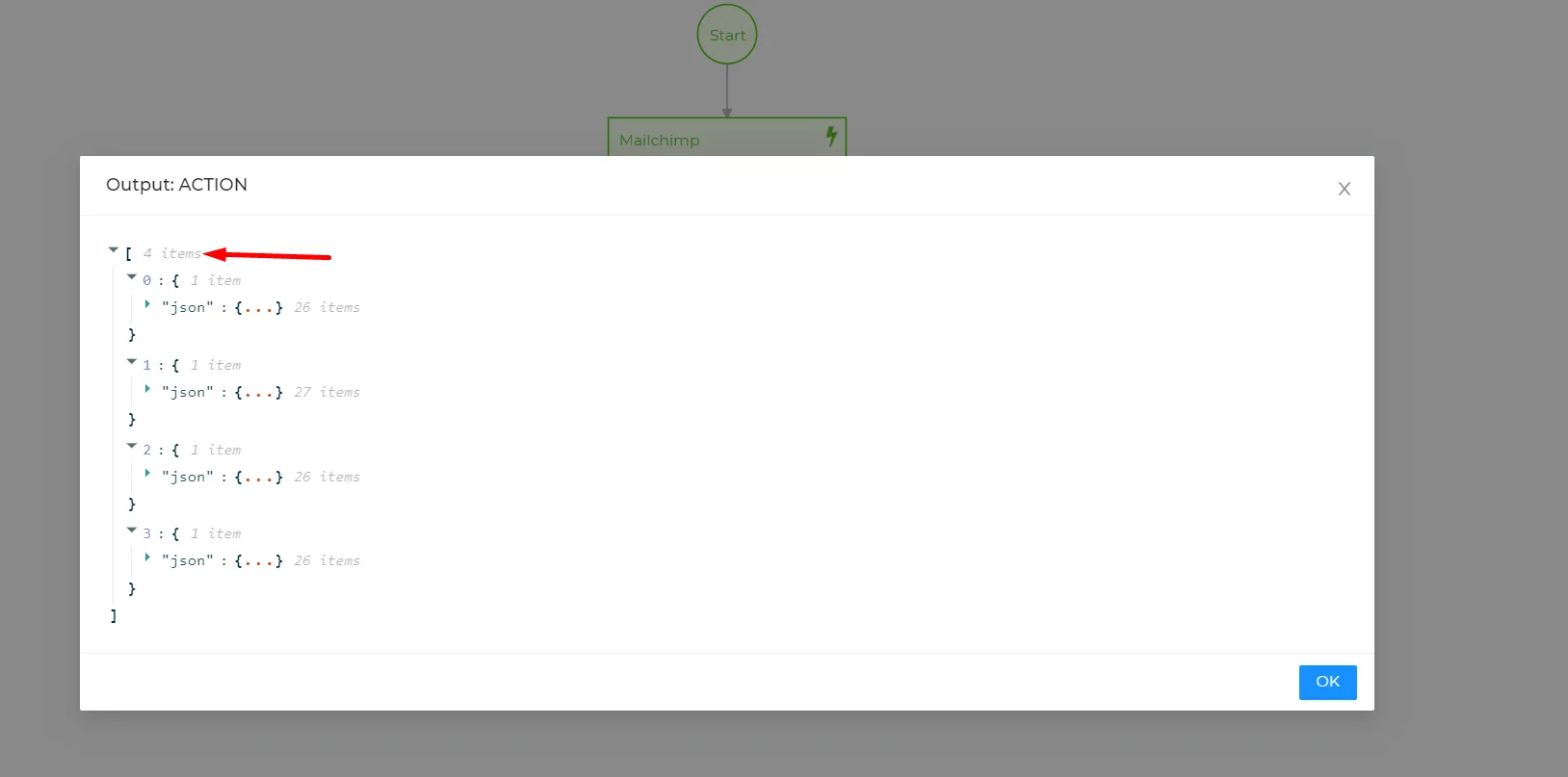
The next node 'Create entity' will be executed four times and will have four entities that it created in its output.
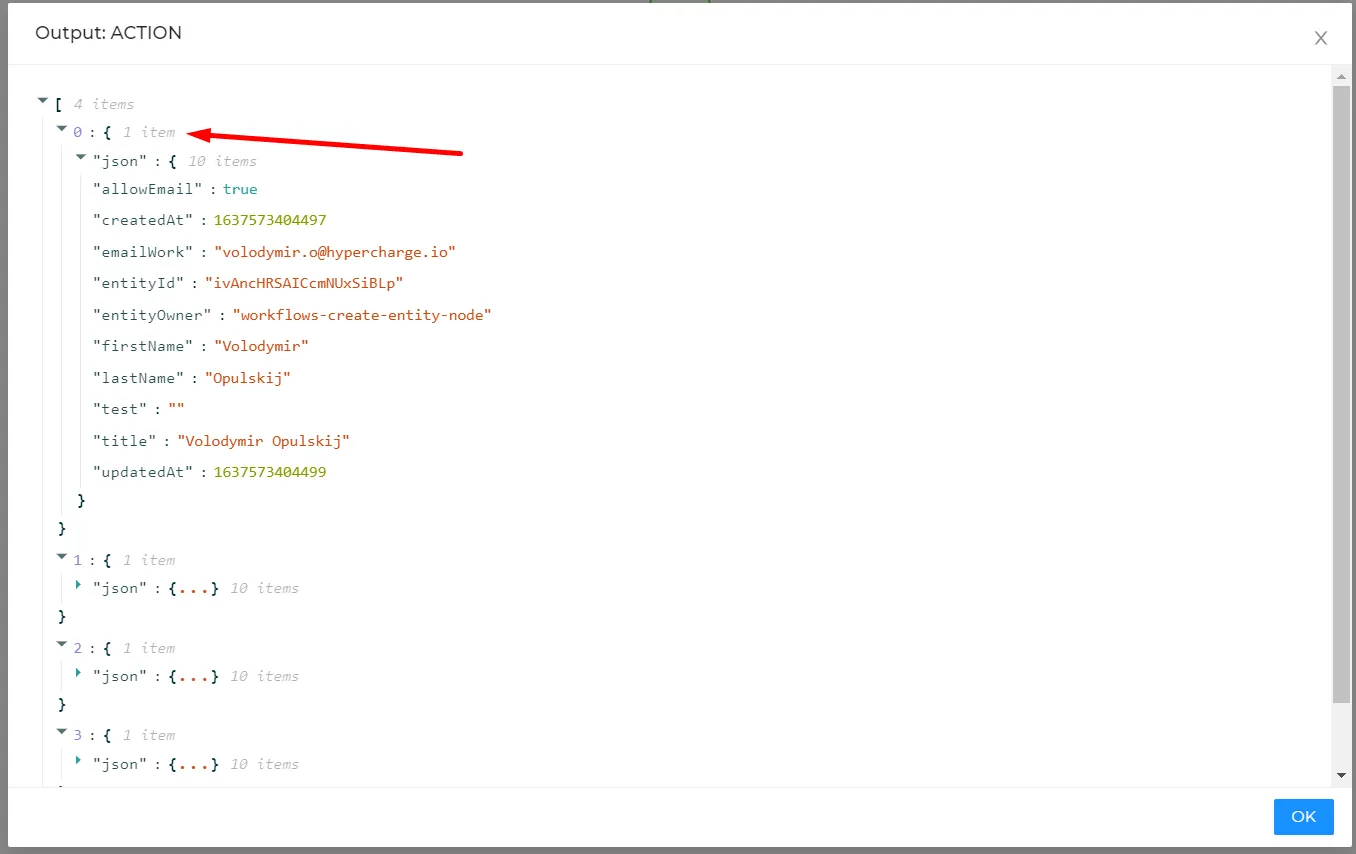
The next node will have four entities created by the previous node in its input.
Keep in mind that if the node that outputs multiple items ('get entity values' for example) has multiple items in its input, the output of the node will be multiplied by the number of input items.
Example - 'Get entity' values outputs 6 items, the next node 'Get contacts from Mailchimp' that gets 5 contacts will be executed 6 times and will have an output of 30 items total. To prevent that we can set the 'Output entity property' for the 'Get entity' node.
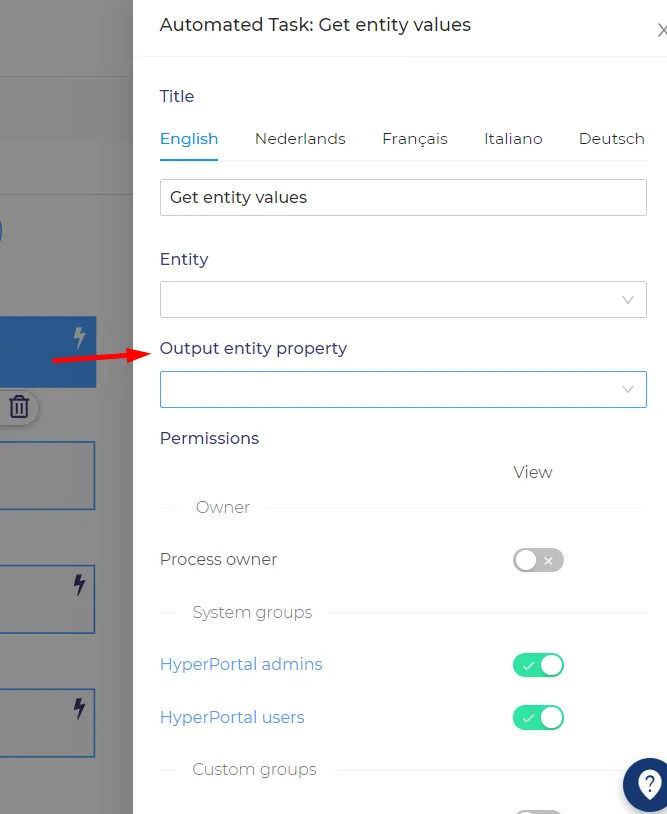
If the 'Output entity property' is set, the node will have only one item in the output.
Mapping
You can use the output of the node in the mapping of the next node.
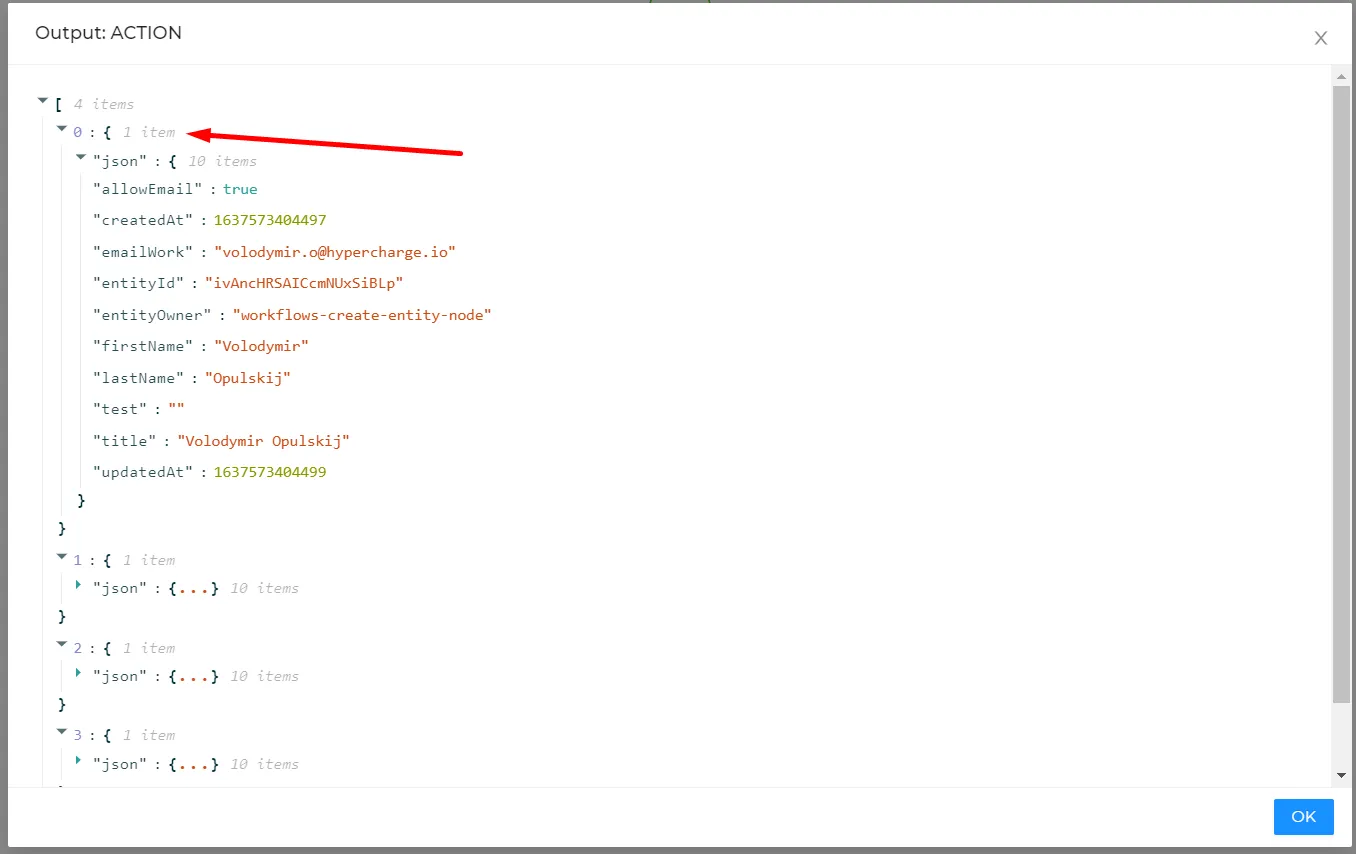
For example - to map the email address from the screenshot above (emailWork) the mapping should look like that - $json.emailWork. The mapping from the output will always start with '$json', then you should type the property ID of the needed field.
You can also refer to properties at any level of nesting.
For example - we have an output of the email feedback node that collects logs of certain messages.
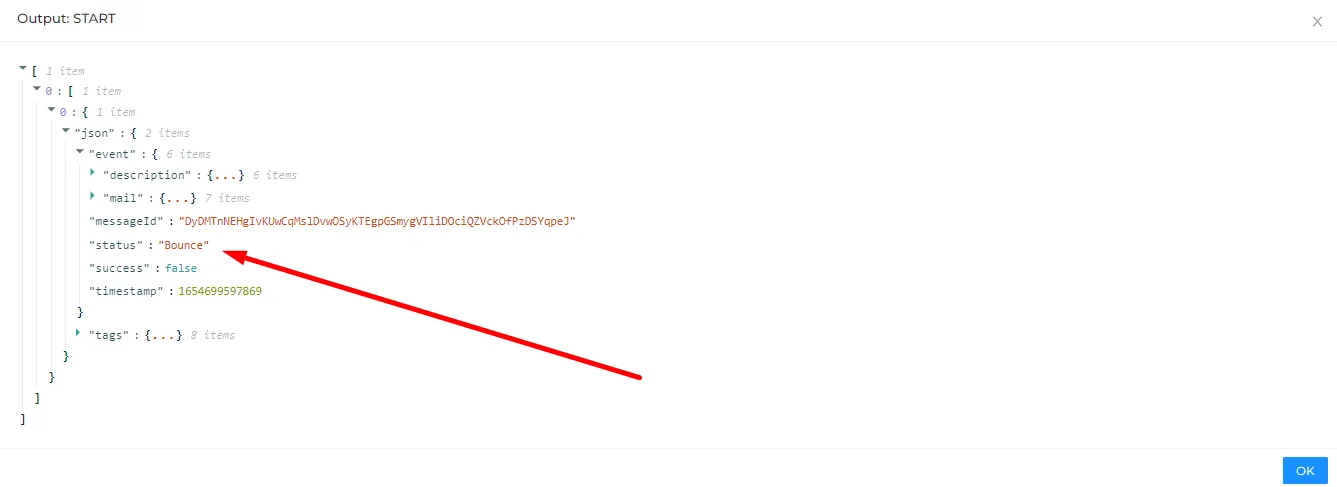
If we need to refer to the status of the email (see screenshot above) you need to enter the following expression -
$json.event.status - if this expression was used on the data from the screenshot, you would`ve got the following result - 'Bounce'
You can also refer to specific items in arrays.
For example, we want to get the first destination from the email feedback node. The output of the node looks like that -
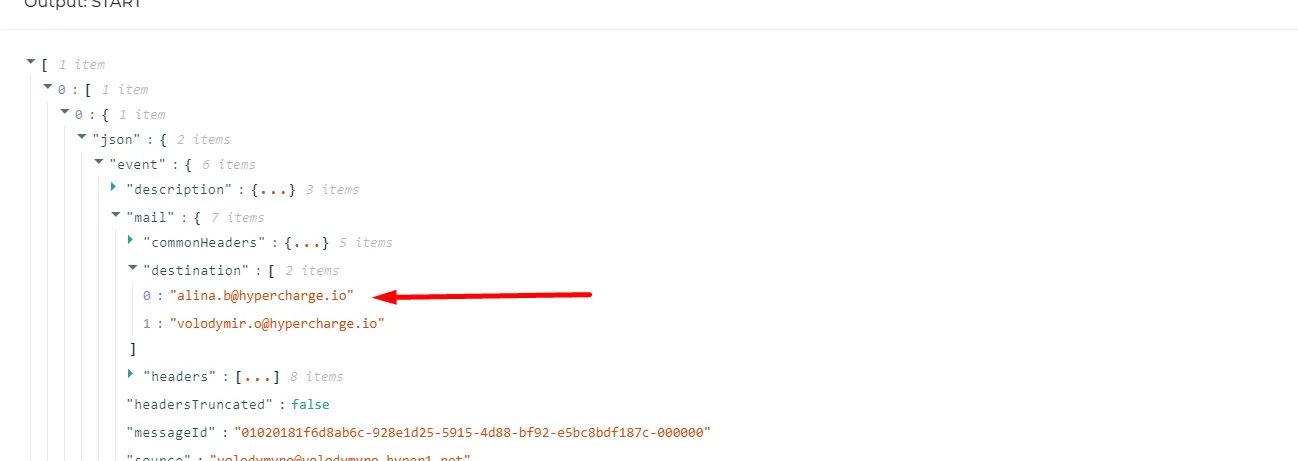
As you can see there are two items in the destination array. So the correct mapping will look like that -
$json.event.mail.destination[0].href
The $json.event.mail.destination part of the mapping is the path of the destination array. To access the first item we need to put its index in the brackets and .href after that.