Volvo Event App - manual check-in
2 min
Use this guide if the check-in page doesn`t work or the customer loses his ticket.
To manually check in the guest you need to find the order. The list of orders can be found here.
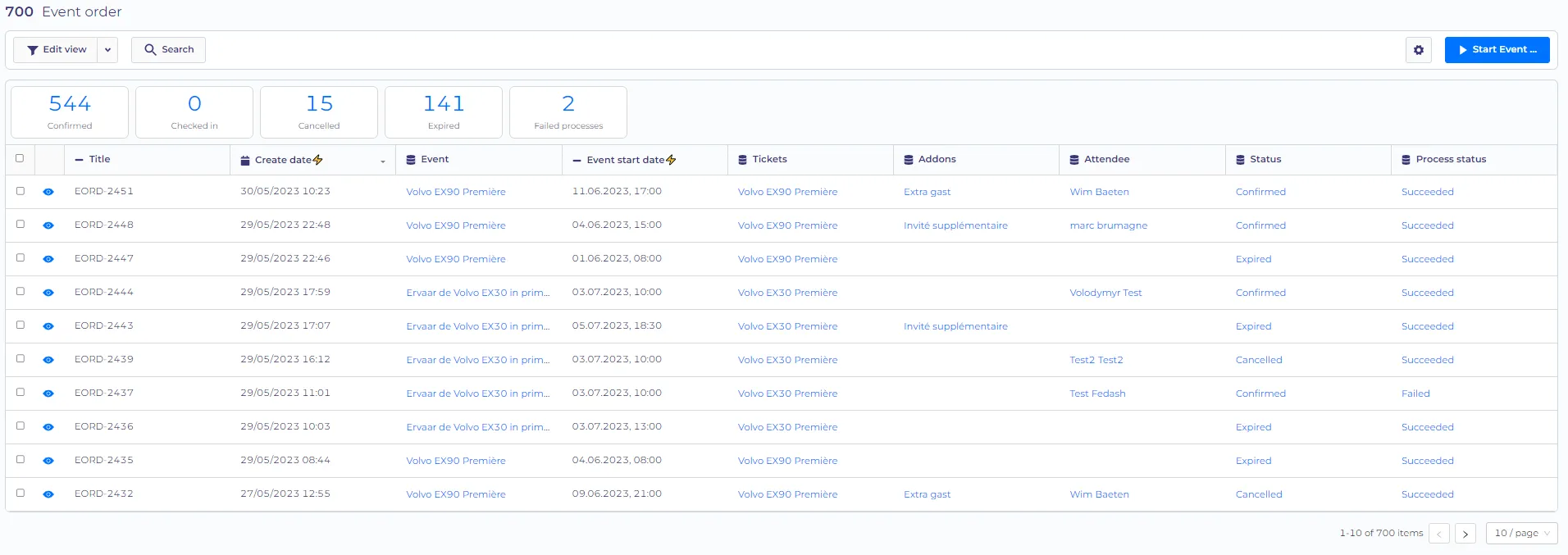
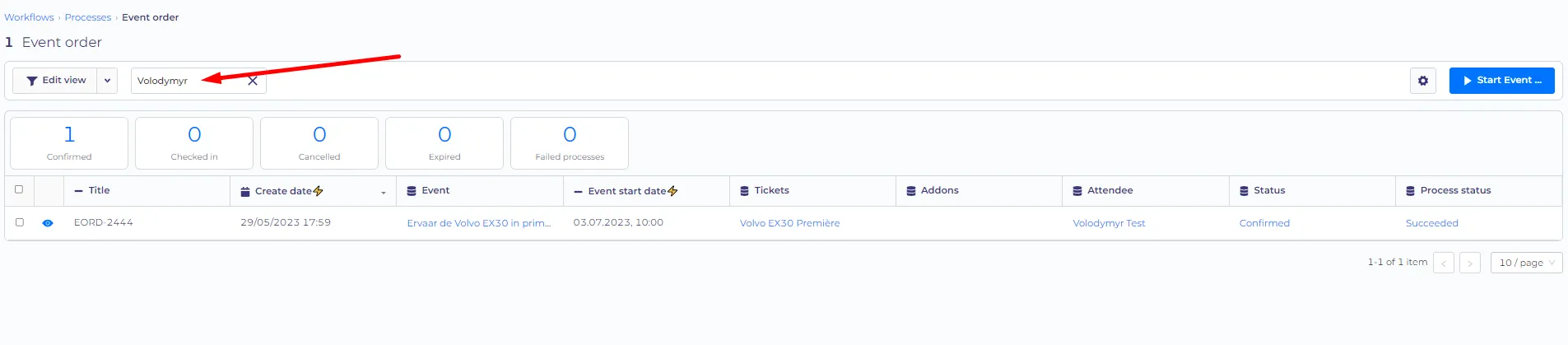
Then you can look for an order via the reference number (from the ticket) or the name of the customer (extra guests should provide the name of the person who ordered the ticket)
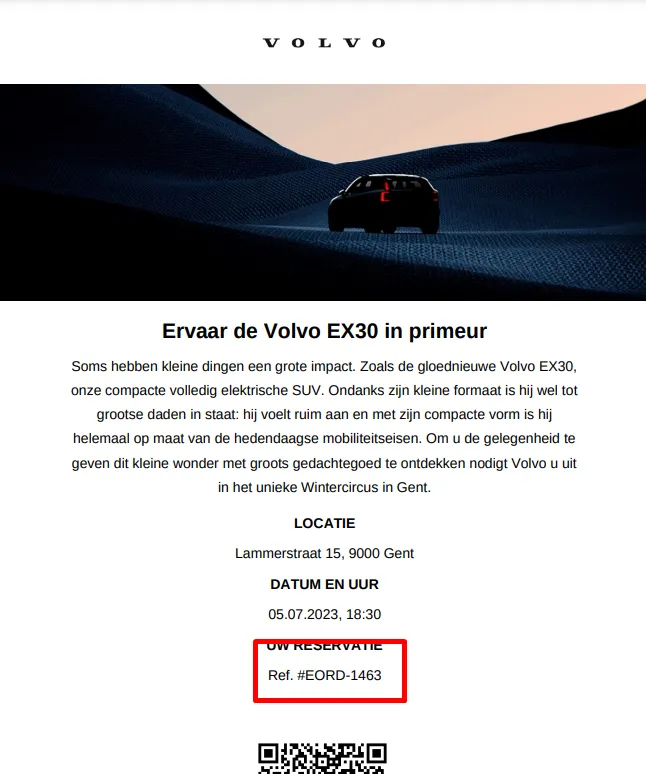
Locatio of the reference number
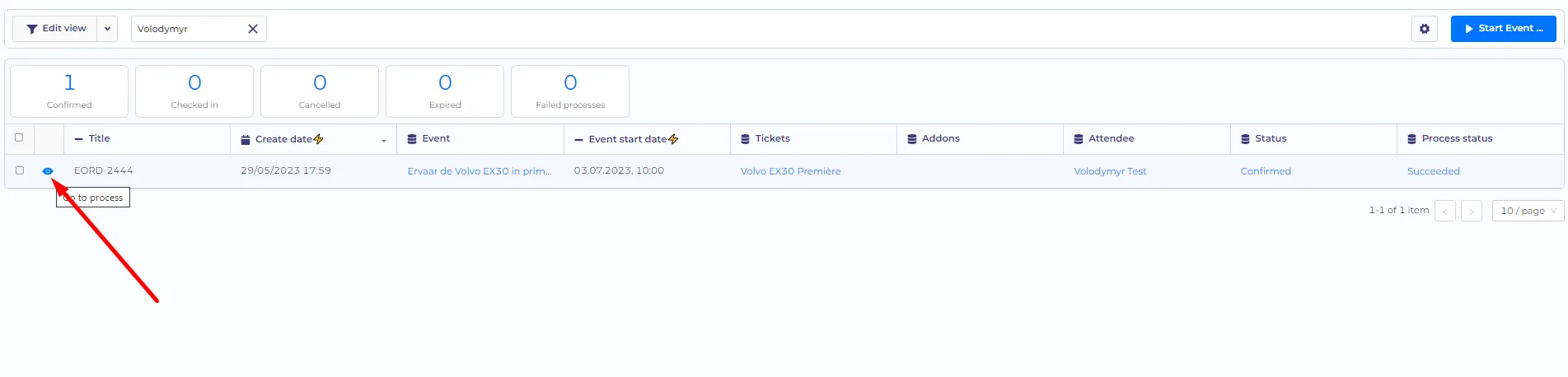
Then open the order (click on the eye icon).
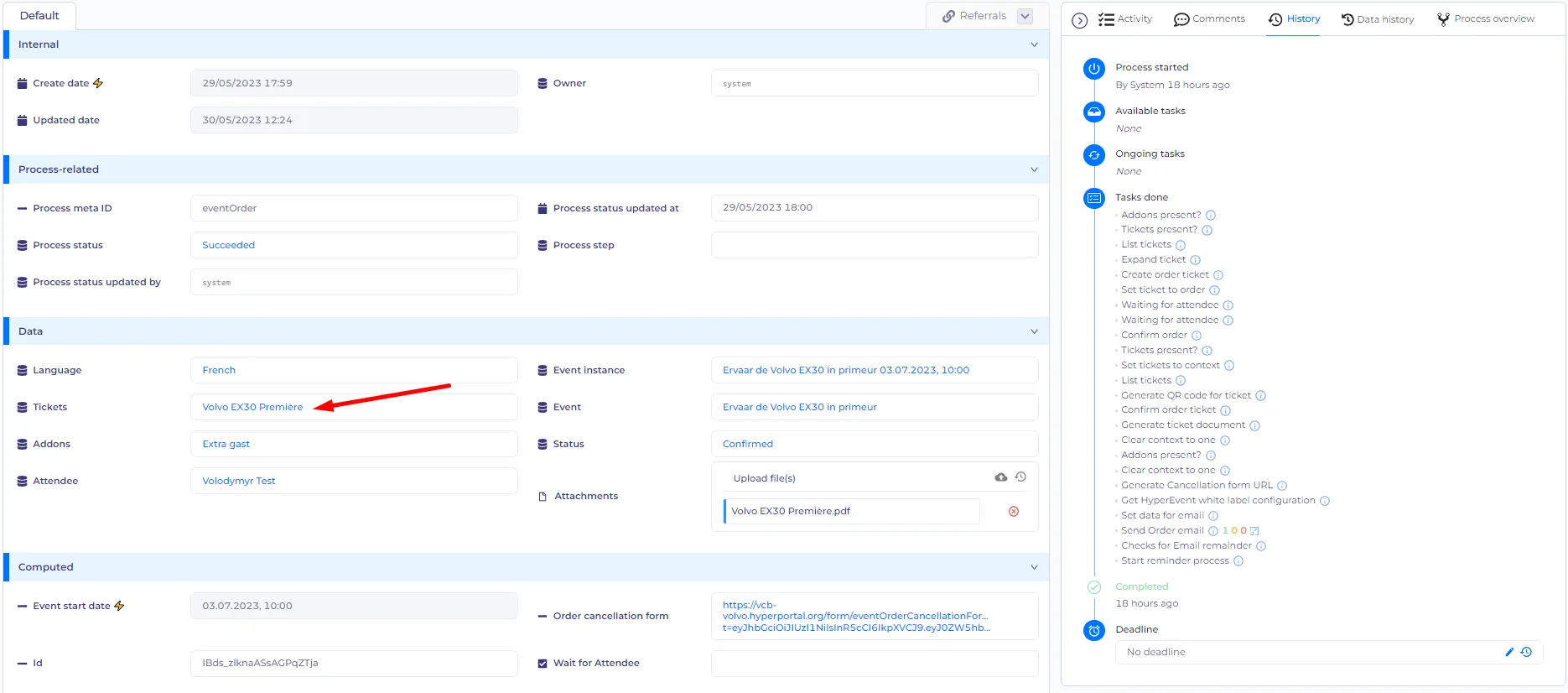
On the detail page of the order open the ticket (see screenshot below)
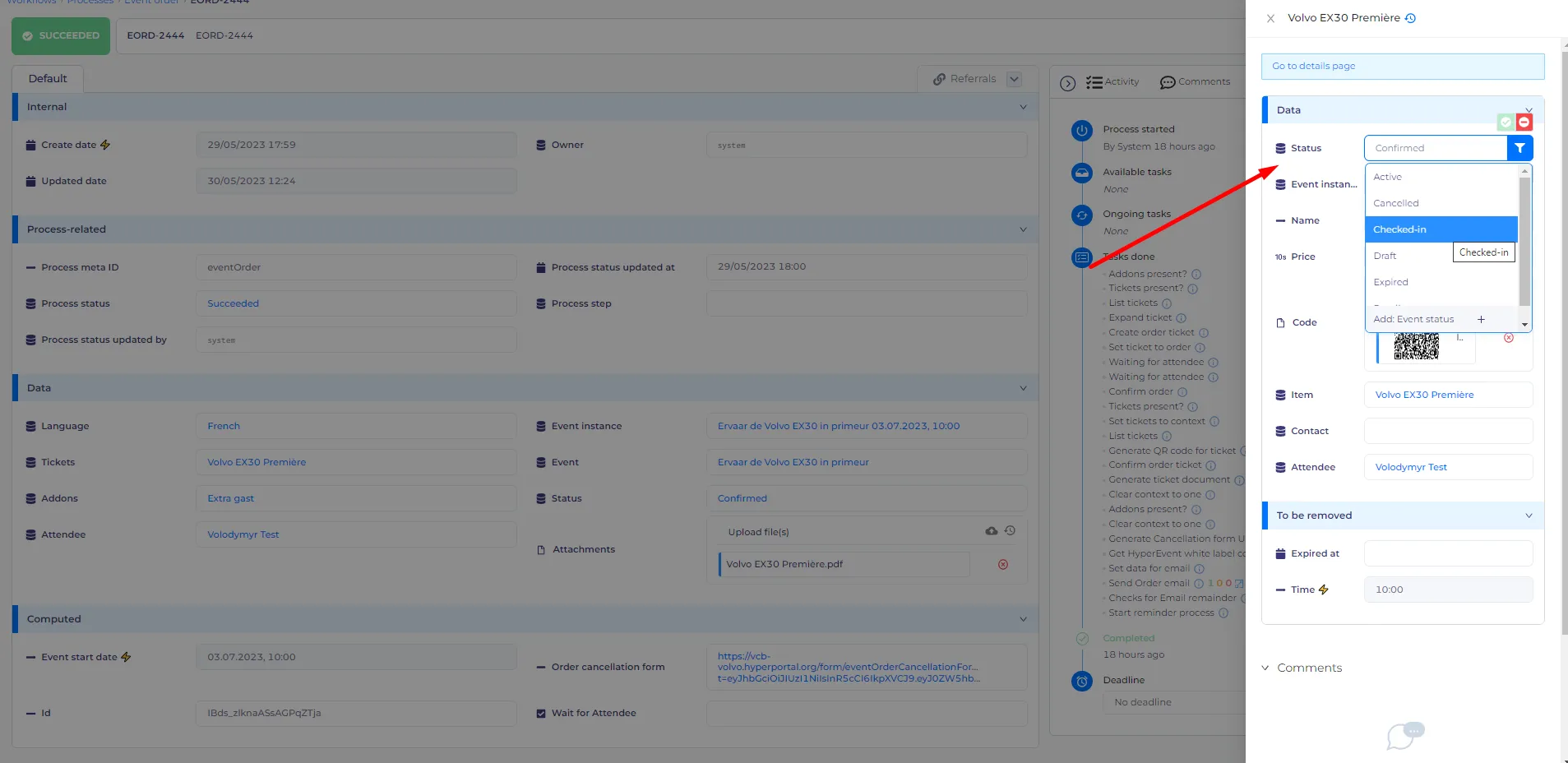
Then change the status to 'Checked-in'.
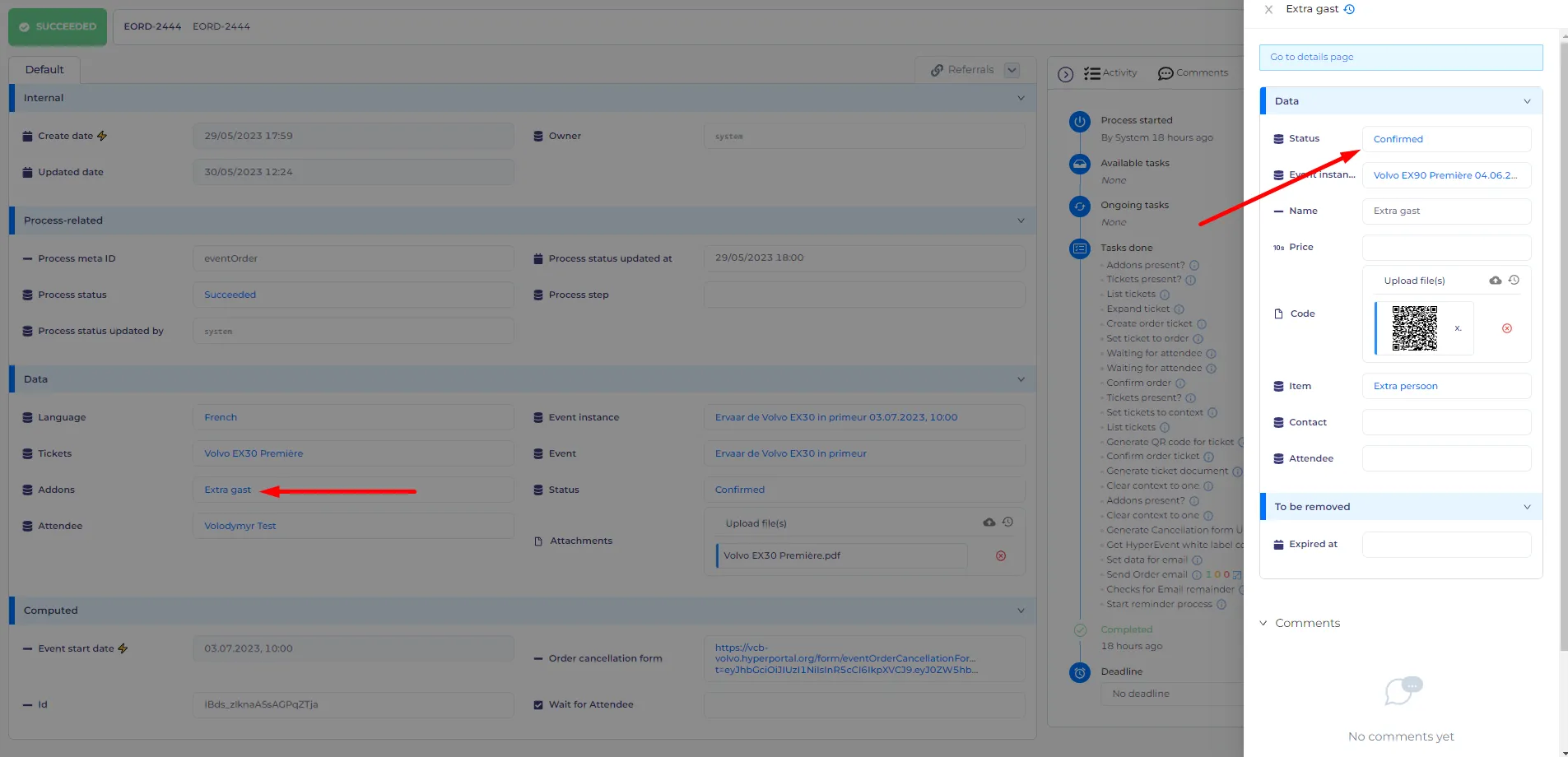
You can do the same with the 'extra guest' ticket (it`s located in the 'addons' field)
Here you can video recording of the manual check-in https://slack-files.com/TFHNJDCV7-F05A1GMFTD1-ff6d2f2a7c