Ability to copy a view
2 min
This feature will allow users to easily duplicate an existing view with settings and immediately switch to the copied view.
UI:
- In the "Edit View" menu, under the existing "Save Default View" option, there is a menu item called "Copy View".
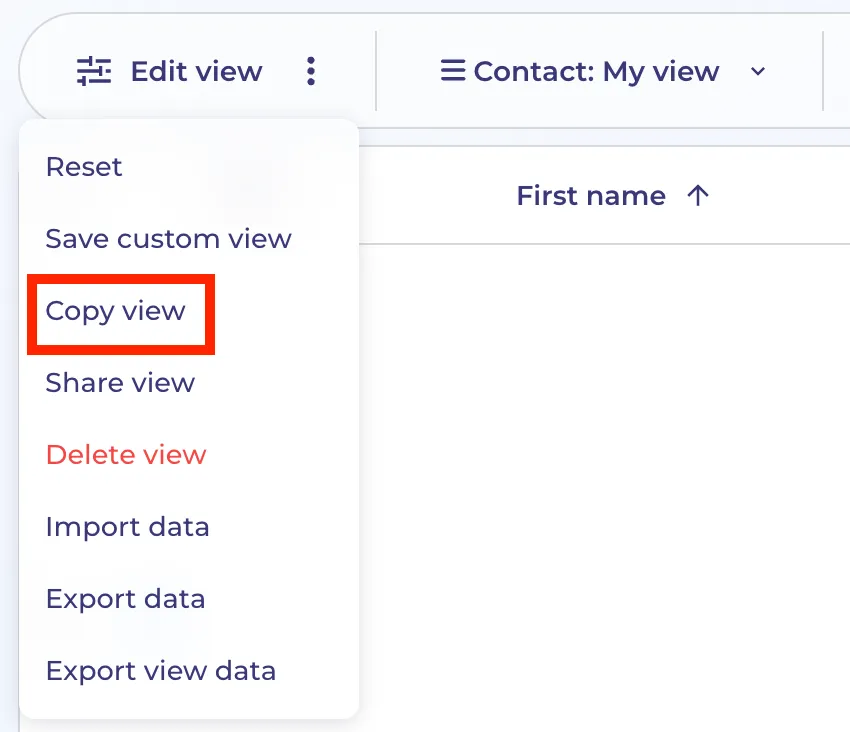
Logic:
- When a user clicks "Copy View", a new view will be created, which is an exact copy of the current view (including all filters, columns, grouping row, sorting, row height, and metrics, except for the share settings).
- Once the new view is created, the user will be automatically redirected to the newly created view.
Share settings:
- Share settings will not be copied. If the original view was shared with other users, those settings will not carry over to the copied view.
- If a user wishes to share the new view, they will need to manually configure and share the view with other users.