Detailed view CMS
2 min
Where can I find the entity ID of my item and it's creation date?
Select CRM -> Contacts/Organizations (what you need) -> Search for the required contact/organization.
Click the 'Eye' icon to see the Create date and Entity ID.
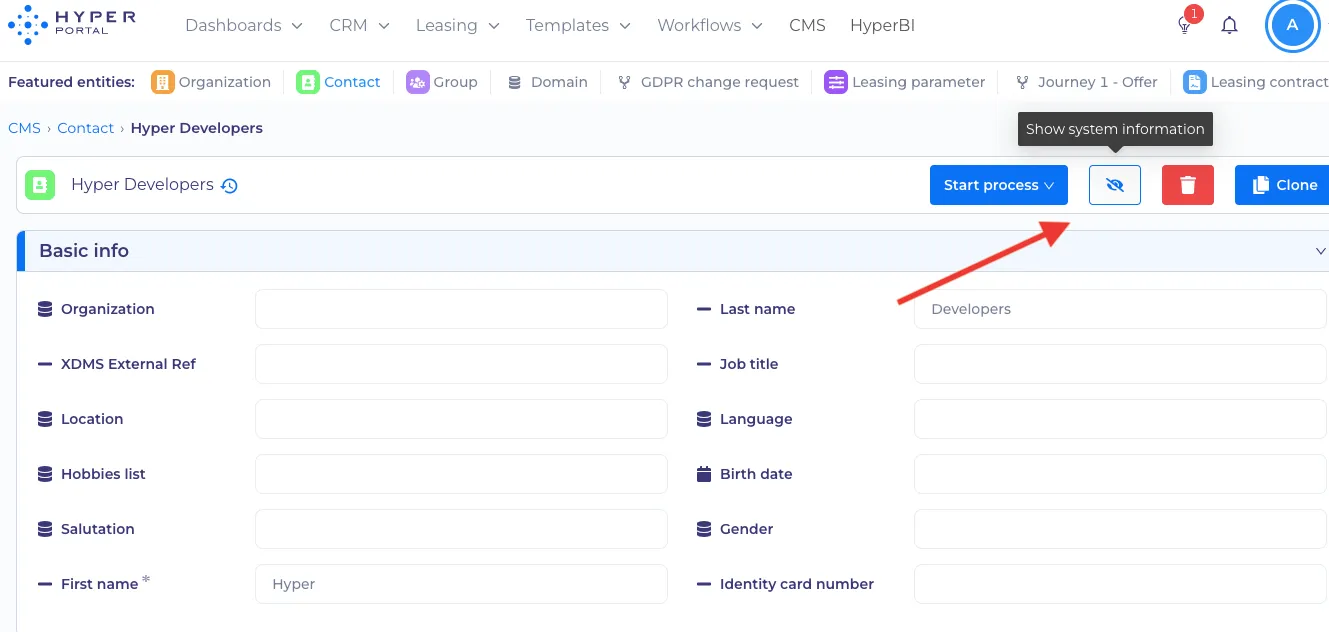
'Eye' icon
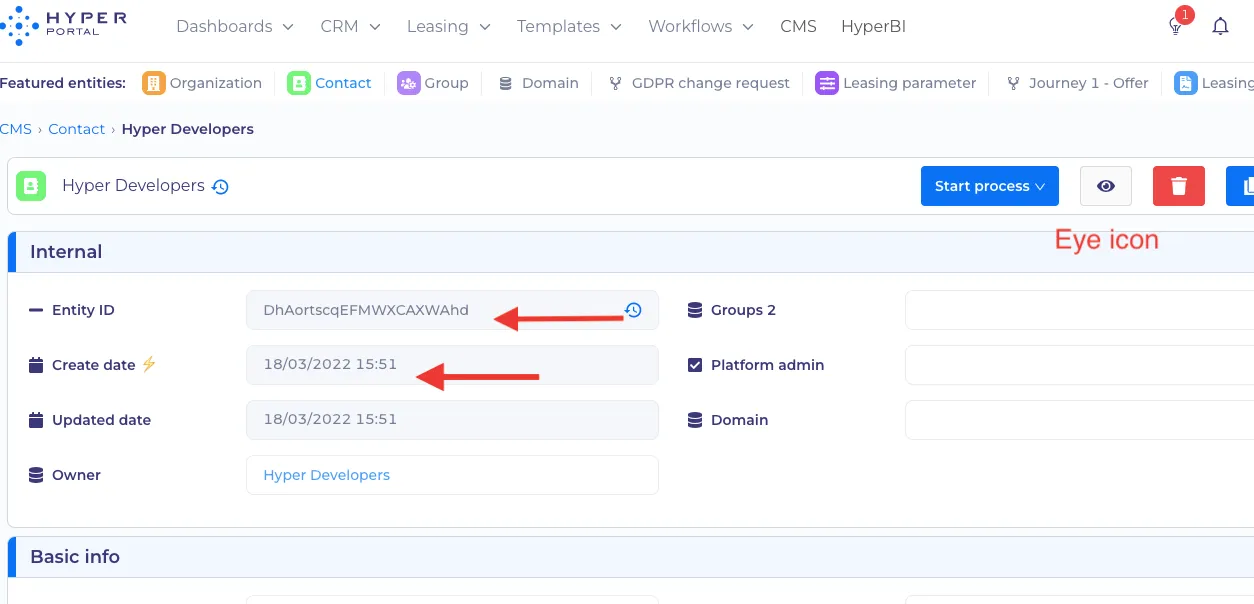
Entity ID and creation date
Why can't I edit the property of my item?
- The property may be computed, which means that data is calculated automatically. 'Lightning sign' ⚡ after the name of property means computed.
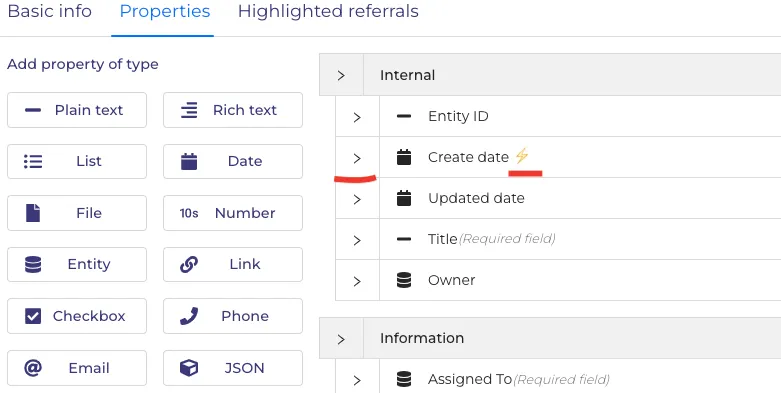
The example of computed property
Here you can learn more about computed properties.
2. You may have no permission to edit the property. Check it by clicking on 'Basic info'. Alternatively, contact your HyperPortal Administrator or HyperCoach, to set up the correct permissions. You can learn more about setting up permissions here.