Quickstart processes
The quickstart feature allows you to start a process from a CMS items list. For example - you can choose some contacts and then send them marketing emails.
Settings
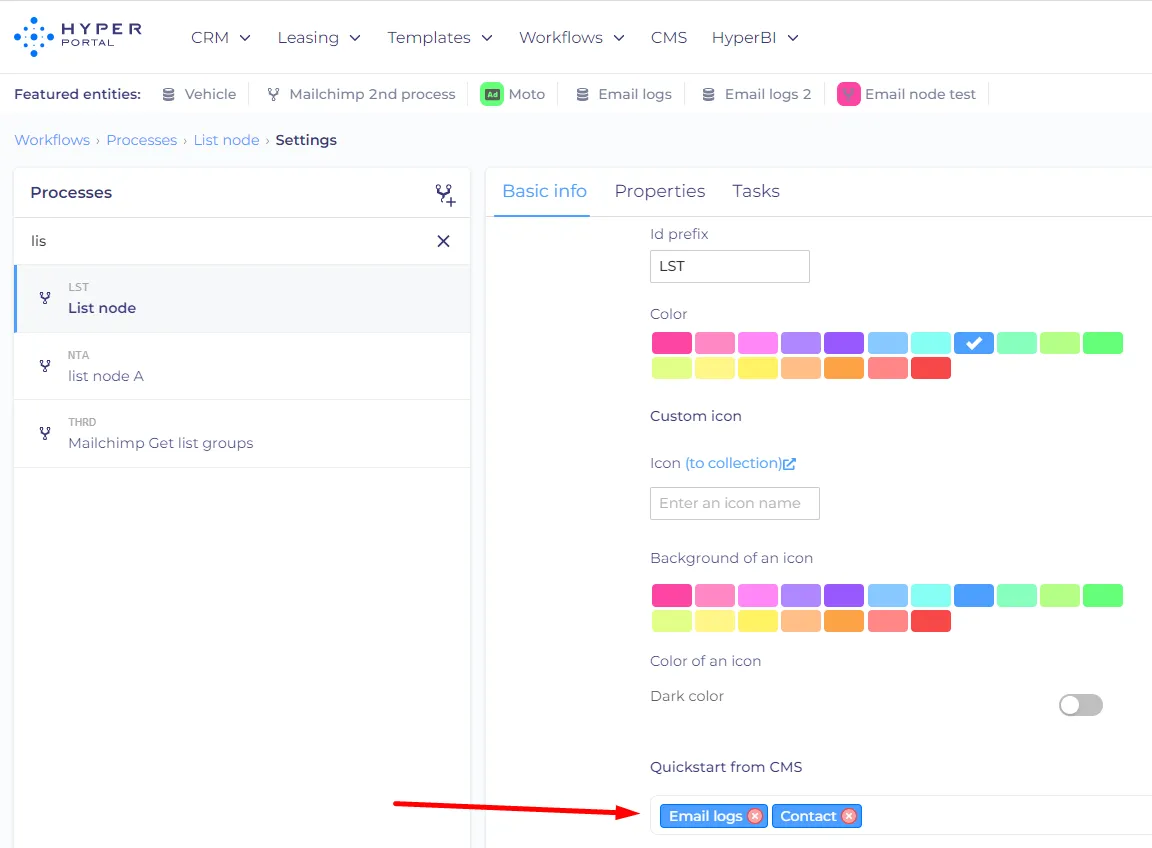
On the process settings page (cog icon next to the process) you can choose CMS entities from which the process can be started.
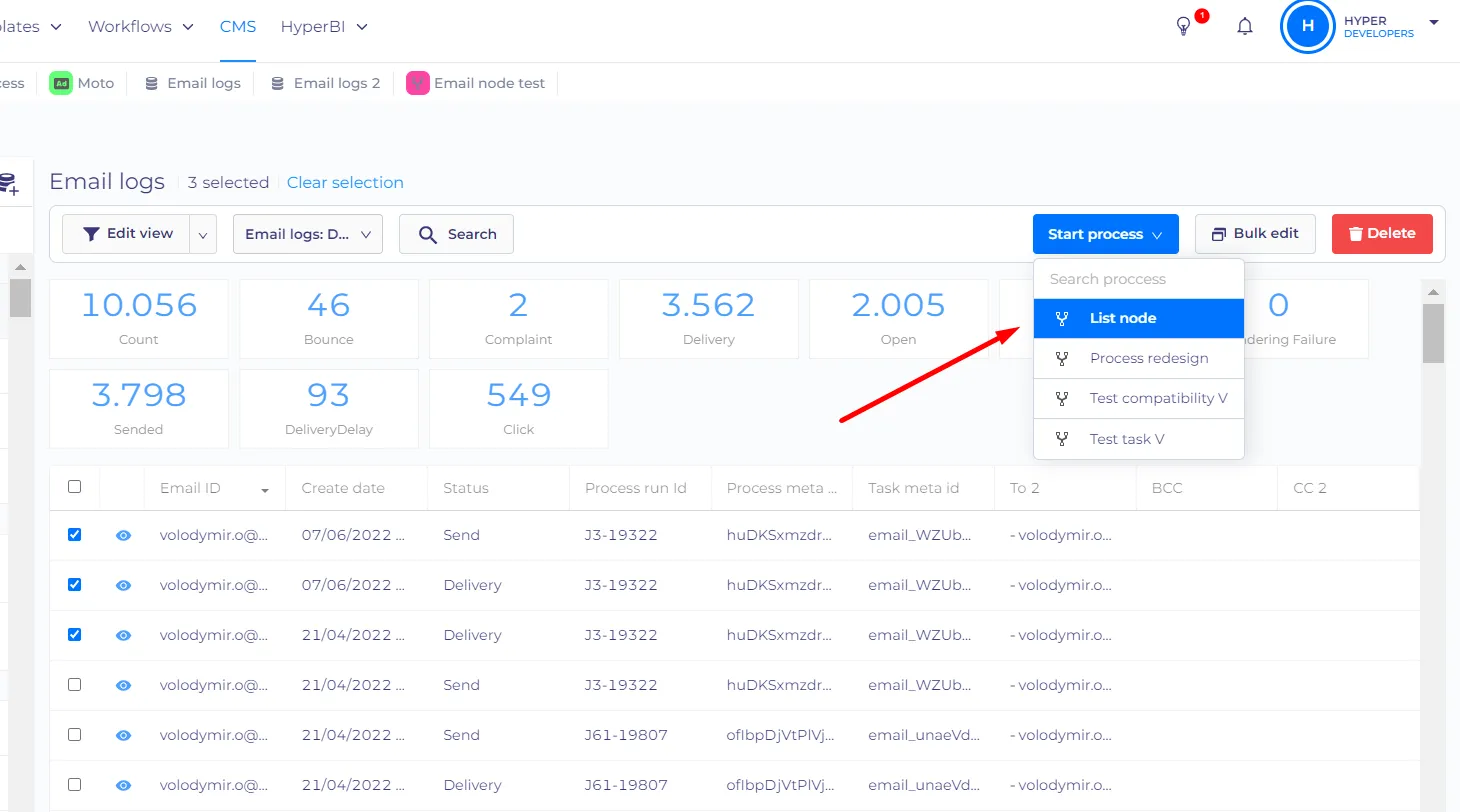
Then you can go to the entity, choose items and start the process
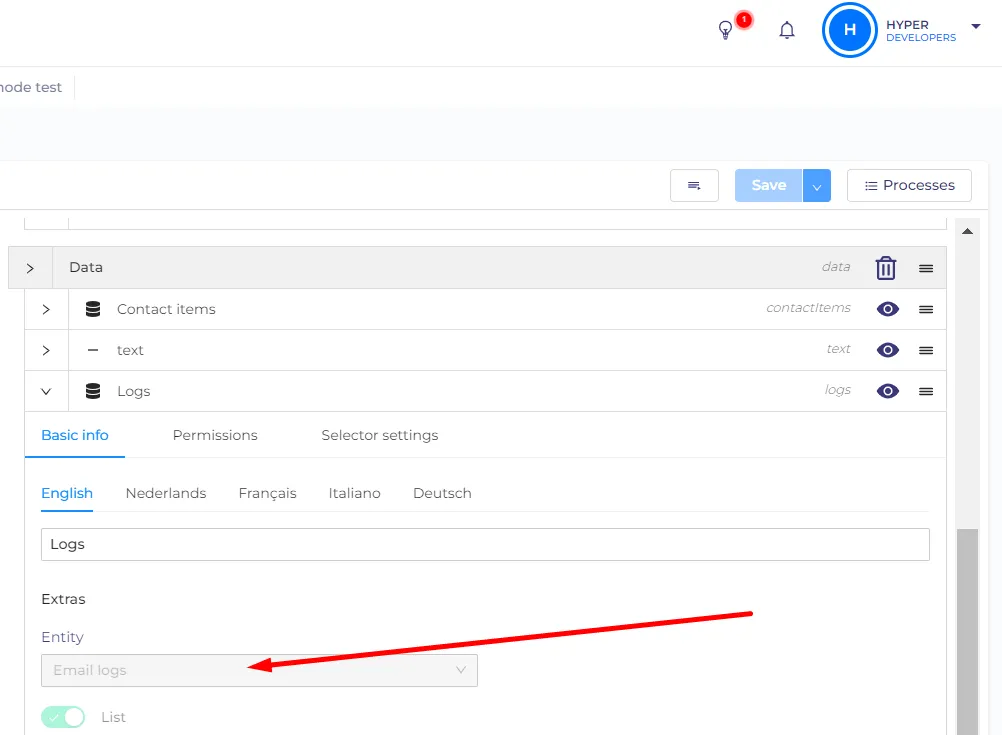
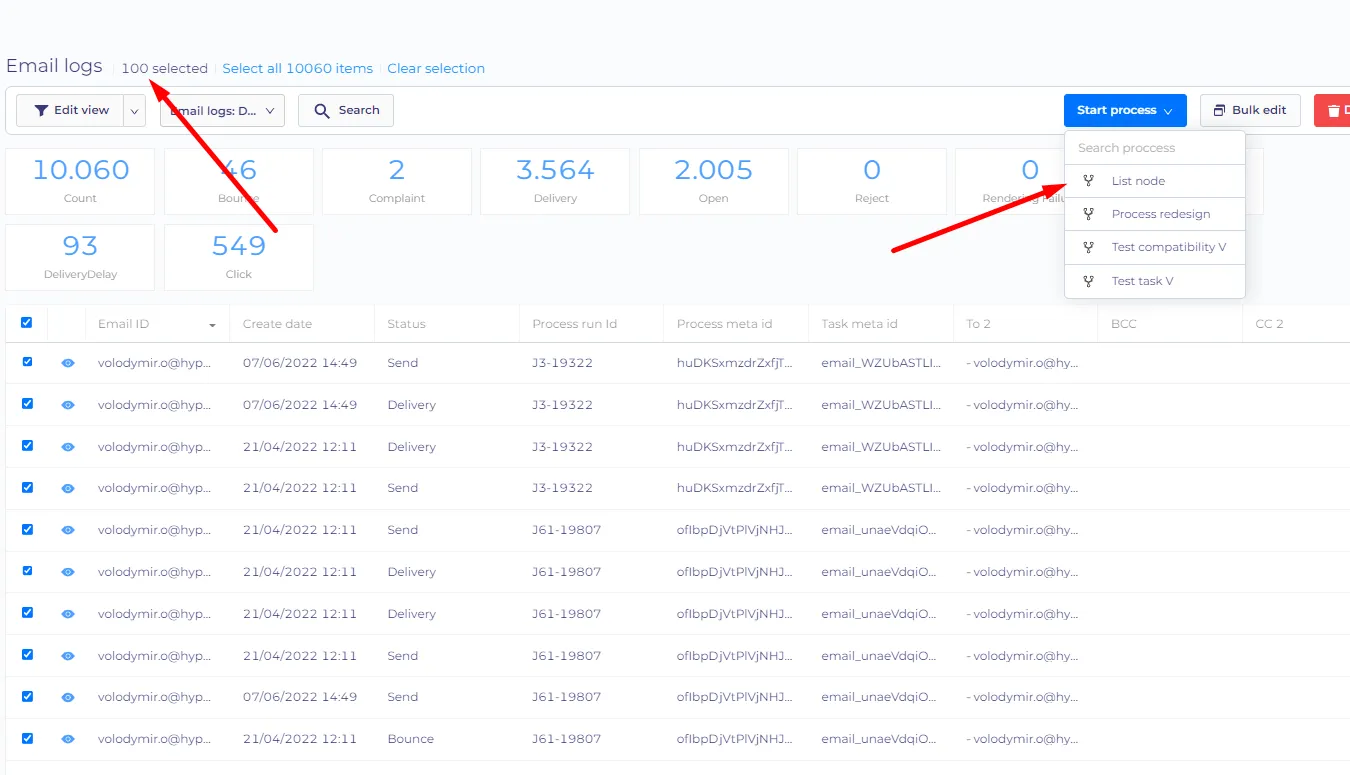
For the process to appear in the quickstart menu on an entity it should also have an entity-type property of the same entity. For example - the List node process from the screenshot has an email logs property
Now I will choose 100 email logs to start the list node process
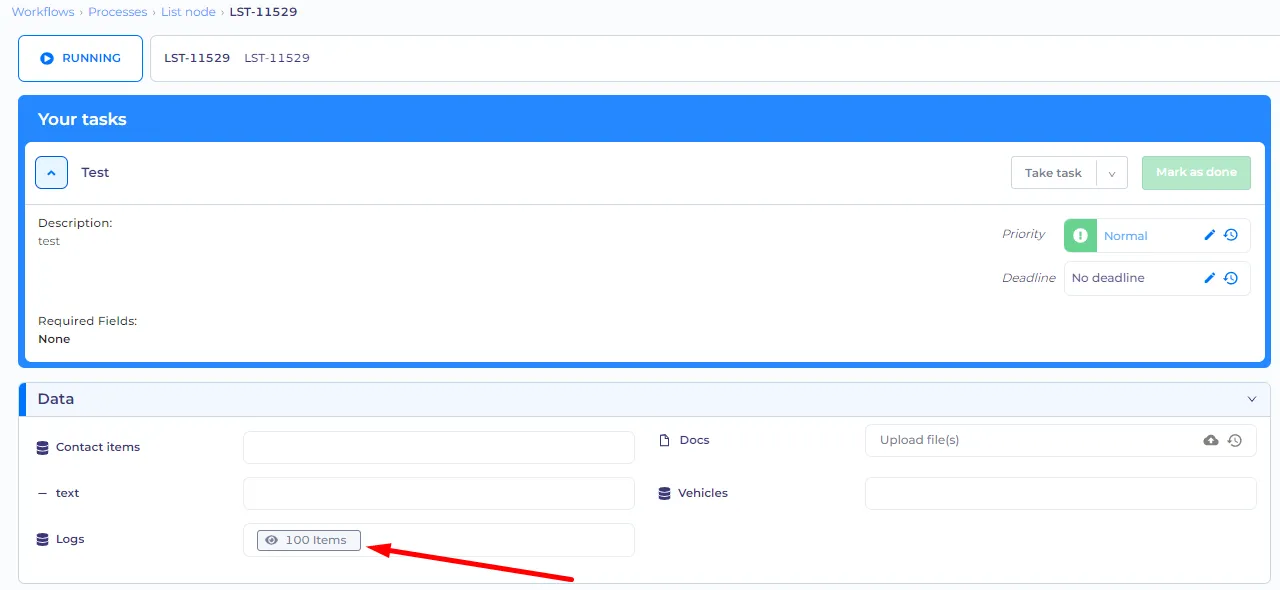
The new process started and all selected logs are already in the process.
Item selection
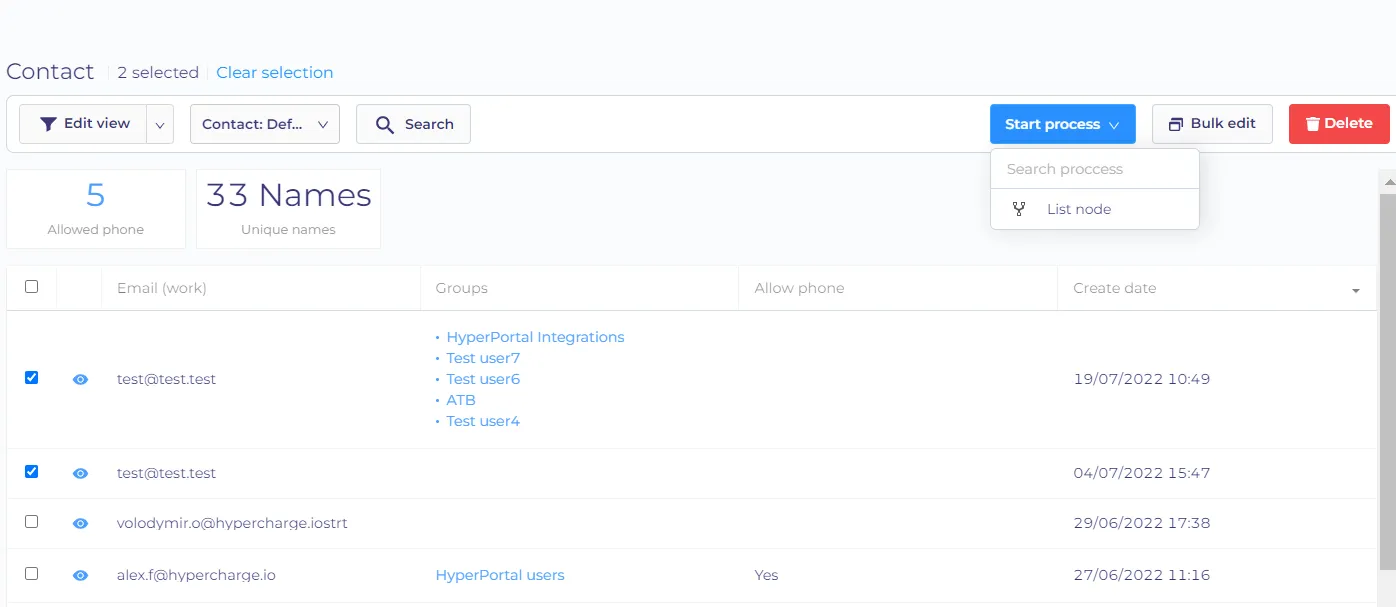
Whether you can select the process in the quickstart menu also depends if the entity type properties have the 'list' type enabled. If you select multiple items, you will be able to start only those processes that have the list-type properties. For example - we have the 'Email click' process that has only properties with a single selection. If I select one contact and open a quickstart menu, the 'Email click' process will be there.
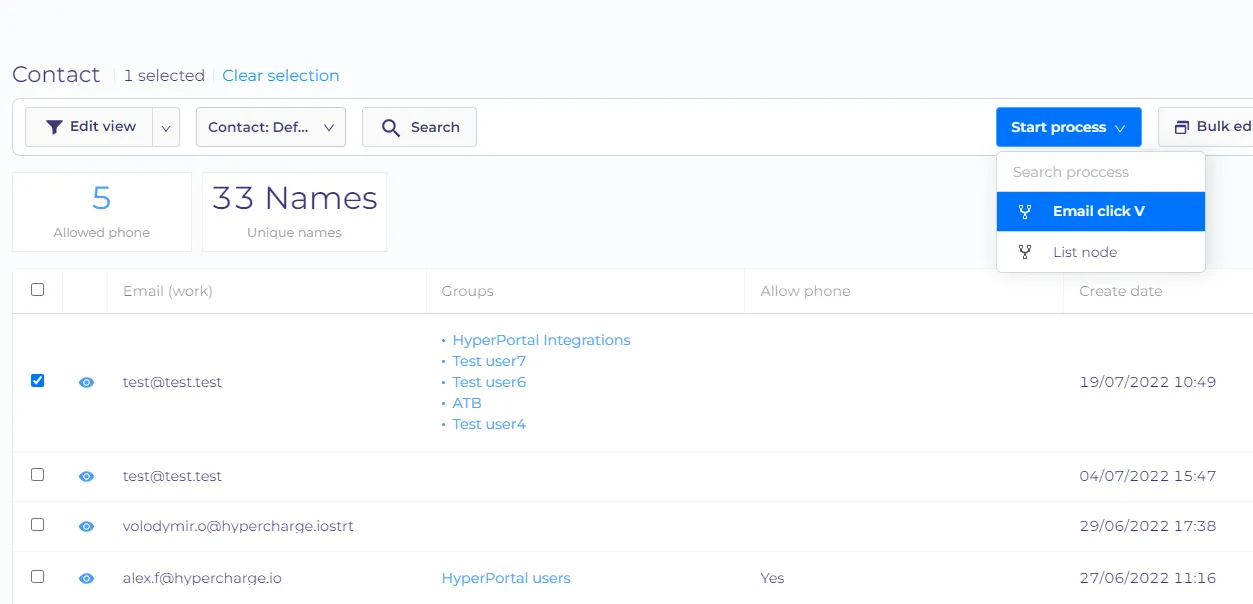
But if I select multiple contacts, then the 'Email click' process will be unavailable.
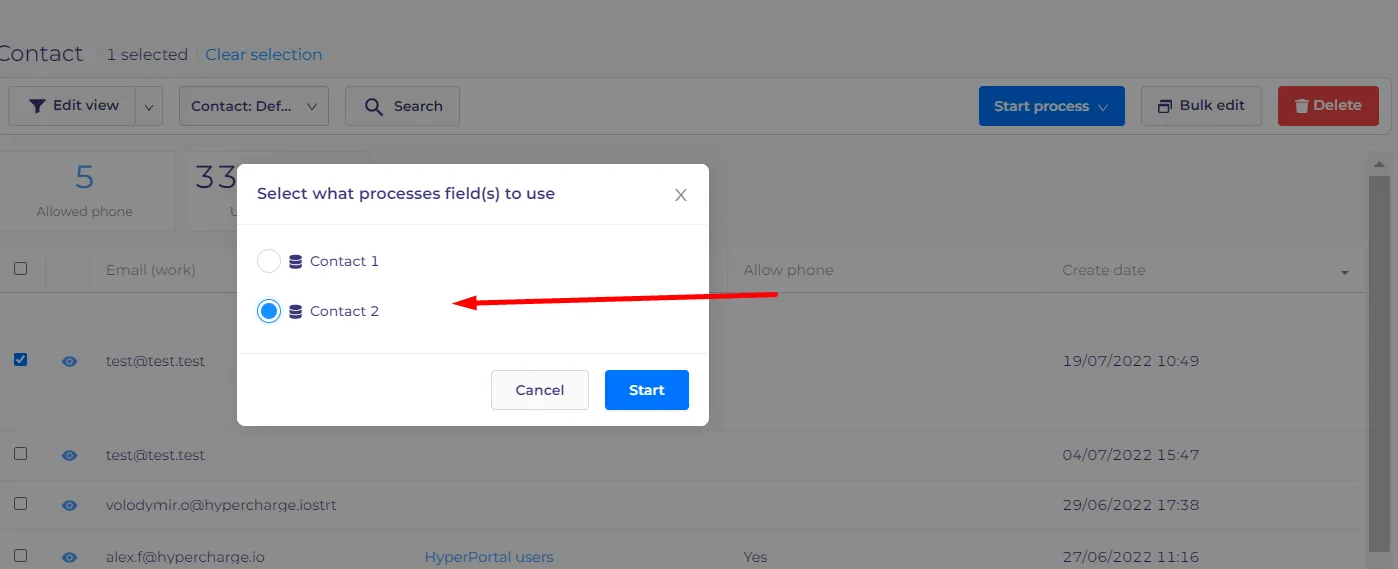
If the process has multiple properties of the same entity (for example - you might have two contact fields, one for the customer and the second one for the employee) you will be prompted to select the property you want to fill with the selected items.