Processes overview
Processes description
Workflow processes exist in CMS as a special kind of entity, which can have properties and task sequences configured for them.
Some tasks can be performed manually, while others are fully automated. Tasks may determine conditions, necessary to fill in some of the process fields or perform automated / triggered actions, such as sending emails to customers on certain conditions. Task sequences of the process can be organized in many ways, in order to follow a certain workflow and fulfill needed business logic.
Many business processes (like user registration or sales order processing) can be executed in CMS as tasks and will not require additional coding.
For example, if you set up a Sales Order process, the process instance will be invoked each time, there is a new order from a website customer. Each process instance will automatically inherit Customer data and order data, to process each purchase.
Process start can be triggered in 3 ways:
- Manually
- By front / back end logic
- With an entity trigger (currently on creation / change / or deletion of any item of a specified entity)
At this moment the first task of a process will start. It is necessary to complete the first task in order to start the second one. The second task is triggered immediately after the end of the first task and so on, until the end of the process.
Task types overview
Currently, there are following the types of tasks:
- Manual
Meant to be executed by a manager. Can be set to be automatically assigned to certain user, once started. This allows you to make certain people responsible for certain process steps for all process instances. Each user can see his active unfinished process tasks in his Dashboard. Manual tasks become available for execution, but they do not start before somebody clicks “take task”. They also do not finish until a user who started the task clicks “mark as done”.
- Automated
Allows Portal to perform certain actions automatically when the conditions are met. Usually is used together with email templates to send automatic emails to clients (password recovery, registration confirmation, order payment link, etc.). There a few types of automated tasks as of now:
- Send mail
- Send SMS
- Start process (processes are allowed to start another process)
- Set process values (processes are allowed to alter data in other processes)
- Generate document (e.g. sales quotation).
- Control node
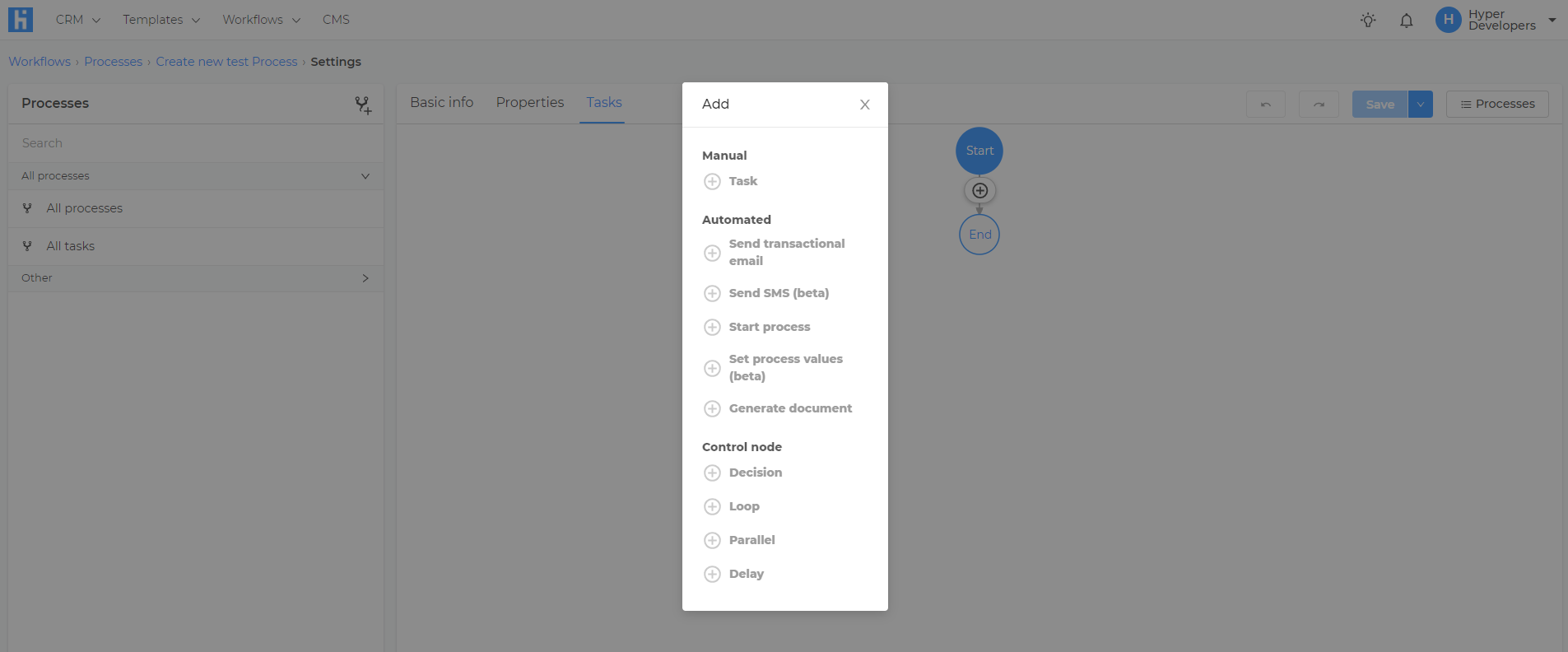
A subtype of automated tasks. They cannot alter any data in CMS or the process, but instead, they are used to make decisions, which tasks should be started next. They are used to create loops and allow alternative execution scenarios for processes (e.g. online payment and bank transfer may require different payment verification and purchase delivery process). Types of control nodes:
- Decision (Is the given criteria matched or not?).
- Loop (Can the next task be started, or is it needed to repeat the last task once again?).
- Parallel (allows to create of a subgroup of tasks, which can be executed simultaneously without maintaining any order, but in order to break out of the parallel it is still necessary to complete all tasks in it.).
- Delay (Set delay time before the next task can be started.). Often used in combination with the loop to allow periodic action performing.
Processes creation
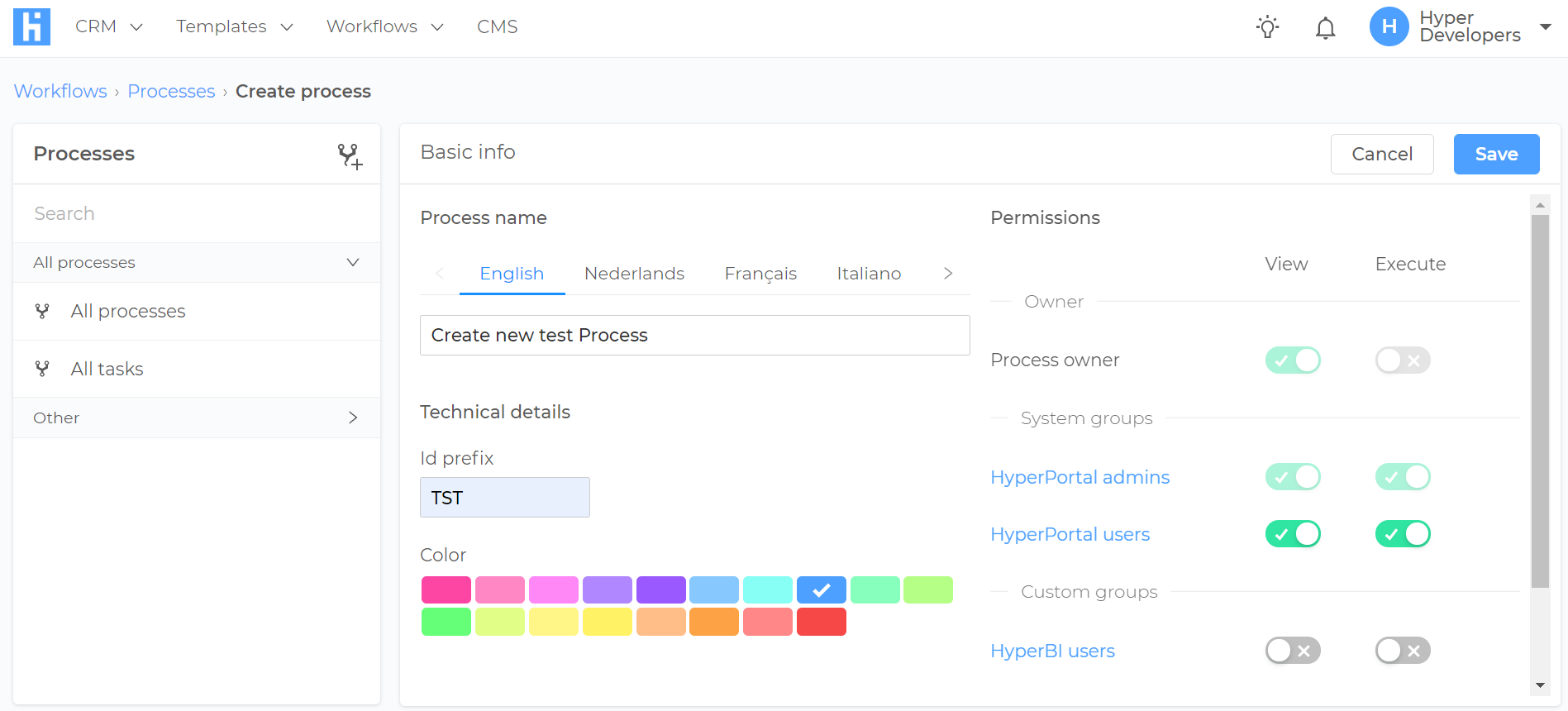
To create a Process, you have to take 3 steps: 1. Fill in basic info like Process Name / Process Prefix (names of all tasks of the process will start with this prefix), and permissions. Permissions determine which user can edit, view, and execute process tasks. If you have permission to execute certain tasks (you can be an assignee), this automatically means that you will have the right to check the process overview and see the entire process scheme, as well as all other process tasks.
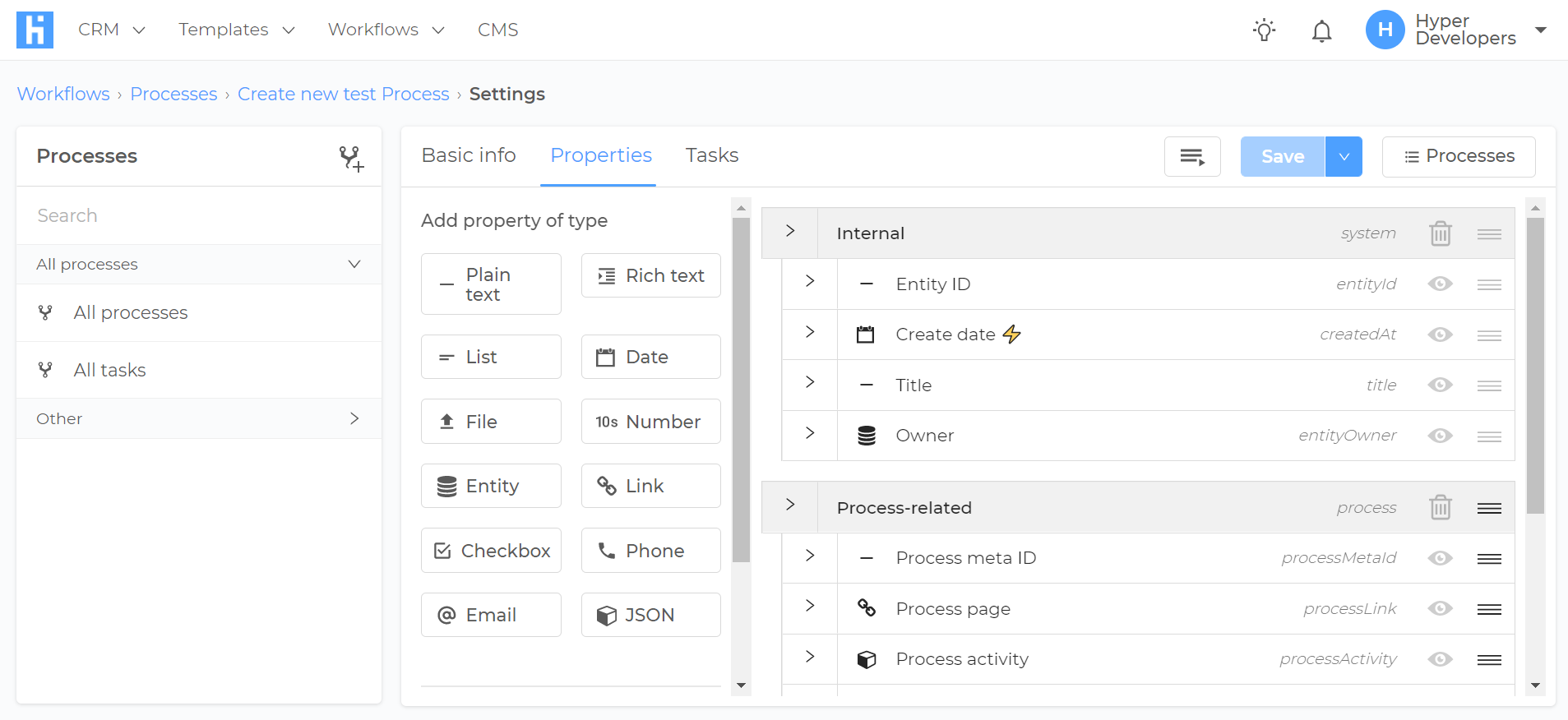
2. Create process properties. Here you have to decide which fields are needed in order to run the process from the start to the end. You can map some fields to be automatically copied from the CMS entities (order items), while others can be exclusive to the process and will not exist anywhere else in the CMS (e.g. shipping cost, item shipment confirmation field, etc.).
3. Configure process tasks to cover all business logic of the needed process.
Processes workflow
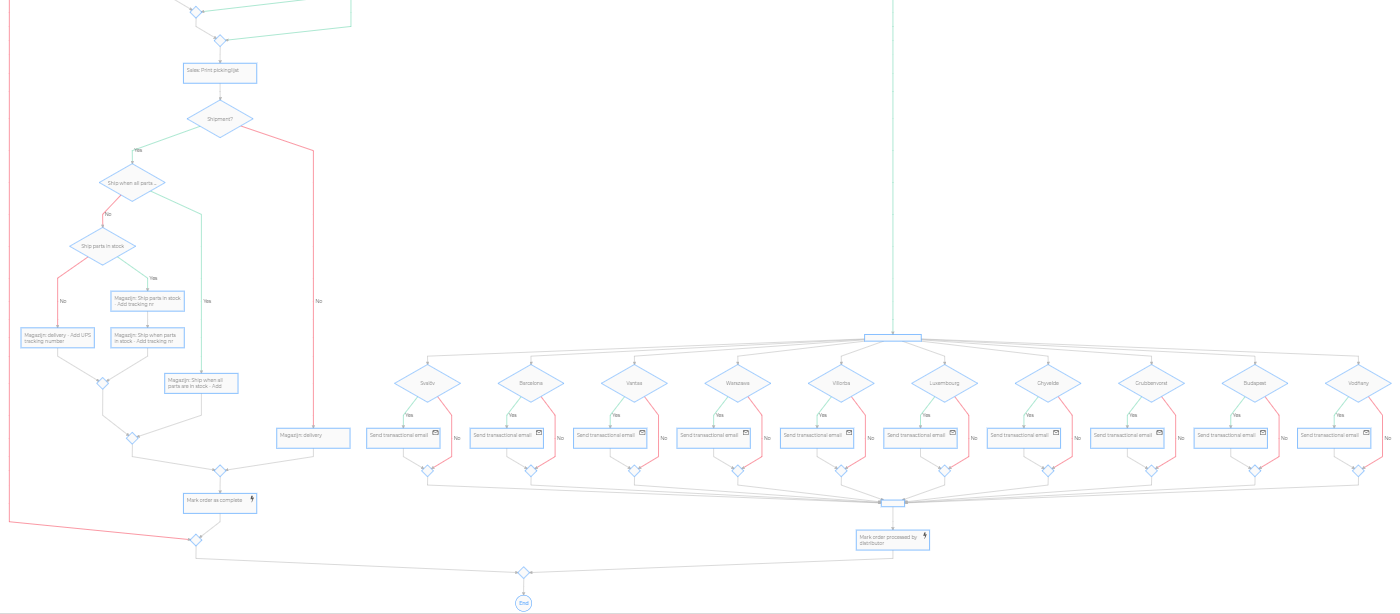
For example, let’s take a short look at the Sales process of AngloParts. Full process overview can be found here.
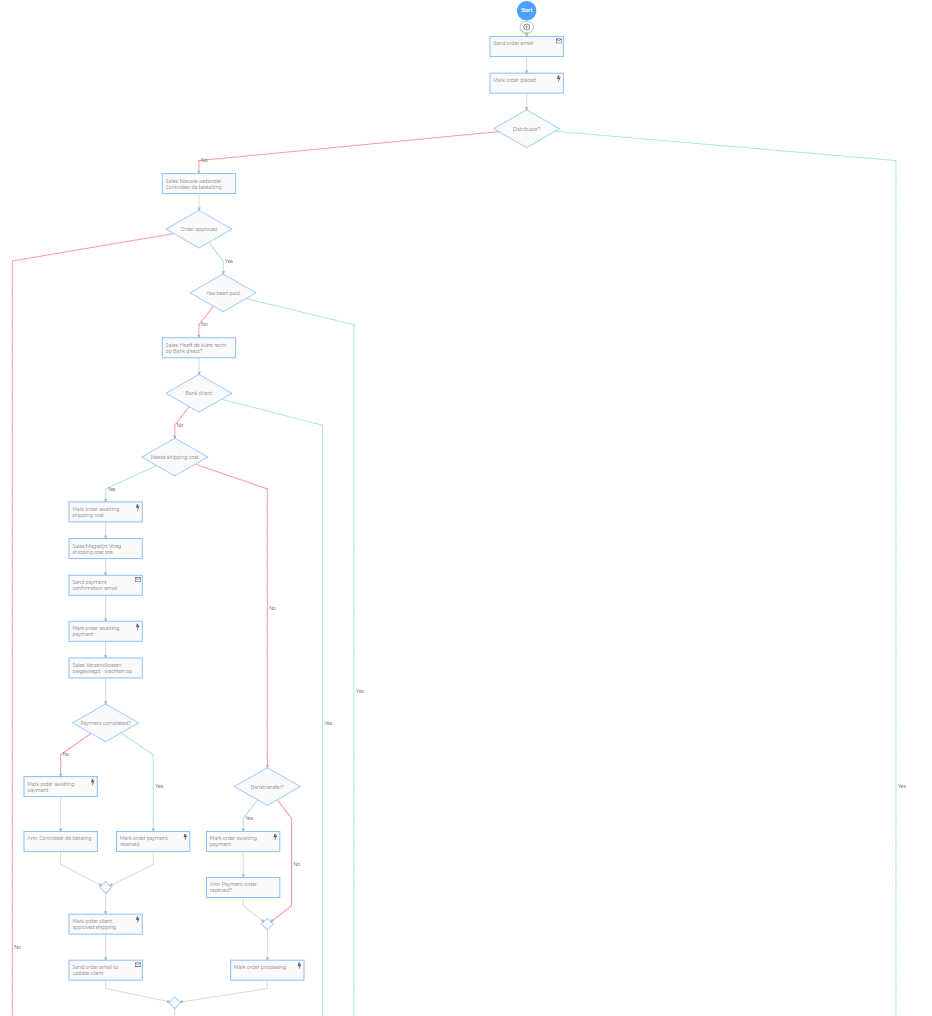
Task 1. The process is started when a customer places a new order. The first task is to send the Order confirmation email.
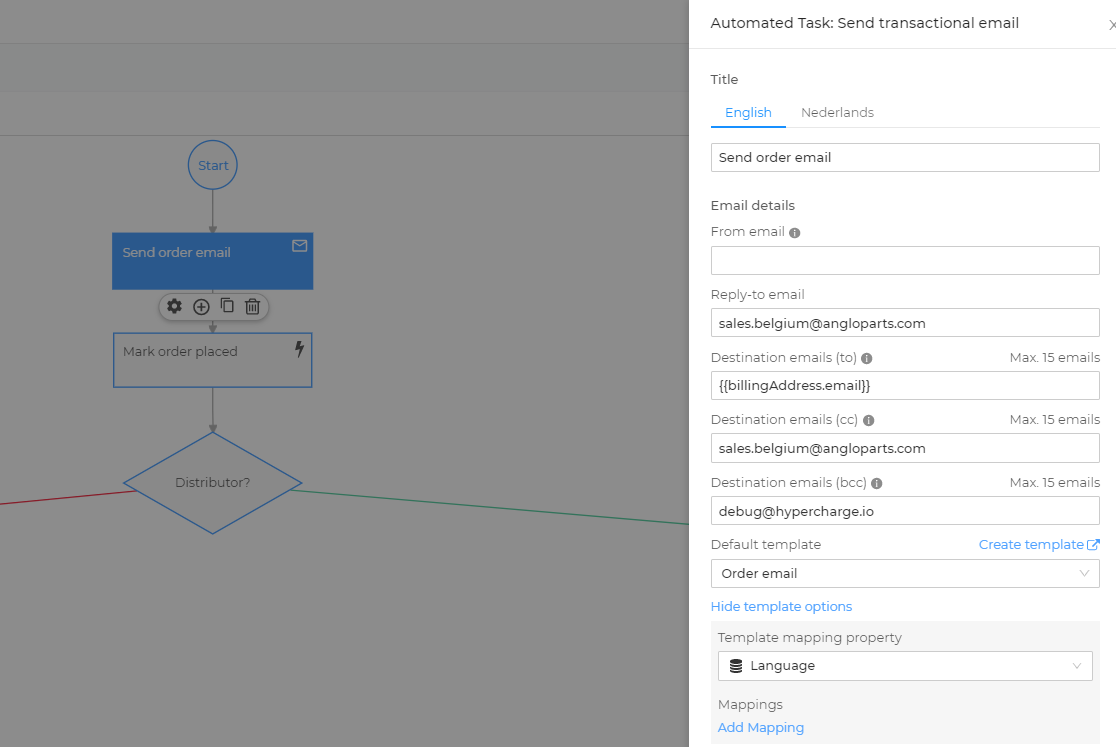
• It is performed automatically. • Email template is “Order email” • Emails are sent to the email, specified in the billing address of the customer who placed this order (billingAddress.email). • Copy of this email is sent to AngloParts sales email. • Second copy is sent to Hypercharge debug email. • Customer Replies to this email will be sent to AngloParts sales email. • The template used is mapped to process entity - Language. (inherited from customer’s language).
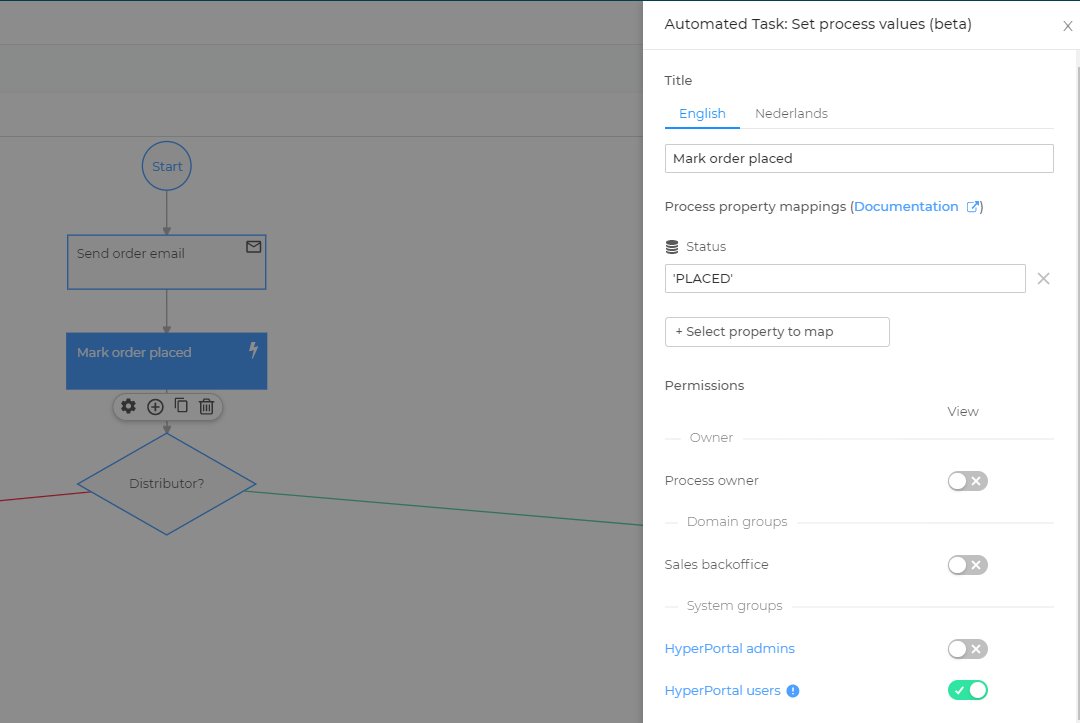
Task 2. Set Order status as “Placed”. Done after the mail is sent. Performed automatically by the system. Does not require additional interactions.
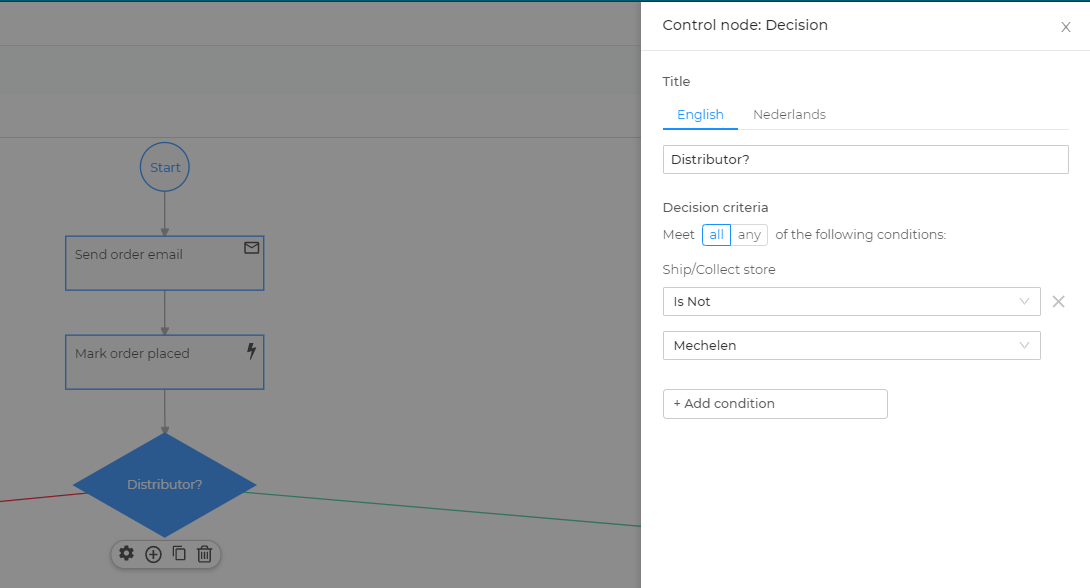
Task 3. Decision. Performed automatically. Checks process property that was filled during process creation, based on customer’s choice. Further processing flow depends on this step result.
Task 4. Validate Order. • Manual Action. • Can be automatically assigned to the responsible manager. • Features task name and a description of what needs to be done. • In this case has 48 hours deadline, otherwise, the process will be stopped. • Requires changes in the “Order approved” field (this is optional. Some tasks do not need to change any fields and are considered finished after the “mark as done” button was clicked). • Priority is used only for task sorting on the dashboard.
By using these basic task types, you can implement almost any business process that consists of consecutive actions and depends on CMS data processing.
Our clients can also use embedded BI in order to gather analytics data on the completed processes in order to improve them and have better control over the business.
Two important process-related improvements that should be planned for the future: 1. Allow triggering a process start when the certain property of an entity was updated (now triggers when any update was made). 2. Add Watchdog decision node, which will perform a certain action on any step of the task if the condition is met.