Tabs for CMS/Process detail page
In order to organize and group information, you should apply Tabs.
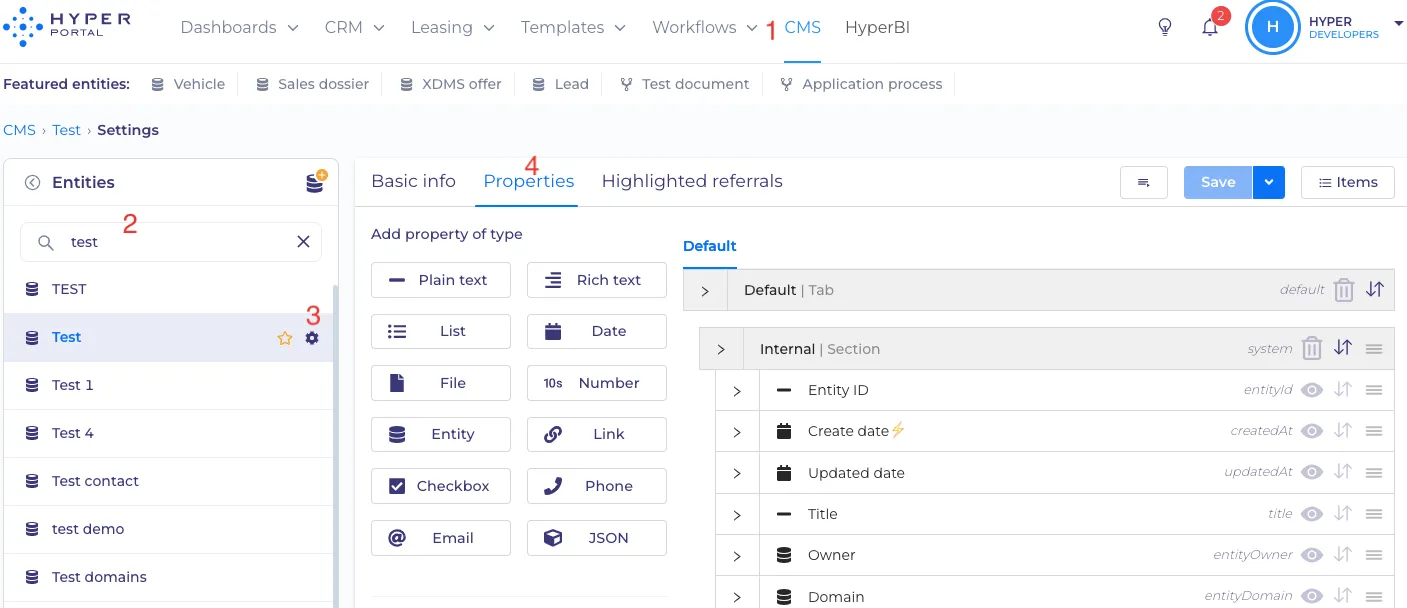
Just select CMS -> required entity -> settings button -> properties.
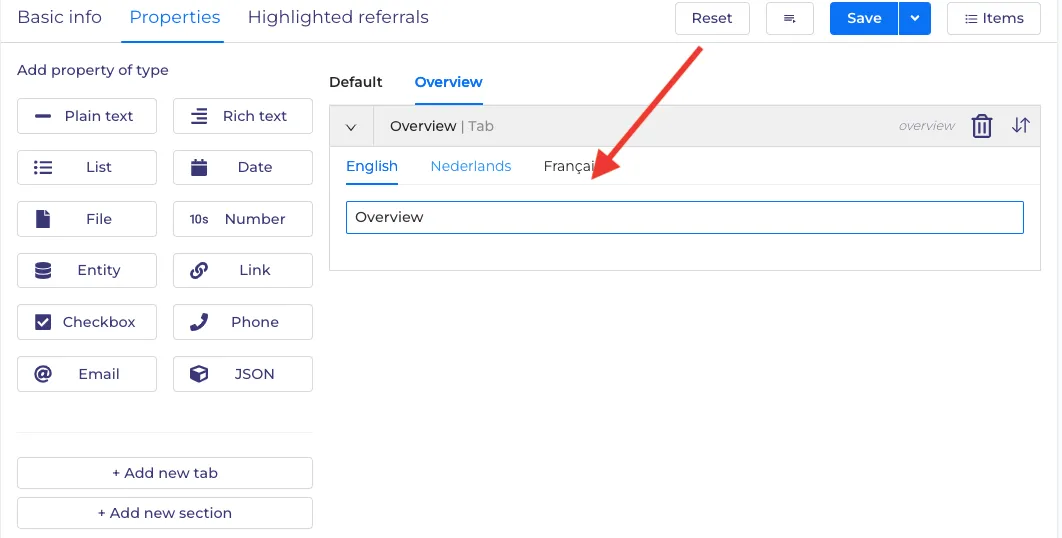
Add a new tab and give it a name in a text box.
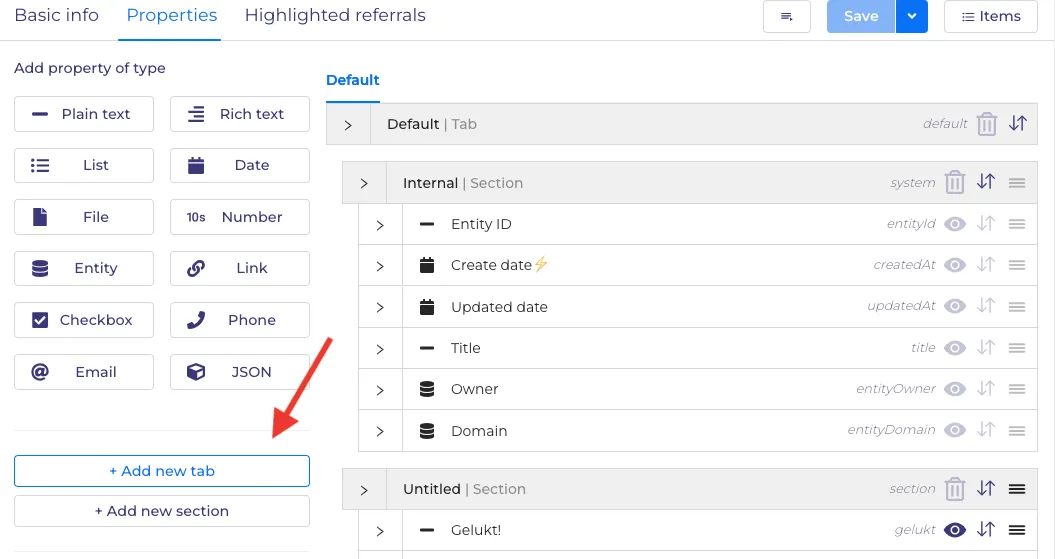
Add new section ( like when you create new properties).
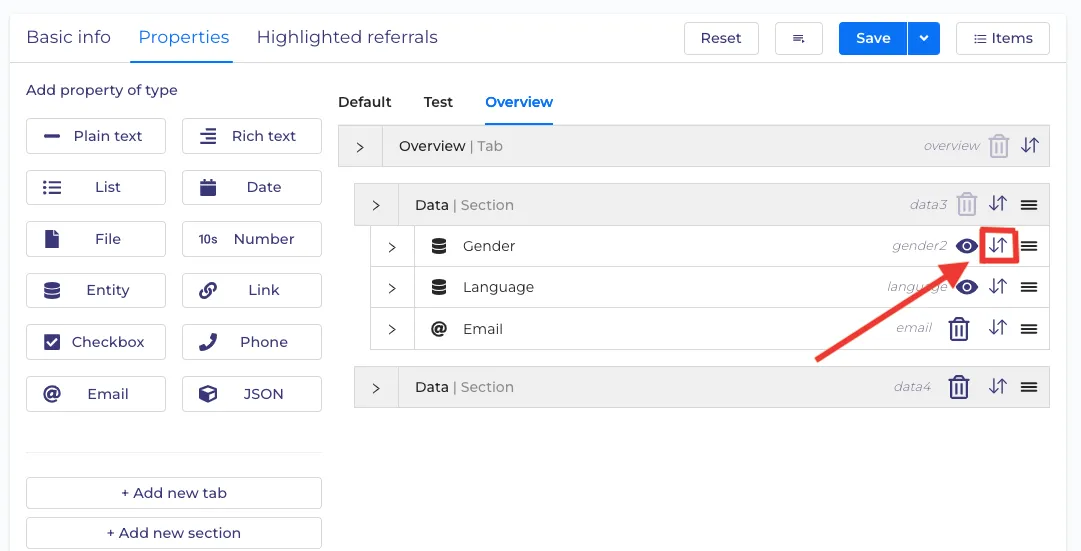
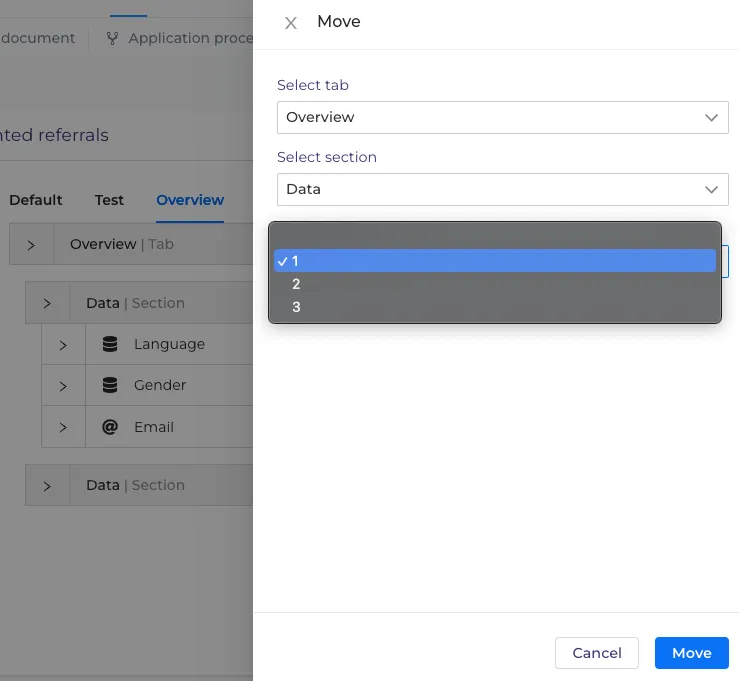
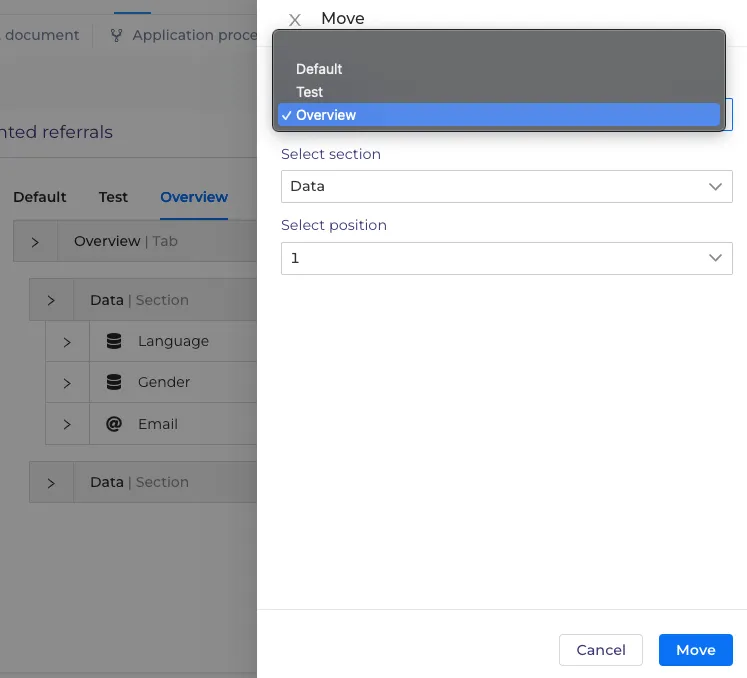
You can also shift newly created section to any tab and sections you want by clicking on two arrows. You can also select position where you want to add your tab in the 1st place, 2nd, 3rd..., etc. Drop-down menu will assist you in that.
After creating a needed tab or section click on 'Items' button.
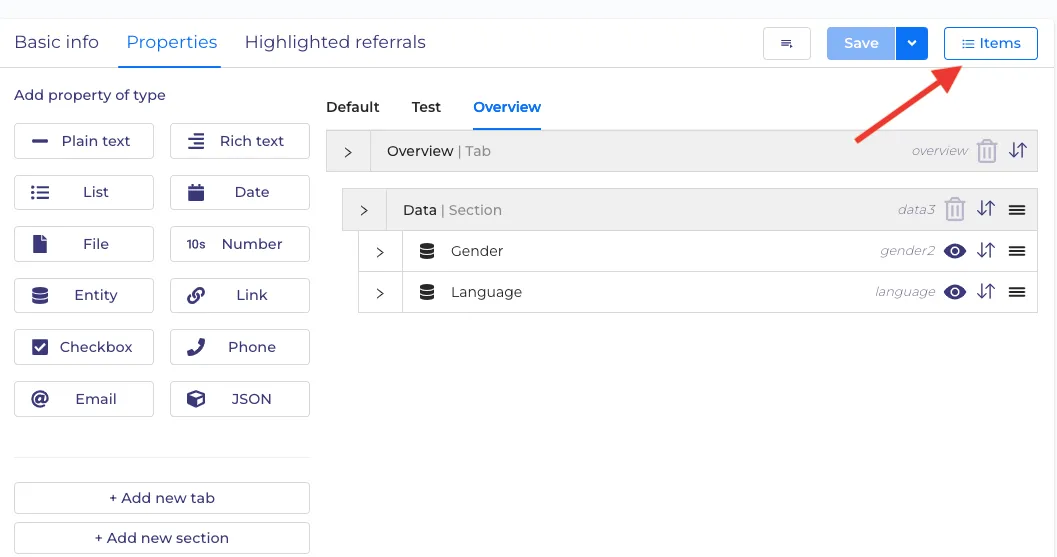
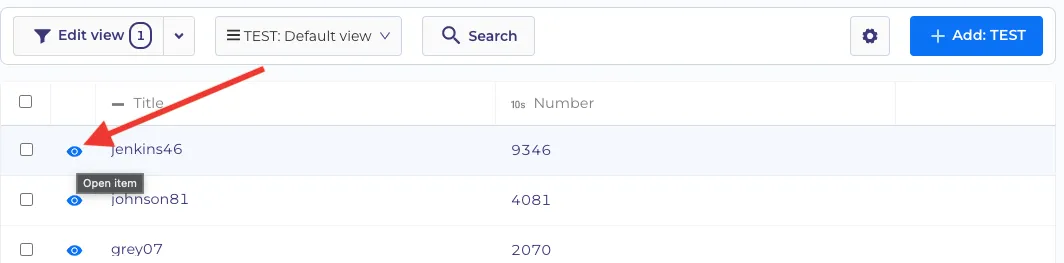
Then select an item by clicking on 'Eye'.
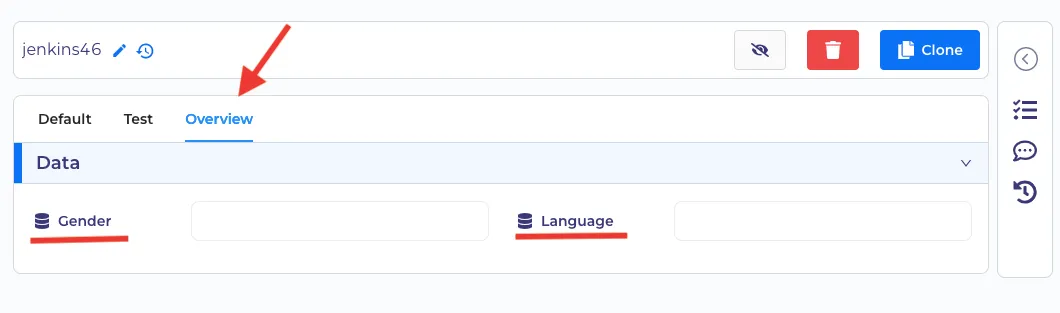
In below example we can see the created tab near the default one with added entities ( 'Gender','Language' ) which will help to see needed text boxes without scrolling the page down.