Activity types
Activity typIntroduction
This feature enables us to temporarily grant editing permissions for specific properties to users with edit rights in manual workflow tasks.
This feature allows you to realize use cases where you want to limit the users from filling in any other process properties and force them to only do this via the task section.
Customize activity type
To create your own activity type:
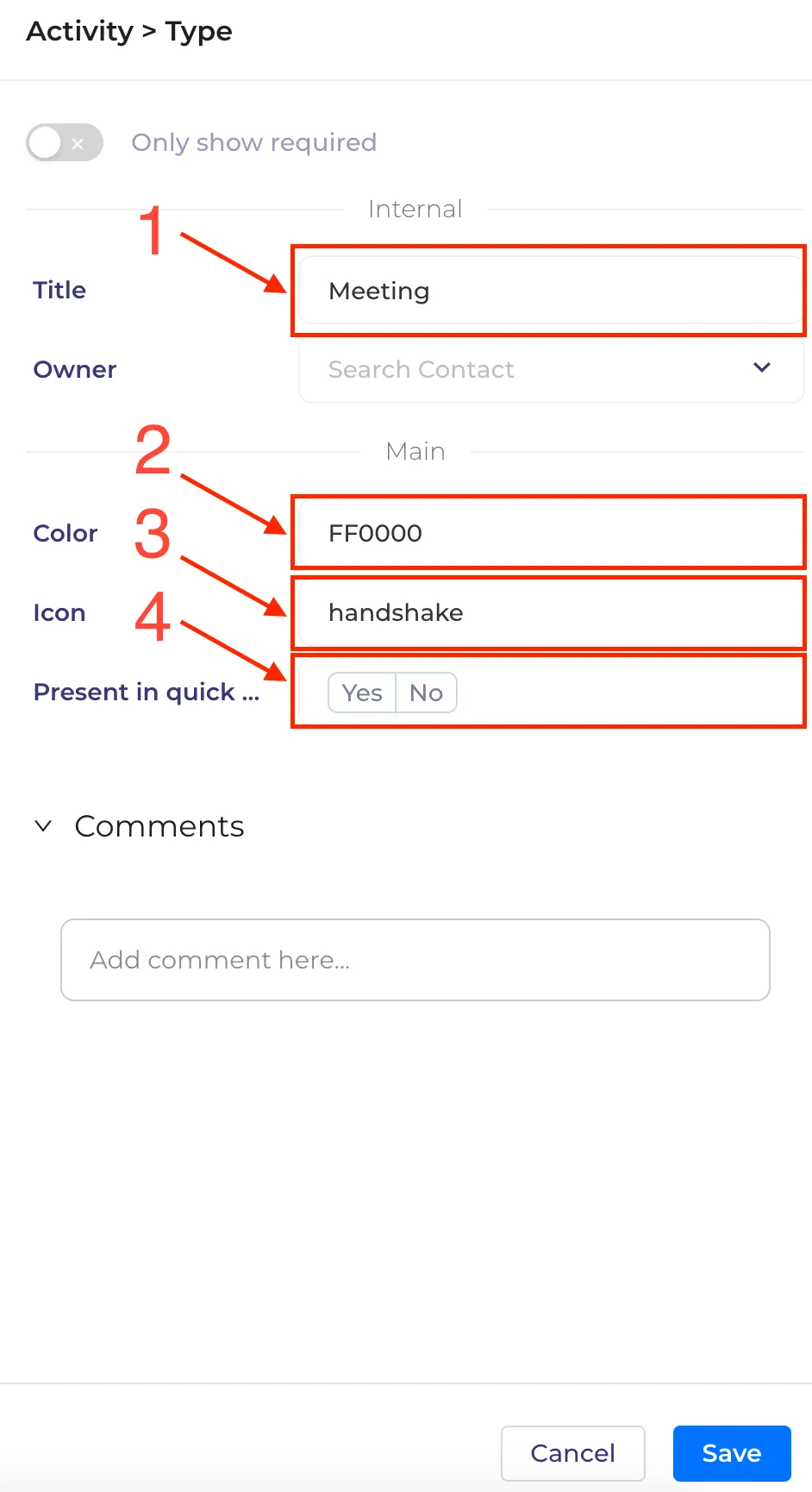
1. Title (1) -> input text for activity name
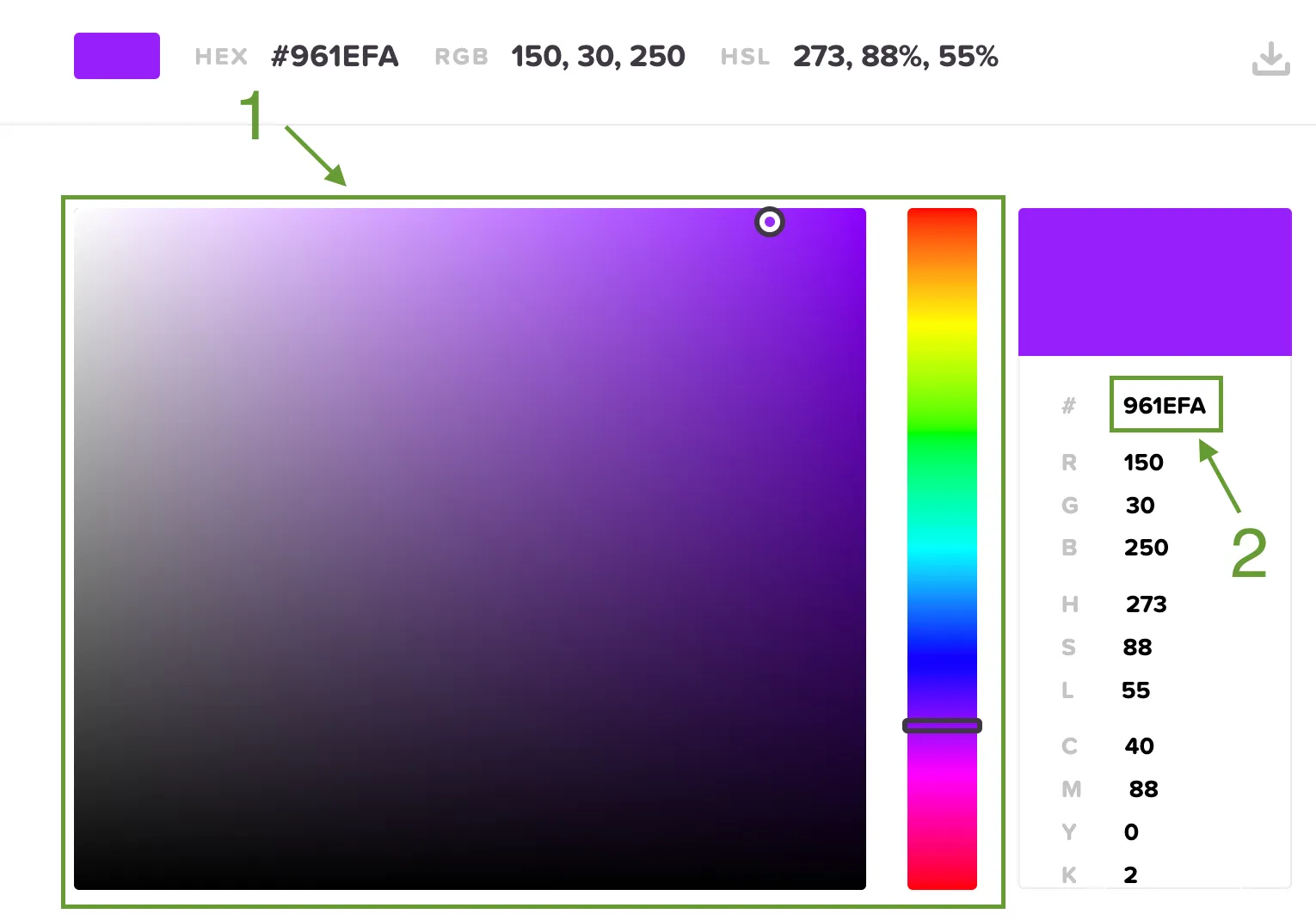
3. Color (2) -> Choose color(1) from colorcodes , copy(2) and paste color
4. Icon (3) -> Choose a name for the icon from collection
5. Present in quick menu (4) -> have options yes/no
6. Click on the save button.
Activity type availability
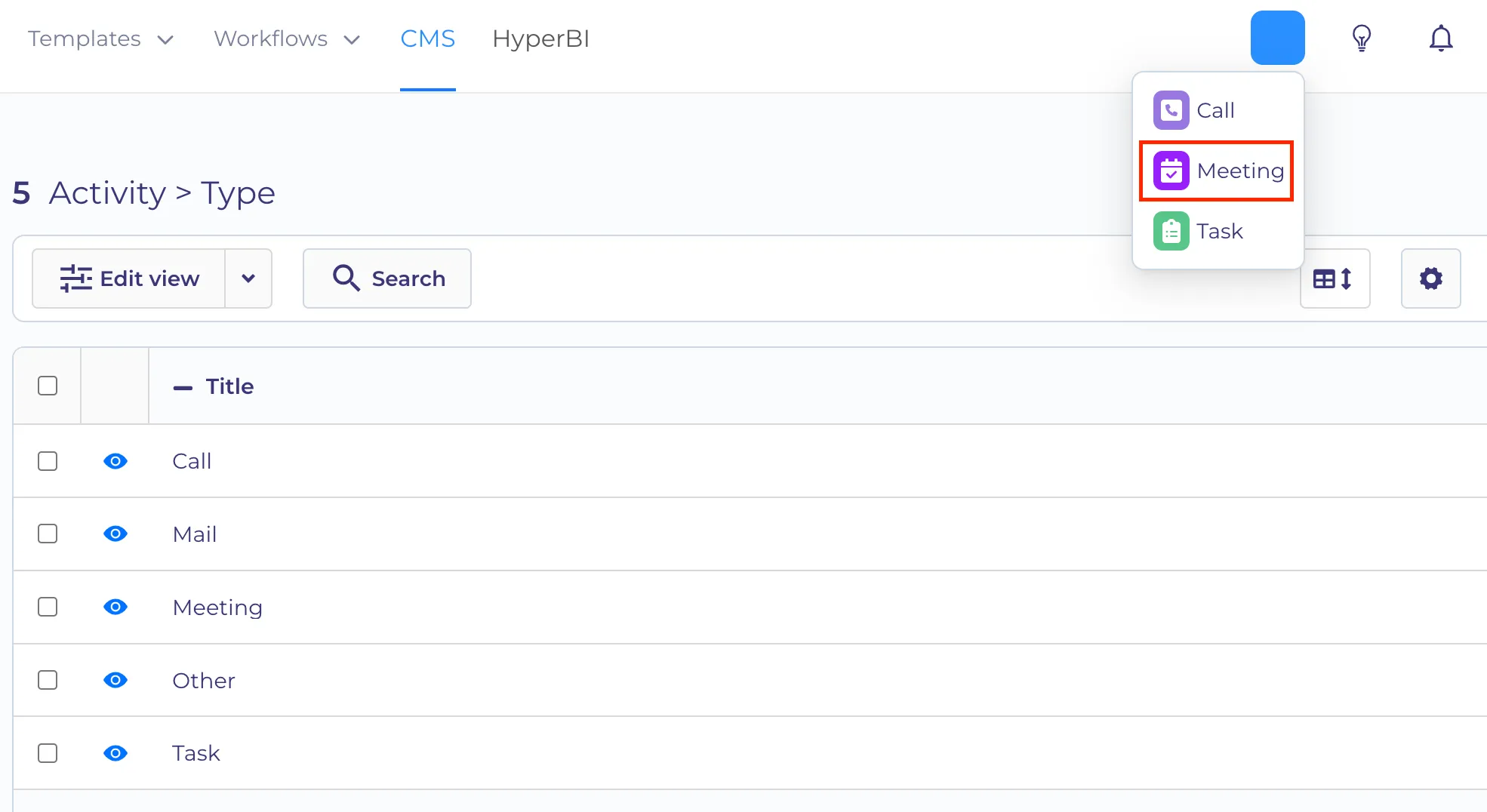
How to find the created activity type: 1. When creating activity type in the "present in quick menu" field - choose "yes"-> then the activity be available in the quick menu
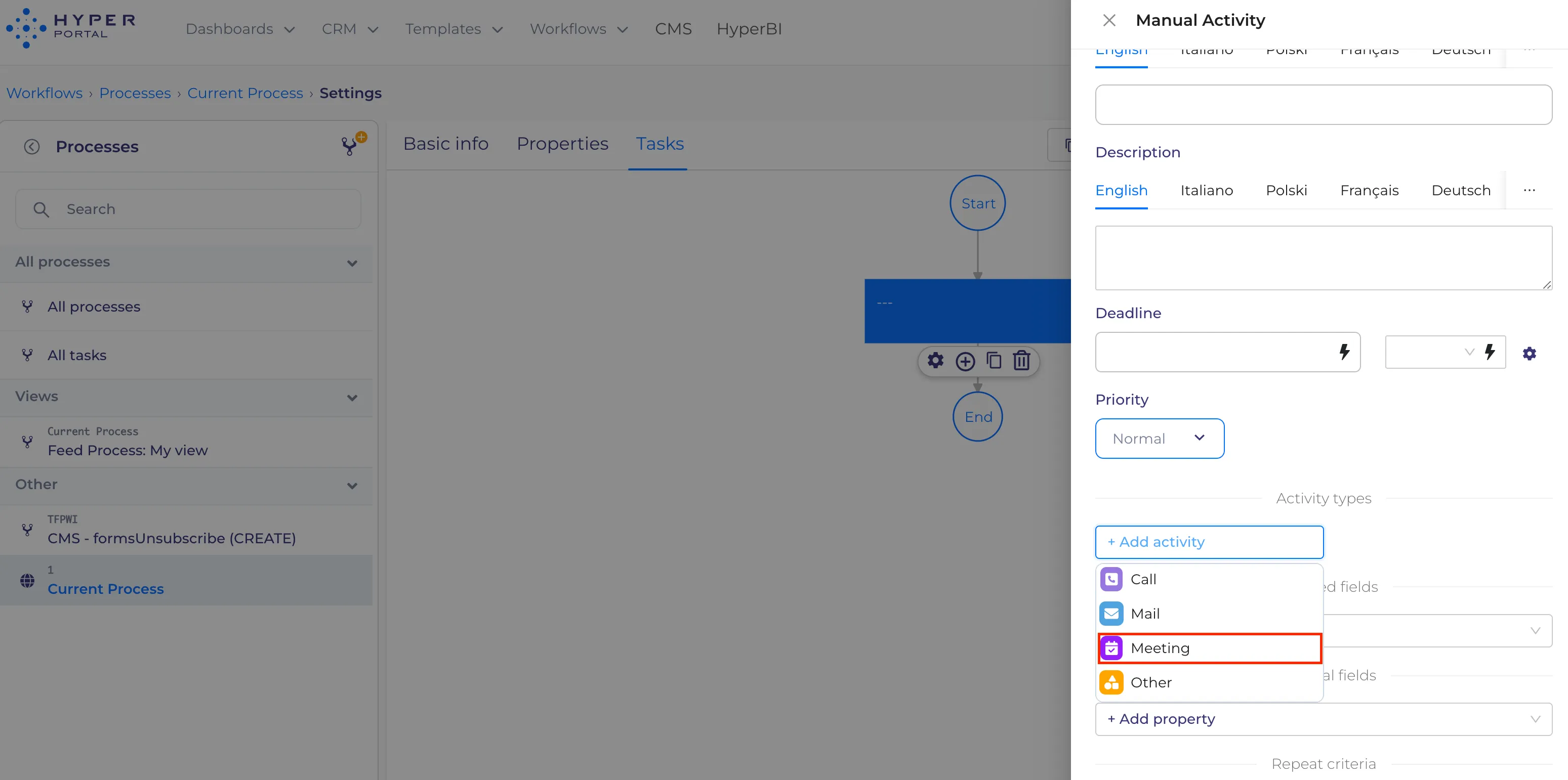
2. When setting manual Activity types click on the dropdown "+Add activity"
es