Vehicle module
The customer module can be used to export vehicles from HyperPortal to XDMS. Vehicle import can be configured in the XDMS tab in the settings.
Mappings
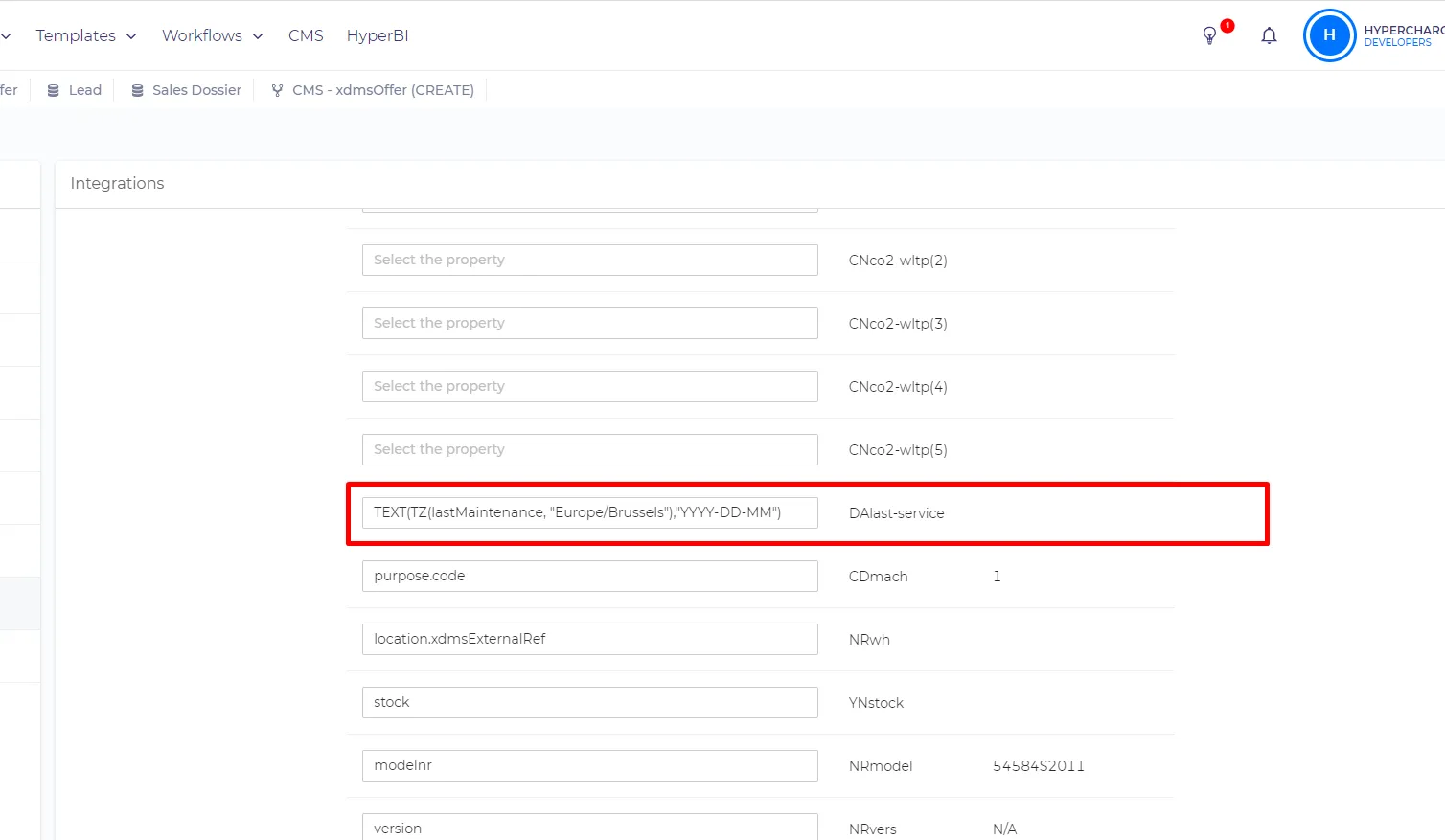
The expression for any date field should look like this - TEXT(TZ(lastMaintenance, "Europe/Brussels"),"YYYY-DD-MM") where 'lastMaintenance' is a date property.
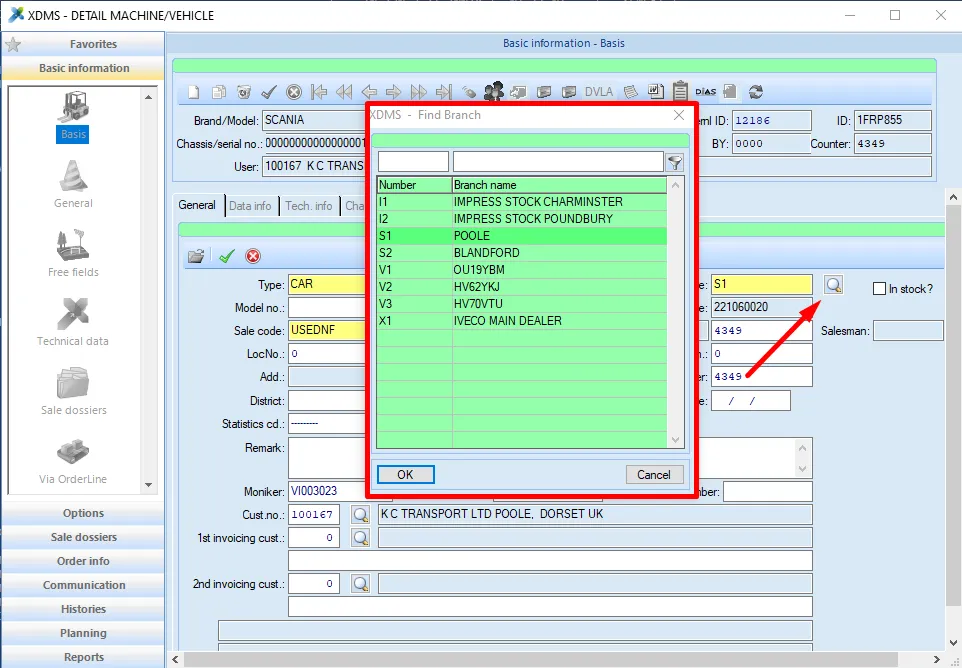
The location field (NRwn) should receive a code of the site, to see the list of available site codes you need to open any vehicle and click the icon near the 'site' field.
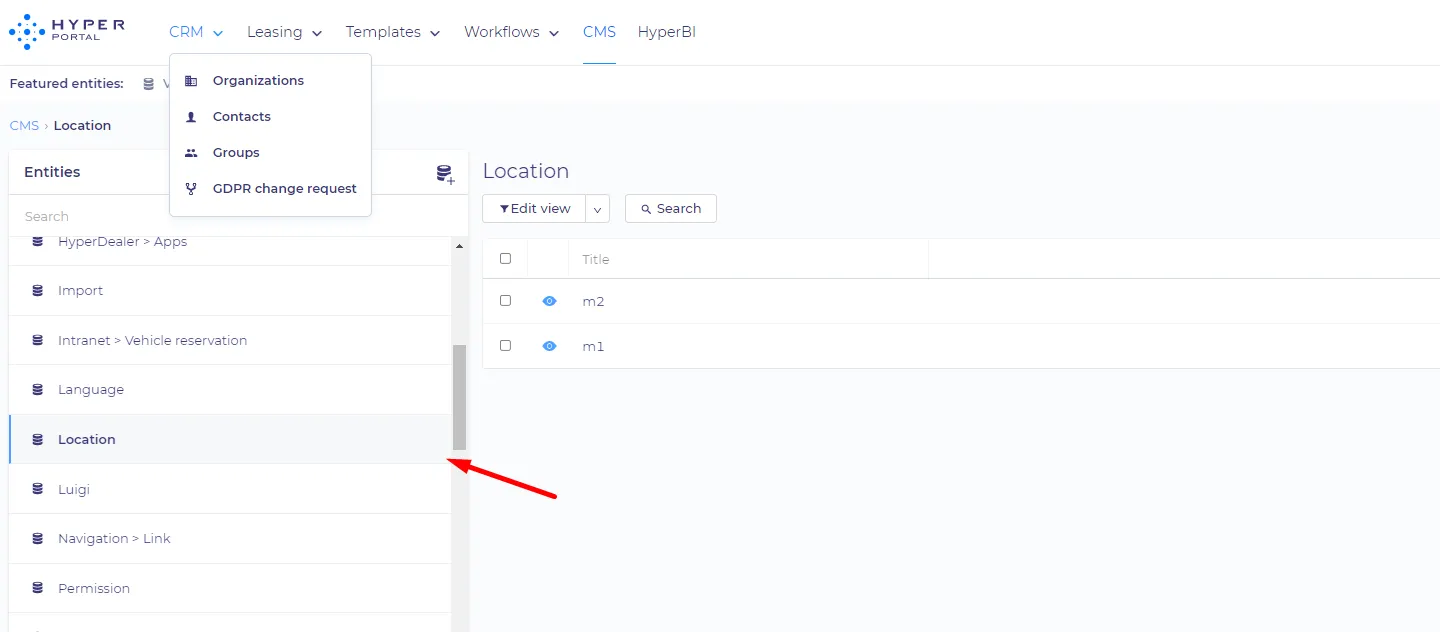
Those site codes are stored in the 'xdmsExternalRef' property of the location entity.
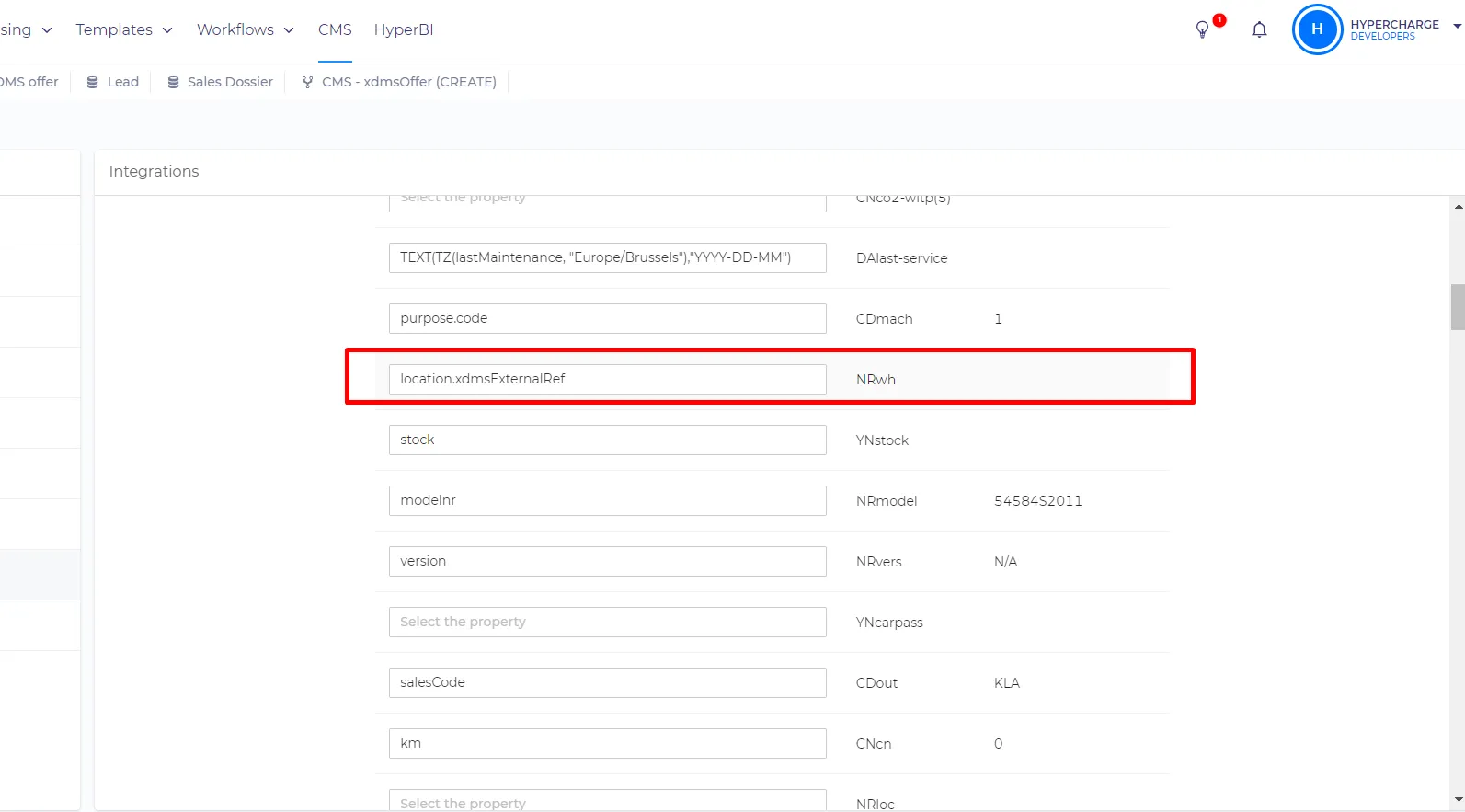
The mapping for location, in this case, will look like this - NRwh = location.xdmsExternalRef
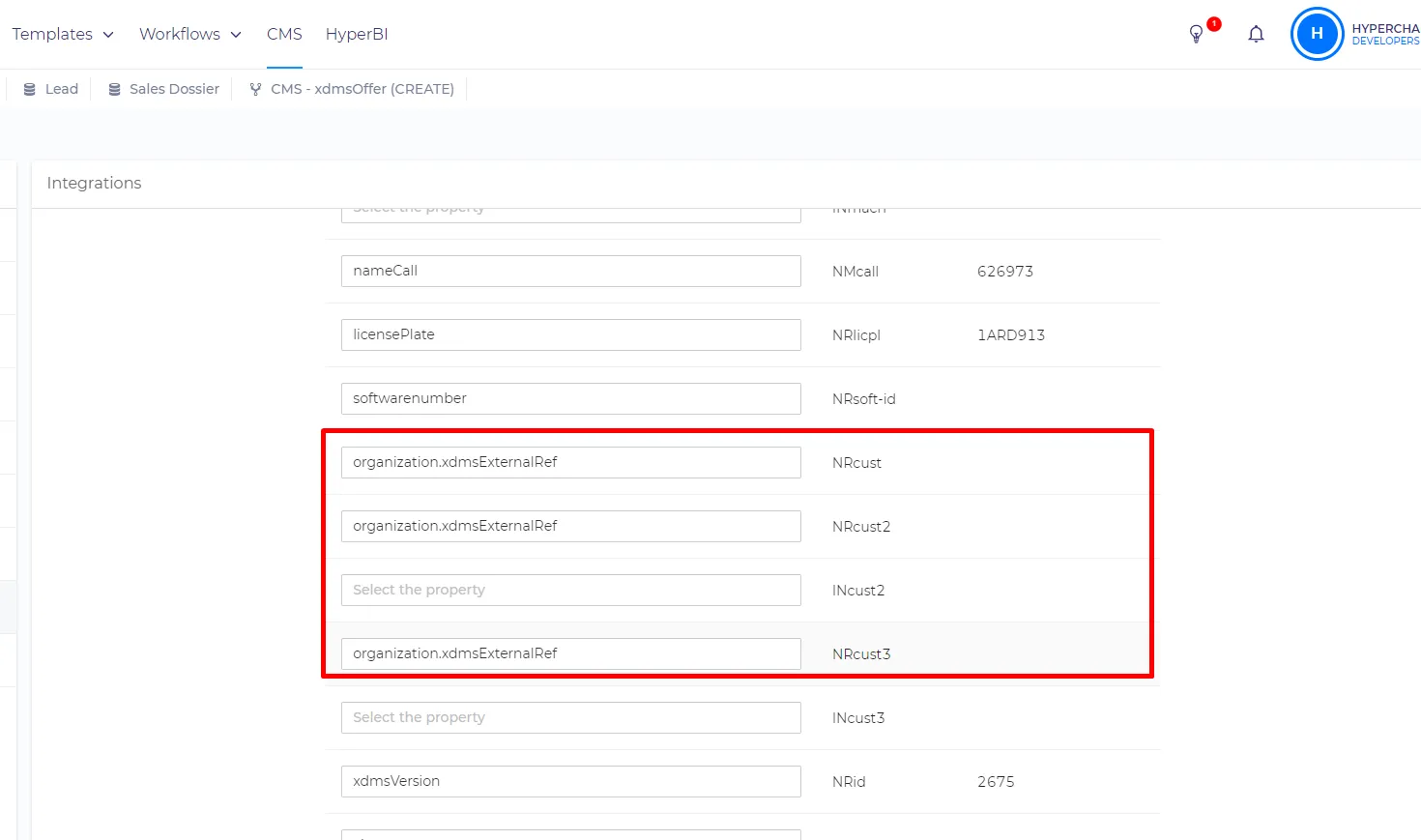
NRcust, NRcust2, and NRcust3 (customer) fields should receive the ID of the XDMS customer (Cust.no)
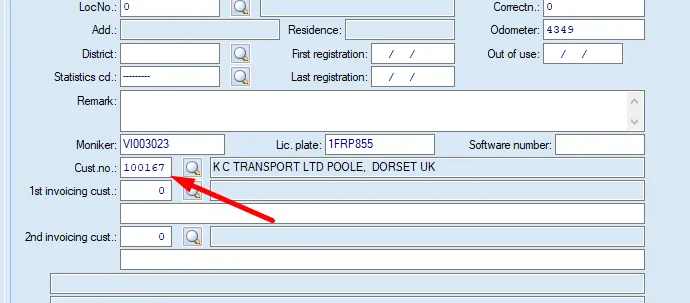
This ID should be stored in the xdmsExternalRef property in the 'Organization' entity on the HyperPortal`s side. So the mapping will look like that -
Nrcust = organization.xdmsExternalRef
Fields like engine(NMother-colr), make(NMbrnd), model(NMmodel), fuel(CDfuel), model year(YYconst), transmission(CDgearbox), and country(CDcnty) are referred by the code property. The code property holds the value that can be accepted by XDMS. To know what values should be pushed to XDMS you just need to find the field that you are mapping and look up existing items. Example - we can see that manufacturers are displayed by their name in XDMS
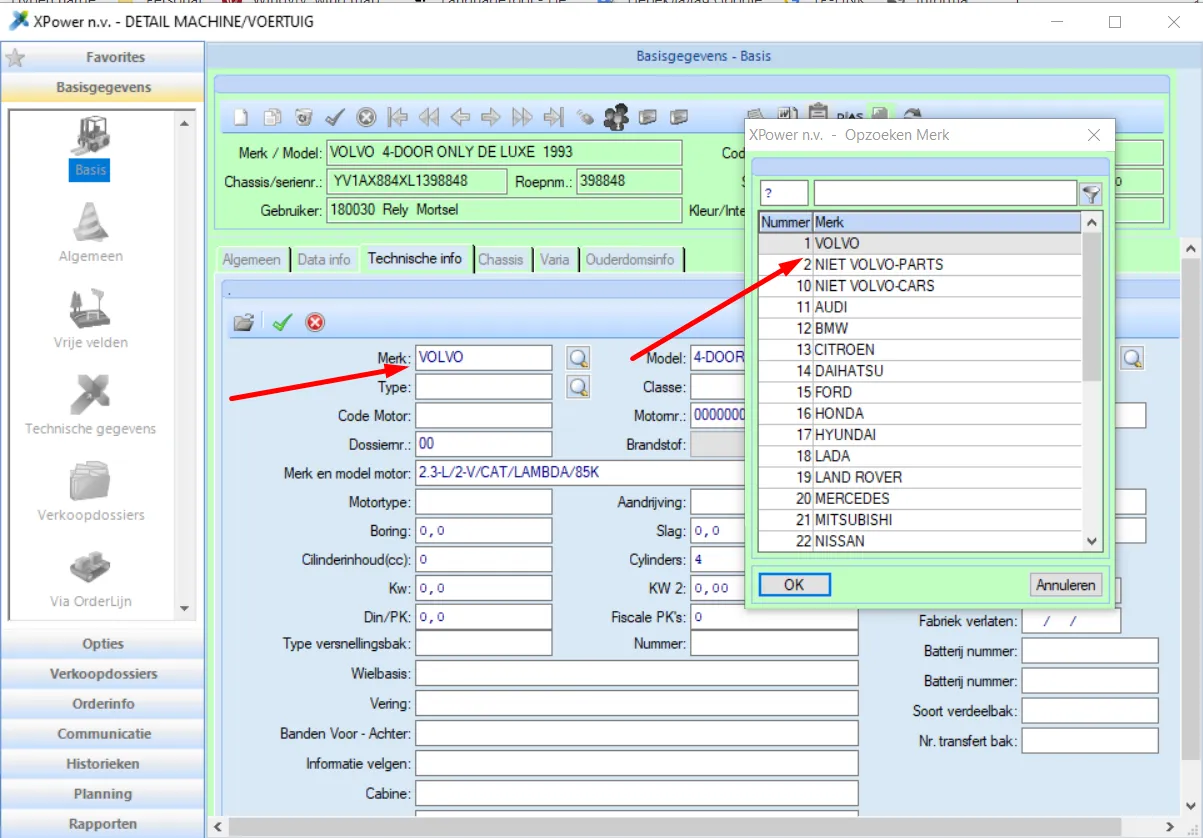
This means that we need to push manufacturers` names to XMDS. Those names are stored in the code property of the 'Make' property.
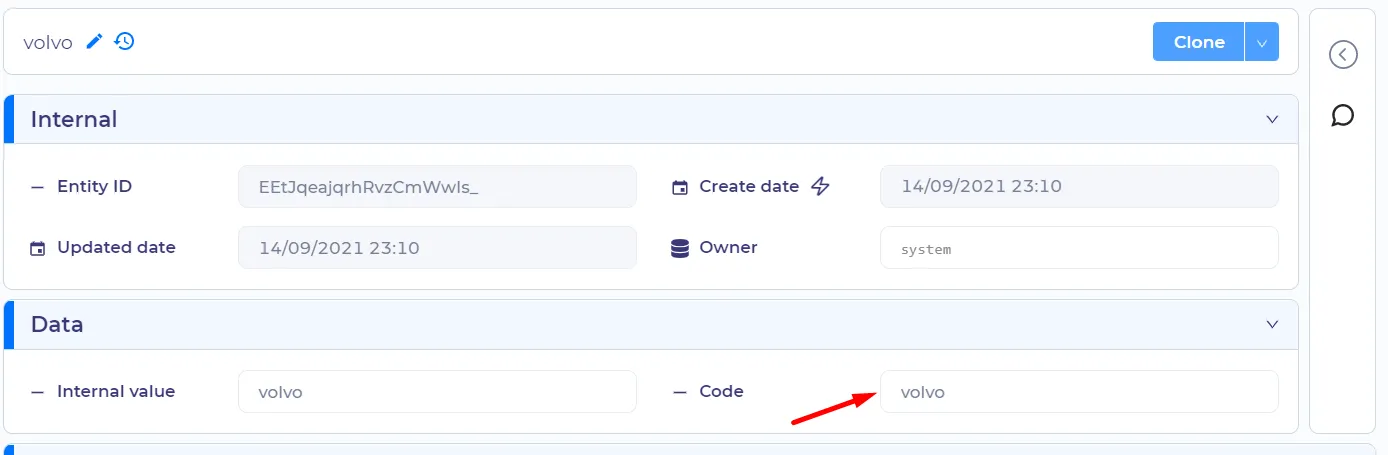
The mapping will look like this - NMbrnd = make.code
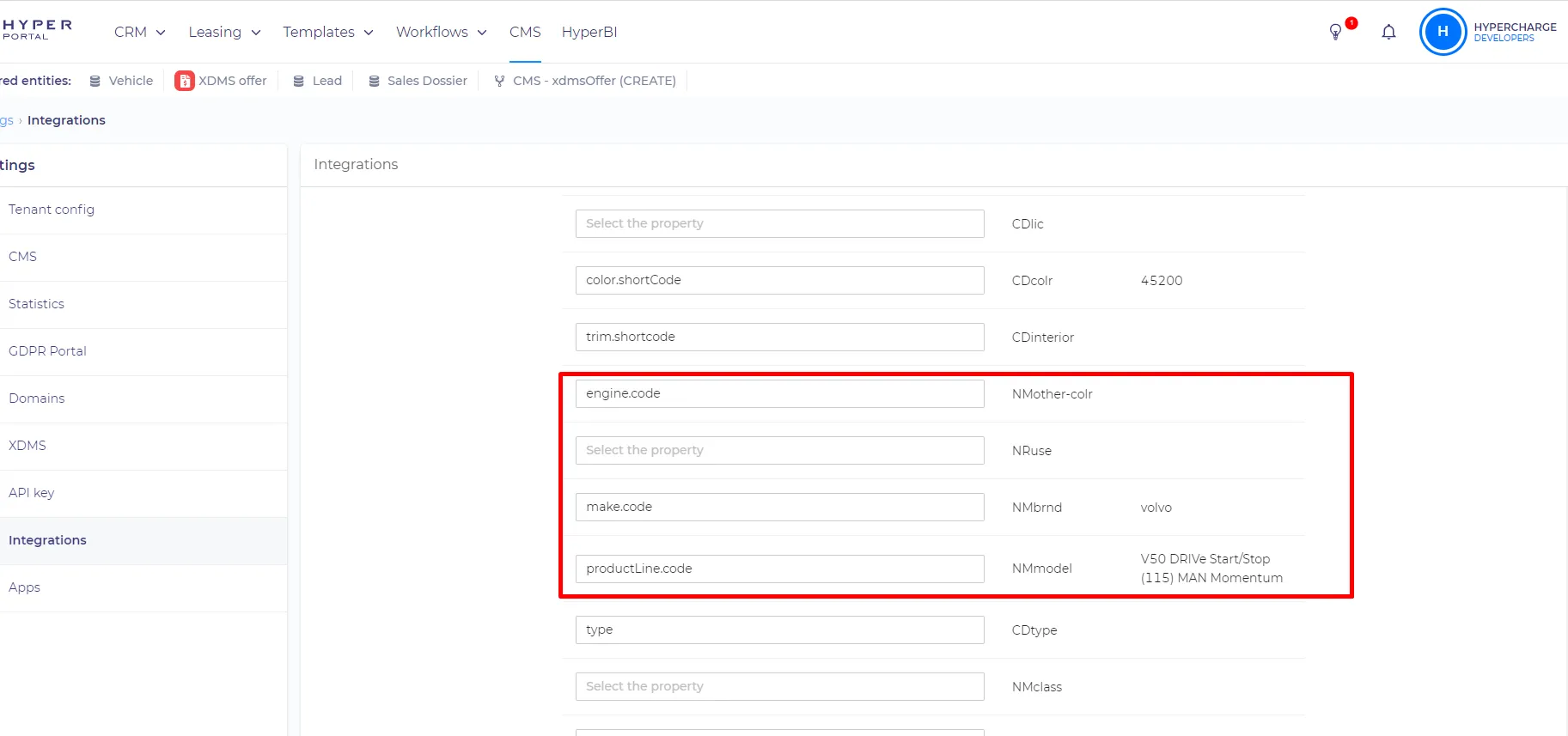
Color and interior behave the same as the 'make' field and others, but the value is stored in the 'shortCode' property by default
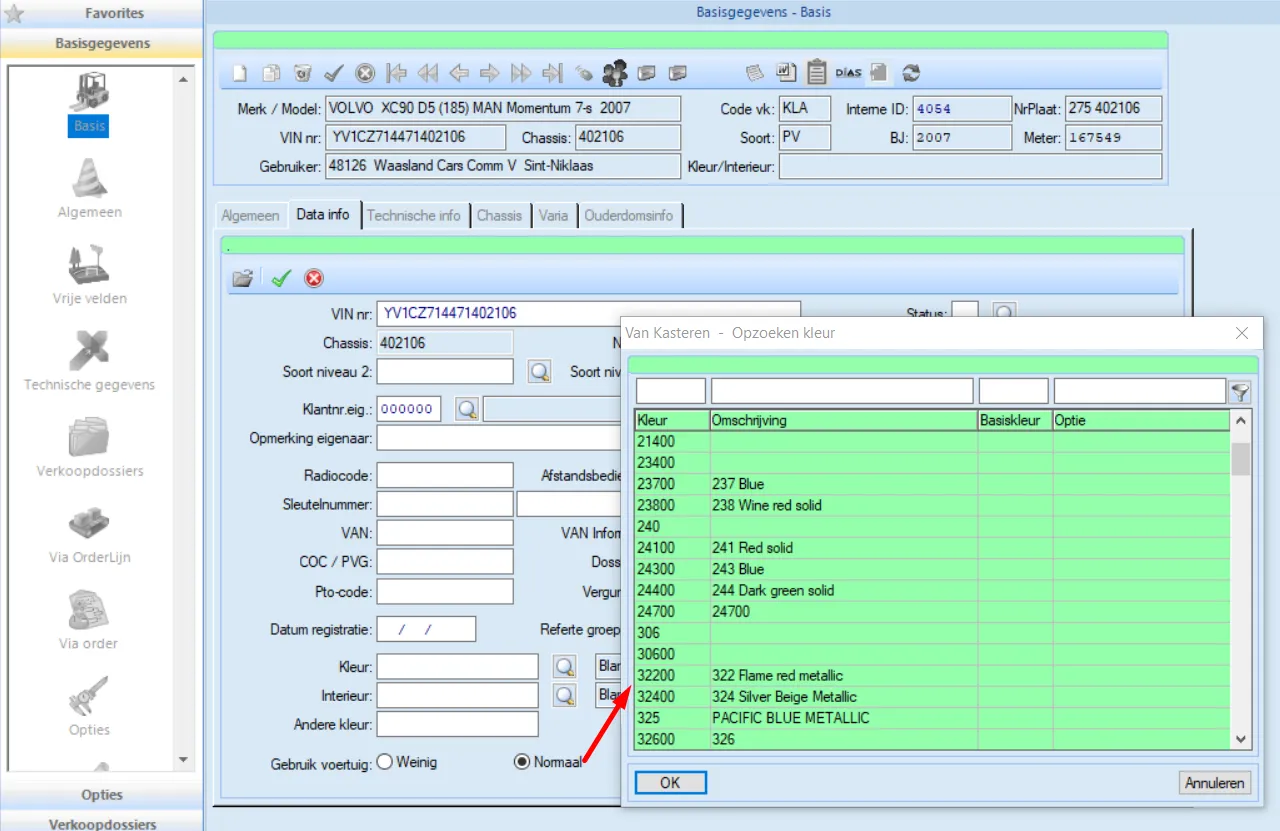
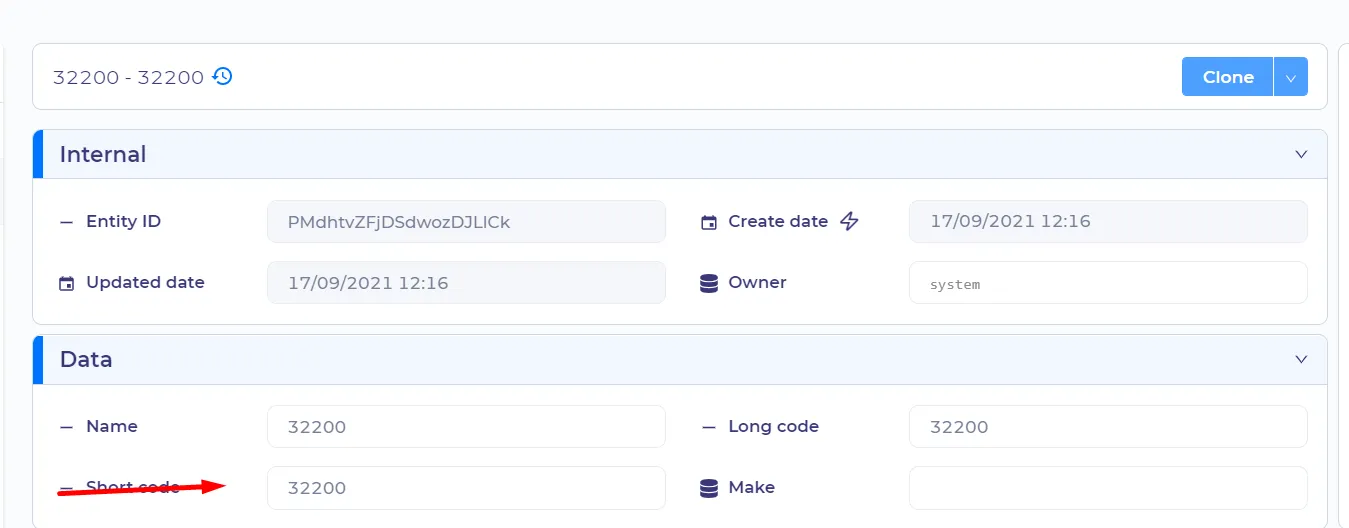
The mapping will look like this - CDcolr = color.shortCode

Here is an example of mappings - https://vankasteren.hyperportal.org/settings/integrations/xdmsIntegration/xdmsVehicleModule