Shared views Dashboards
You can easily share your dashboard views with the help of the 'Shared views' feature. The 'Shared views' are synced with the set users/user groups, it is dynamic, meaning that your every action ( add new widget/filter, edit, delete, save, etc.) will be displayed and synced for each user who has access to this view. It's more convenient to keep your colleagues updated once you share a view with them, instead of sharing every time a link, which is static.
Share the view by clicking the 'share view' button in the dropdown next to the Save button.

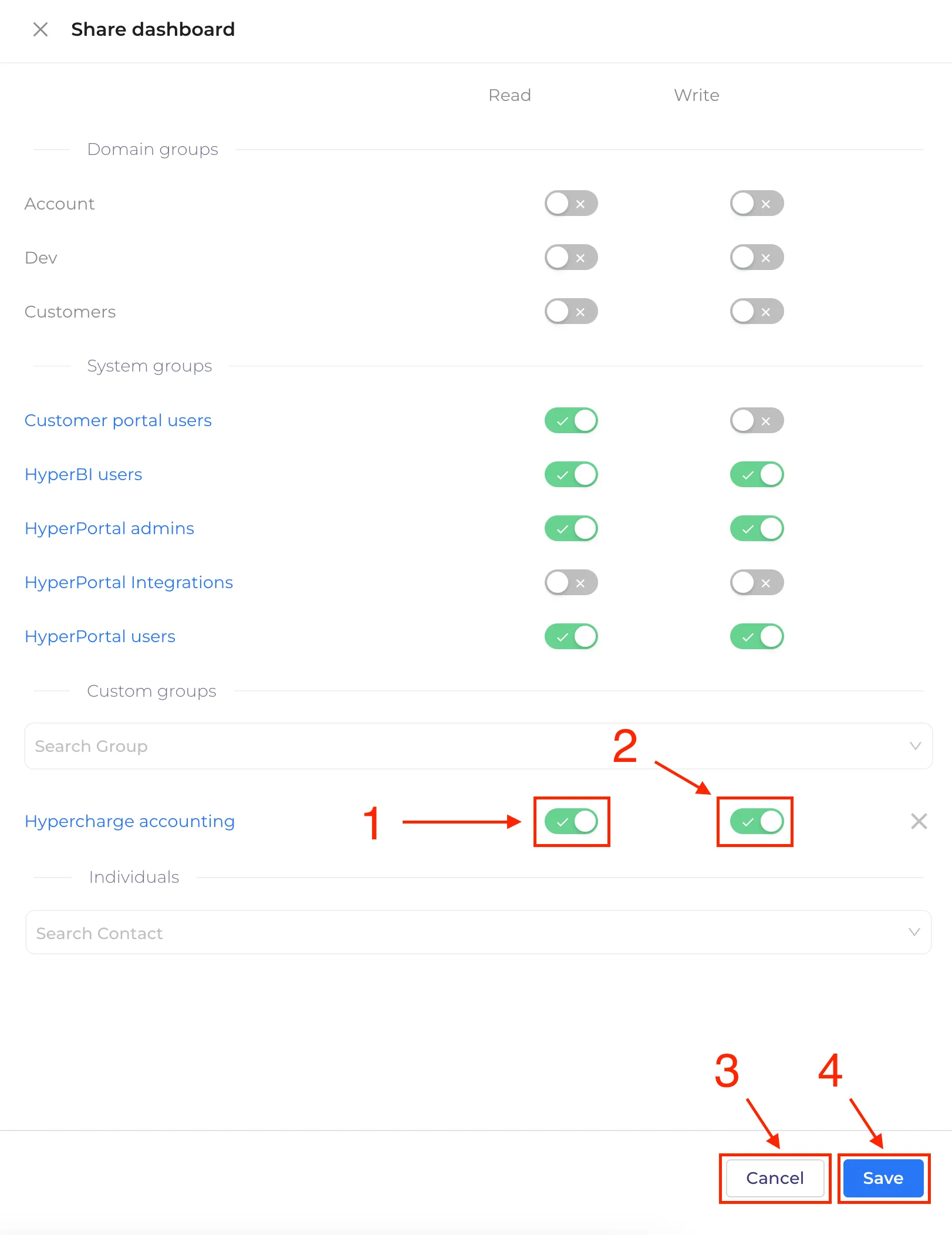
In the side drawer Shared dashboard menu, you can choose an individual or group that you want to share the view with, where:
- Permission to view the shared dashboard (1)
- Permission to make changes in shared dashboard(2)
- "Cancel" button to cancel settings(3)
- "Save" button to save changes(4)
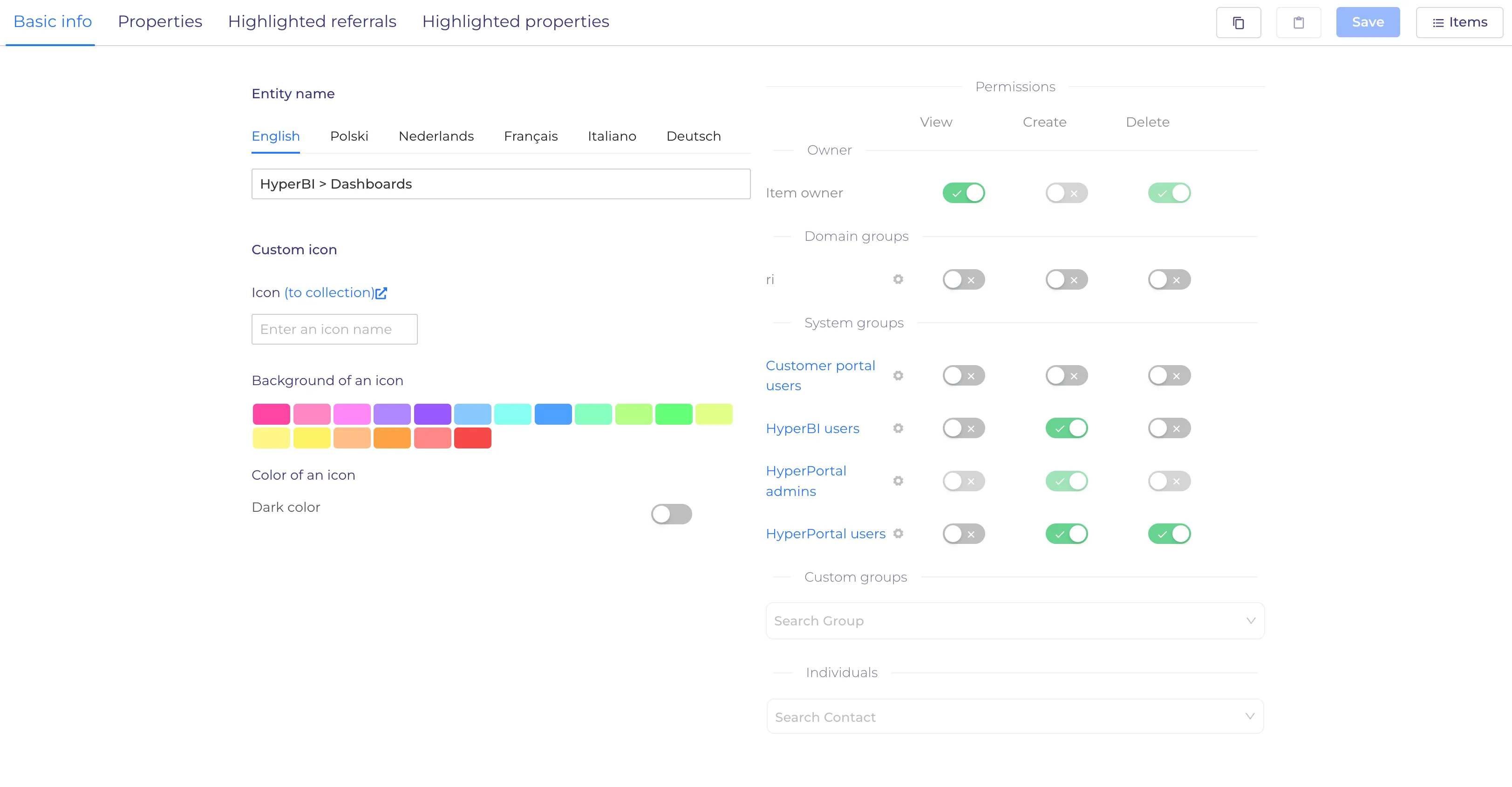
User admin available "General permissions" settings to who can see Default and all other not shared dashboards you can choose an individual or group that you want to share the view with.
You should open CMS > HyperBI > Dashboards entity settings