Shared views CMS/Workflows
You can easily share your views with the help of the 'Shared views' feature. The 'Shared views' are synced with the set users/user groups, it is dynamic, meaning that your every action ( create a new column/filter, edit, delete, save, etc.) will be displayed and synced for each user who has access to this view. It's more convenient to keep your colleagues updated once you share a view with them, instead of sharing every time a link, which is static.
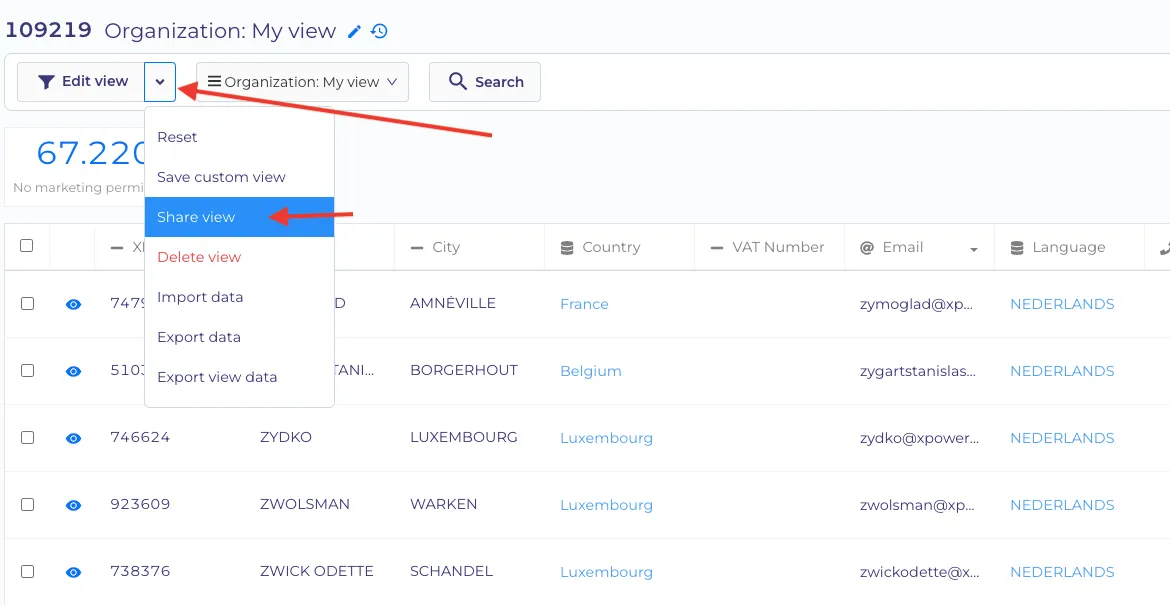
Share the view by clicking the 'share view' button in the dropdown next to the edit view button.
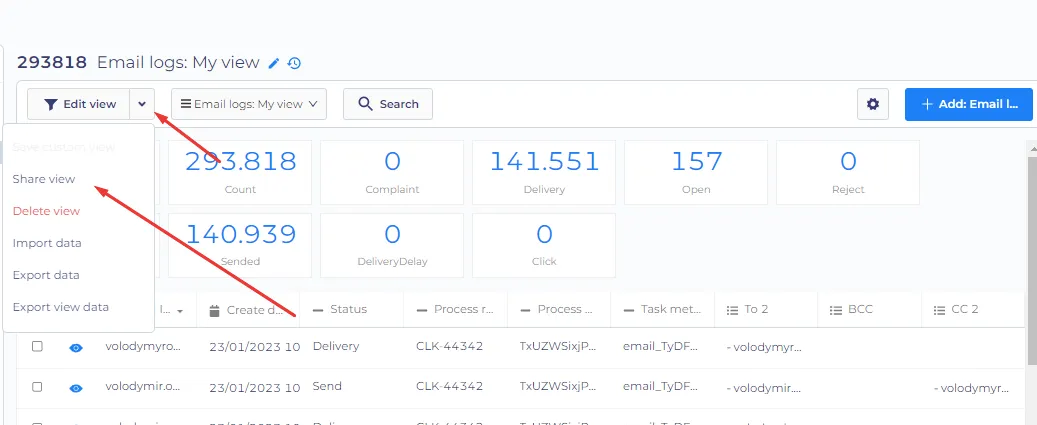
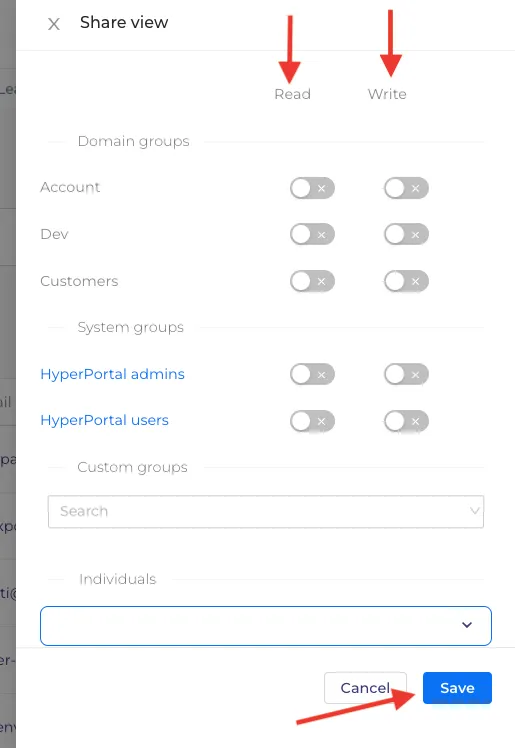
In the next window, you can choose an individual or group that you want to share the view with.
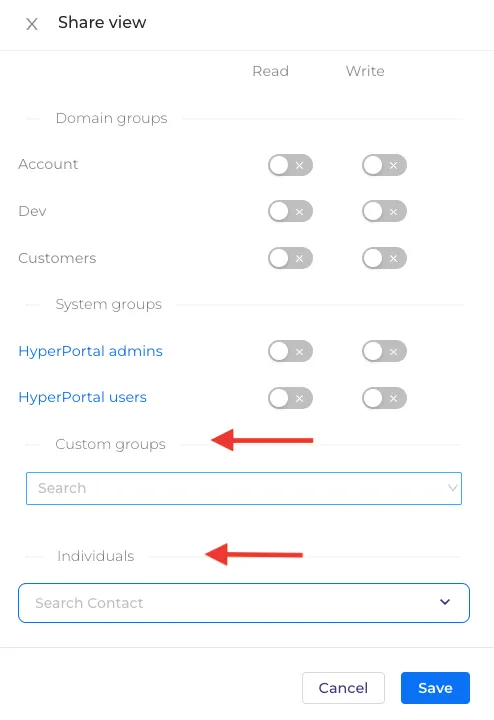
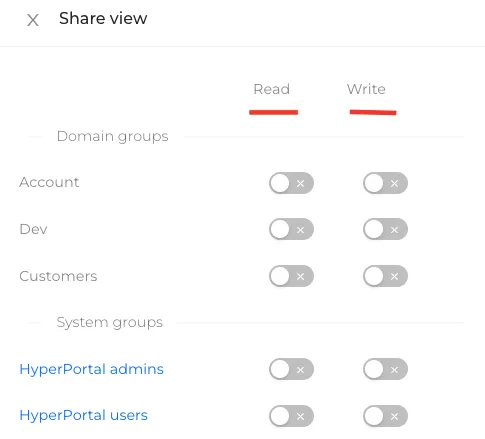
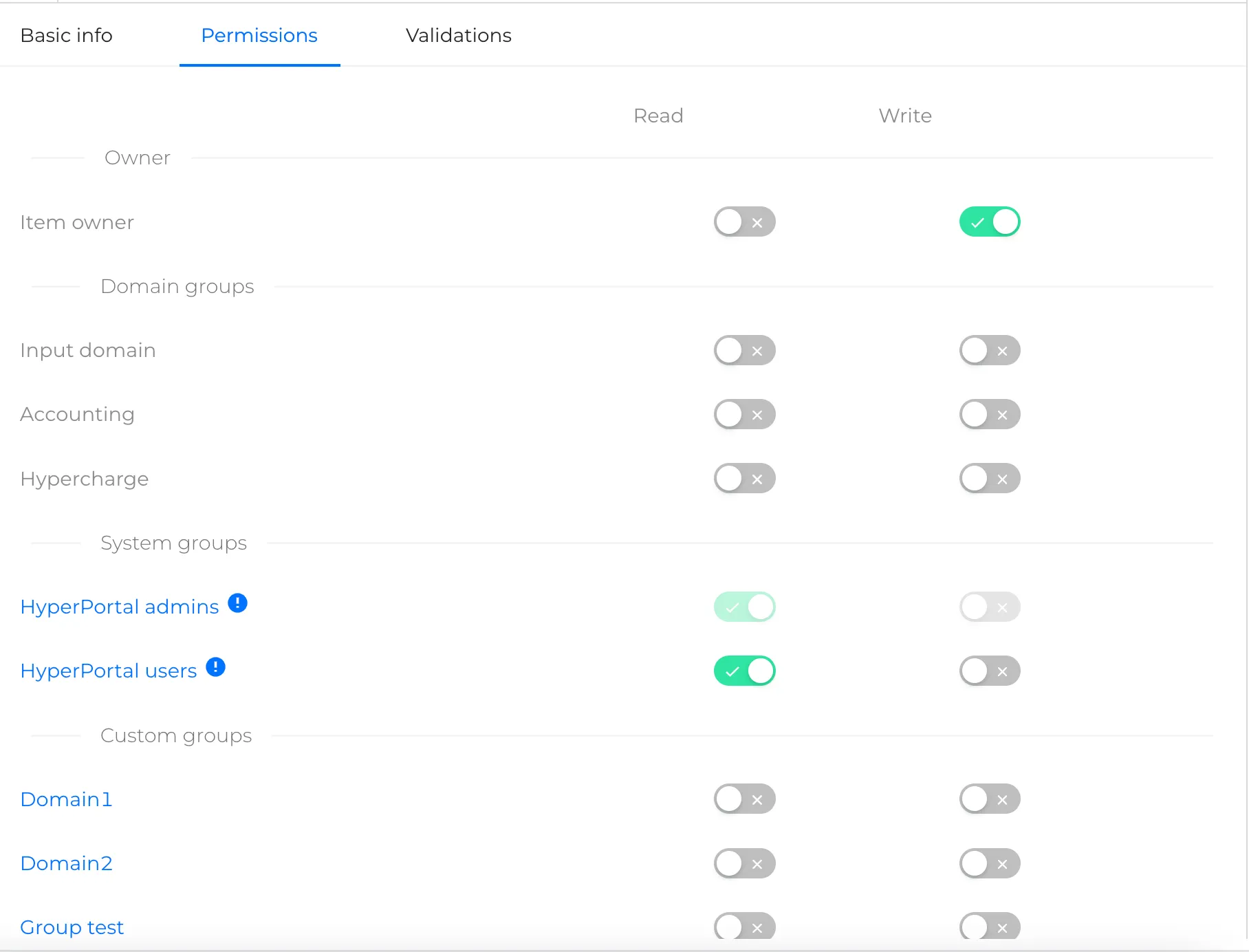
Read permissions give access to the view, and write permissions give the possibility to edit it.
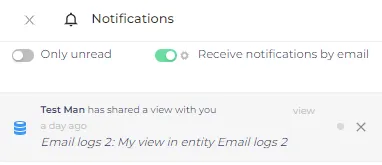
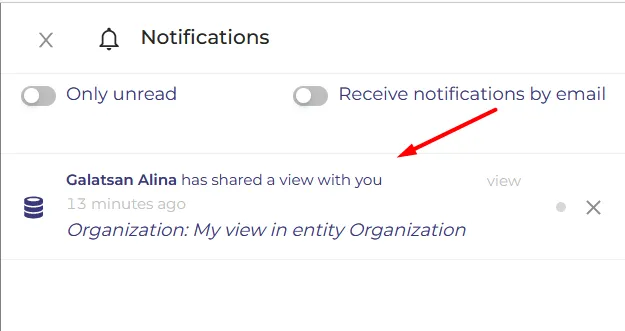
You will receive a notification if someone shares a view with you
Only groups with the 'View sharing' feature permission can share the views.
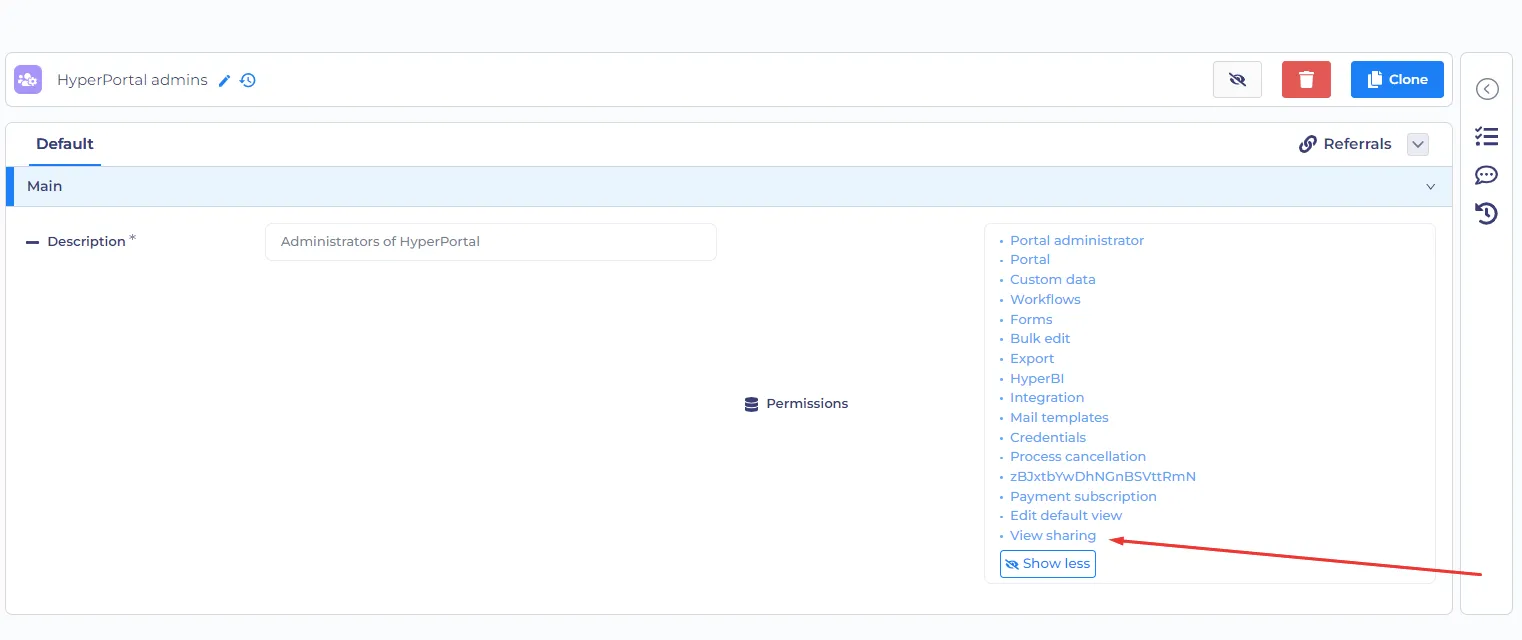
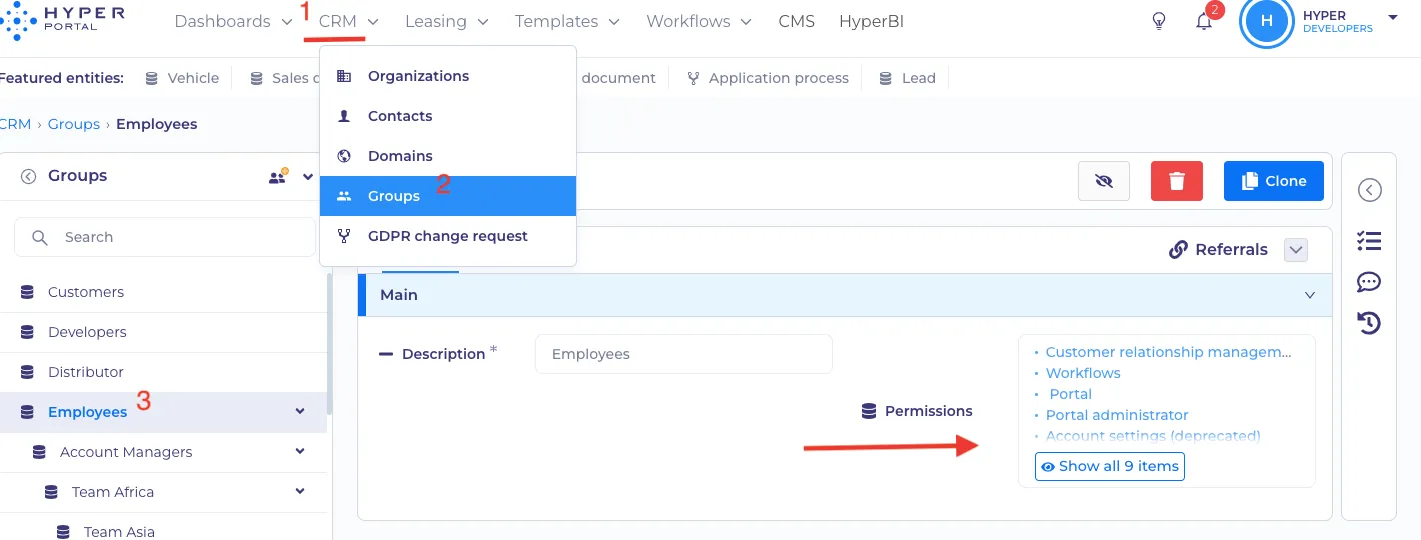
If you need to check your 'View sharing' feature permission or if you want to grant permission, select CRM -> Groups -> required group -> Permissions, as in the example below.
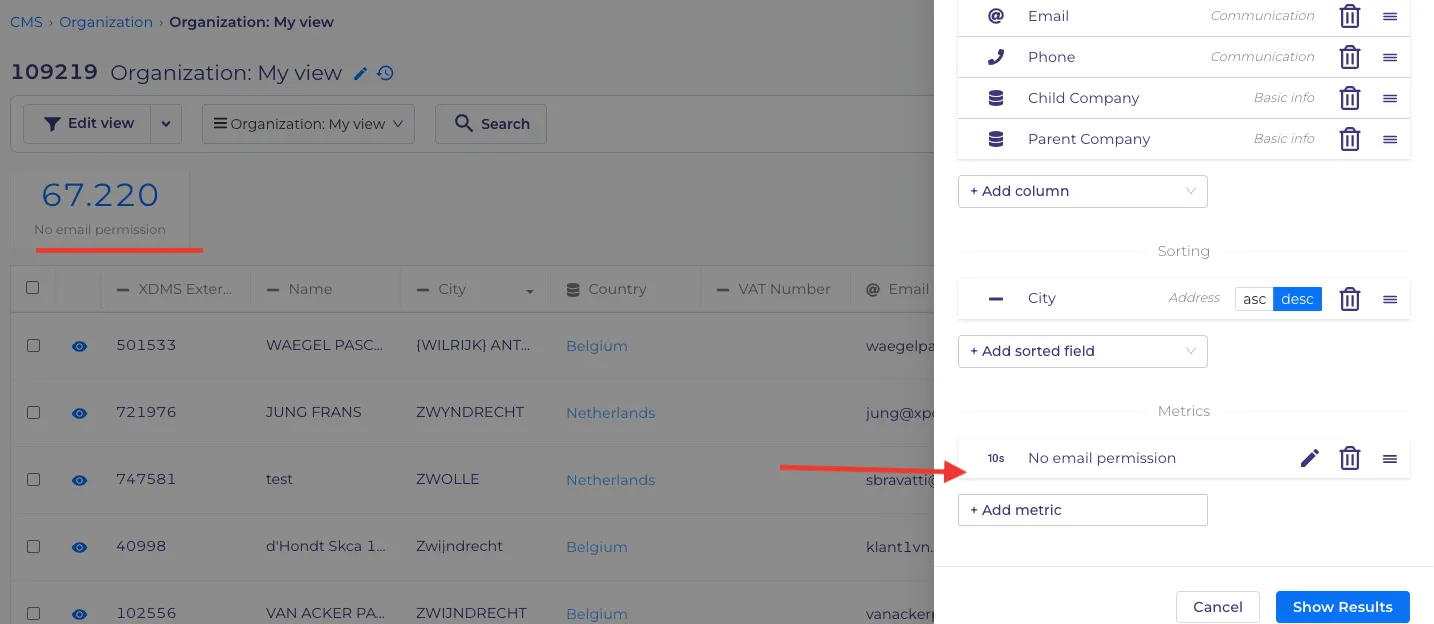
For example, we want to know how many organizations have no email permissions, so we create a metric in 'Edit view'.
To send the obtained metric to your colleague, click the 'share view' button in the dropdown next to the edit view button.
You can select from domain or system groups or insert custom groups or individuals. Switch 'Read' and 'Write' toggles where needed and press the 'Save' button.
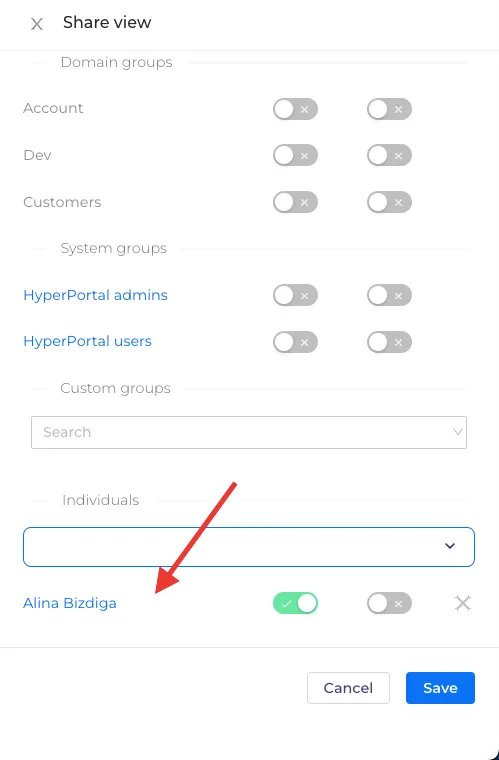
The individual/custom group that you have chosen will appear under the text box together with two toggles.
A notification will be sent to the 'Shared view' recipient as per below.
Technical information
View-sharing works based on permissions. Information about a group or contact (individual sharing) is added as row permission for the entityId current view. For this to work, the following conditions must be met:
- View definition must have rowPermissions property with JSON type.
- Definition should have next permissions: only owner can view and delete records, create permission for who can create a new view.
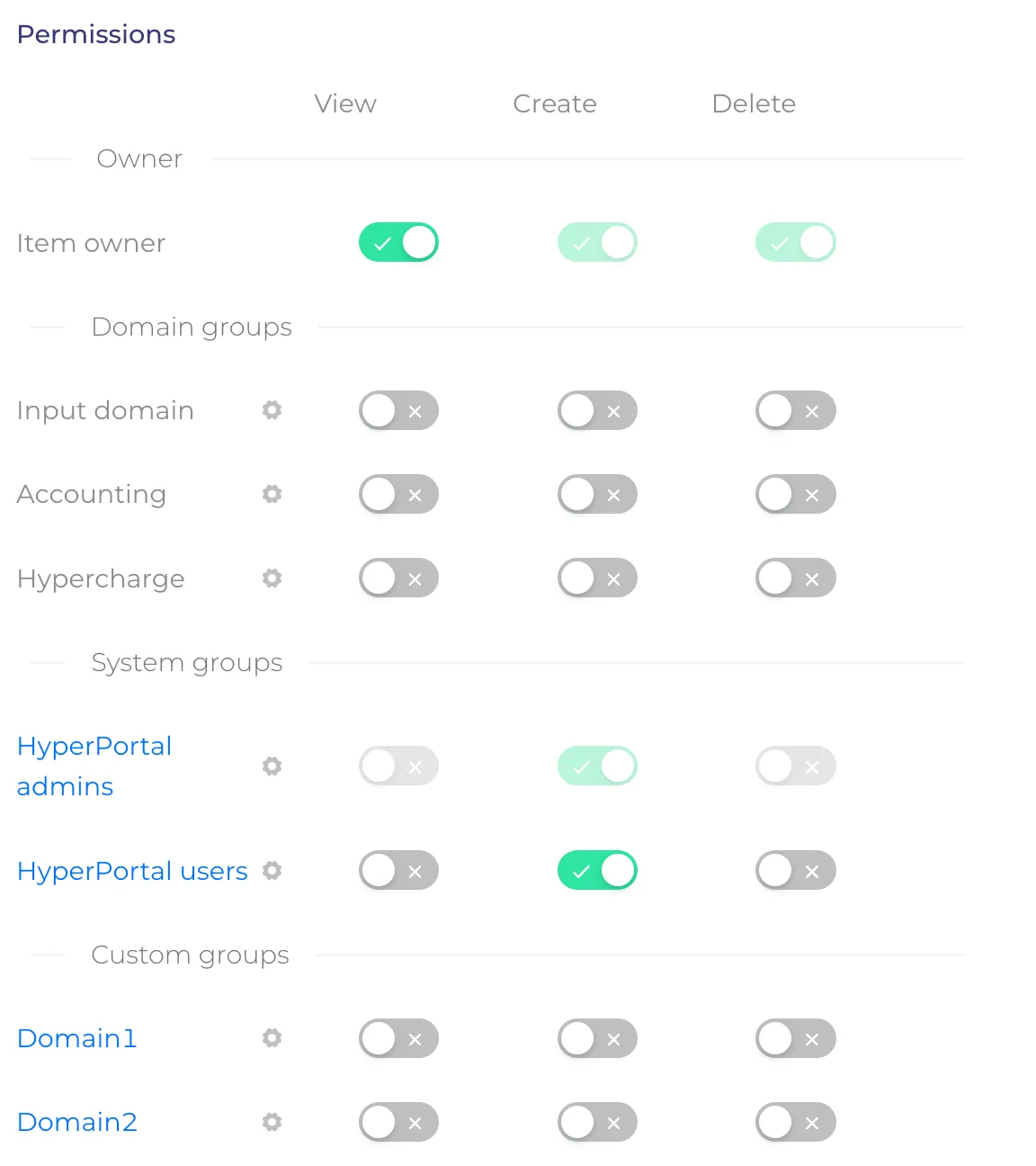
- Properties of definition should to have next peermissions: owner can write (it's mean that owner can change own view), other groups can view this so that when they are granted access to the row, they can read these properties
For example, when the view is shared for viewing to hyperUsers and hyperAdmins groups, JSON of rowPermissions will have value:
and for each allowed group will be added an entry to the permissions MySQL table record.
If you give permission to change view:
we give write permissions to the following properties: filters, metrics, and viewType, these properties hardcoded to the front part for view sharing.
If you want to give someone the right to share your view in the future, then you just need to give write permissions for rowPermissions property.
You can also organize row sharing for other definitions (and this is already done for dashboards), just follow the rules above and set on the front part which properties they can write when editing a post (for example, for dashboards, this is only a configuration property)
All data is changed through existing custom-data API points for managing properties. If there is a change in field rowPermissions, permissions update procedure will be started. During the update of permishins, we read this entity property, check it and take it into account when creating the row-based list permissions for database.