Offer module
This module can push XDMS offers to HyperPportal.
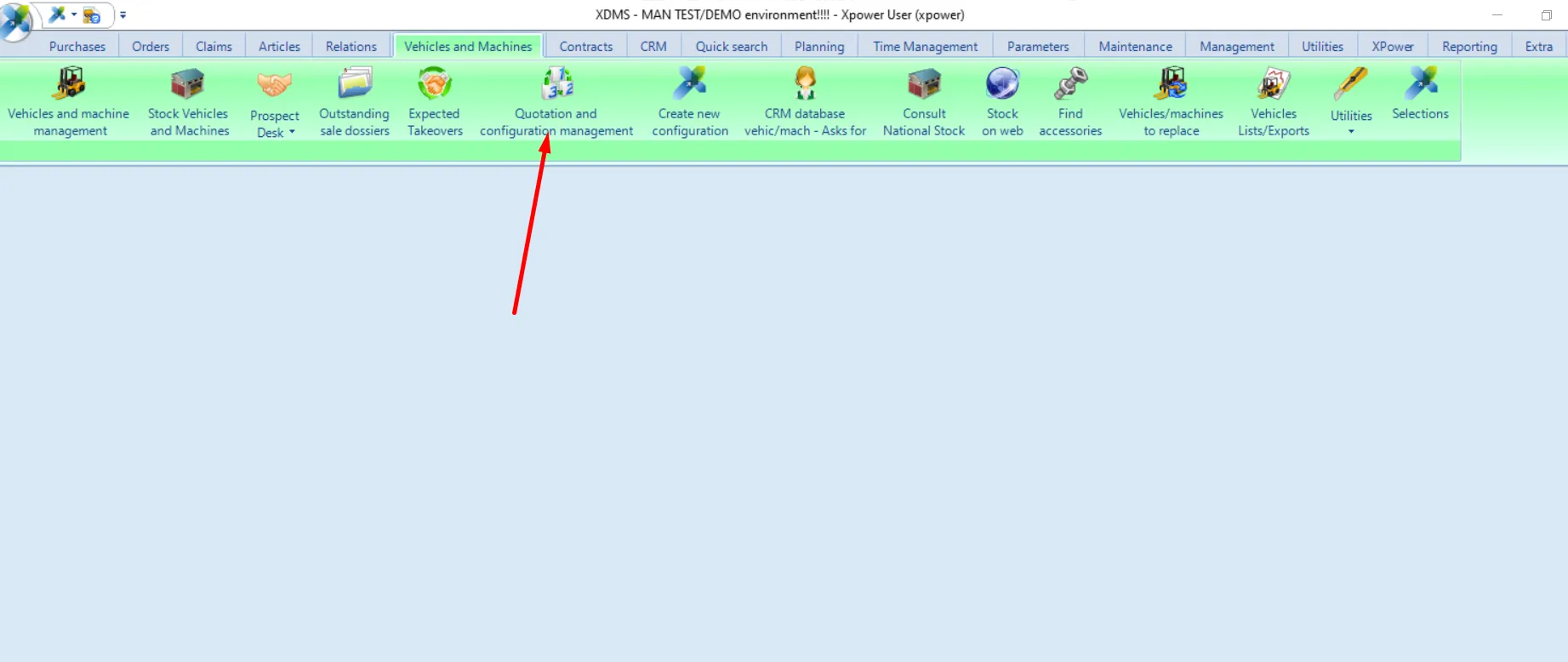
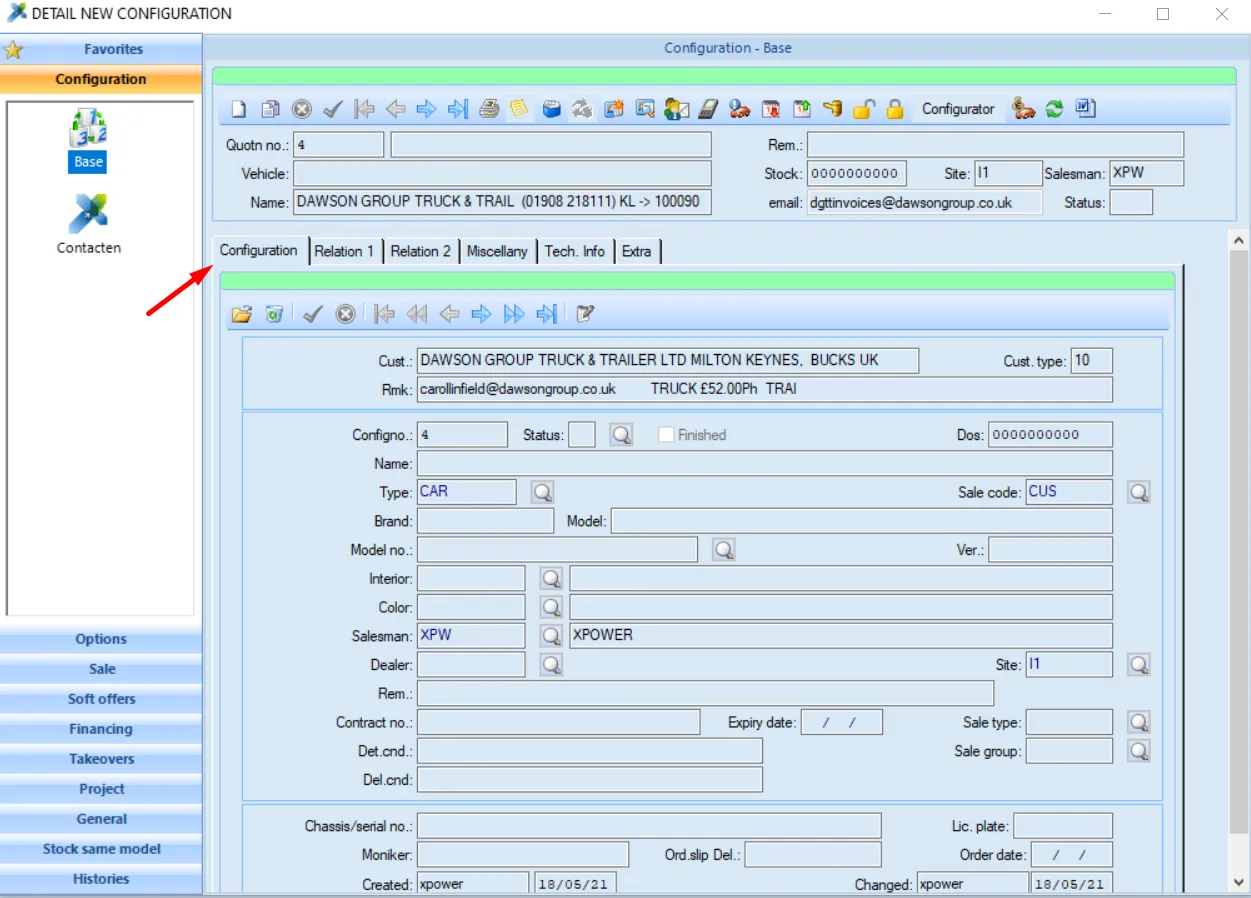
Offers are stored in the Vehicles and Machines tab -> Quotation and configuration management -. Via Configuration -> Open any item -> Configuration tab
Mapping
NRcust, NRcust2, and NRcust3 are relation fields that contain XDMS customer numbers. These fields can be mapped to entity type fields of the 'organization' entity. To map those fields you should use an XDMS_REF_TO_ENTITY_ID expression ( you can read more about it here. The mapping will look like this -

The NRvendor field contains the name of the salesperson. If you have a separate entity for XMDS sales agent the mapping for 'Created by' and 'Last modified by' will look like this -


CDout (Sales code), and CDfuel (fuel) are mapped to the property. It means that the XDMS_REF_TO_ENTITY_ID expression should be used there.

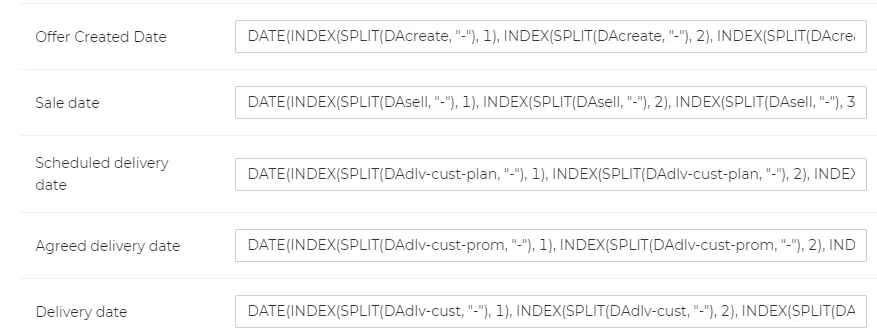
Such fields as DAexpire(Expiration date), DAcreate(Sale date), DAdlv-cust-plan(Scheduled delivery date), Agreed delivery date(DAdlv-cust-prom), DAdlv-cust(Delivery date), DAchange(Last changed at) are all date-type fields, to map those fields you need to use this DATE(INDEX(SPLIT(DAexpire, "-"), 1), INDEX(SPLIT(DAexpire, "-"), 2), INDEX(SPLIT(DAexpire, "-"), 3)) expression, where DAexpire is an ID of an XMDS property. You can read more about this expression here.
To map the stock property (it displays whether the vehicle is in stock) you need to use this expression -
IF(NRextern = "STOCK", TRUE, IF(NRextern = "STOCK+", TRUE, IF(NRextern = "SOLD+", TRUE,IF(NRextern2 = "STOCK", TRUE, IF(NRextern2 = "STOCK+", TRUE, IF(NRextern2 = "SOLD+", TRUE,FALSE))))))
It basically checks NRextern and NRextern2 fields for "STOCK", "STOCK+", and "SOLD+" values, if it finds one of those three values in the fields, it returns TRUE, if it doesn`t find those values, it returns FALSE.
Other properties can be referred to just by XDMS ID.