If node (cloned)
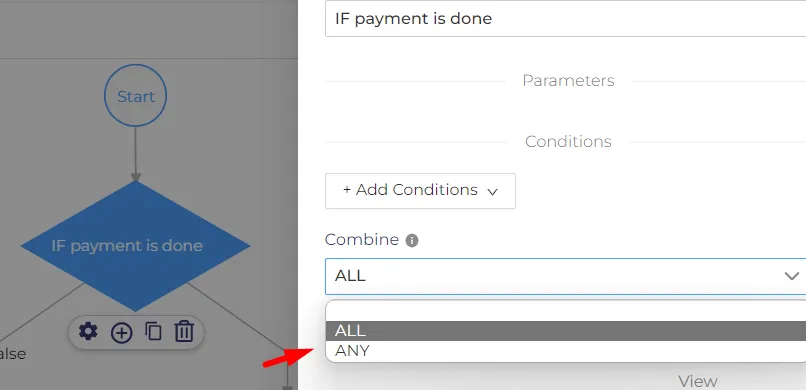
This node has the opportunity to compare two values based on conditions from the down list. Also if node has two branches (true/false) where we can add any additional node. Under 'Add conditions' we have 'Combine' section with two options 'Any' or 'All'. It means that set rules for conditions will process for 'all' or for 'any' dates from portal.
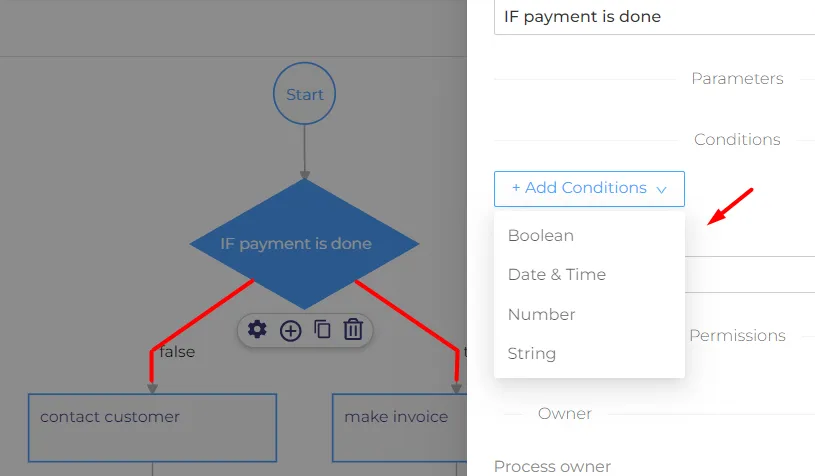
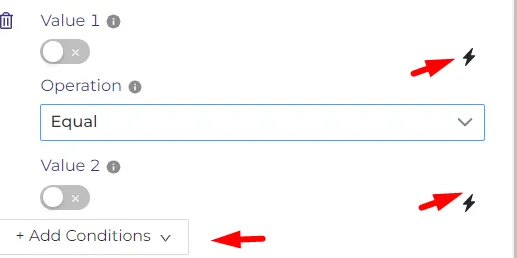
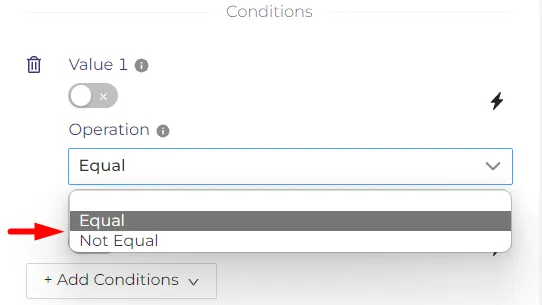
'Boolean' condition is a logical data which will compare two values ( true/false ). If the marked icon is turned on it means the value is true, if it is turned off the value is false. Here we can choose the operation for values to be equal or not equal.
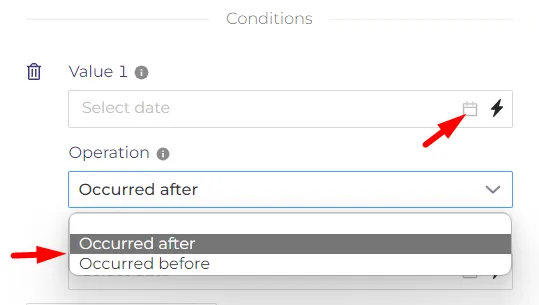
'Date & Time' condition allows as to set the date and time for both values. The operation can be set as 'occurred after' or 'occurred before. It means that the value 1 will perform before or after value 2.
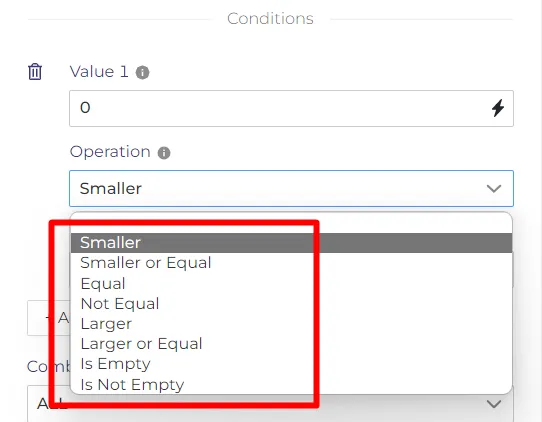
'Number' condition will define a number inserted as value which has some options like in marked area. As value we can insert any type of number.
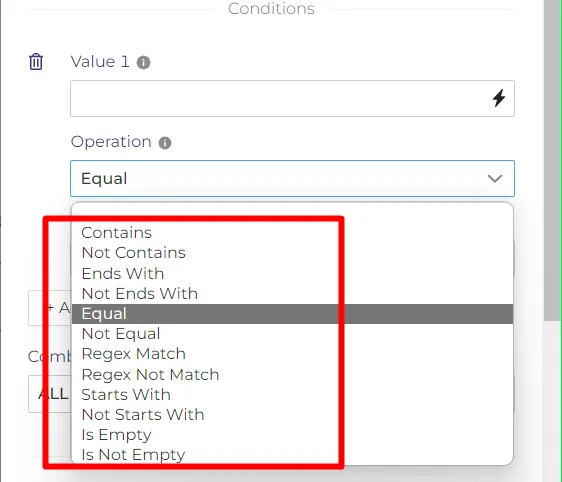
'String' condition is a mathematical logic text. It can contains different combination of characteres.
Both values from all conditions can be set as computed or not computed. Inside node is possible to add more than one conidtion.