XDMS -> HyperPortal live integration user manual
Live integration from XDMS to Hyperportal, allows XDMS to send updates into HyperPortel over the Integrations API once every few minutes. It is an alternative to the current XDMS import functionality.
HyperPortal setup
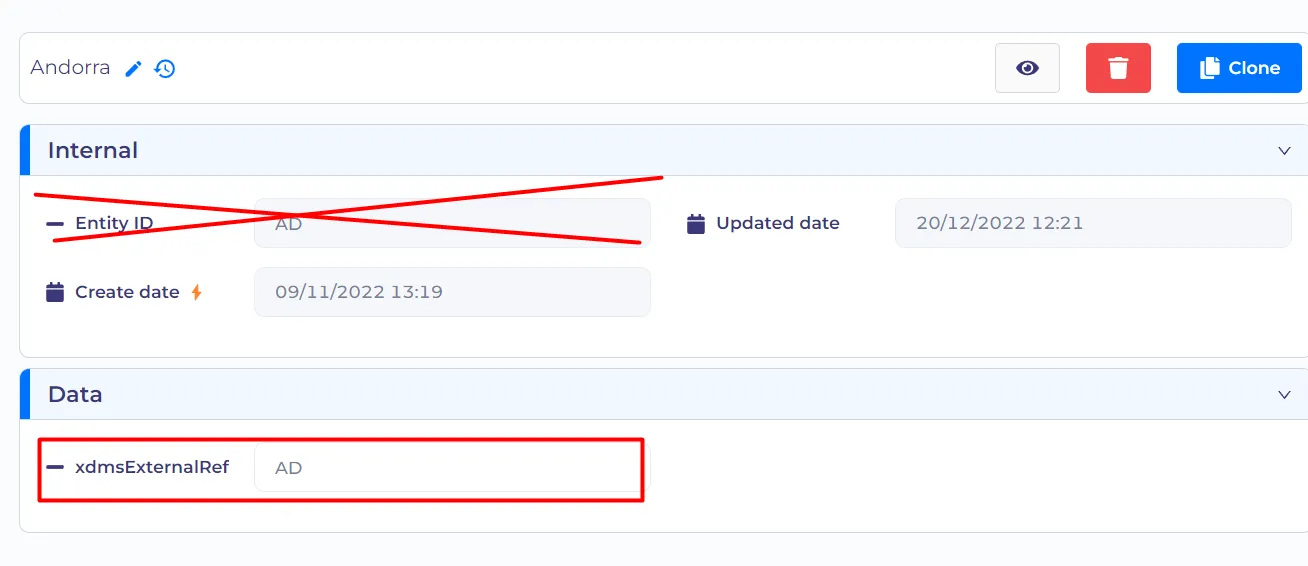
Do not use entityId / title for XDMS mapping anymore. Migrate all the needed entities / entitity type properties to have xdmsExternalRef. (i.e. Language / Country / Gender). Remember to migrate involved processes, computed expressions and other logic that relies on entityId / title.
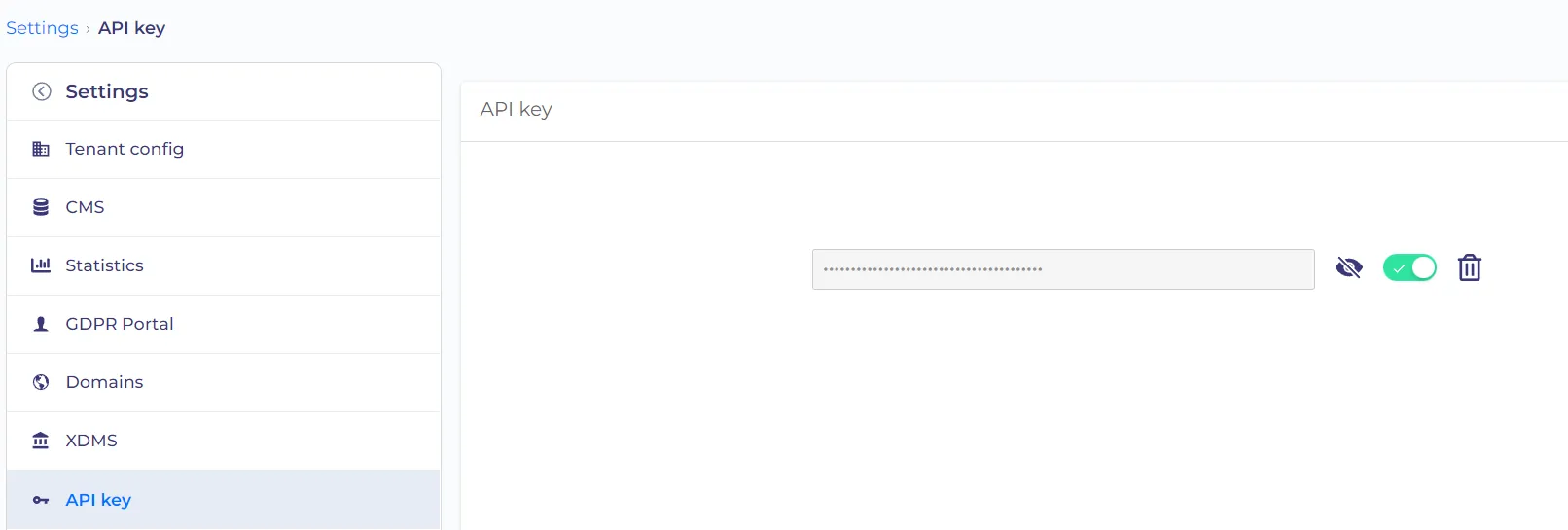
Generate API key in the Settings. And set its usage plan to "Unlimited" in API gateway.
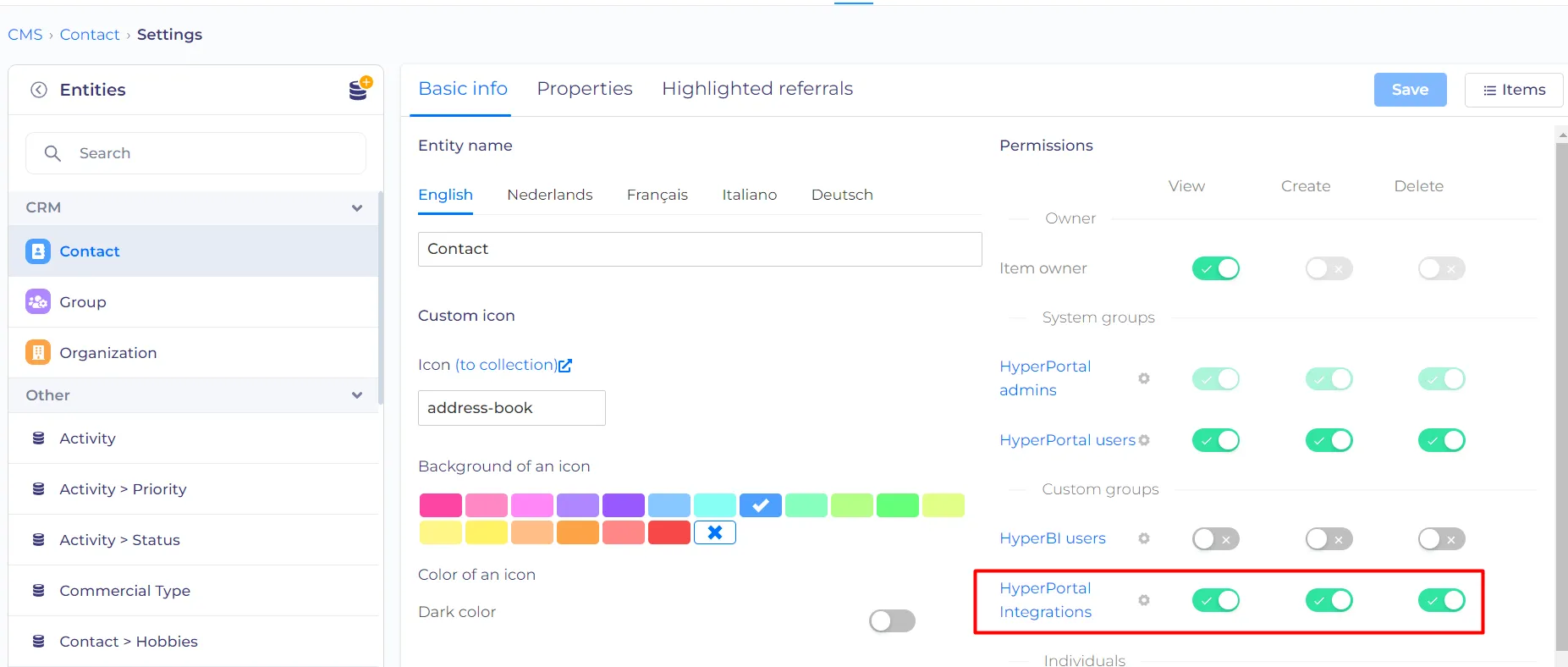
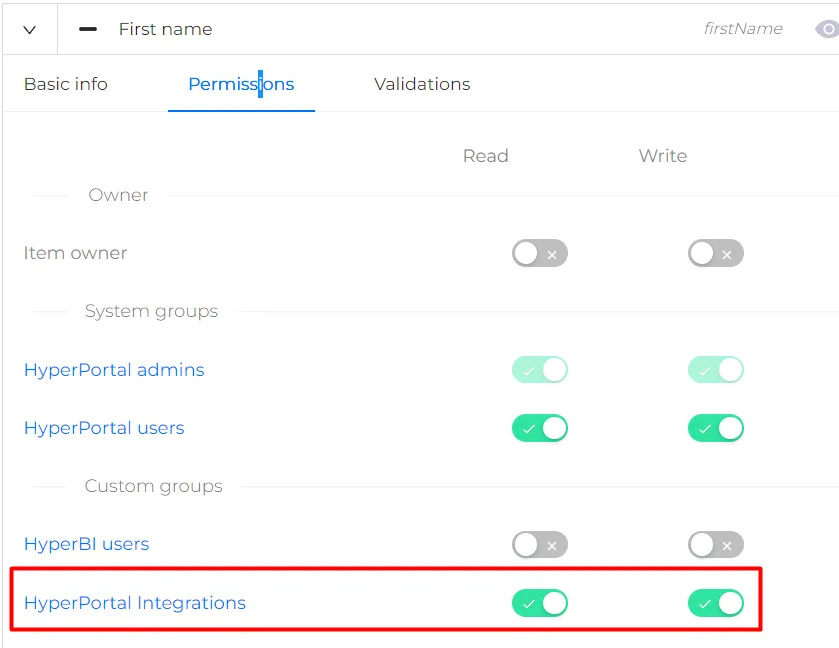
Add Hyper Integrations Permissions to all involved Entities. Including Entity type Properties.
Add Hyper Integration Permissions read / write for all mapped properties & title. Read only permission for entityId.
XDMS setup
Environment settings
Make Dev request to set up Integration with Hyper on XDMS side - Kristien Vaerenbergh - [email protected]
Enable CDC and CDC policies - Koen van Petergem - [email protected]
Enable mapping on needed tables (cust / rel-contact / mach / etc.) Kenny Willems - [email protected]
Data settings
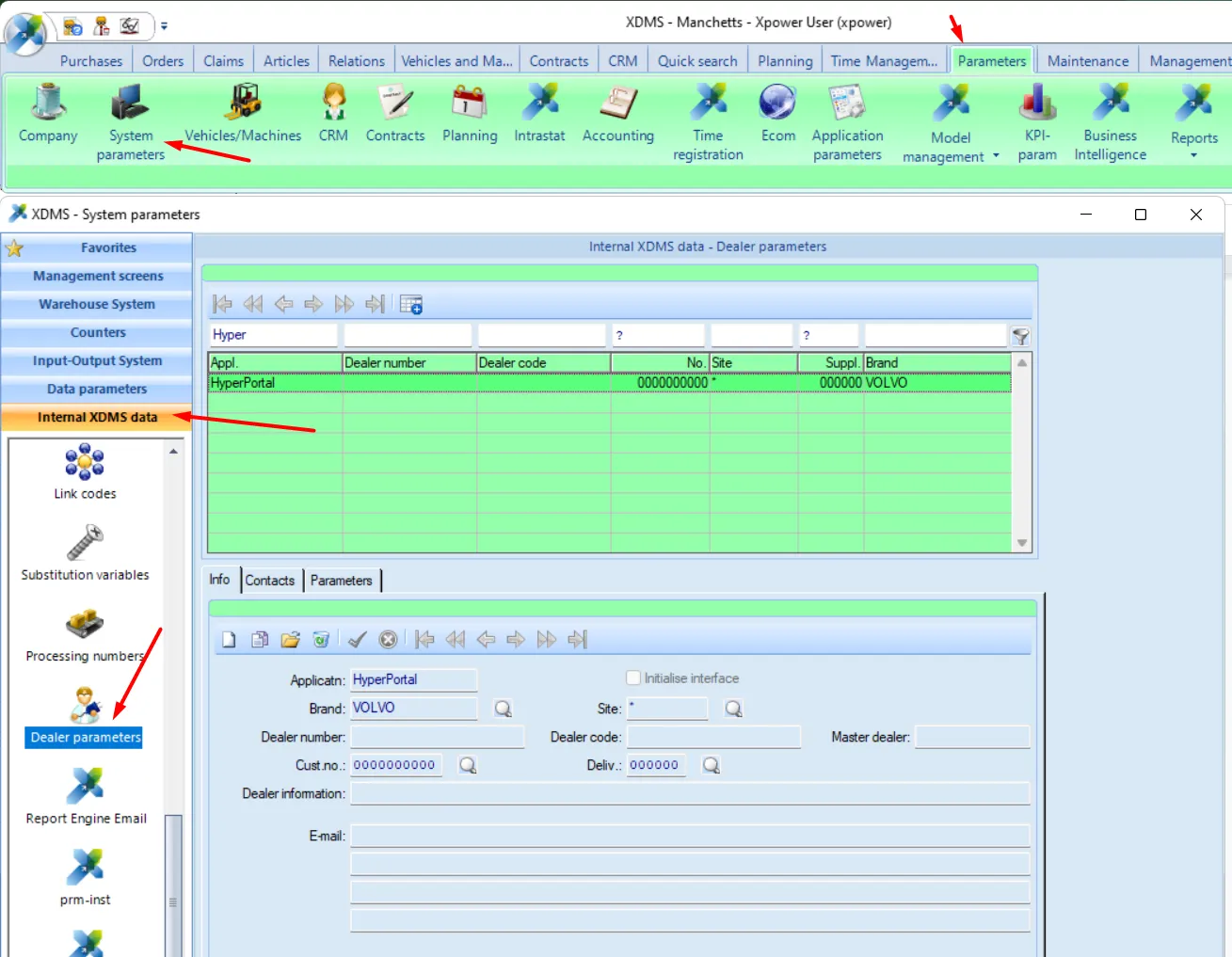
Dealer Parameter: Info tab
Application: HyperPortal
Brand: VOLVO
Site: *
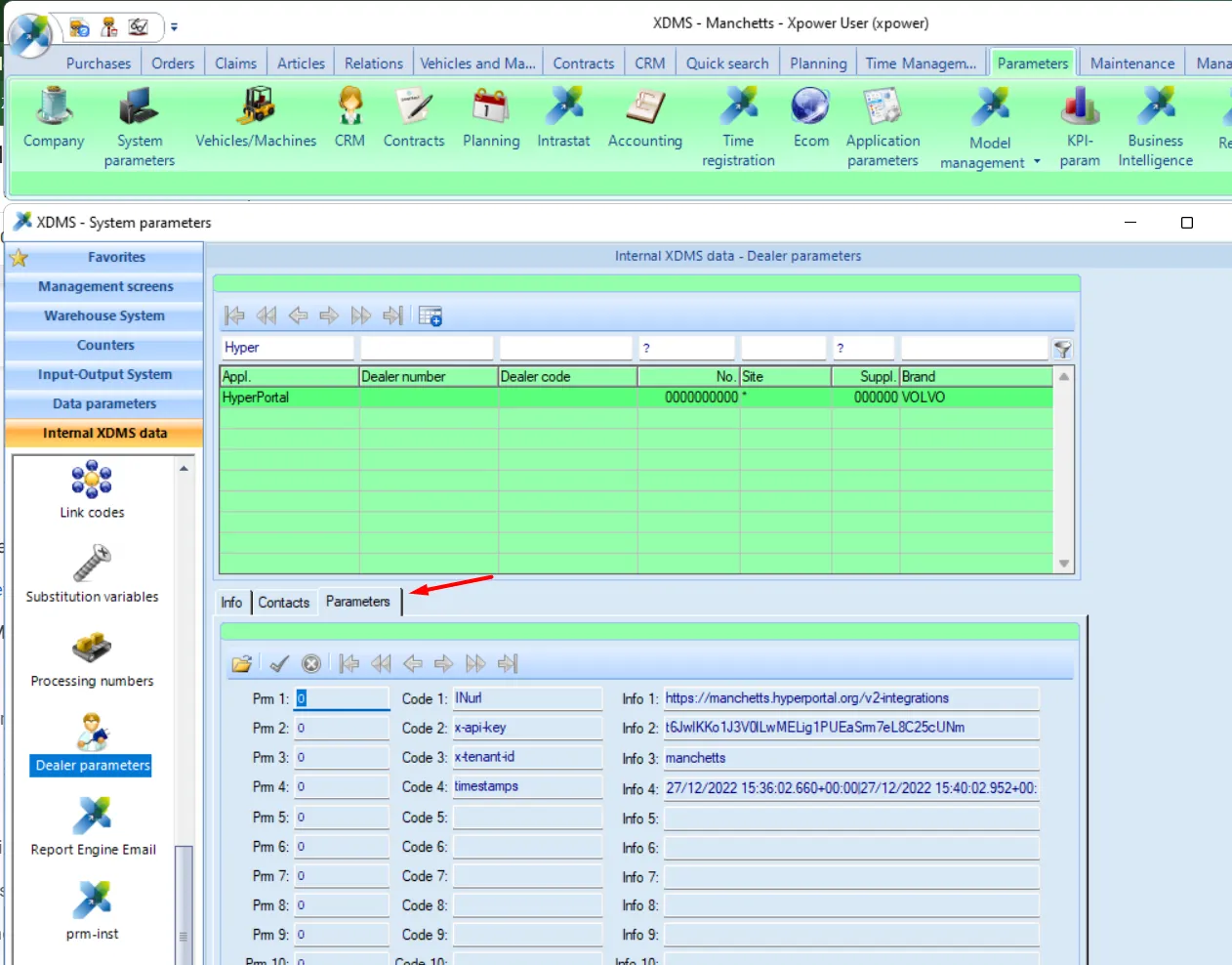
Dealer Paramter: Paramters tab
x-api-key: API key
x-tenant-id: tenantId
timestamps: leave empty
integrationId: fill in Group entity Id for which the Api key is generated in Hyper Portal.
XDMS mapping
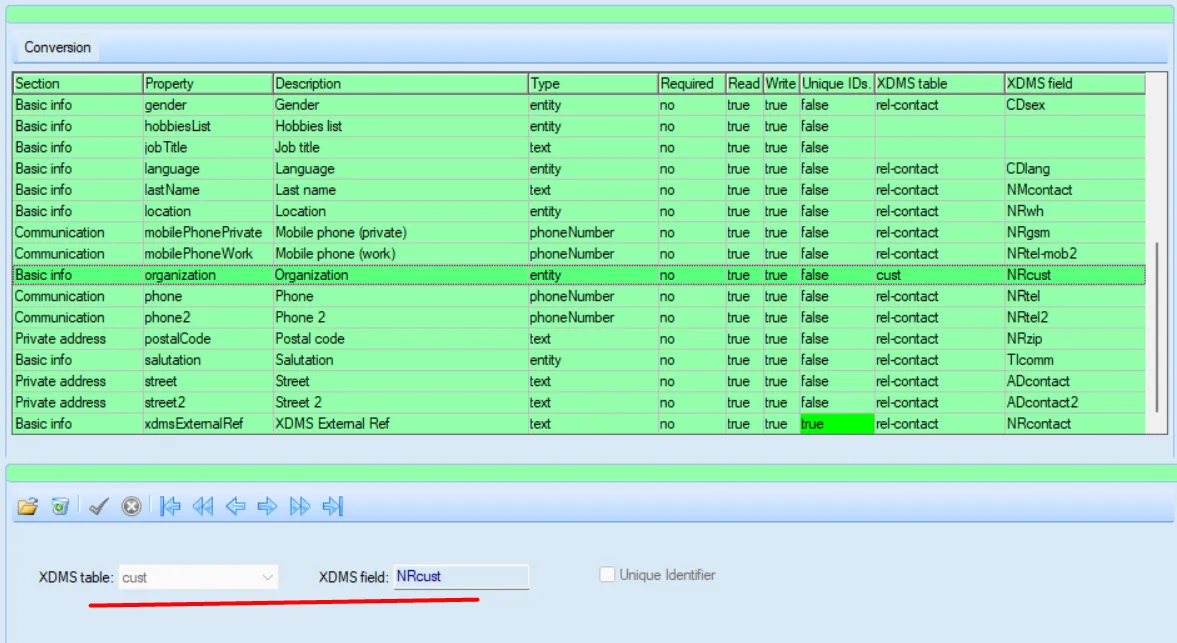
Maintenance > HyperPortalMapping > Select needed filter > Press Funnel > map XDMS fields
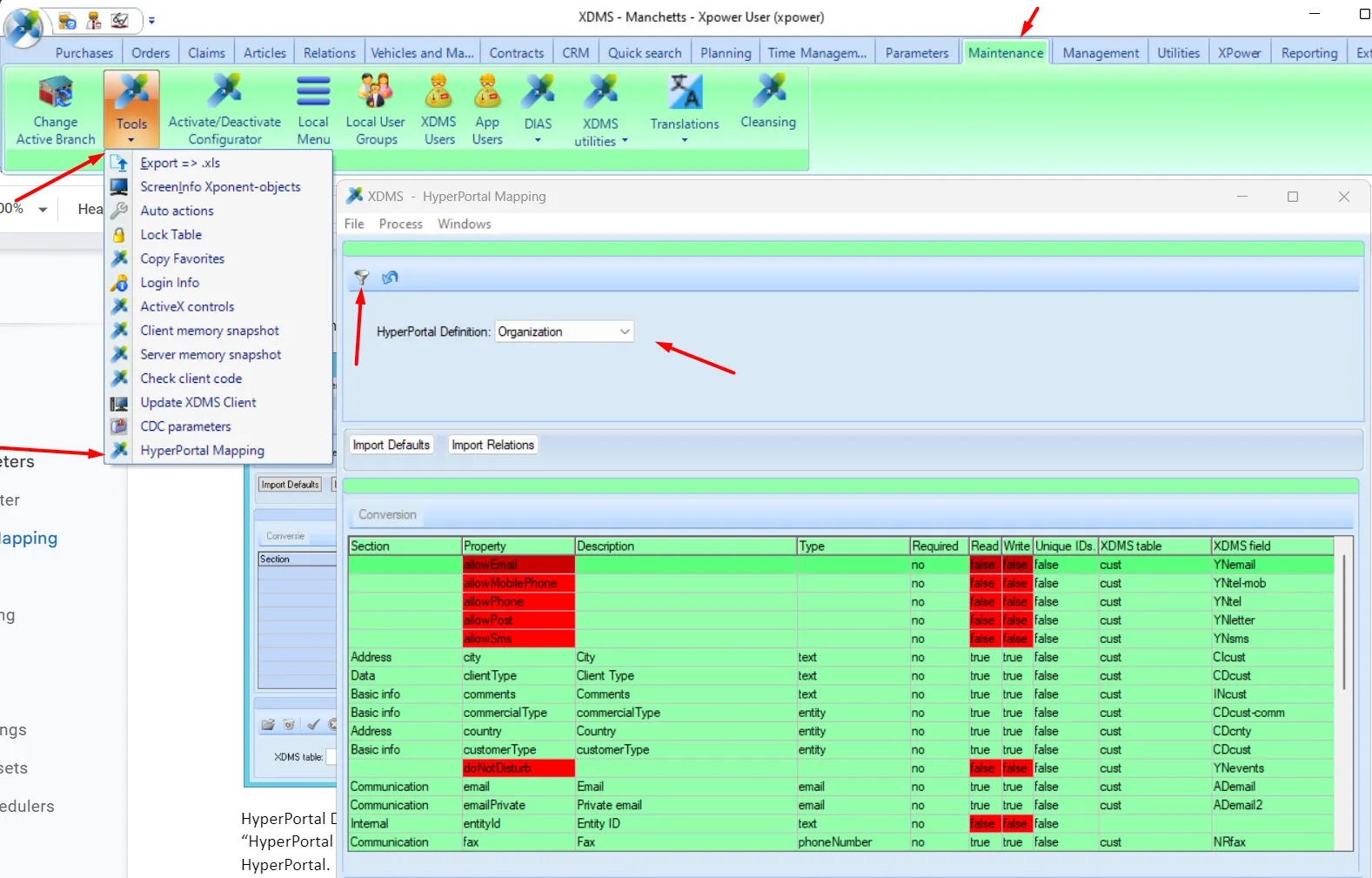
Red properties - not enough permissions
XDMS Automatically pulls up all Entities / Properties to which you have permissions.
You have to set XDMS table / XDMS field / Unique id flag.
Note : only predefined tables are selectable. If a table is missing, ask a developer to add the table (and maintain the relation between the tables)

Date is automatically converted to timestamp.
PhoneNumber is pushed as string.
When pushing XDMS rel-contact link to Organization, map it from cust table.
table = cust
XDMS field = NRcust
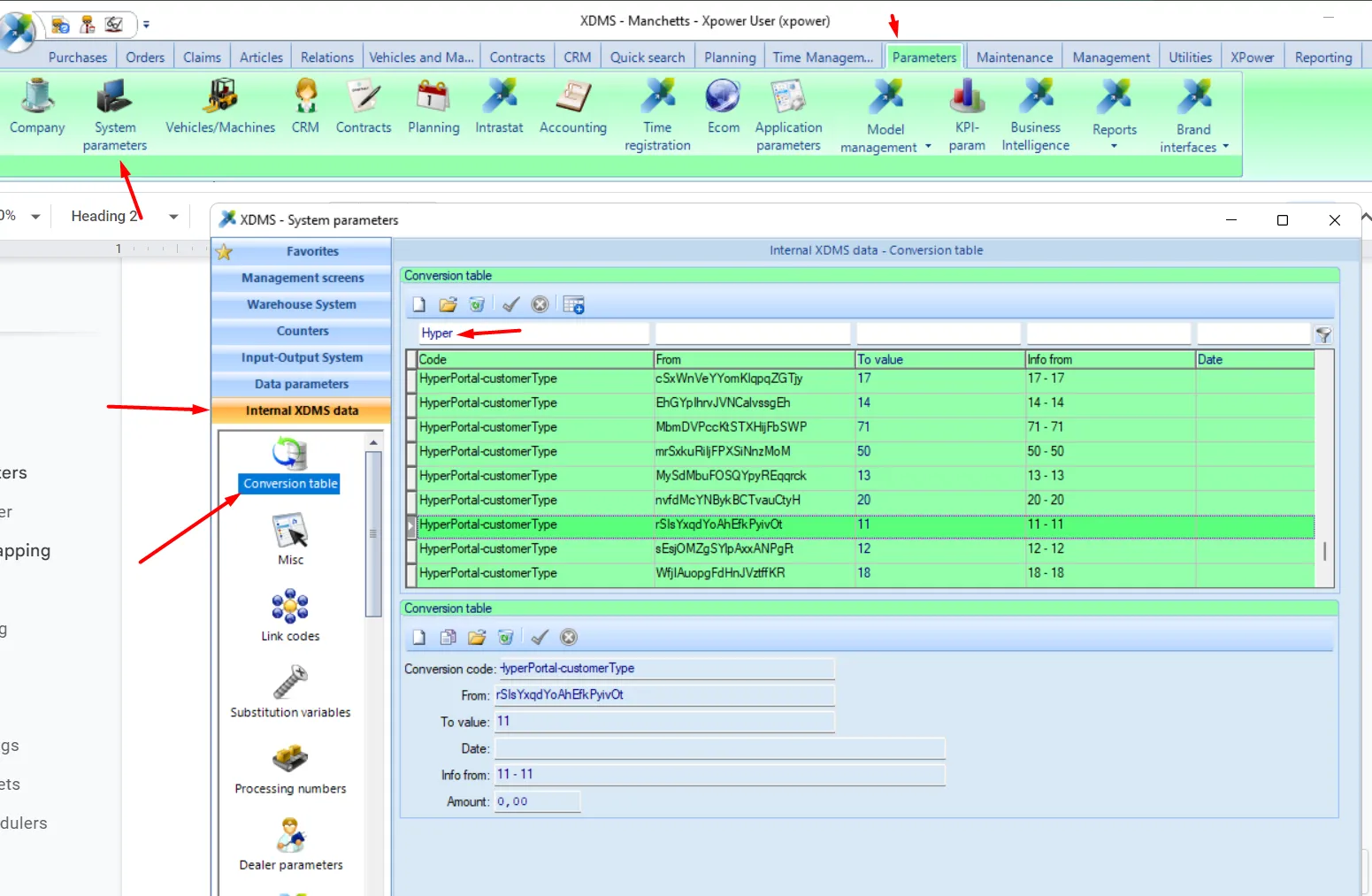
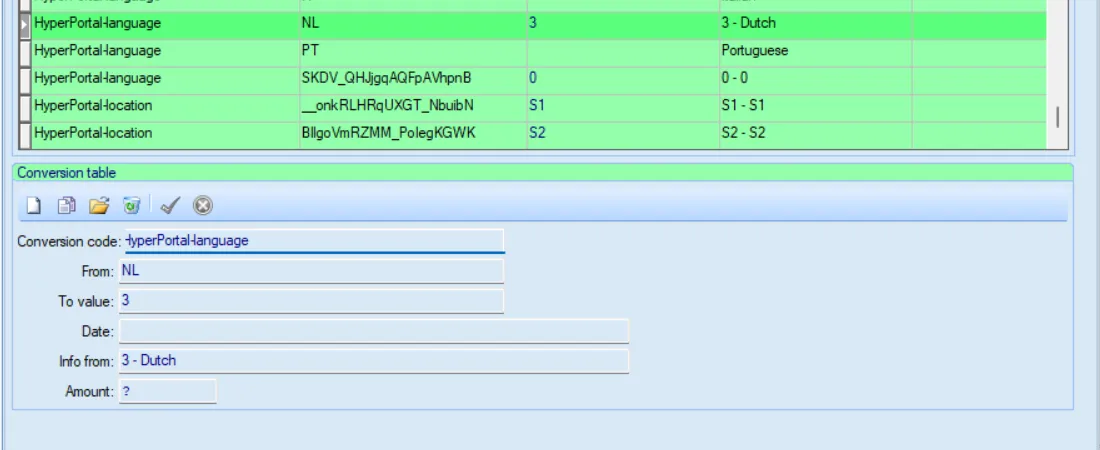
At this point, for each entity type property XDMS creates a conversion record with a mapping entityId or xdmsRef from XDMS to Hyper.
Here you can manually adjust mapping for some static values.
For example, for language code = GB use UK (HyperPortal uses GB, while XDMS uses UK)
Current flow:
If entity property value is updated.
XDMS will search entity by xdmsExternalRef property value
If nothing is found then by code property value
If nothing is found then create new entity item.
then create conversion record for new entity item. (probably need to omit this step).
then update origina target entity with entity type property = new entity item id.
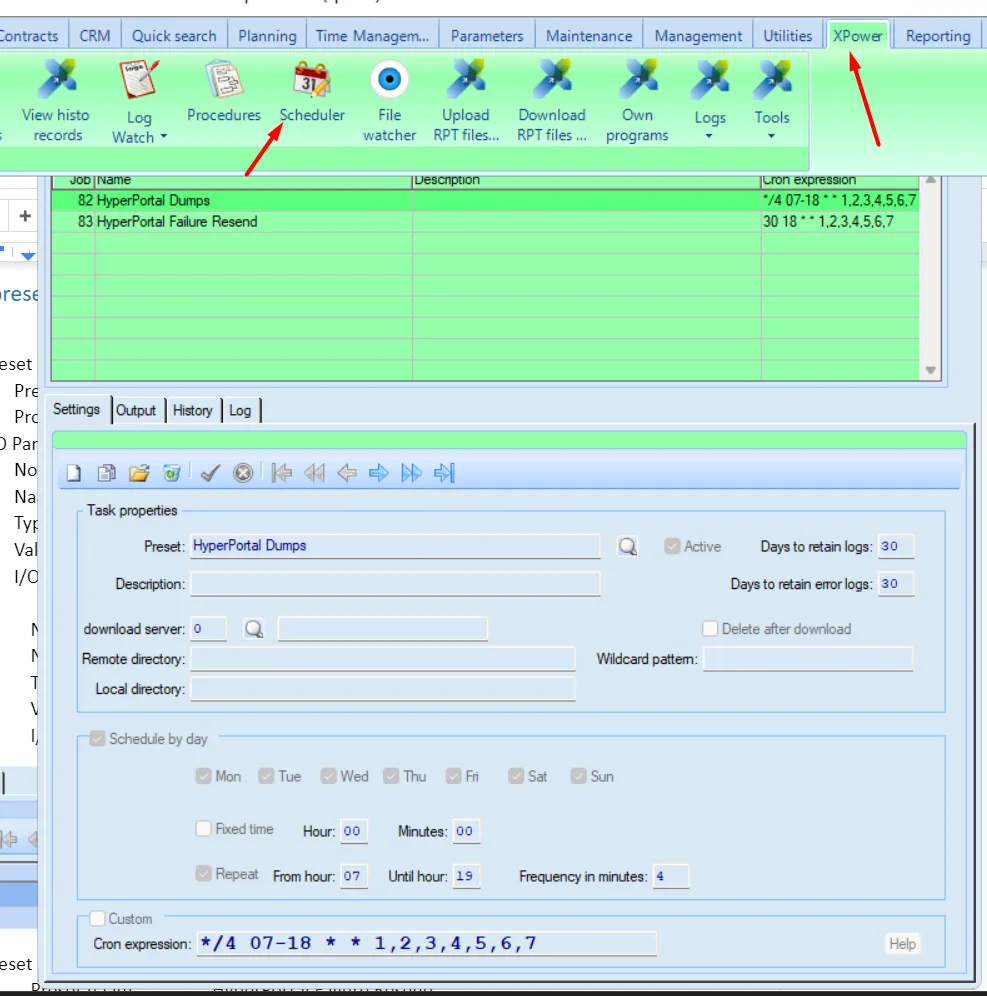
Update Scheduling
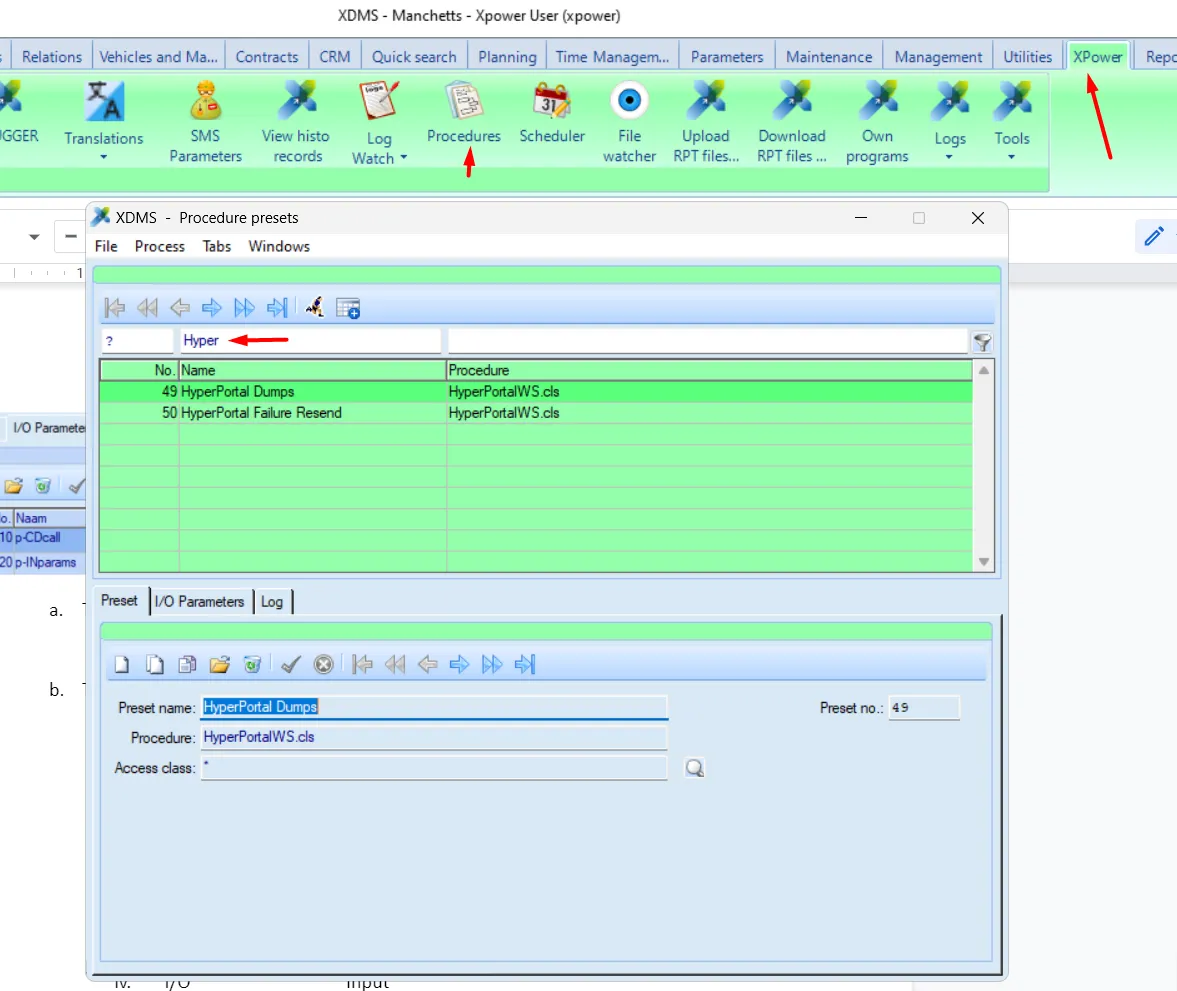
Update calls to Hyper are made by a scheduled procedure. Suggested frequency - every 5 minute.
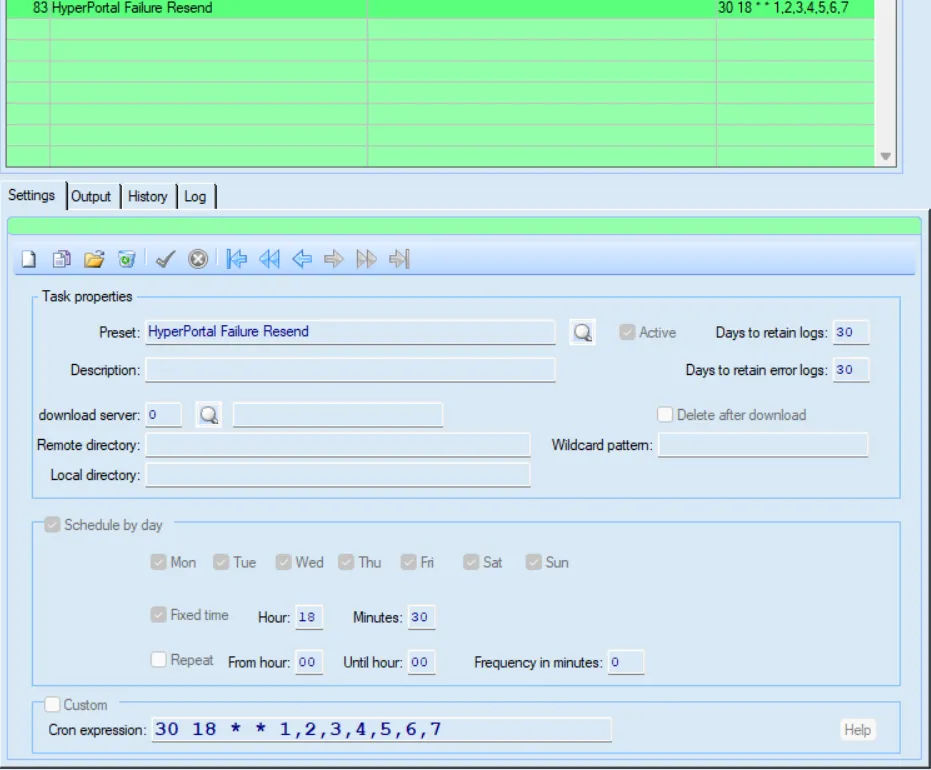
Failed calls are retried again by a retry proceudre, every evening. So if a call fails, retry will happen every evening.
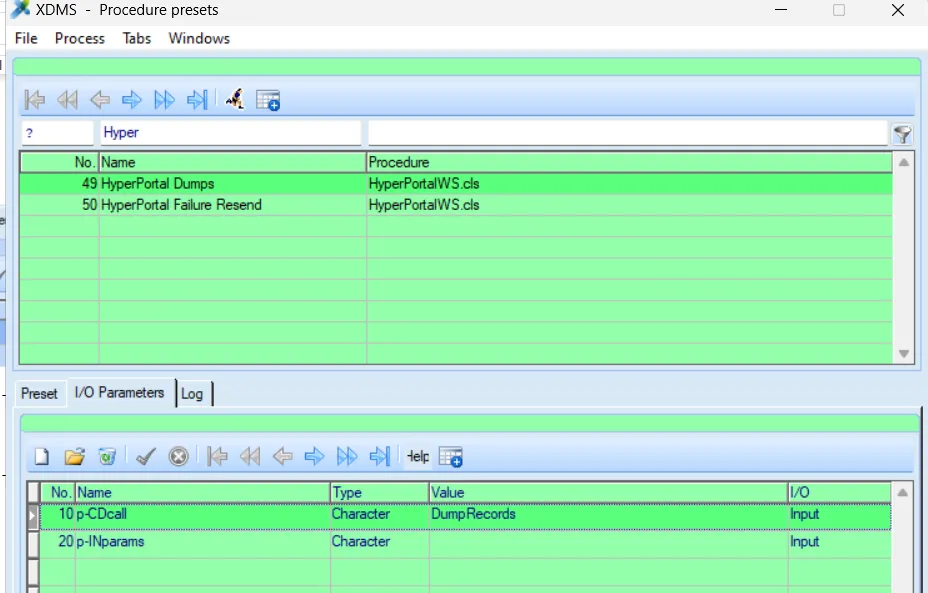
Create/Update procedure
Preset tab
Preset naam - HyperPortal Dumps
Procedure - HyperPortalWS.cls
Parameters tab
- No. - 10
- Naam - p-CDcall
- Type - character
- Value - DumpRecords
- No. - 20
- Naam - p-INparams
- Type - character
- Value
- I/O - Input
Resend procedure
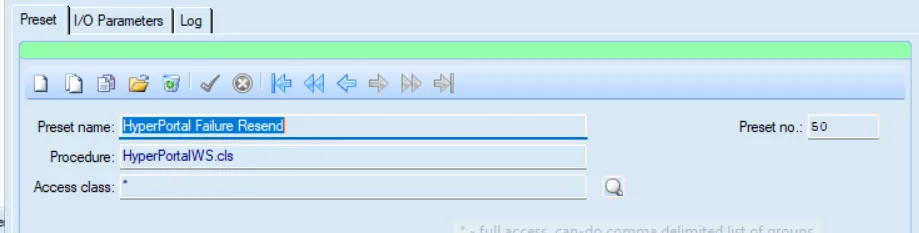
Preset tab
Preset naam - HyperPortal Failure Resend
Procedure - HyperPortalWS.cls
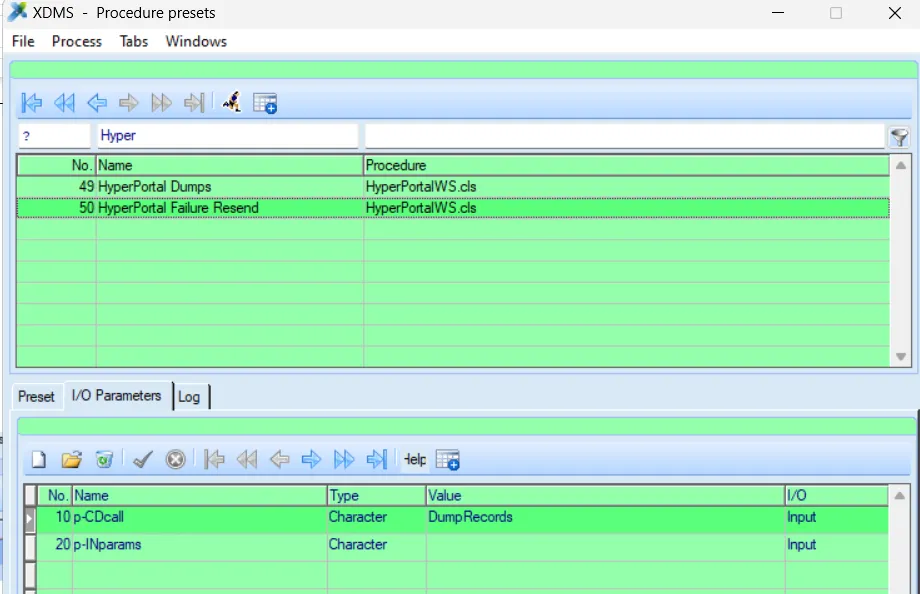
Parameters tab
- No. - 10
- Naam - p-CDcall
- Type - character
- Value - DumpRecords
- I/O - Input
- No. 20
- Naam p-INparams
- Type character
- Value
- I/O Input
Create / Update schedule
default cron = */4 07-18 * * 1,2,3,4,5,6,7
Resend scheudle
default cron = 30 18 * * 1,2,3,4,5,6,7