Set node
The set node allows you to put data from the process into the output of the node. This node is useful in cases where you need to send emails to multiple addresses.
Settings
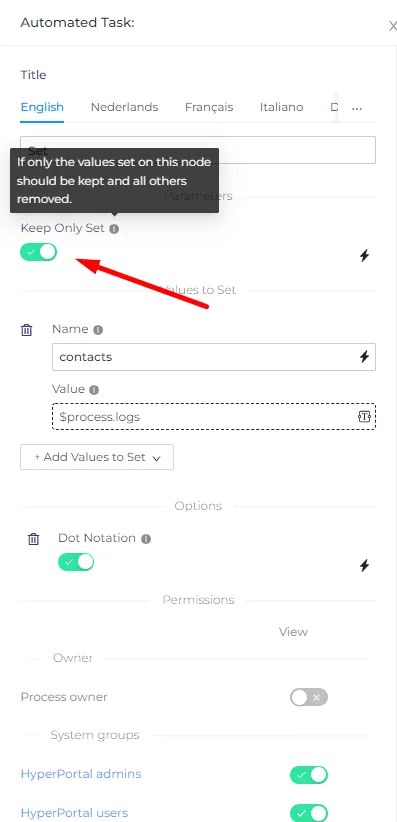
Keep only set - if this setting is turned on, the output of the previous node will be skipped, and only the data from the set node will be left.
Values to set
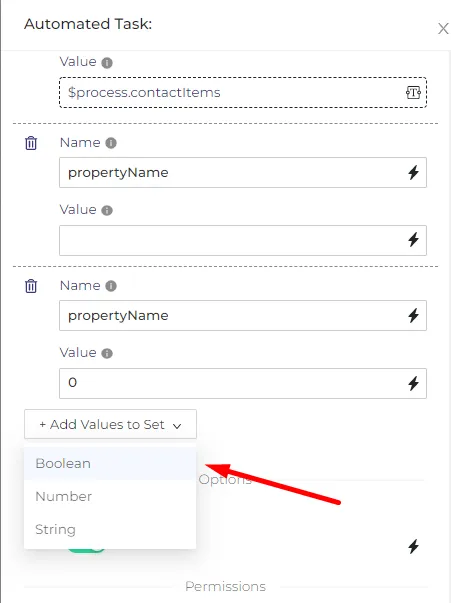
Here you can decide which information you need to get and the name of the property that will contain this info
You can choose from three types of properties - Boolean(TRUE or FALSE), Number, or String.
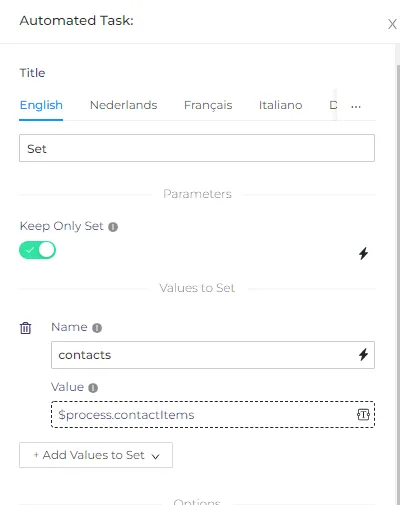
Keep in mind that in order to refer to the process property in this node, you have to use the $process variable and then the property ID. As you can see on the screenshot above I`m referring to the 'contactItems' property using that method.
Example
We need to get the list of the contacts into the output of the set node. We will select those contacts manually. The property ID of the contact property in our process is 'contactItems', we will put those contacts in the 'contacts' property in the output. The settings of the node are on the screenshot above.
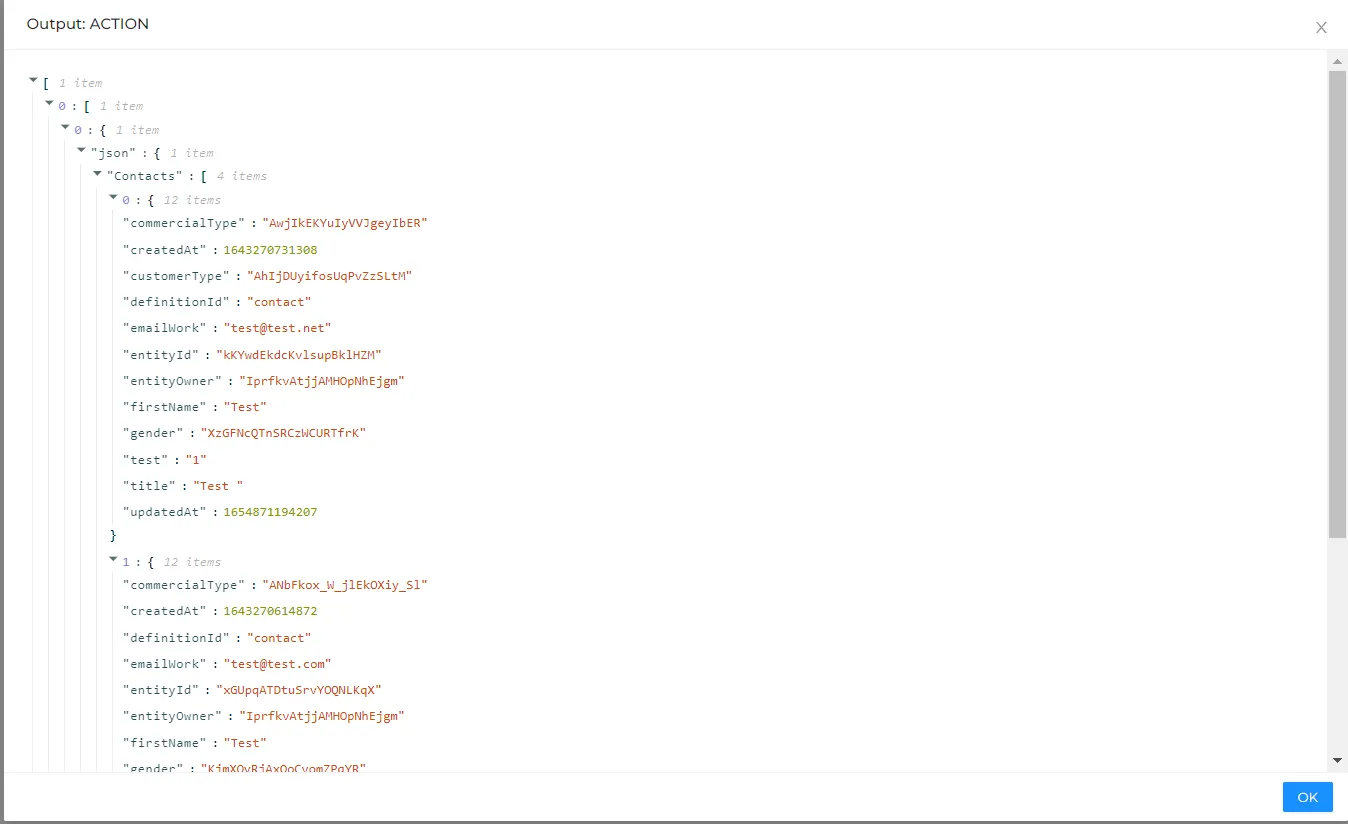
The output of the set node will look like that -