Row-based permissions
2 min
This feature expands row-based permissions to include separate settings for viewing and editing rights. Users can specify permissions for both viewing and editing tasks independently in manual tasks
Settings:
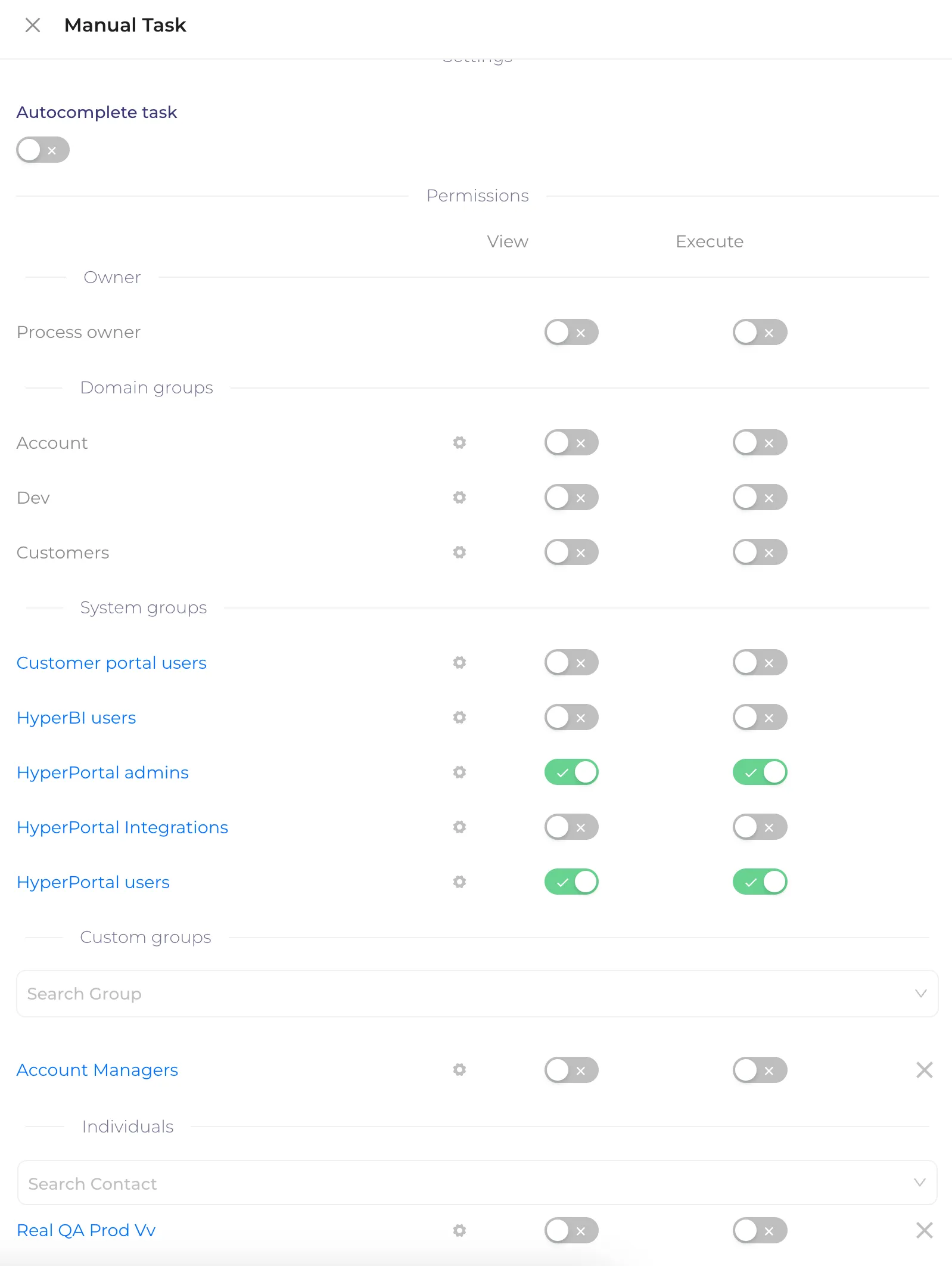
- In the task/activity node, scroll to the permissions section where you can setup settings for Domain groups, System groups, Custom groups, and Individuals.
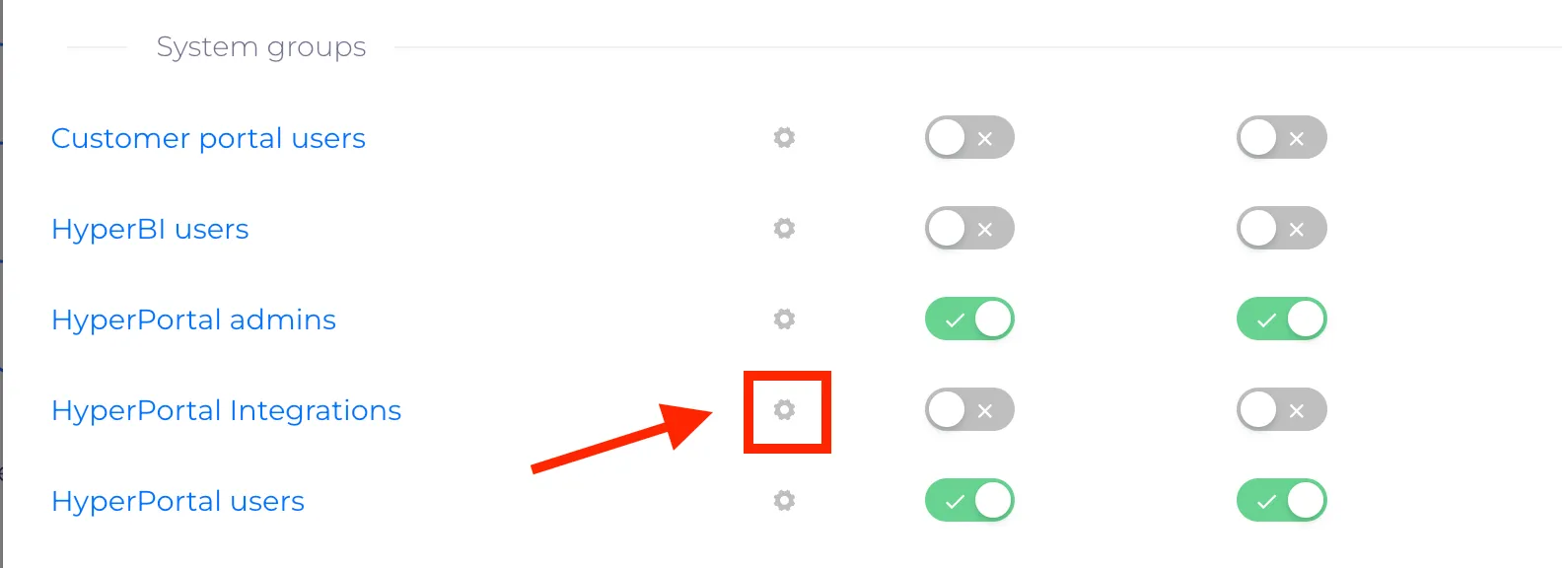
2. Click on the settings icon to open Dynamic permission settings
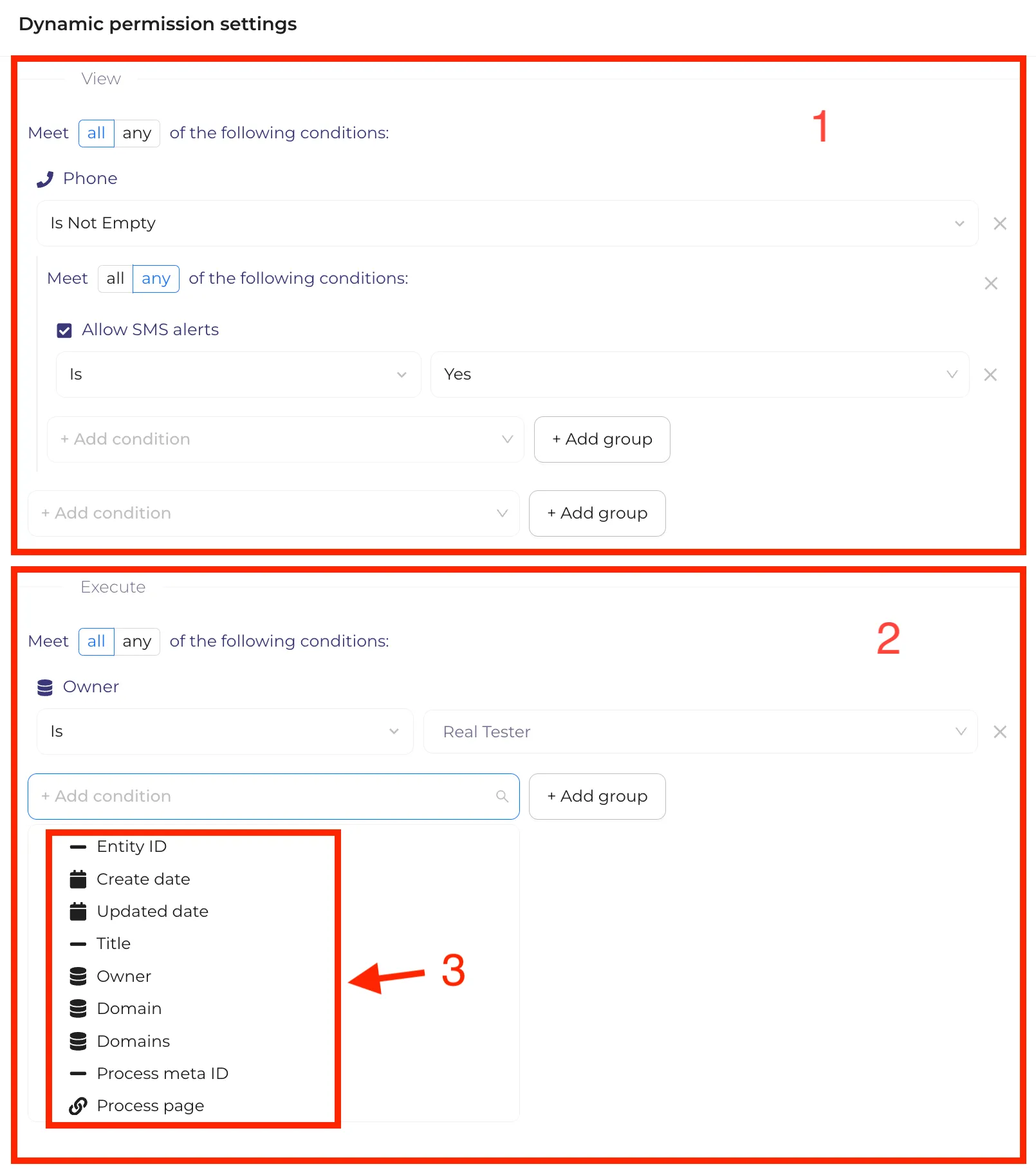
3. In Dynamic permission settings you can meet all/any of the following conditions for view (1) or execute (2) which support properties (3): Plain text, Rich text, List, Date, File, Number, Entity, Link, Checkbox, Phone, Email, JSON.
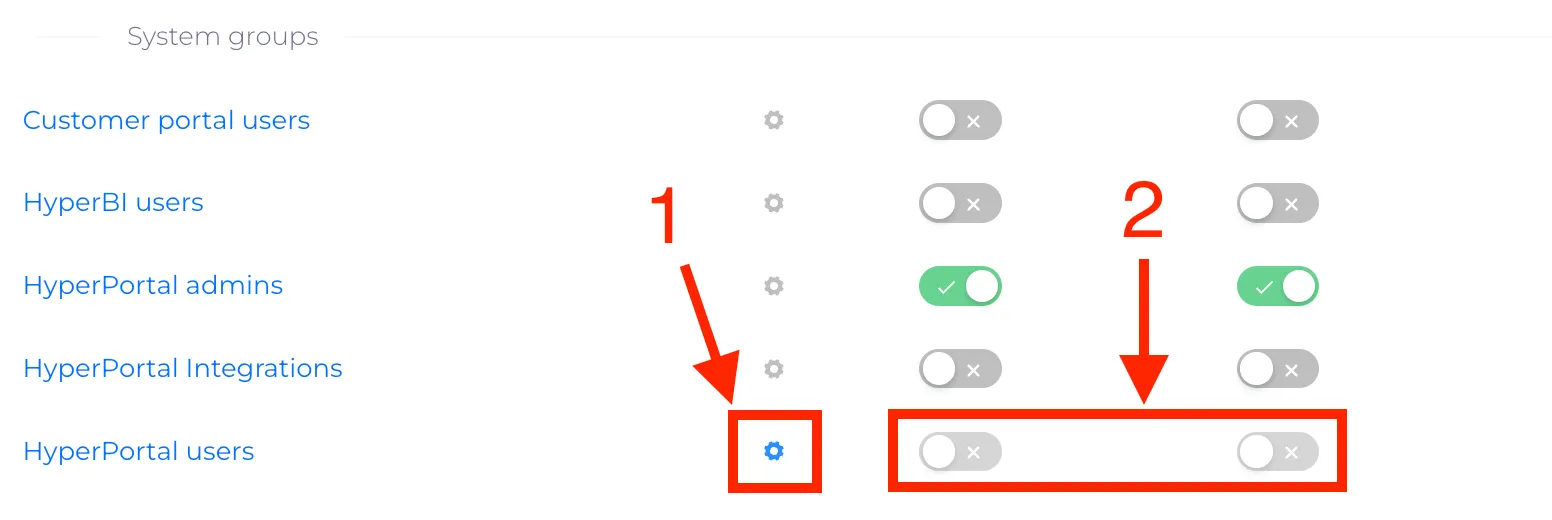
4. After adding a condition, the settings icon (1) will be highlighted and the toggles for view and execute will be disabled (2)