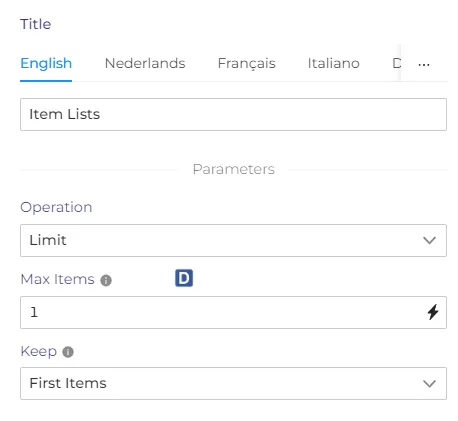
Item lists node
The 'Item lists' node allows us to manipulate data in the output of the node. This node works only with the properties from the output of the previous node. You also don`t need to use the $json to refer to those properties.
Operations
Split out items
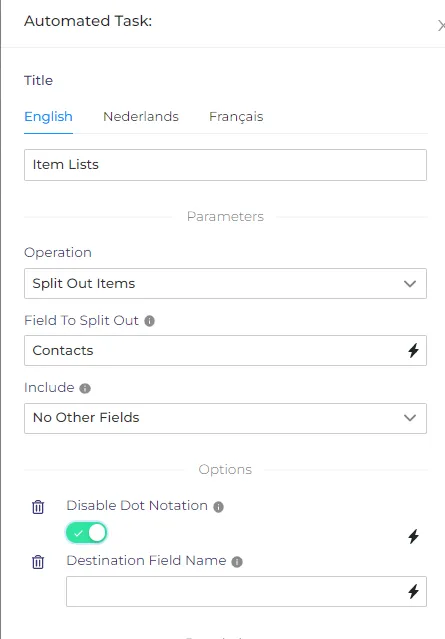
This operation will take one list of items, and split it into separate items.
Field To Split Out - the name of the input field to break out into separate items.
Include - whether to copy any other fields into the new items.
Options -
Disable Dot Notation - Whether to disallow referencing child fields using parent.child in the field name Destination Field Name - The field in the output under which to put the split field contents
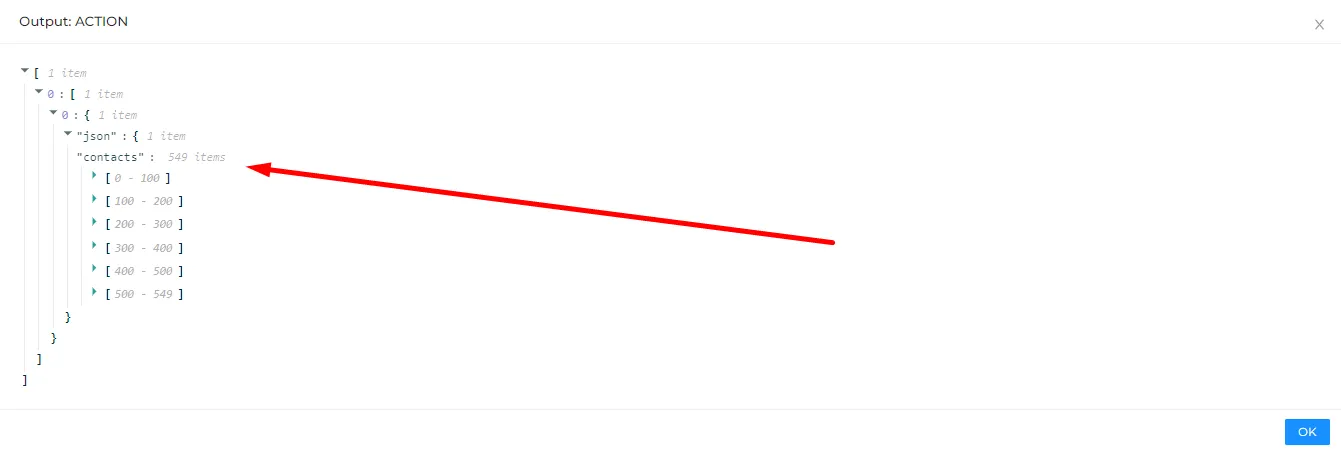
The example of using a 'split' method - On the first screenshot we have 549 items in the $json.contacts list.
Then we use a list node to split the 'contacts' list into separate items. The output will now look like that -
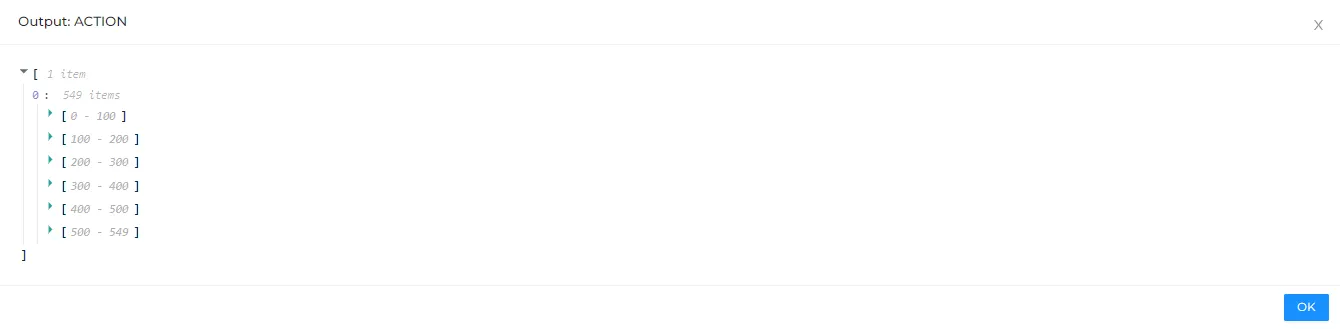
We have now 549 items in the output of the item lists node, which means that the next node will be executed 549 times.
Aggregate items
This node can form a list from multiple items.
Settings
Input Field Name - The name of a field in the input items to aggregate together
Rename Field - Whether to give the field a different name in theтреб output
Disable Dot Notation - Whether to disallow referencing child fields using parent.child in the field name
Merge Lists - If the field to aggregate is a list, whether to merge the output into a single flat list (rather than a list of lists)
Keep Missing And Null Values - Whether to add a null entry to the aggregated list when there is a missing or null value
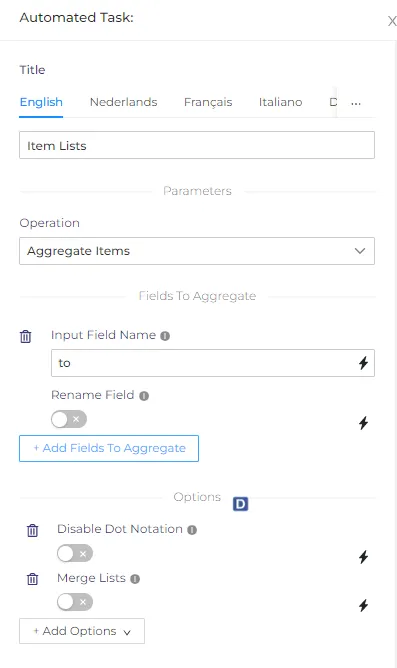
For example - we have 5 email logs, and we want to form a list of email recipients.
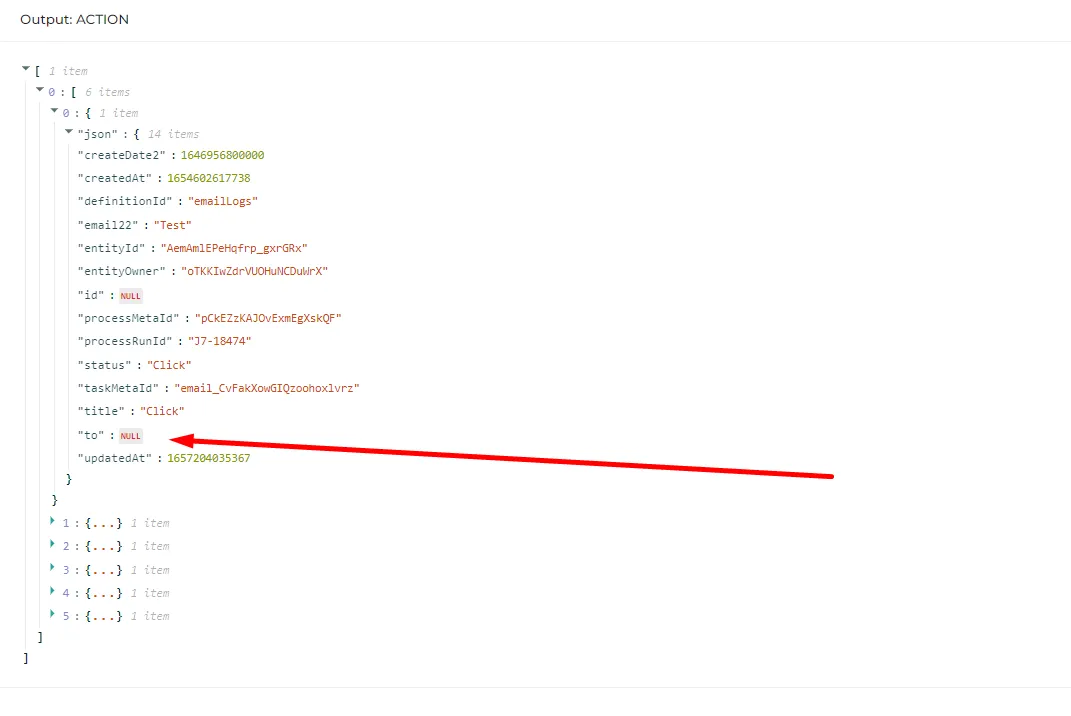
If we type 'to' as an input field name in the settings, we get the following result -
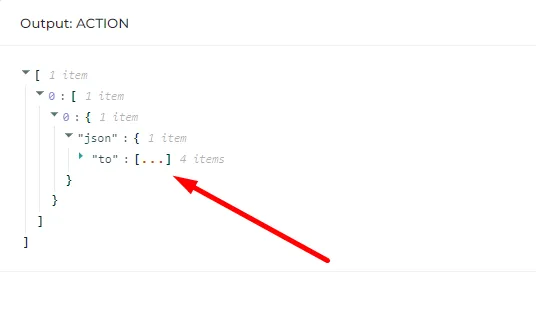
A 'to' list with all destinations (NULL values were not included because the option was not on).
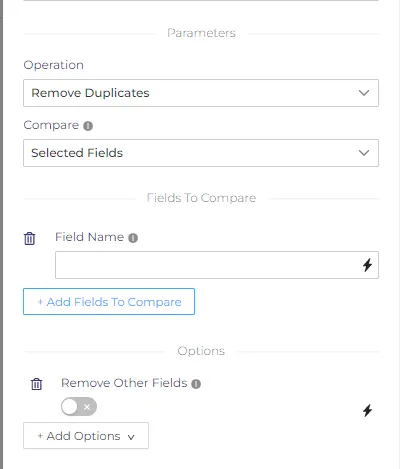
Remove duplicates
Compare - The fields of the input items to compare to see if they are the same.
There are the following options -
All fields - compare all fields of each item. Duplicates will be removed only if all fields are the same.
All fields except - you can exclude fields from comparison.
There is also an option to remove those fields from the output.
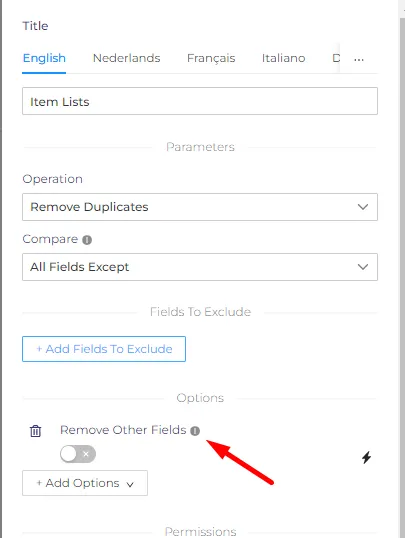
Selected fields - here you can choose what fields to compare, other fields can also be removed from the output.
Sort
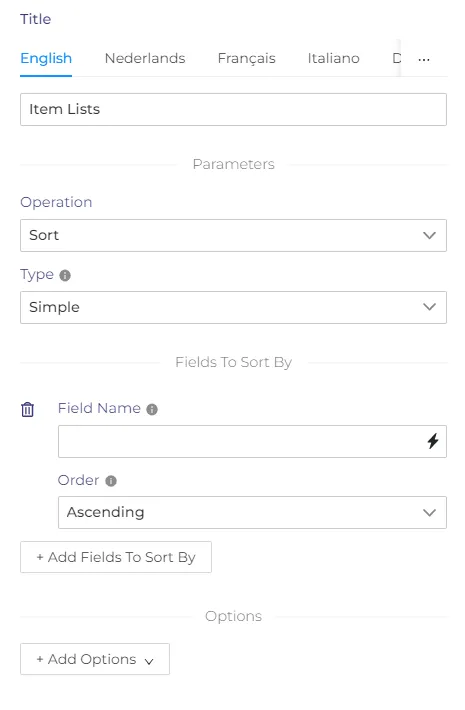
This operation can sort the items in the output. There are two types of sorting - random and simple. Random sorting will randomly rearrange the items.
Siple - this method will sort items by the chosen field. You can sort items in descending and ascending order.
Limit
This operation will limit the number of items in the output.
Max items - If there are more items than this number, some are removed.
Keep - When removing items, whether to keep the ones at the start or the ending.