Hexon
Webservice API SPI (sandbox): https://api.sandbox.hexon.nl/spi/api/v2/ DVC (Graphical UI Hexon): https://test.doorlinkenvoorraad.nl
Summary
Allow to sync entities from HyperPortal to Hexon by events of change custom-data of setted object (definition).
Settings
When you want to enable integration you need to set the Hexon Web Service API account credentials in the appropriate fields. Additionally, select the integration version from the version dropdown. The default value is V2.
API sandbox credentials:
xpower-sandbox-api
%GJ6amC1kJazz-wzw4tb25jq
Test DV credentials:
Login: 56028
Wachtwoord: c@eNMA23
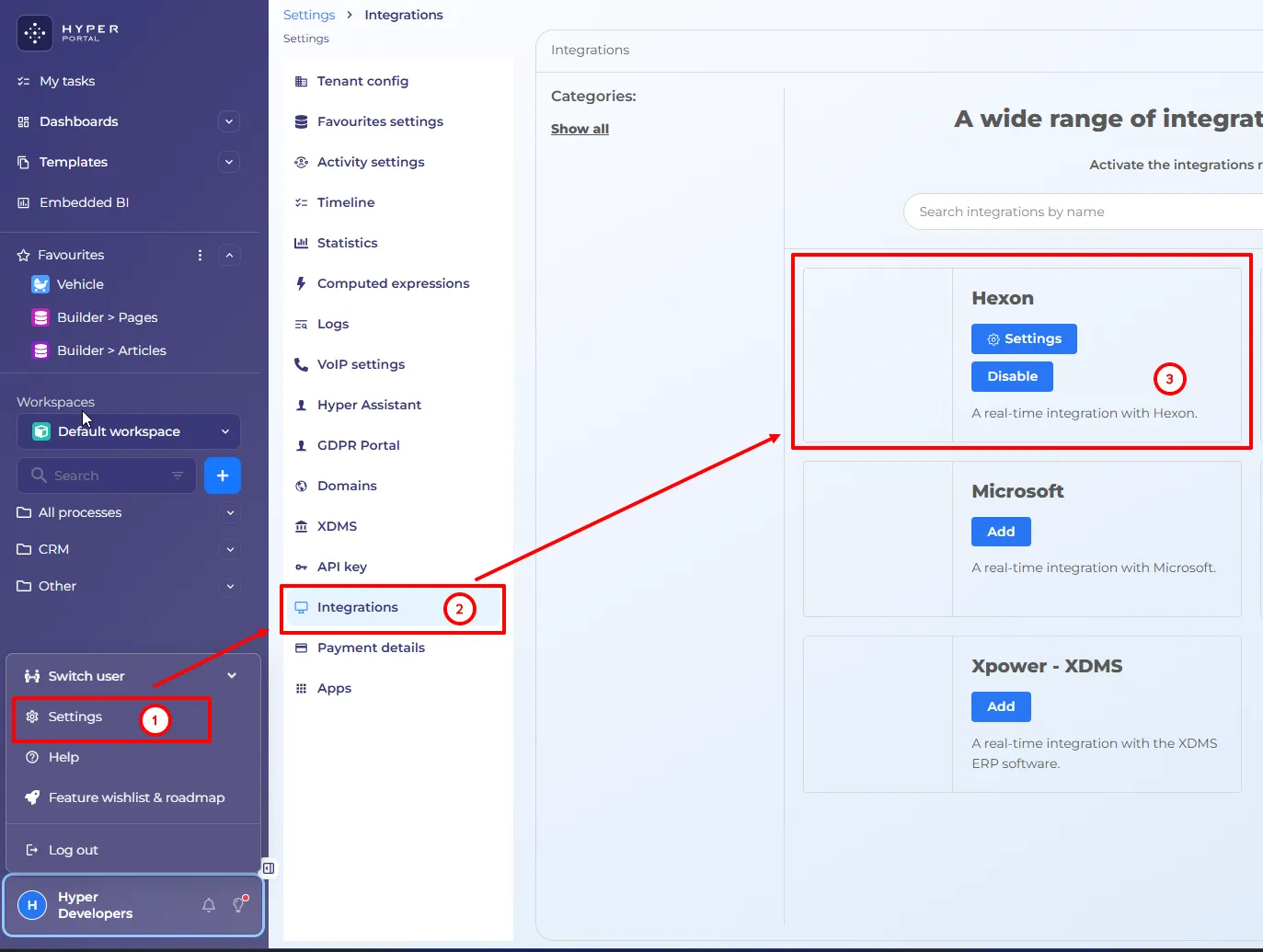
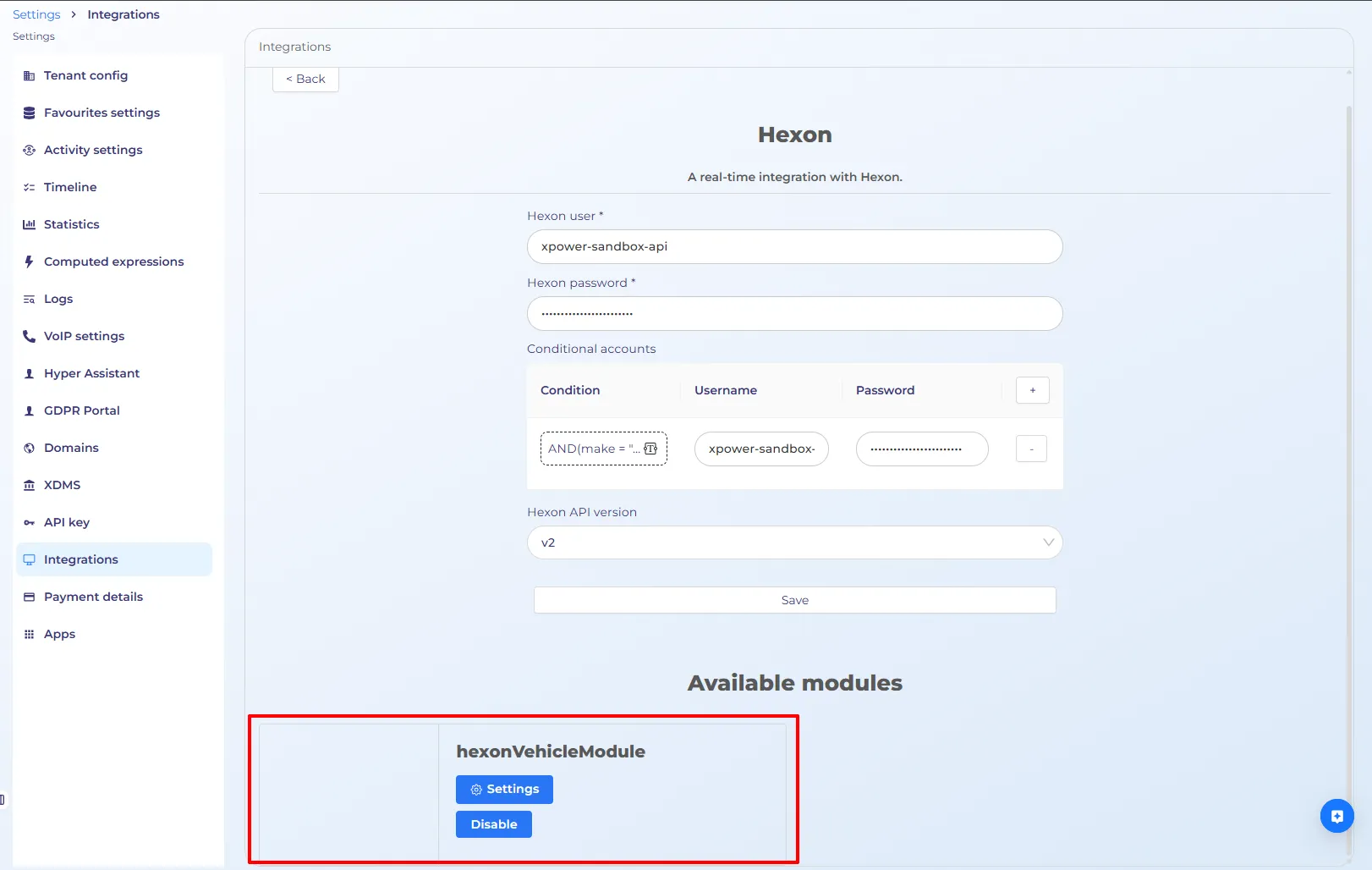
After it you can set export configuration(map) and object that will be synchronized.
Require fields
Stocknumber, general.category and general.bodystyle are require fields from Hexon side. When all of these fields are filled in, you can enable or save configuration. You get to know more about Hexon Api fields by visit V2 or V5.
Conditional Synchronization to Hexon
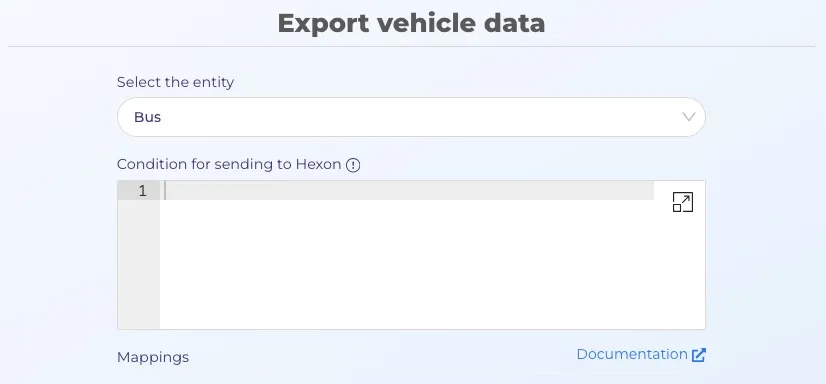
Synchronization to Hexon is executed only when specific conditions are met.
This mechanism prevents unnecessary API calls and reduces load on the Hexon service.
Previously, any update of any property on a synchronized entity triggered a synchronization process. The following improvements were introduced.
1. Condition for Sending to Hexon
A configurable computed expression determines whether an entity should be sent to Hexon.
- The expression must return a boolean value.
- Evaluation result controls whether synchronization is executed.
- Expression uses properties from the entity definition.
- Responsibility for correct configuration lies on the user.
IF(AND(make, model, body), TRUE, FALSE)In this example, the entity decides as suitable for sync only if make, model, and body are present.
2. Property-Based Trigger Filtering
Previously, synchronization was triggered on update of any property.
Now, synchronization is triggered only if:
- The updated property is present in the mapping, and
- The property is used in the synchronization payload.
Updates of properties not included in the mapping do not trigger synchronization.
Important Note
If the computed expression uses a property that is not included in the mapping, the following behavior applies:
- The computed expression may resolve to TRUE.
- However, synchronization will not be executed.
Reason: the update does not satisfy the mapping-based trigger rule.
Both conditions must be satisfied simultaneously:
- Computed expression resolves to TRUE
- At least one mapped property was updated
Hexon images property
Also added custom field wich is missed in Hexon documentation and calls images. It is support file custom-data field and using for export urls of images. Image url consists domain images.hyperportal.org (or images.hyper1.net for staging) and /{data} where data equal base64 string from object:
'https://' +
    runConfig.imagesDomainName +
    '/' +
    Buffer.from(
      JSON.stringify({
        key: tenantId + '/' + imageId
      })
    ).toString('base64')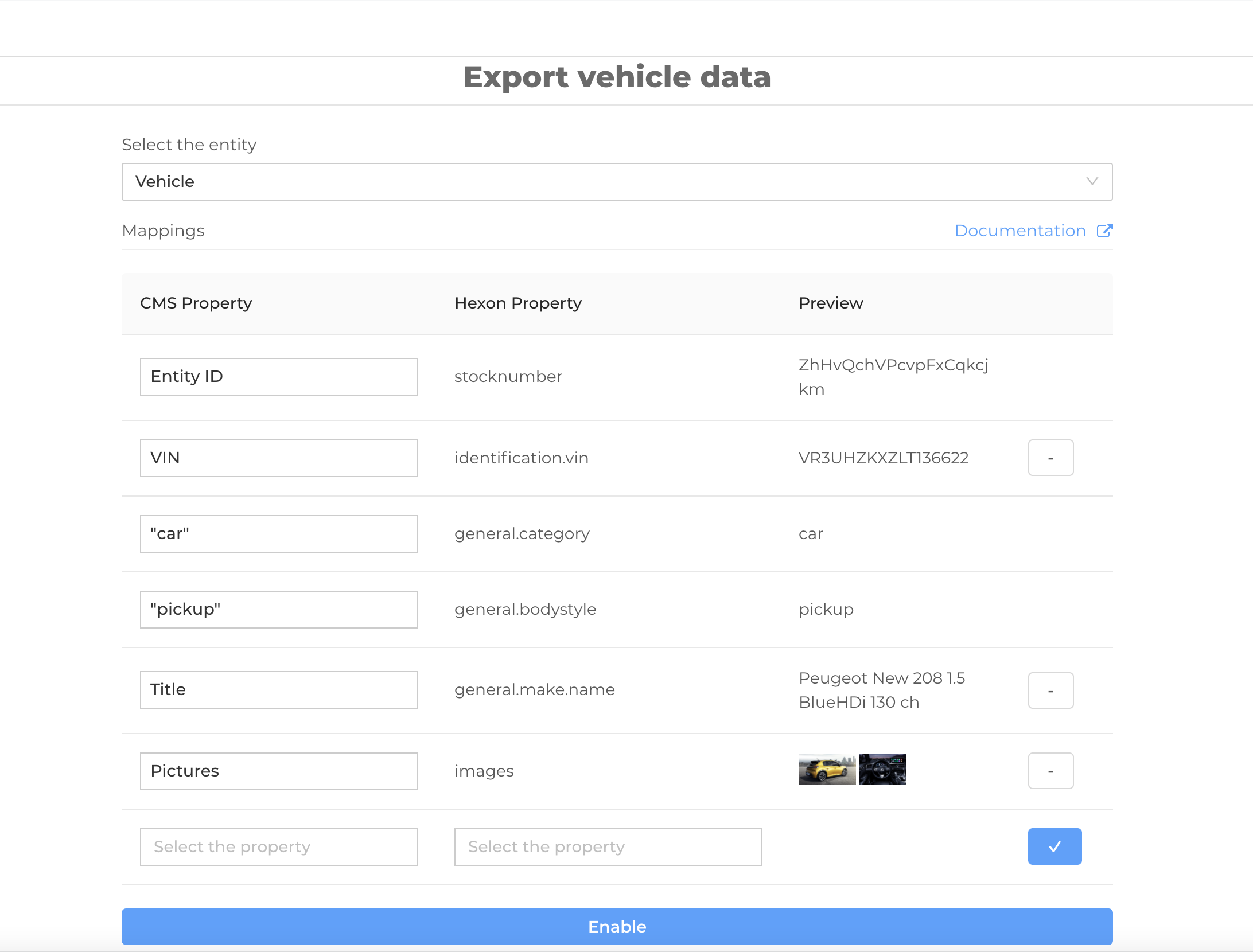
Add a new field to the map
- You need to select both (from Hexon and the custom-data) properties and press the "✓" button. You can see the preview after it.
- Save settings to use new configuration for export.
Important Performance Notice
Hexon is not able to handle medium or high loads reliably.
Due to the design of the Hexon API which requires handling each individual case (image, etc.), creating a single vehicle requires multiple API calls, including:
- record retrieval
- vehicle creation
- creation of each image
- watermark assignment
- creation of advertisements for each option
- assignment of each accessory
As a result, one vehicle creation operation may trigger more than 10-20 separate requests to the Hexon service.
Hexon enforces a limit of approximately 4000 requests, after which their live service becomes unstable and may crash.
The same limitation relates to update operations. Although the number of requests per vehicle is lower than during creation, it is still greater than one.
For this reason, bulk updates should be executed in small batches, recommended size: 300–400 vehicles per run.
Background
Hexon integration is developed in the integrations service. Link to github
This service is subscribed to change custom-data(using for it CmsEntityUpsertProcessorFunction lambda) and export changed entity to Hexon.
Api points
- PUT /v2-integrations/hexonIntegration/ for enable/disable integration and save Hexon Api credentionals
- GET /v2-integrations/hexonIntegration/hexonVehicleModule/schema/ return Hexon vehicle API fields schema
- POST /v2-integrations/hexonIntegration/hexonVehicleModule/preview/ return