Relation opening interaction behavior (property type entity)
Entity properties (relations) have the ability to open nested values for quick viewing.
Available options
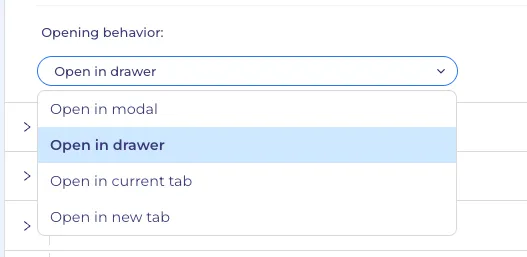
There are four possible behaviors when clicking on a property value:
- open in modal;
- open in drawer on the right side;
- open in the current tab;
- open in a new tab;
How to set up
To select the "behavior" option, go to
- the "entity" type property;
- go to the "Selector settings" tab;
- open the select at the bottom "Opening behavior";
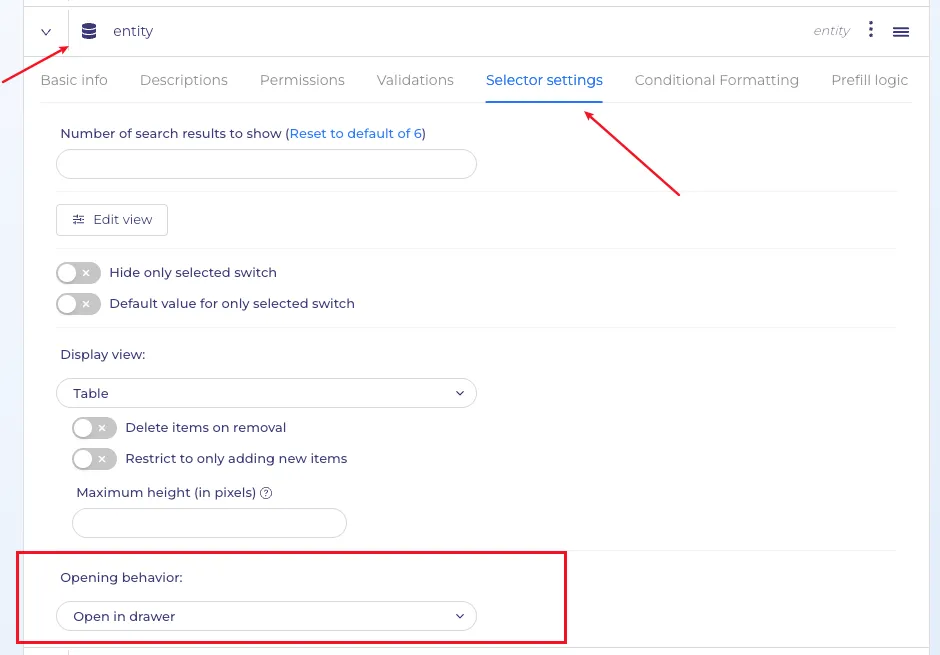
The "open in modal" option is the default; all new properties of the "entity" type will be created with this setting.
How does this work
When selecting the "open in modal" or "open in drawer" option, you can open nested entities; the next opening will be based on the settings of the property being opened.
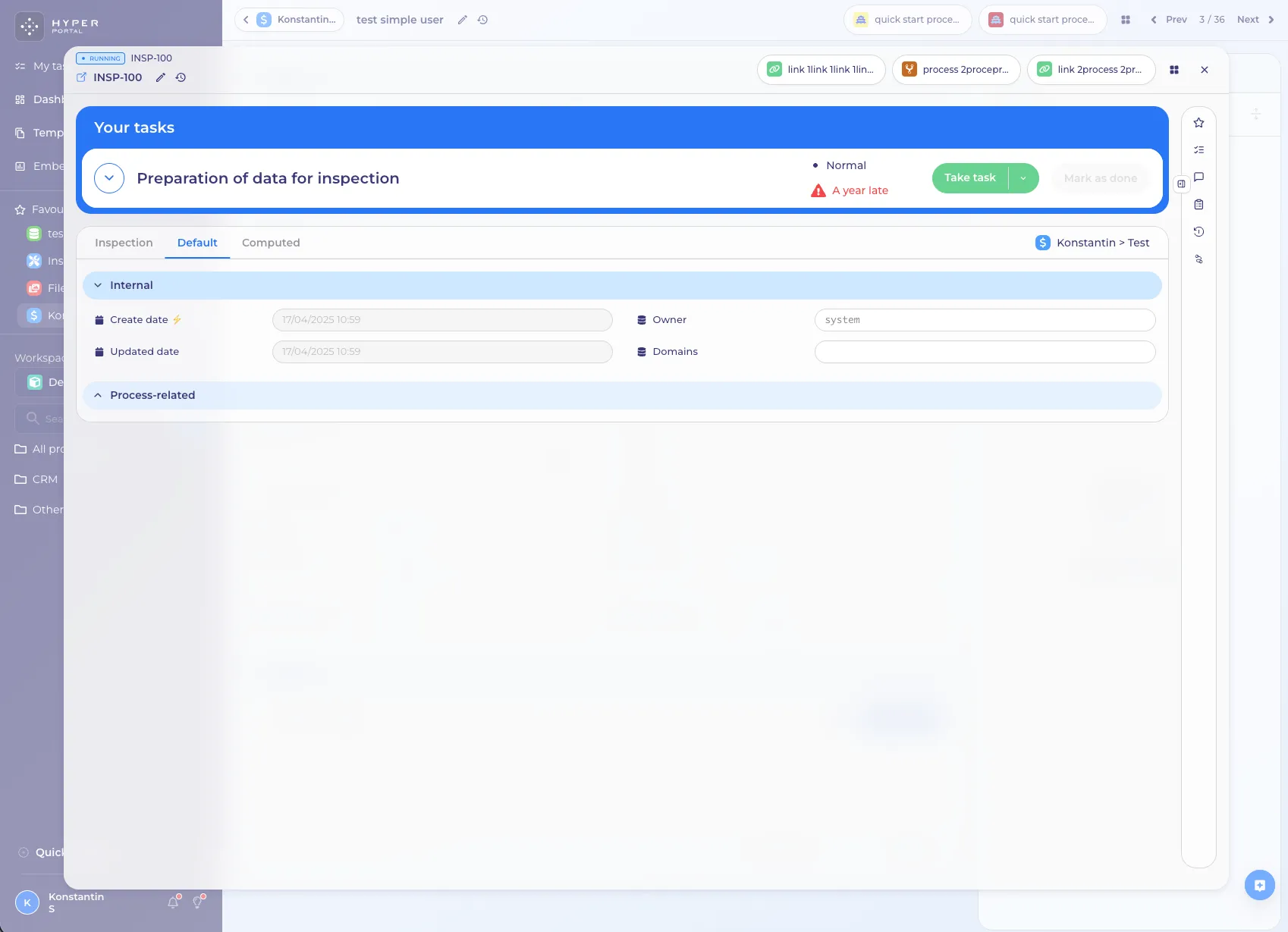
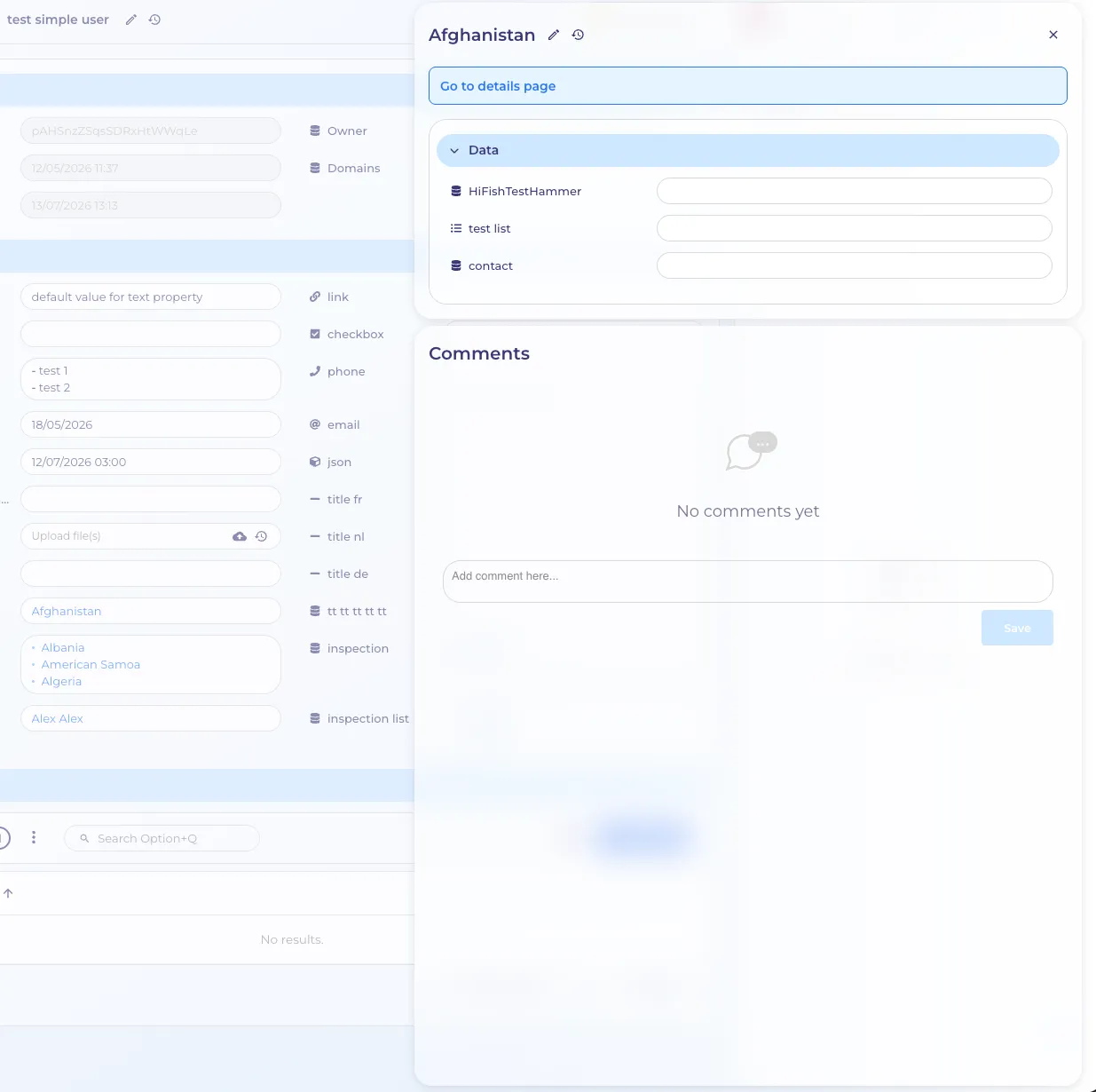
The previous modal or drawer will be slightly offset to the left below the current modal or drawer.
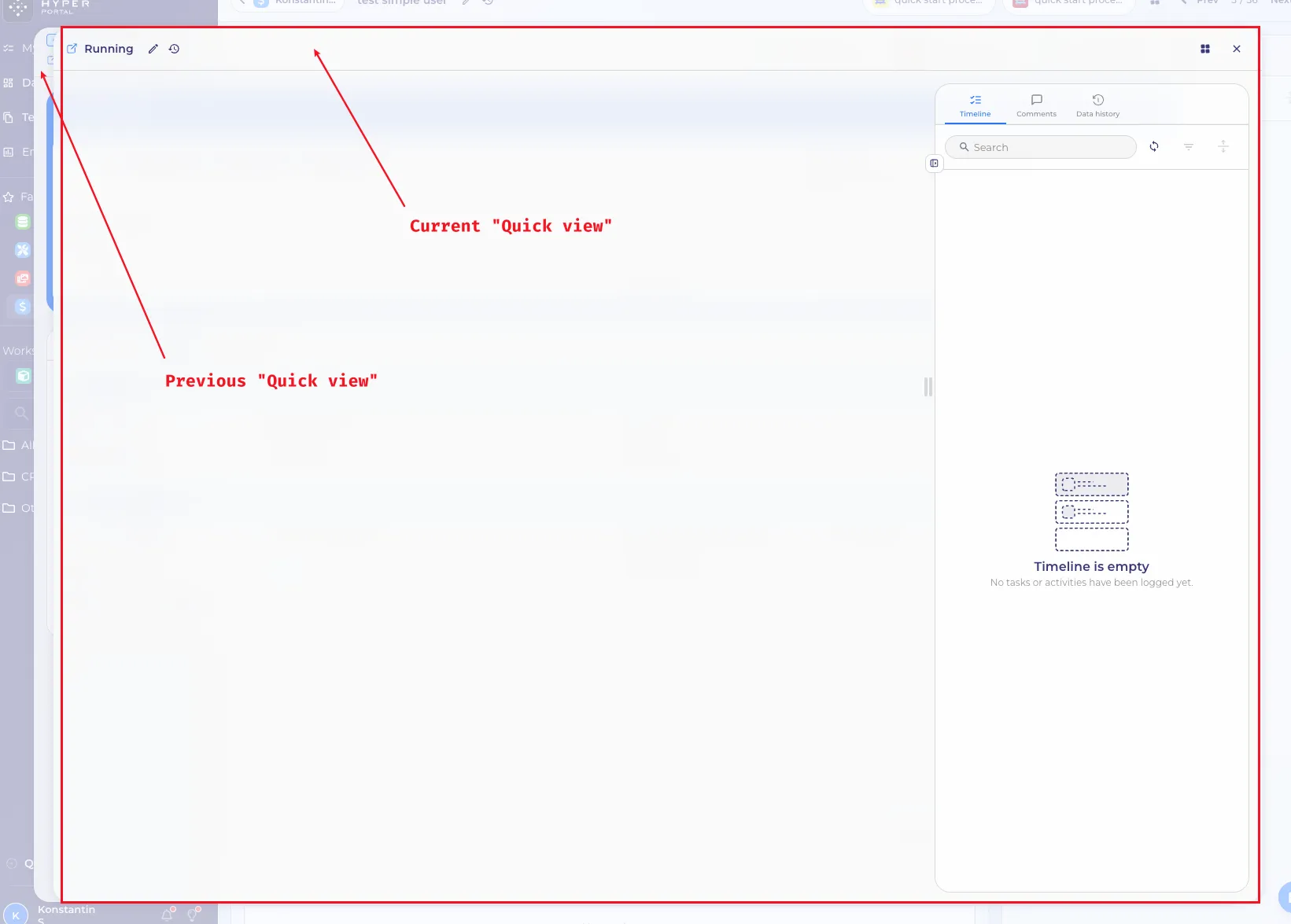
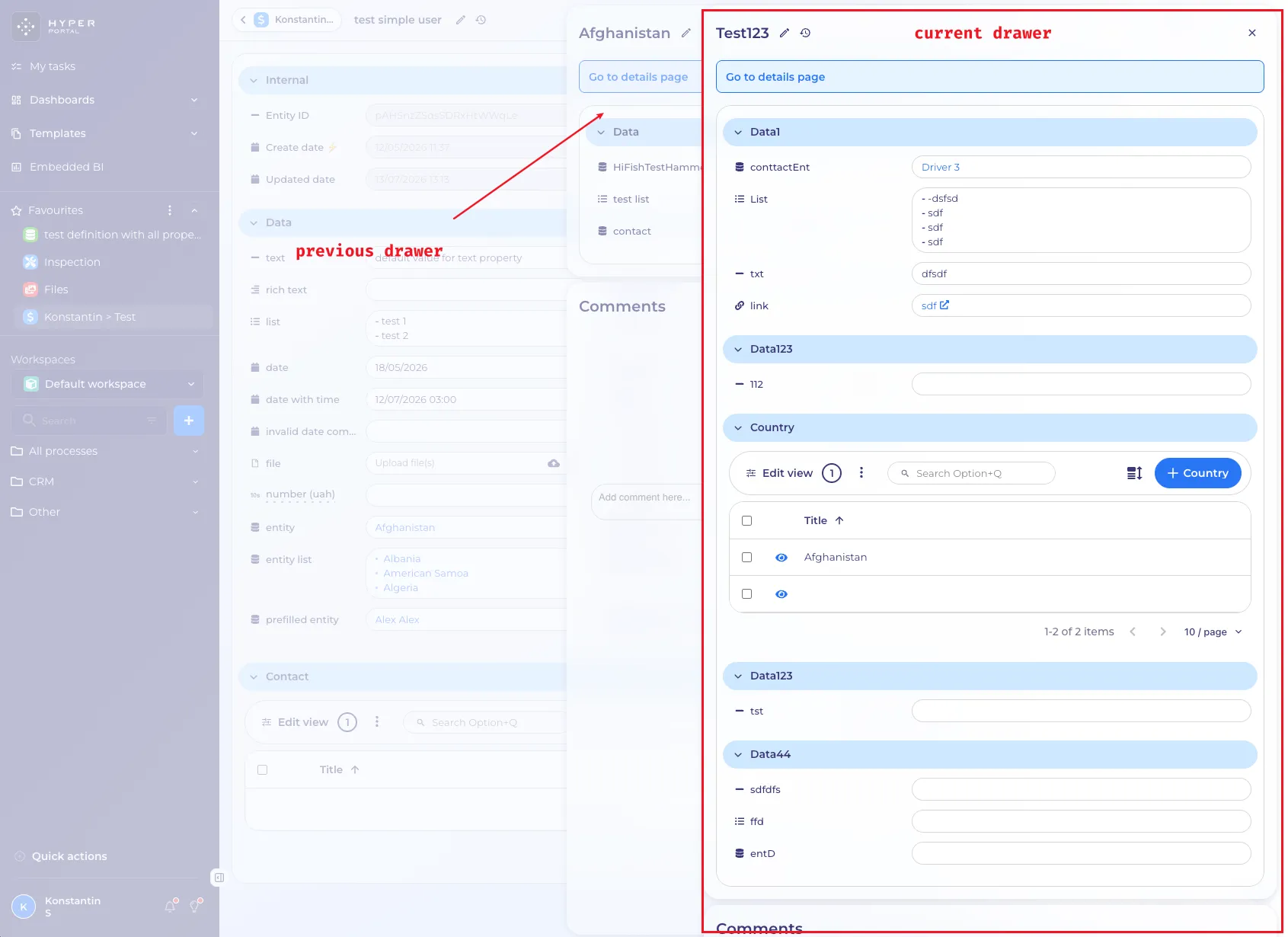
Please note that opening multiple entities in “quick view” only recognizes the previous entities within the current browser tab. If the next entity you open is configured to "open in the current tab," information about previously opened entities will be lost. Also, after such an incident, if you click the "Back" button in your browser, you'll be returned to the page where you first started the "quick view" of the entity.
For convenience, link buttons have been added to the modal and drawer to allow full navigation to the entity via a link. Be careful, this navigation will occur in the current browser tab, and the context of open entities in "quick view" mode will be lost. See the warning above.
Opening behaviour — "No interaction" option
1. What it is
An entity property (for example a status) used to open the linked record in a modal or drawer on every click. Users who only wanted to change the value were taken to the detail view of the status record instead.
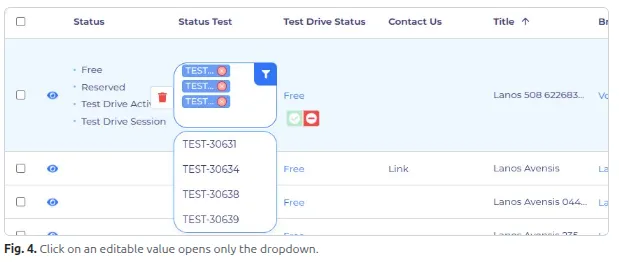
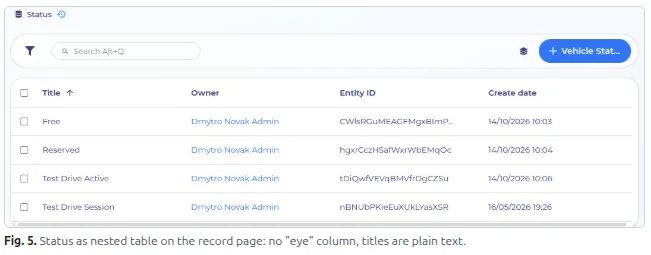
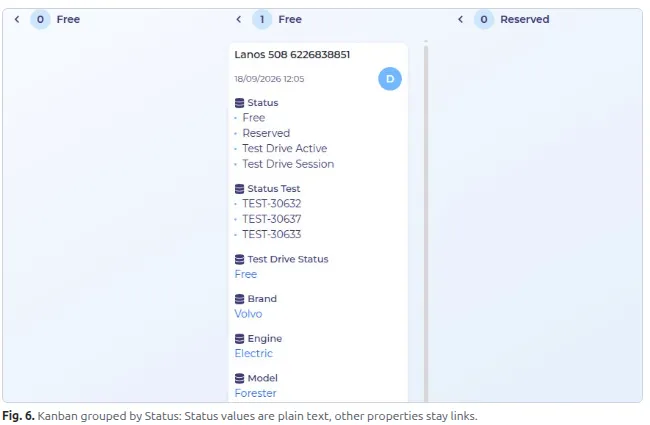
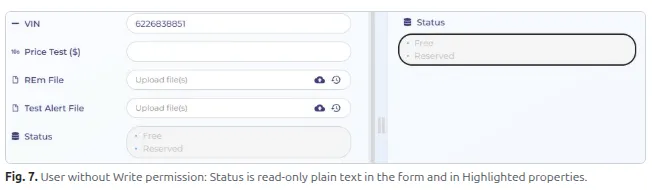
No interaction is a new value of the Opening behavior setting. When it is selected, the value of the property is shown as plain text and clicking it does not open a modal, drawer or page. If the field is editable, the click opens only the dropdown, so the value can be changed right away.
Use case: a sales person changes the status of a vehicle directly in the table or Kanban and never needs the detail page of the status item.
2. Where it is configured
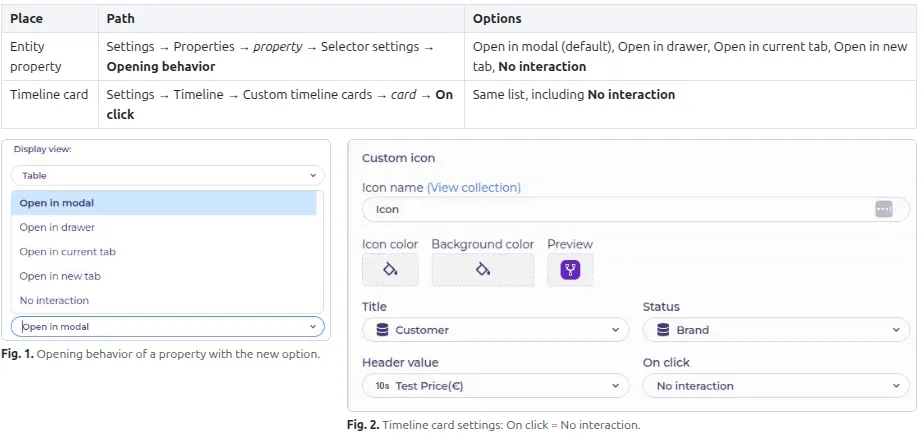
The setting is per property, so other properties of the same entity keep their own behaviour.
3. Behaviour with "No interaction"
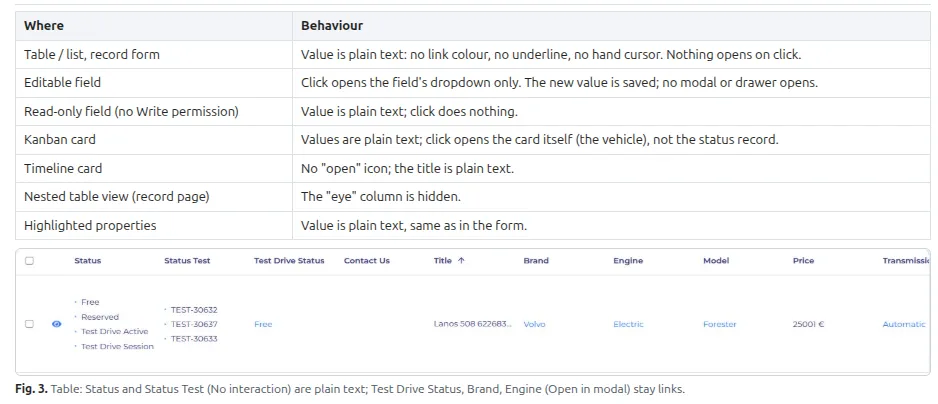
4. Default and existing properties
- A new property gets Open in modal by default.
- Existing properties keep their current setting after the release; nothing changes until "No interaction" is selected manually.
- Switching back from "No interaction" to "Open in modal" restores the link style, the "eye" column and the opening.