Timeline tab
The tab "Activity" was renamed to "Timeline". The combined timeline aggregates everything that happens in the platform related to a record or a process in a single place.
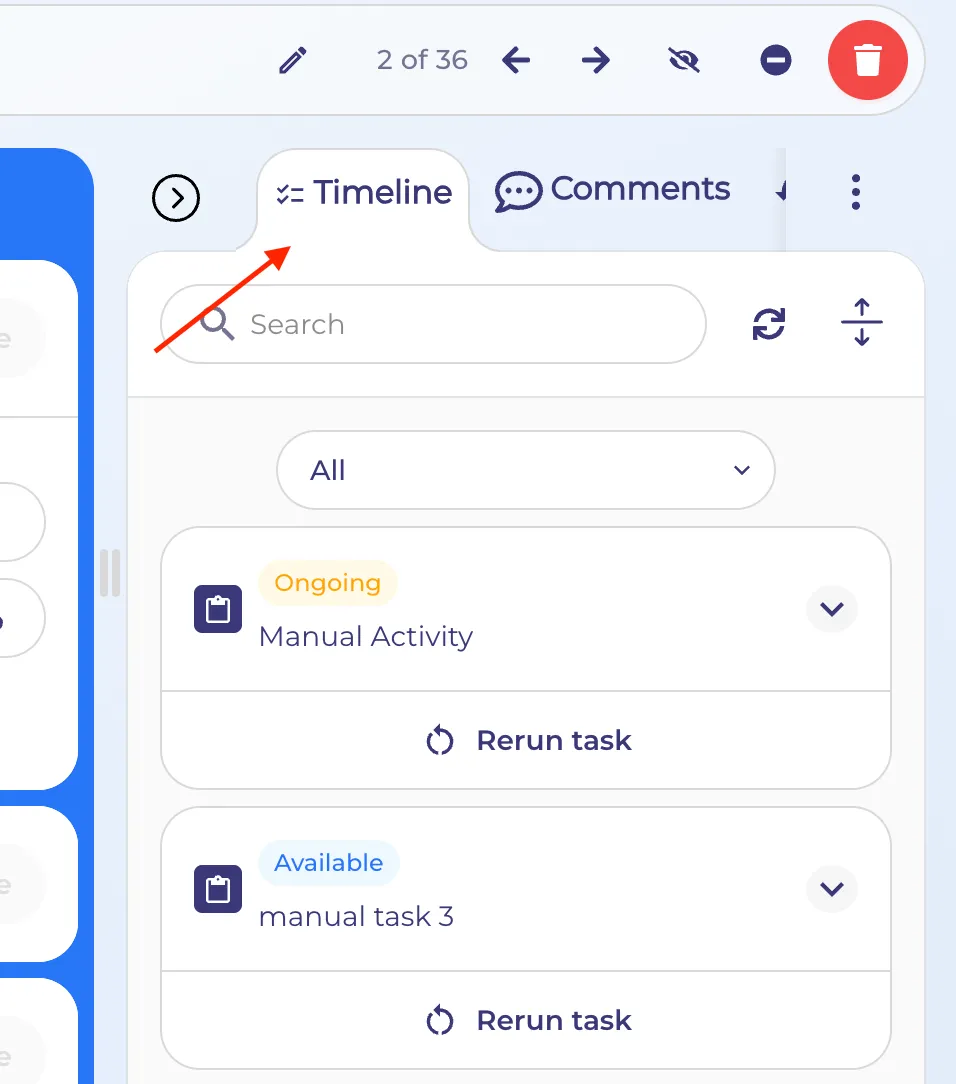
In the Timeline section the user can see visualization for:
- Activities
- Relations (Refferals)
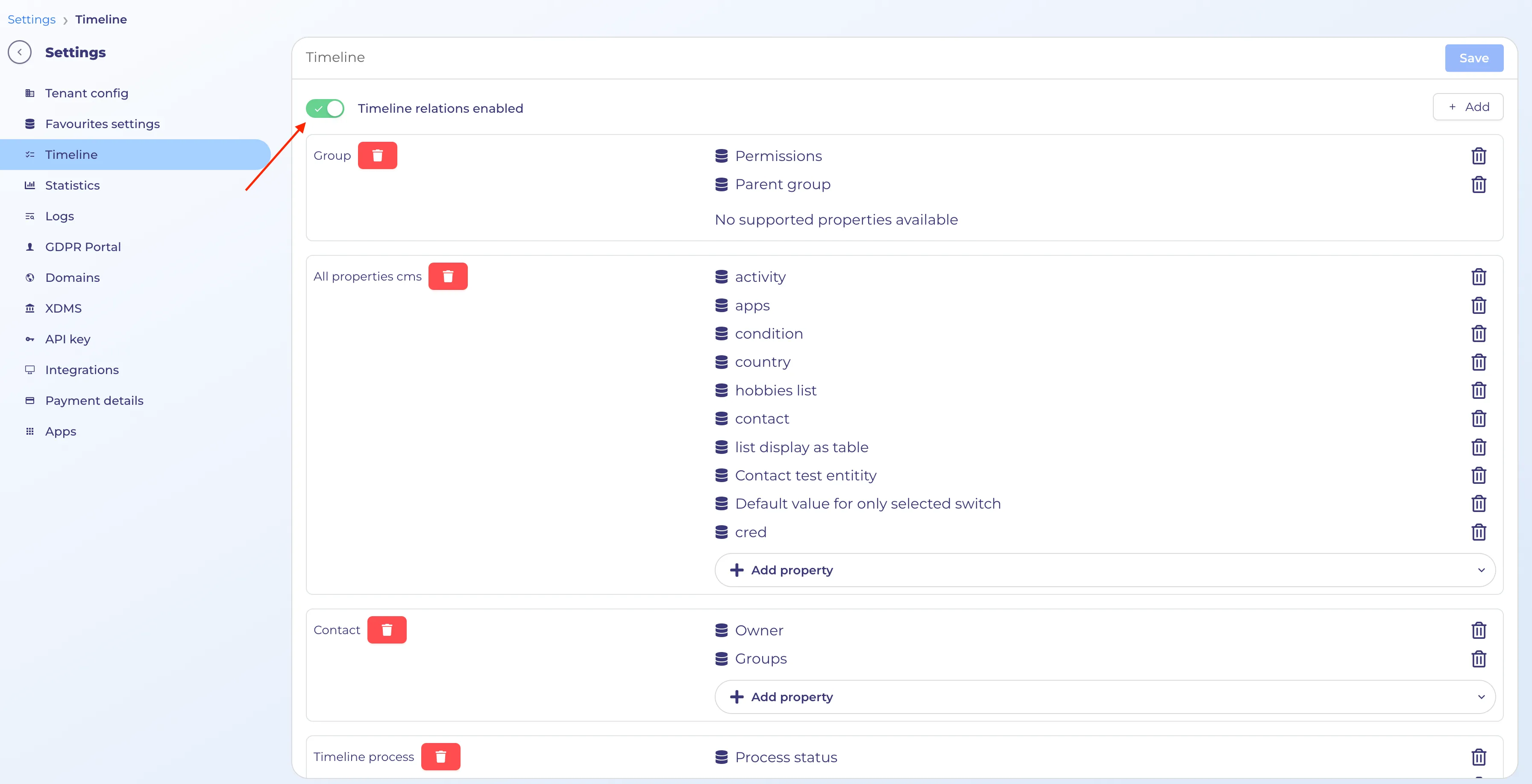
How to enable additional relation logging for the timeline:
- Go to Settings > Timeline
- Enable feature and add needed properties per entity - Timeline will work fully only for configured properties. Activities will be displayed by default.
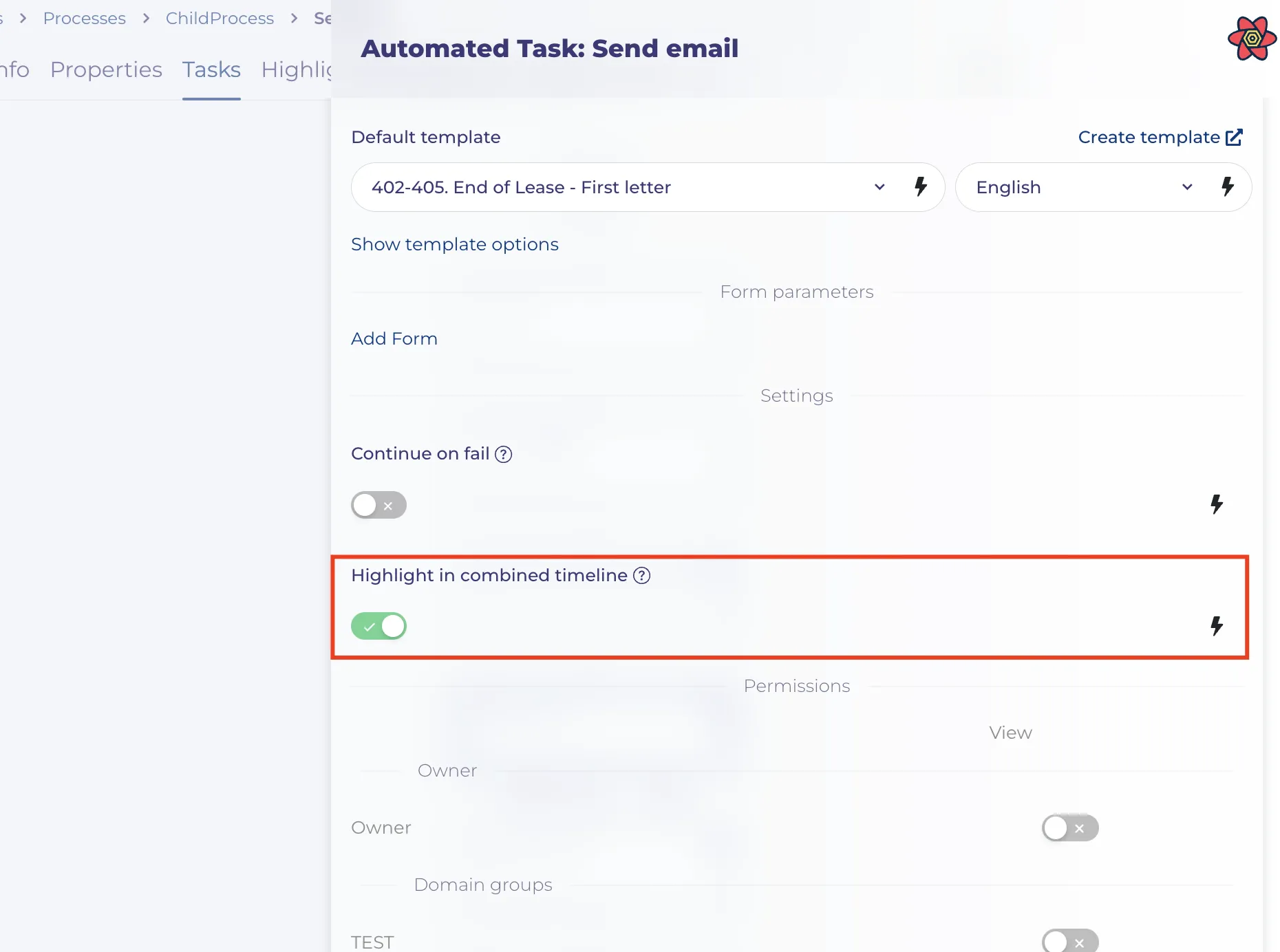
Highlight in Combined Timeline
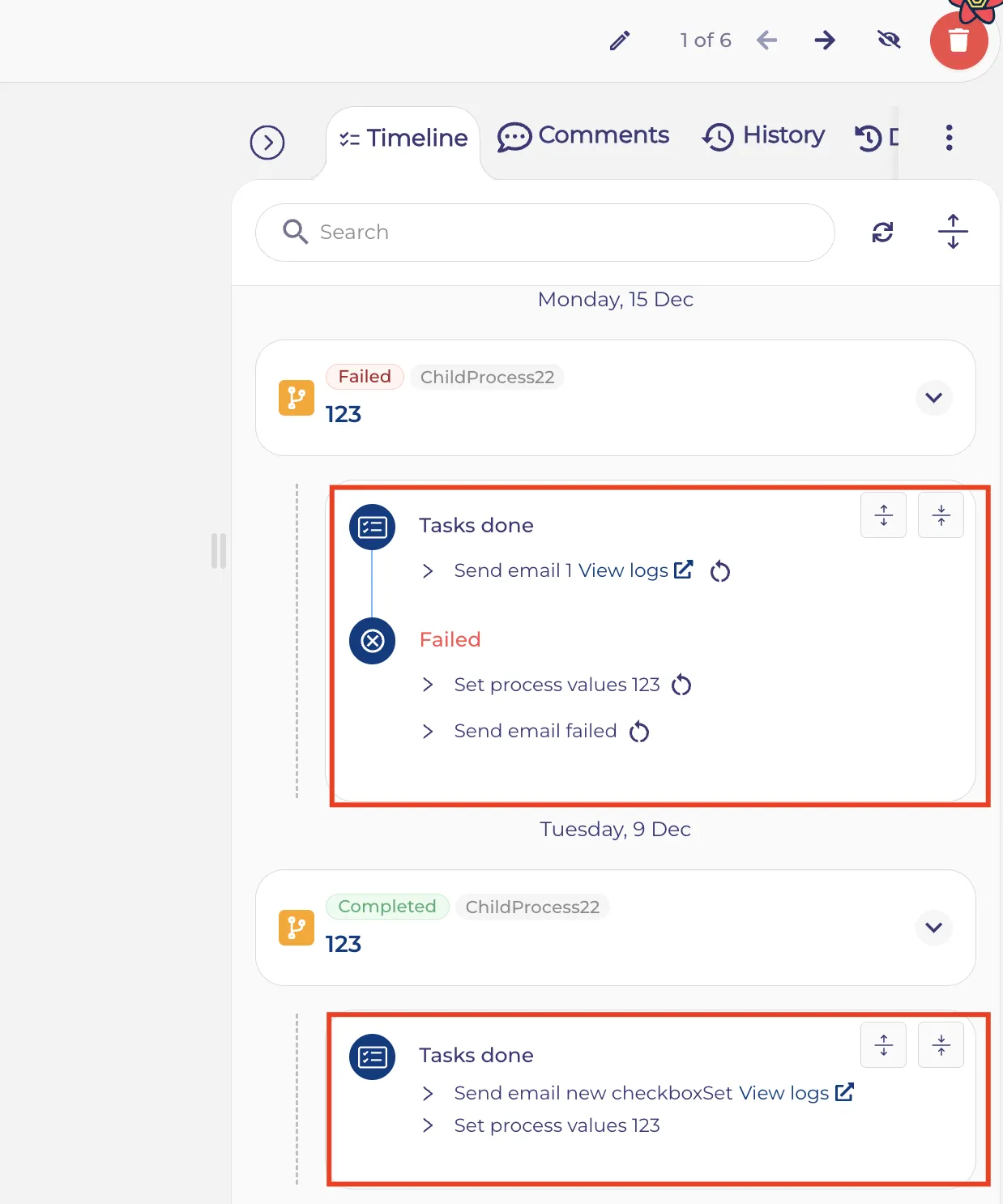
A new “Highlight in Combined Timeline” option is now available in task configuration - nodes. When this option is enabled, the task is displayed directly in the parent flow’s combined timeline. The timeline entry contains the same information as if the task were executed on the parent level. This allows end users to see important related activities—such as sent emails or key automation steps—directly in the combined timeline, without needing to navigate away from their current view.
This is only available for automatic tasks such as:
- Send Email Node
- Set Entity Value Form
- Set Process Values
- Get Entity Values
- Cancel process Form
Display of the highlighted task in the Timeline section
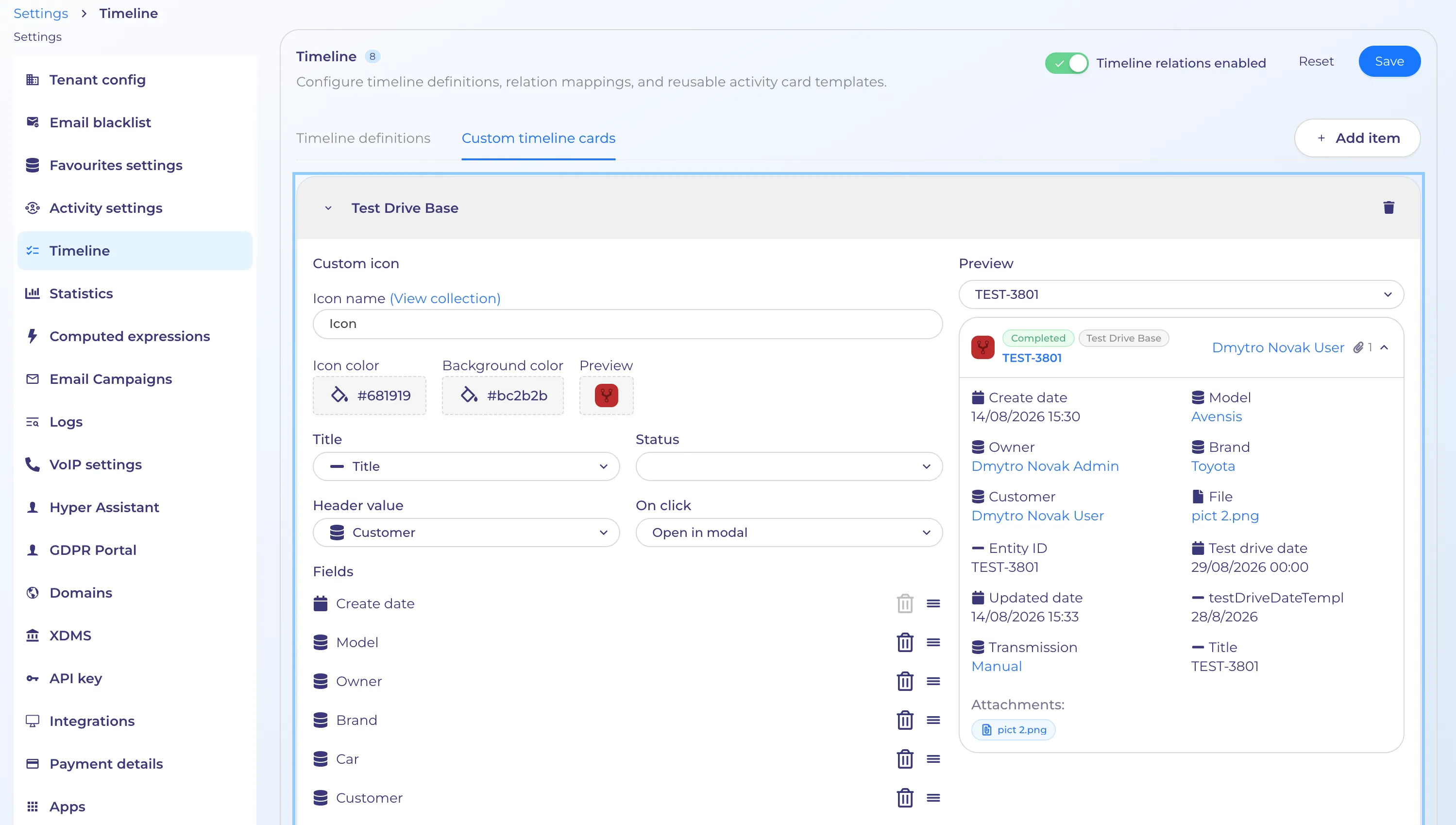
Custom timeline cards settings
Added support for a new custom activity card in the Combined Timeline.
This card is configurable by an admin user, if no custom card has been created for a specific cms/flow then standard relation card will be used.
Settings:
- Select which target (cms/workflow)
- Status badge (optional) -> Select property field
- Amount (optional) -> Select property field
- Title (required) -> by default title field but user can change
- Attachments -> User can select attachment fields up to 1 level deep (can also be re-ordered)
- Section to choose which fields to display in the expanded state (can be re-ordered)
- On click interaction -> dropdown with options
- Open in modal
- Open in drawer
- Open in new tab
- Open in current tab