Adobe Sign via workflows
How it works
To validate Adobe Sign functionality create 2 workflows + Adobe Sign Form:
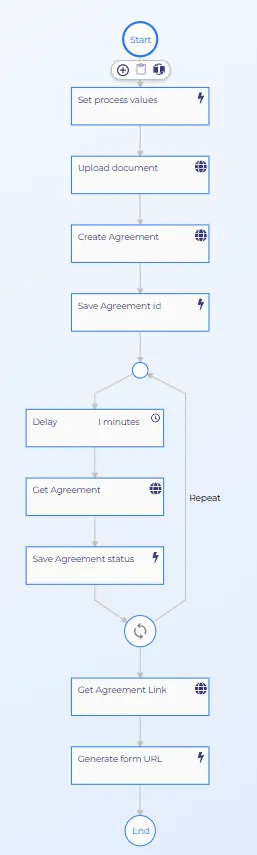
Adobe sign process (Use Process + Process Properties jsons from adobe-sign implementation.md file below)
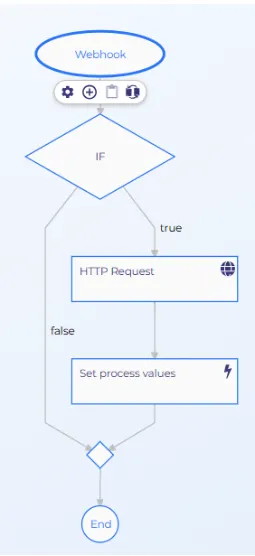
And Webhook_process (Use Webhook Process + Process Properties jsons from adobe-sign implementation.md file)
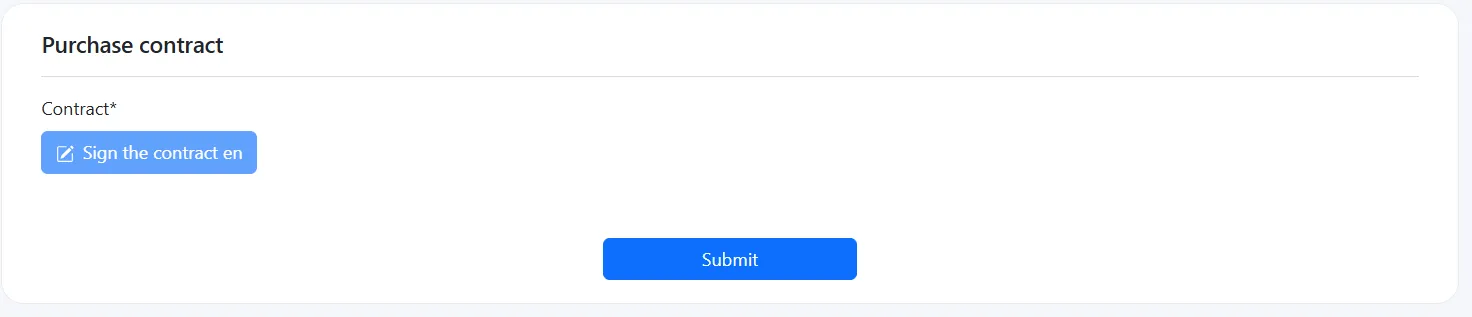
Create new Form (Templates - Forms - Adobe Sign). Use Adobe sign form json from adobe-sign-implementation.md file)
Environment setup
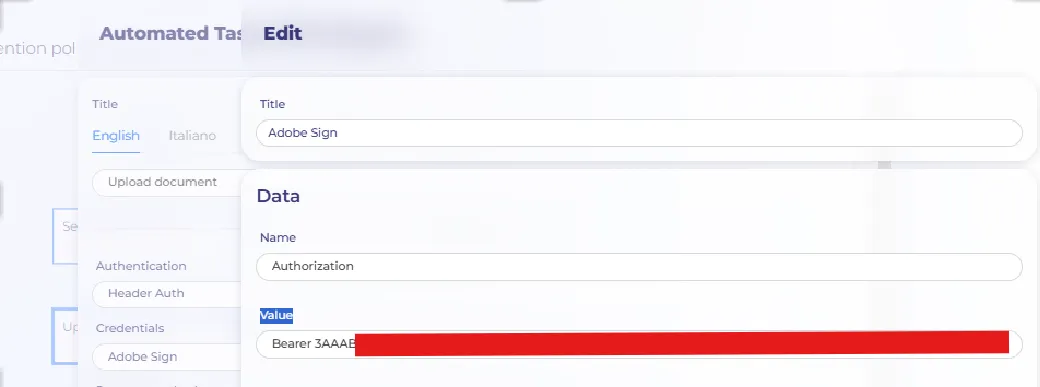
To setup Test user Open: https://secure.adobesign.com/public/login Ask Ilya to provide creds to login. Open link: https://eu1.documents.adobe.com/account/accountSettingsPage#pageId::ACCESS_TOKENS and generate new Integration Key
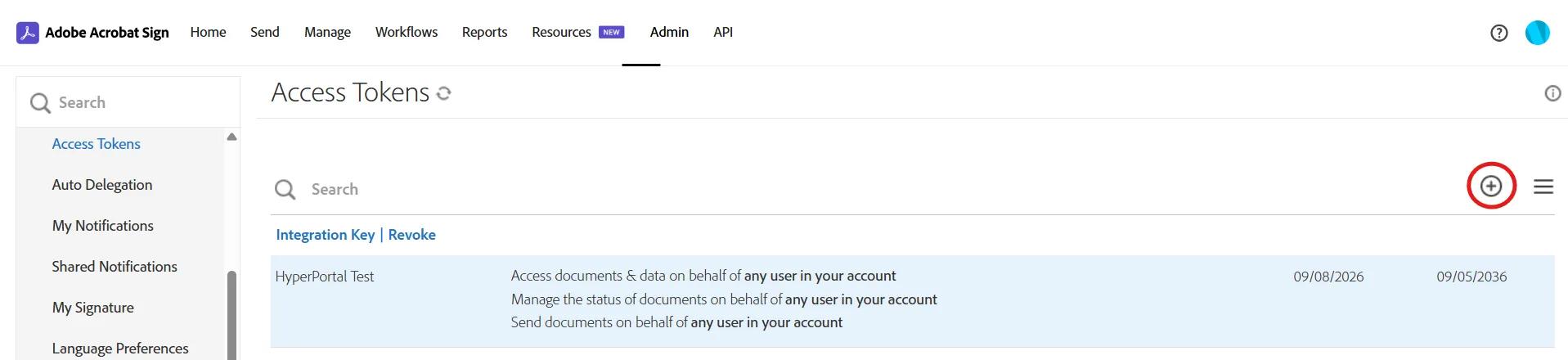
Add new user to all relevant nodes. f.e. Title: AdobeSign Name: Authorization Value: Bearer {Integration Key}
⚠️ Most common registration failure:
Adobe verifies a webhook URL with an HTTPS GET before it ever delivers events. If the trigger node is already set to POST at that moment, verification failure and the webhook is never created.
QA verification walkthrough
- Run AdobeSignProcess. Trigger a fresh run and let it complete through to Generate form URL.
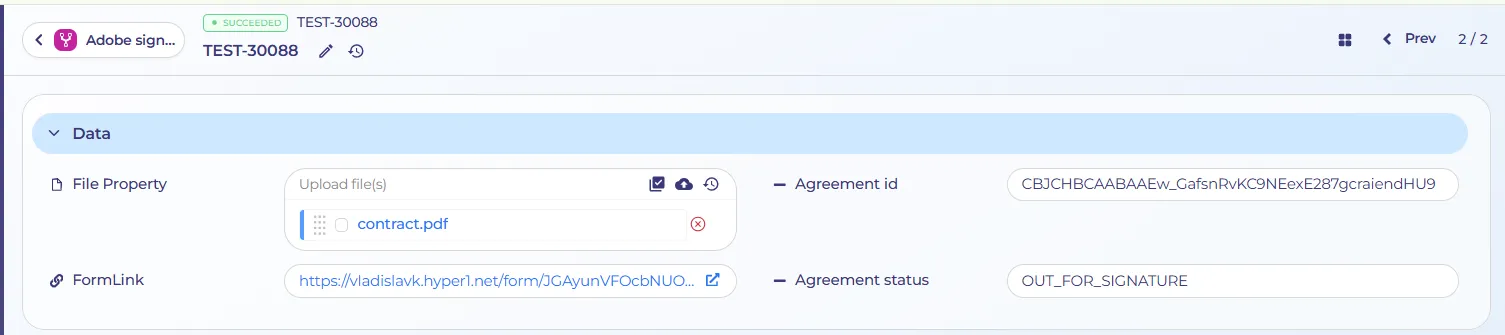
- Sign the document. Open the generated URL, sign the agreement in the embedded widget, and confirm the signature.
- Refresh WebhookProcess. Refresh the process's run table and open the most old created row. (Trace from the bottom row upward)
- Check the first event. Open the process overview for that run and inspect the Webhook node's request body. Rows list: oldest first, so — "event": "AGREEMENT_CREATED".
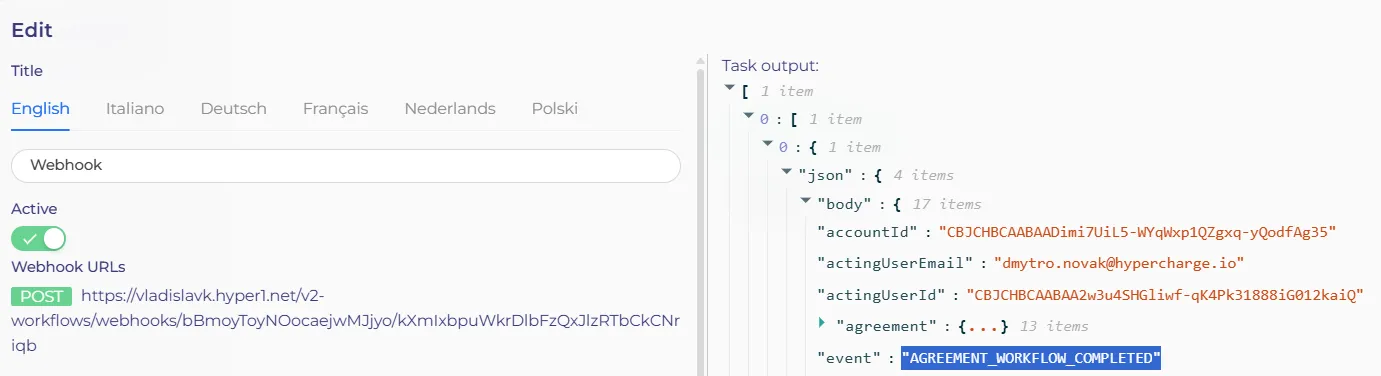
- Trace the status progression. Step through the following rows in order and confirm event advances until the final row reads "event": "AGREEMENT_WORKFLOW_COMPLETED".
- Cross-check in Adobe Sign. On the Adobe Sign home page, confirm the agreement now shows as signed. (https://eu1.documents.adobe.com/account/homeJS)
- Find the record in HyperPortal. In the workflows dashboard, search for: Form Adobe Sign and open the corresponding row.

- Confirm the signed copy. contractSigned should read Yes. Open SignLink to confirm the executed document.

Acceptance criteria
- PDF generated in HyperPortal is uploaded to Adobe Sign as a transient document and converted into an active agreement.
- The signing link opens a working, mobile-responsive pop-up with no login required.
- Signature is captured and Adobe Sign returns a completed/signed status.
- The webhook is received and correctly updates the internal document/customer record.
- The fully executed PDF is automatically retrieved and stored in HyperPortal against the correct record.
- At least one downstream action (e.g. status visible to the dealer) fires on completion.
- Expired, already-signed and declined states are handled gracefully in the UI.
Document with the Technical Implementation