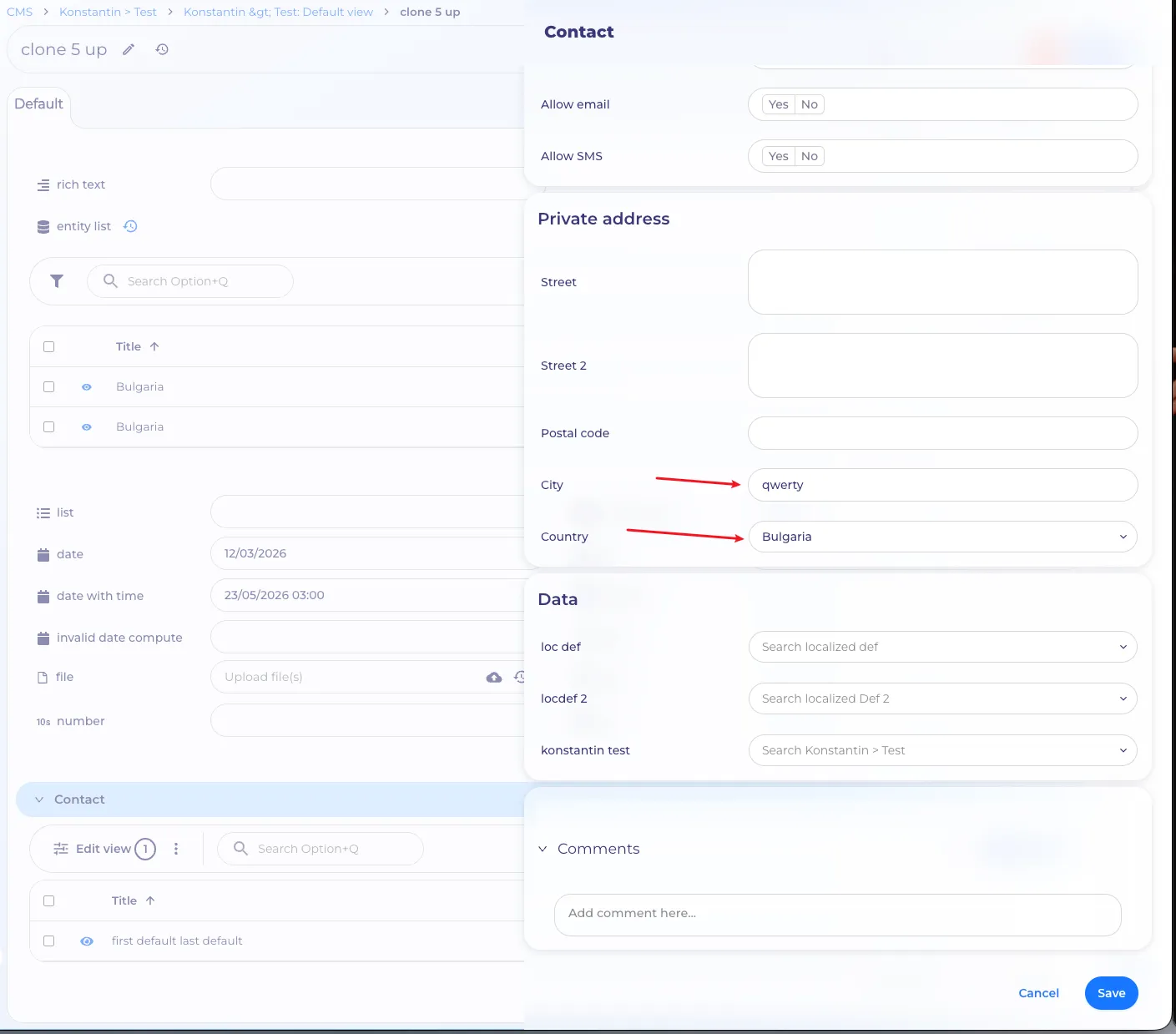
Prefilling a new item
For definition relation sections, it is possible to add a 'prefill data' when creating a new entity of a related definition.
Feature Config
Prefill
You can configure a prefilling for the new entity of a relation definition, which will be applied when creating a new entity from the current section.
This setting will only work on the frontend, so if you configure it, the backend will not prefill the configured value, but will only prefill the specified default values.
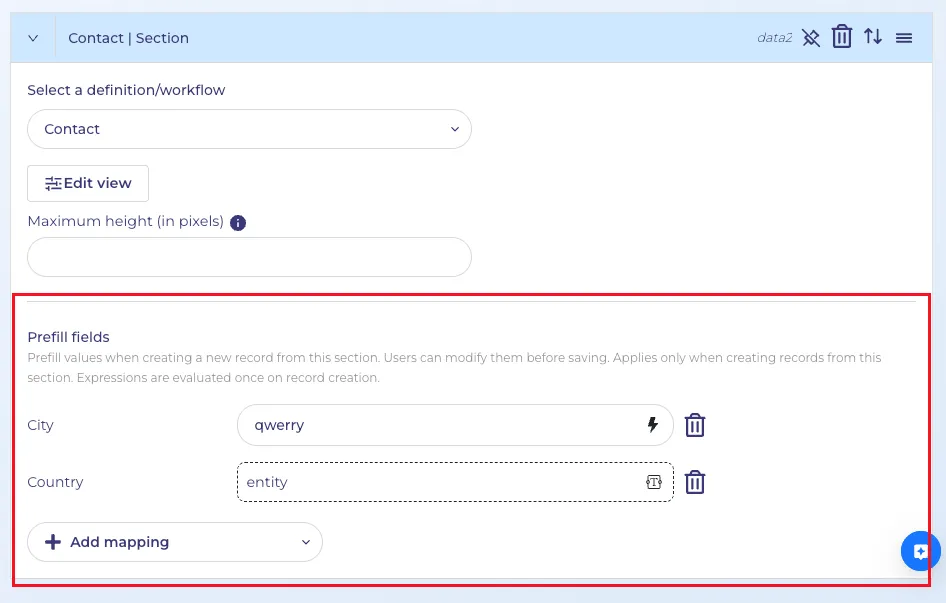
Since this setting only works on the frontend, you can specify computed expressions here, taking into account the context of the entity from which the Add New Entity dialog will be called. The expression can reference the properties of the current entity and the operators available for the computed expression editor.
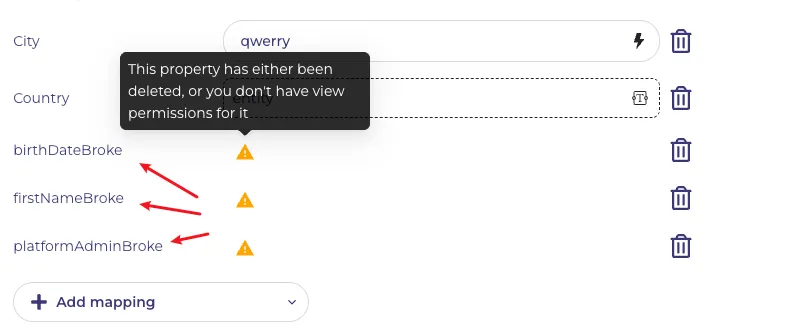
If previously selected properties have been removed in a relation definition, or the current user does not have permissions to access it, you will see a 'warning' icon and a tooltip informing you of this.
How the feature works
First of all, you can always remove a default value by deleting it from the property. You can do this by using the 'reset' button for some properties, such as 'entity' or 'date', or by clearing them with the 'Delete/Backspace' key.

Below are examples of how the 'prefill' settings will be applied.
Scenarios
Creating a new related entity: Properties with configured 'prefill' in the relation section are filled with these values. Then, if no prefill values were used, the 'default value' from the properties of the definition whose entity you are adding is applied. The backend will populate these fields ONLY with 'default values' unless a forced reset is performed. The backend is unaware of 'prefill' of a related section.
How does this work from UI
Create a new item from a relation section
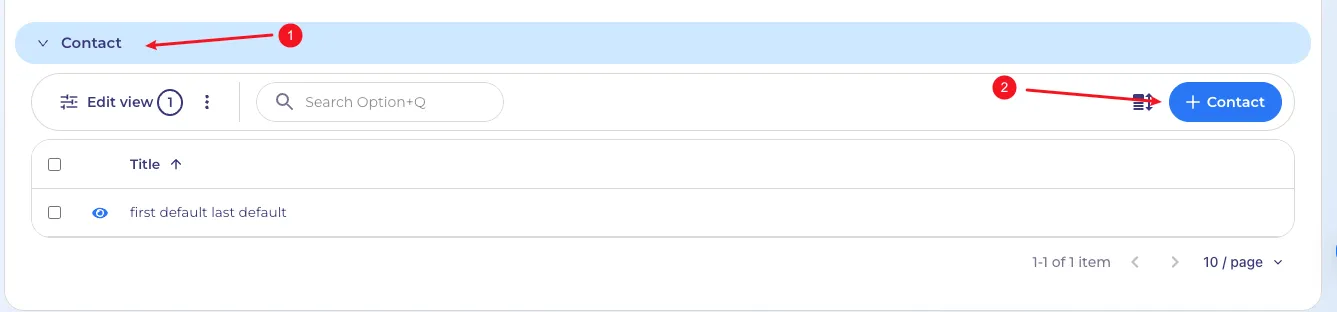
- Relation section
- Button for create a new related item