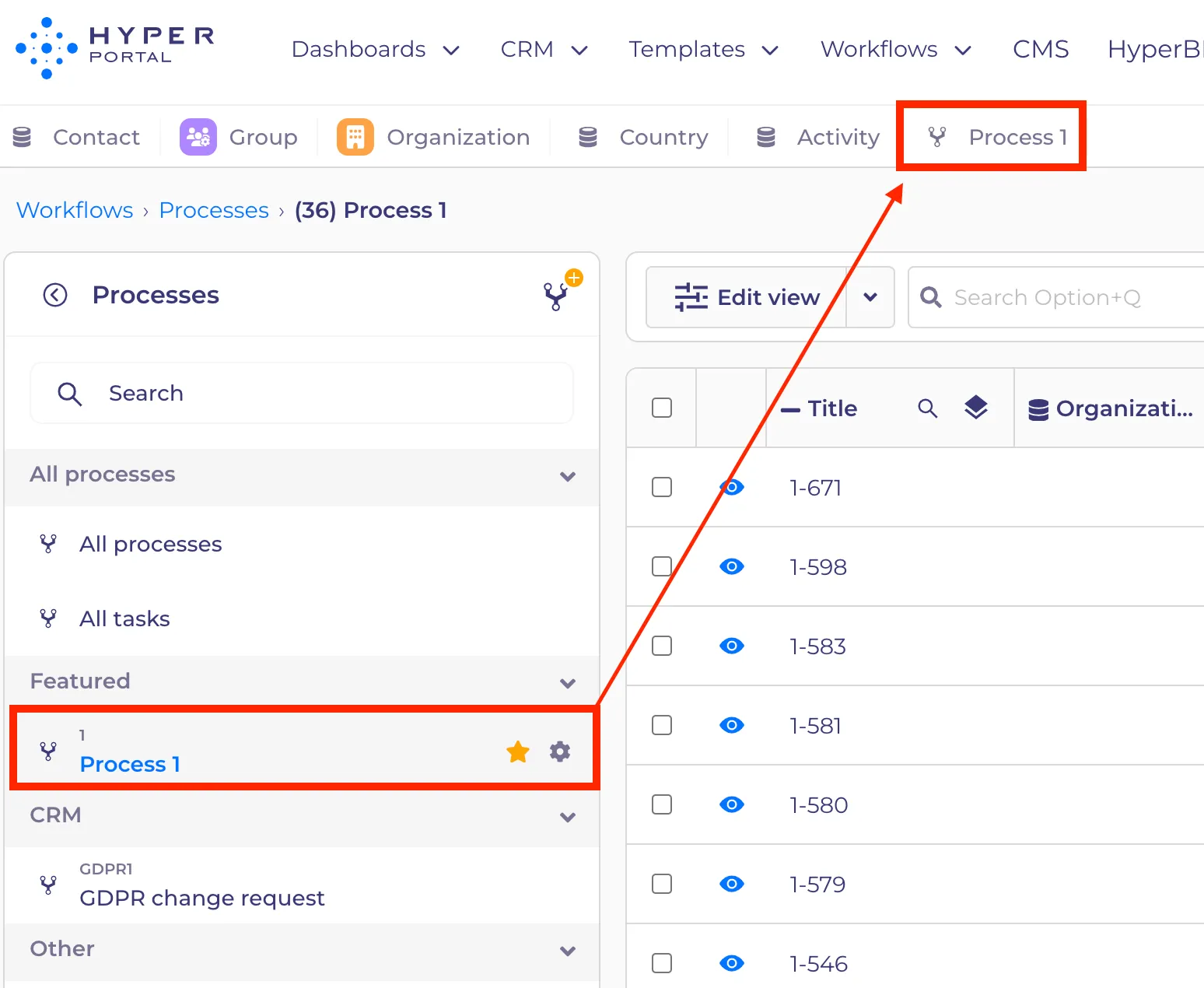
Favourite entities
Оn the CMS tab, users can add favorite entities. Featured CMS entities are basically entities or processes that you want to always have available in your own custom menu. These are often things that you need to access very often, comparable to bookmarks on your browser. Additionally, users can organize their favorites into folders to maintain a tidy view
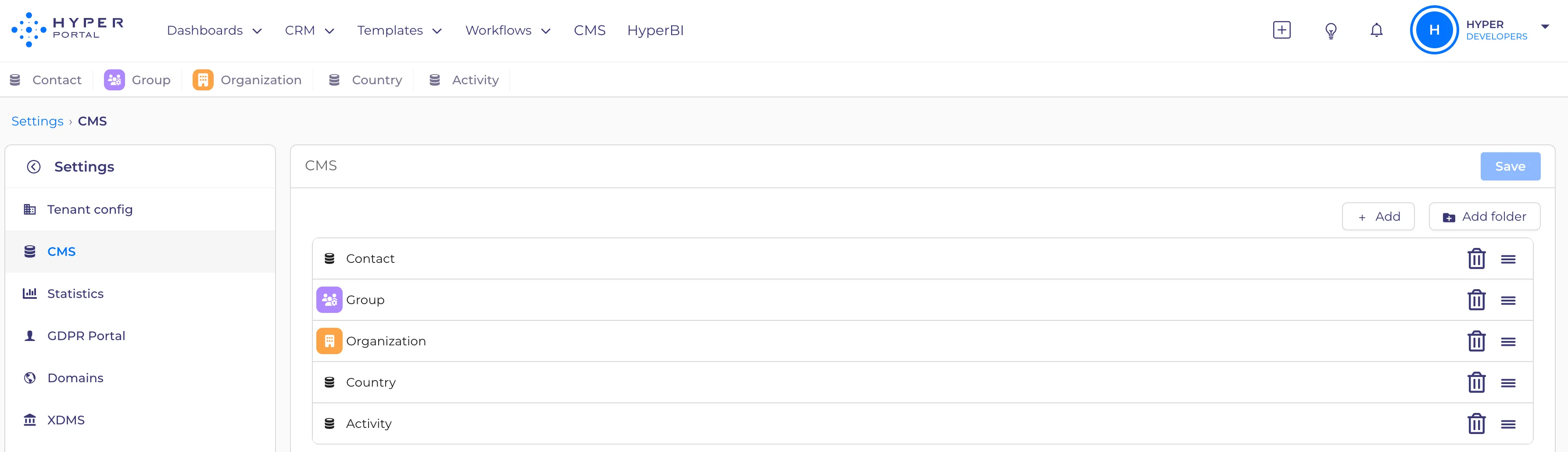
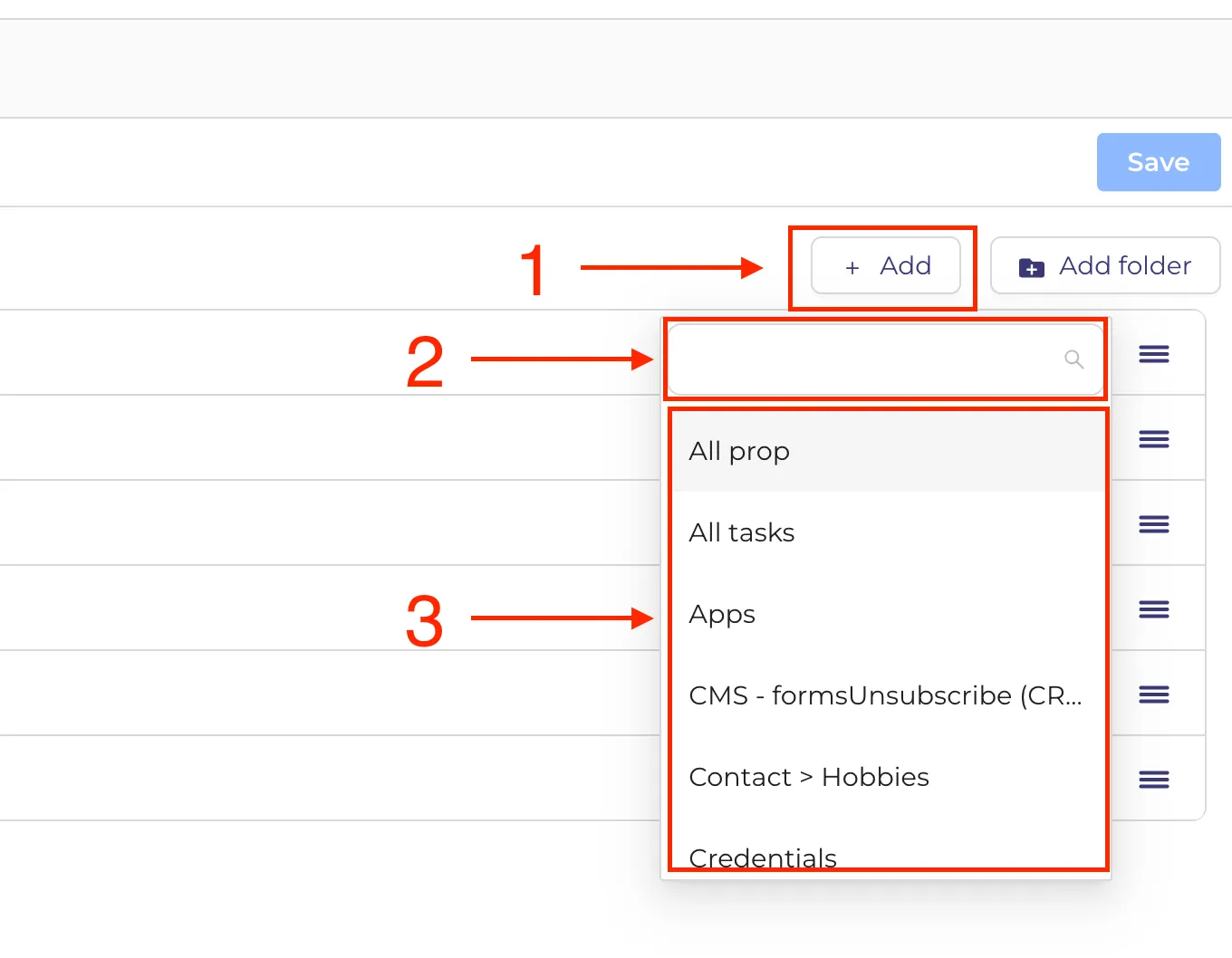
To add entities to favorite from the CMS tab:
- Click on "+ Add" button
- In the dropdown input the entity name or choose from the list
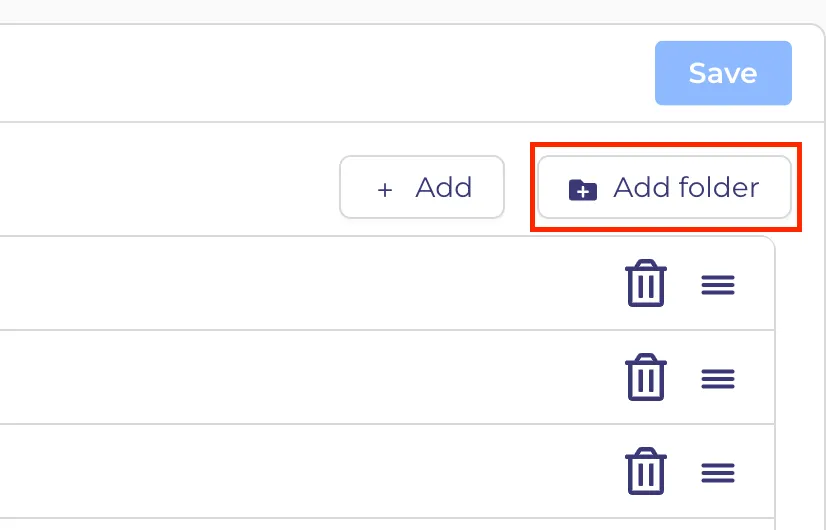
To create a folder:
- Click on the "+ Add folder" button.\
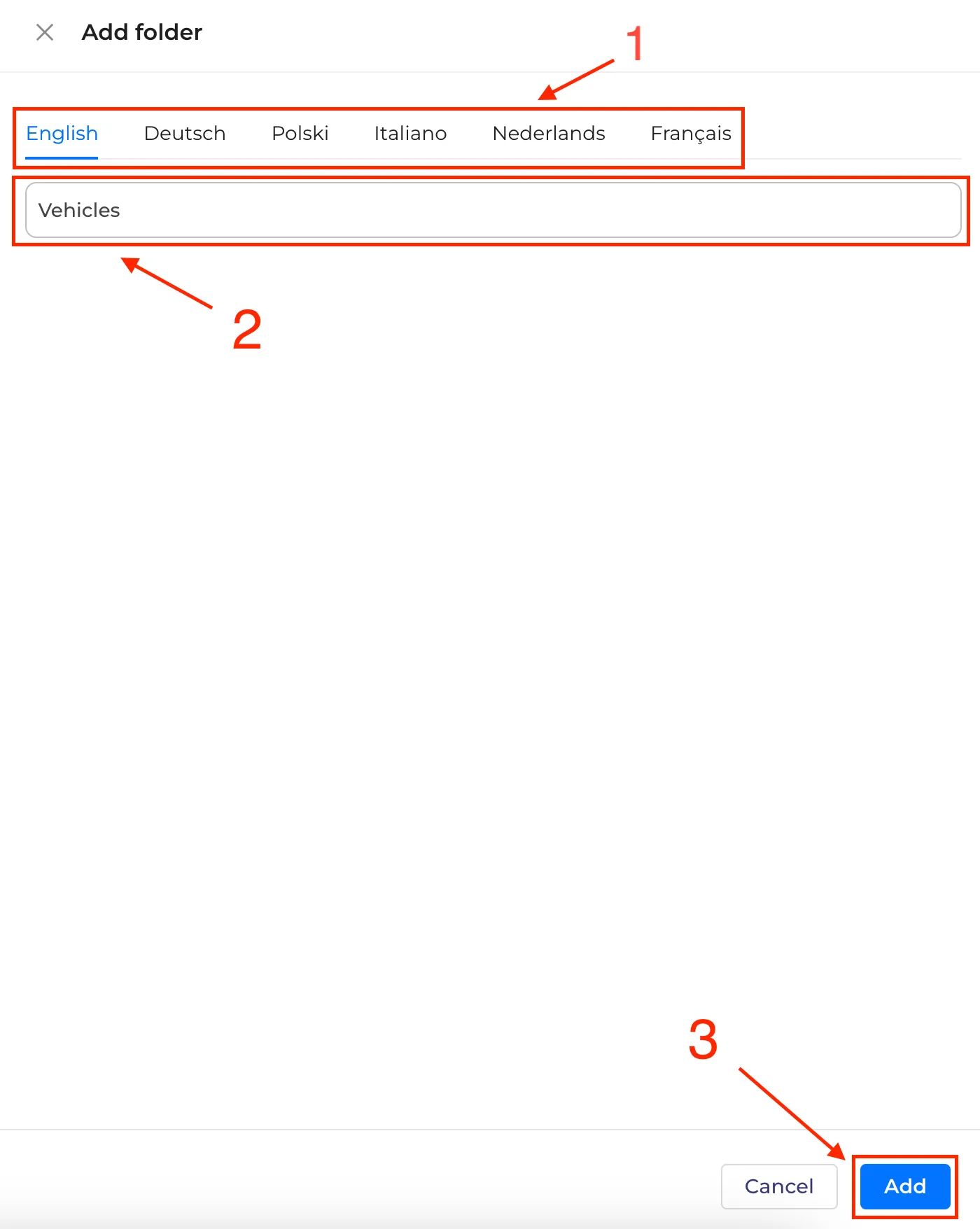
2. In the side drawer: - Select the language that will display the folder name (1) - Input the name for the selected language (2) - Click "Add" to ensure the folder appears in the list (3)
To adjust settings and save changes:
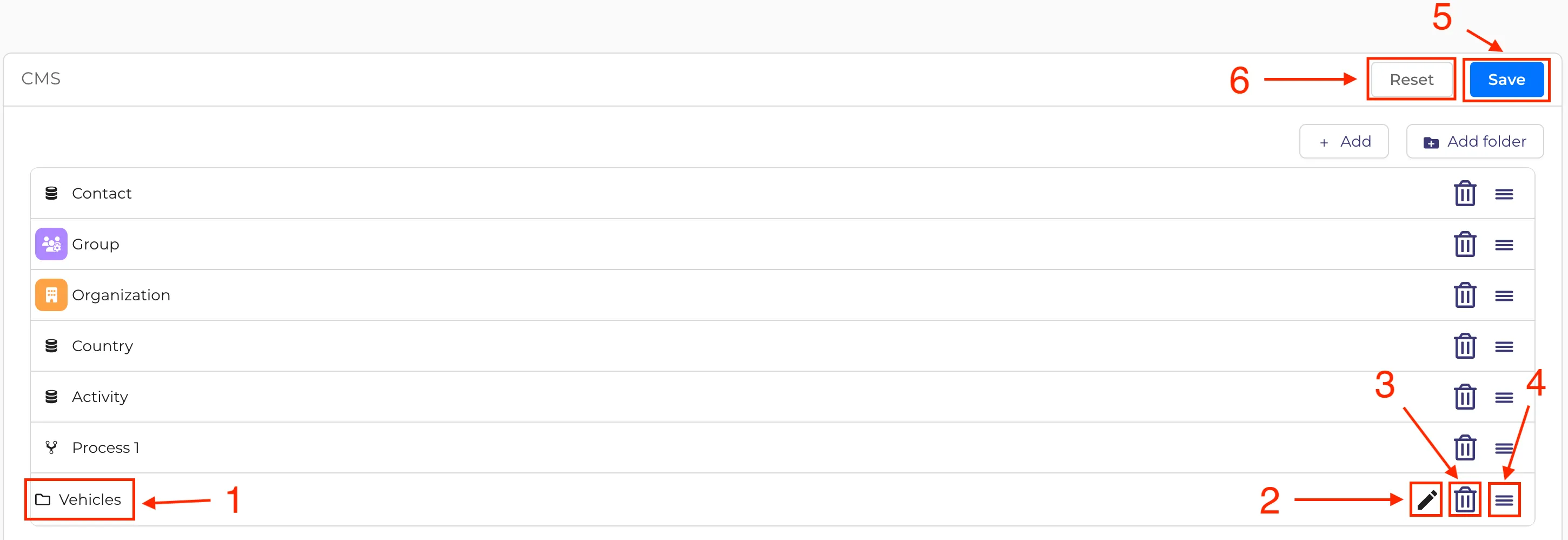
- After adding an Entity or folder to the list, the item will be appended to the end (1)
- To modify the folder name, click on the "Edit" button (2)
- To delete an entity or folder, click on the basket icon (3)
- To rearrange the display order of entities or folders, drag the item's line and move it to the desired location (4)
- To save all changes and display them in the favorites bar, click the “Save” button (5)
- To revert all recent changes, click the "Reset" button (6)
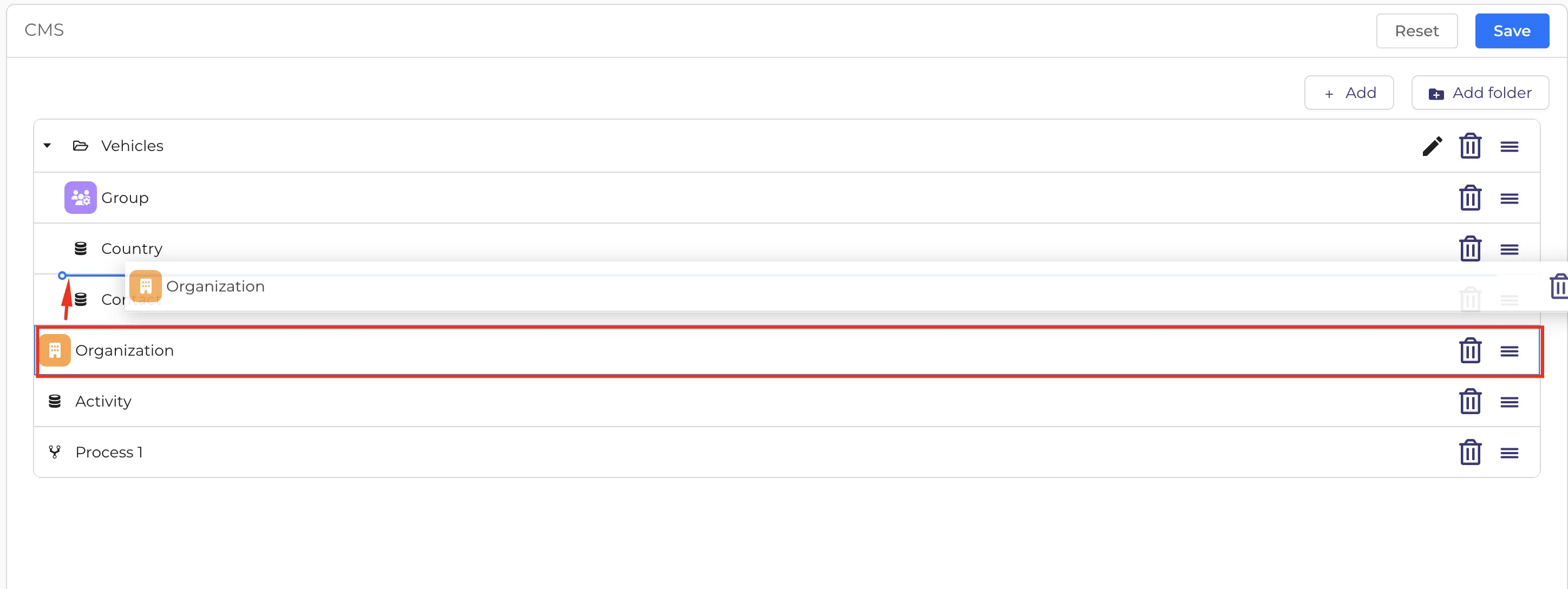
7. To move an item into a folder, drag it over to the blue line positioned slightly to the right of the start of the entity or folder block.
The entity in the folder will be displayed in the website's header like this
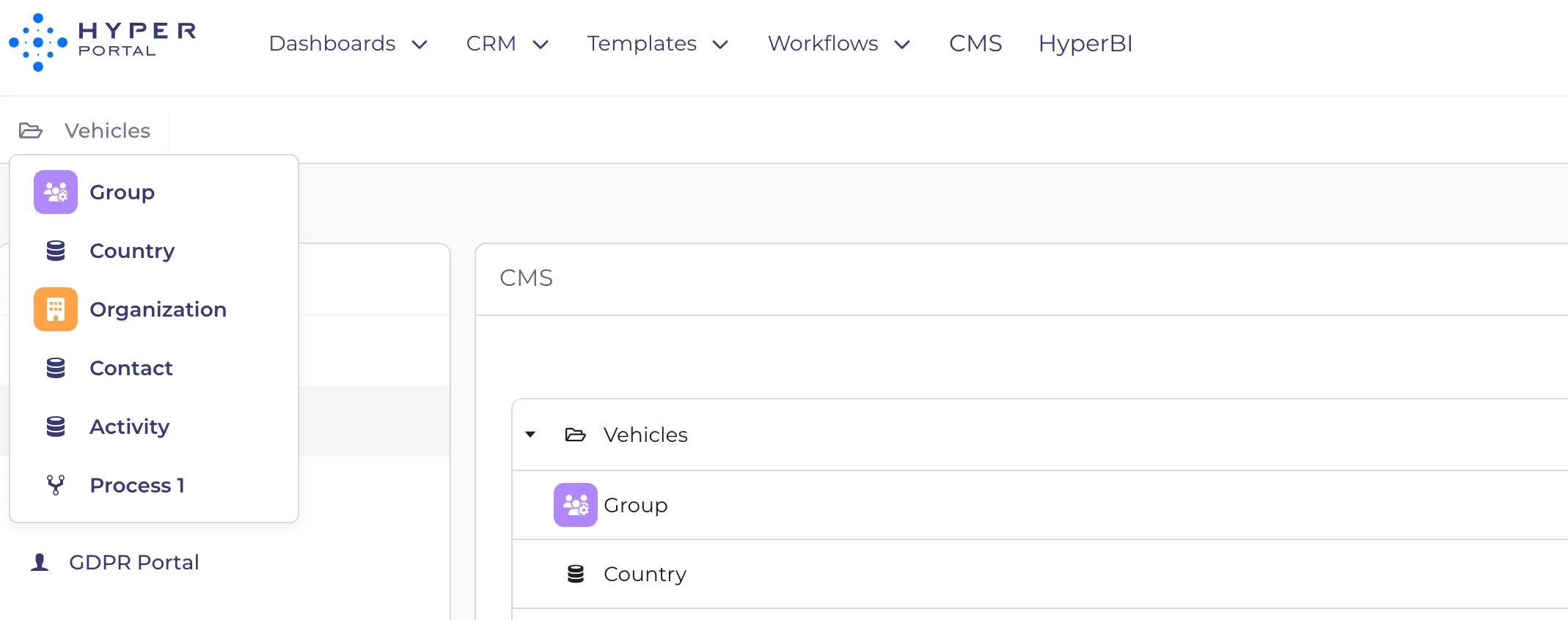
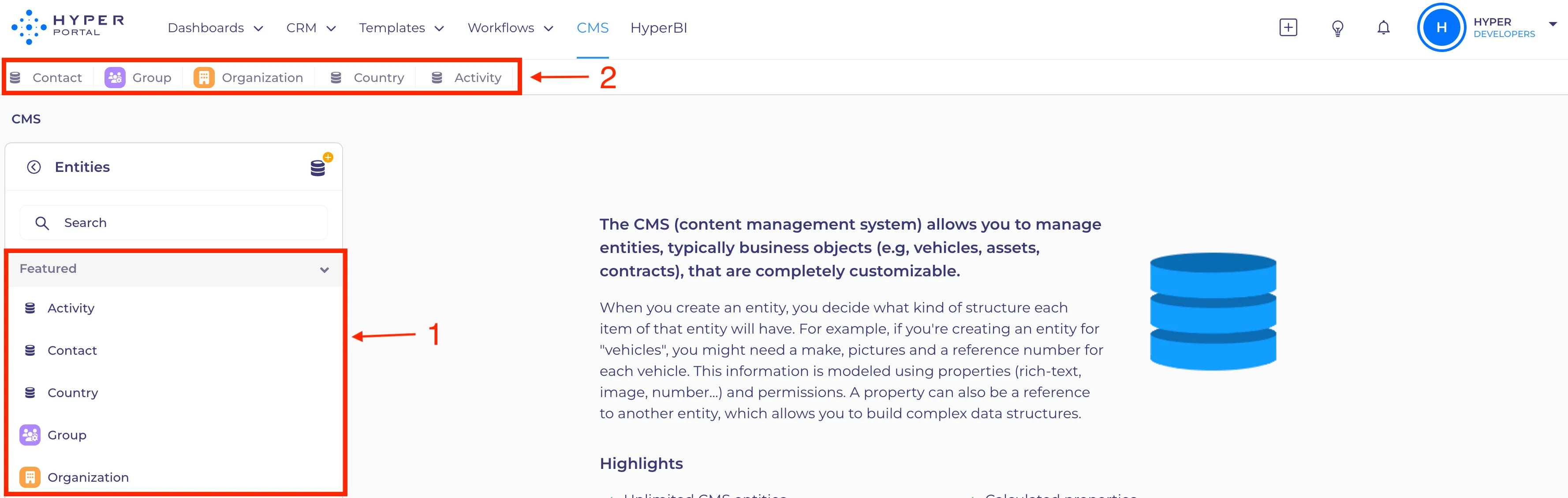
Favorites will be prominently displayed at the top of the 'Entities' menu on a CMS tab (1) and also in the website's header (2).
Chosen processes will be displayed at the top of the 'Workflows' menu and on the header.