Banner
1 min
Entity: Website > Home > Banner
This entity is used for all the banners at the top of the homepage.
Fields:
- Title - The title that will be shown in the box that appears on top of the Image.
- Image - Is the Image that will be used for the banner (at the moment we don't do any transformations on the image, so need to have the correct ratio before hand).
- Description - Is a short string that will be placed under the 'Title'.
- Enabled? - Choose if you want to show the banner, so you can re-use in the future without having to create it again. e.g. seasonal promotions.
- Mobile? - Each banner can only be used for mobile or desktop, select 'Yes if you want this object to be used only for mobile and 'No' if you want it to be used for desktop.
- Link - Enter a link that the user will navigate too (this will not open in a new tab).
- Order - The banners can then be ordered according to preference using a weighted system, whereby we sort in ascending. E.g.: 1, 5, 9.
Example:
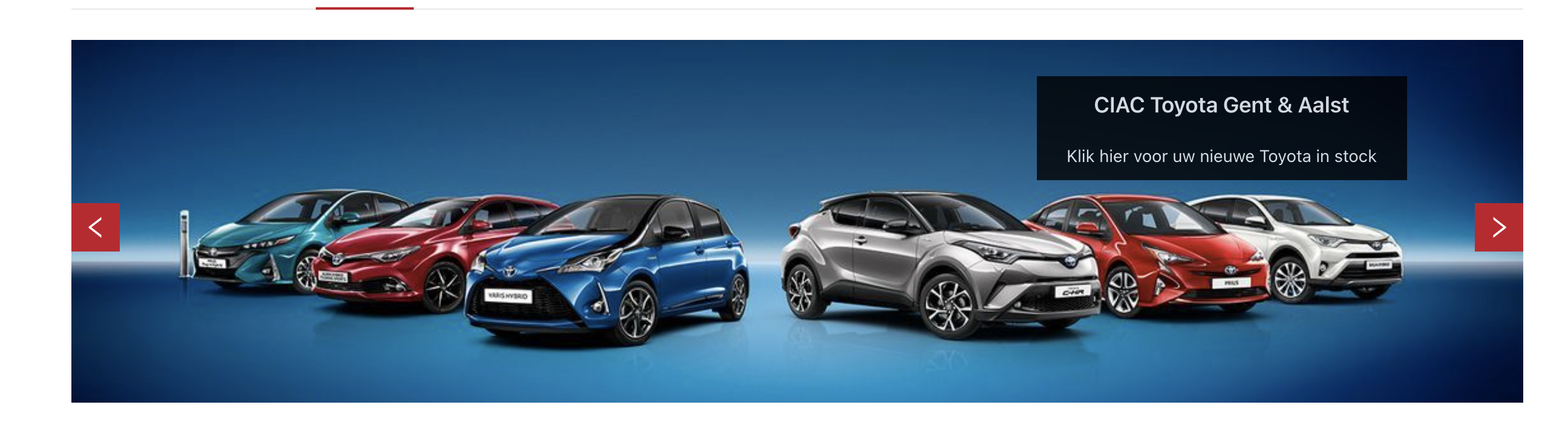
Pretty straight forward 'Title' is the title used in the box and the 'Description is displayed under it. The image will be used for the banner. We can disable/enable it for certain seasonal promotions with 'Enabled?'. Each banner can only be used for mobile or desktop, never both we specify that in the 'Mobile?'. The banners can then be ordered according to preference using a weighted system, whereby we sort in ascending. E.g.: 1, 5, 9. And finally with a 'Link' that lets you navigate anywhere when you click on the banner.